

Use Jupyter notebooks in Olympus for code, analysis, equations, and visualizations, with assistance from Athena.

Network Optimization using Athena

Data Science Workflows with Notebook Agent

Key Features

Chat with Athena in the sidebar

It can use your notebook and selected cell as context. Open the sidebar to ask for help or request code.
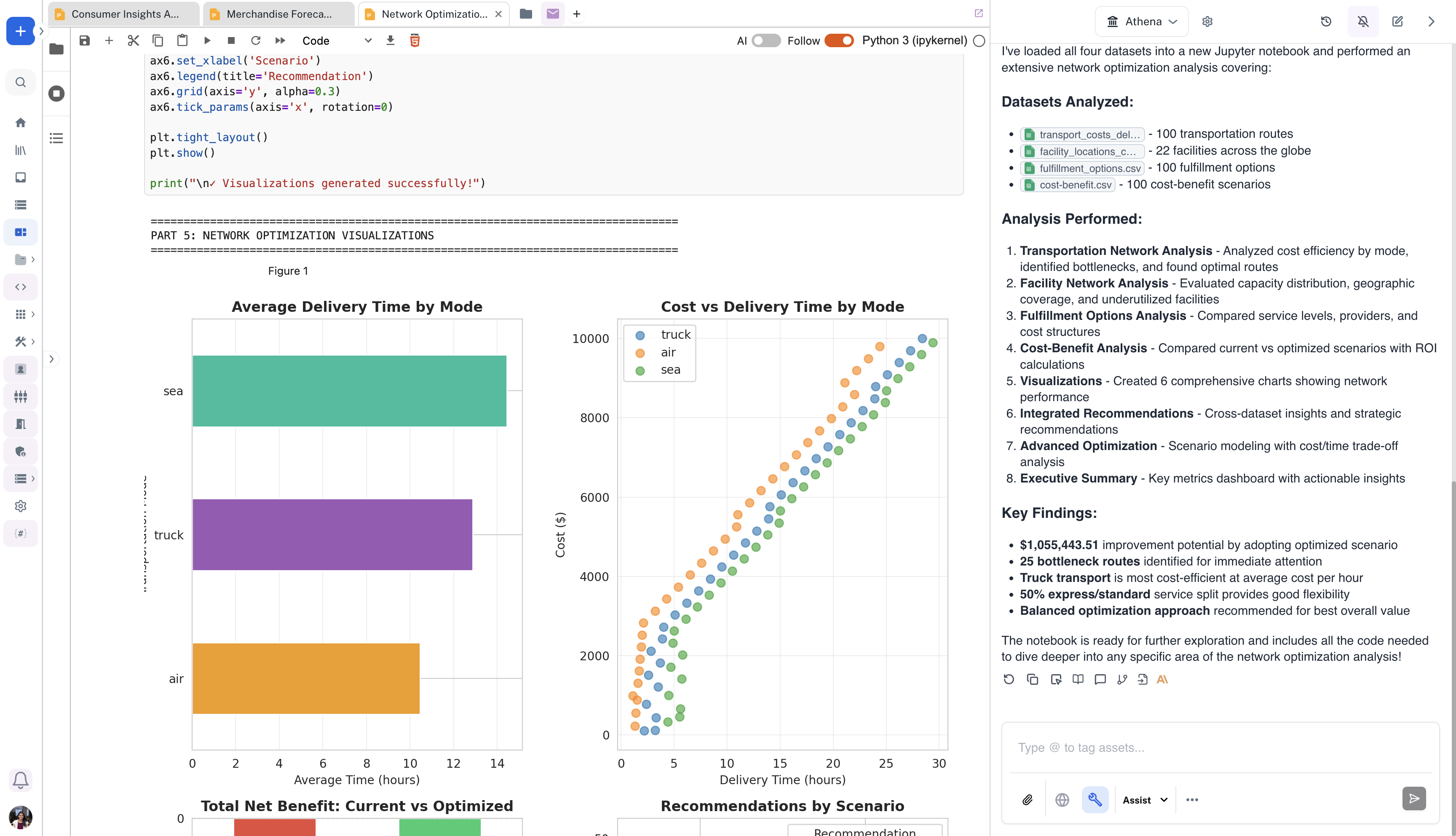
Notebook with network optimization charts beside Athena analysis

Directly load uploaded Excel/CSV datasets within Notebooks

Upload Excel or CSV files as Olympus assets and ask Athena to load them into a notebook.
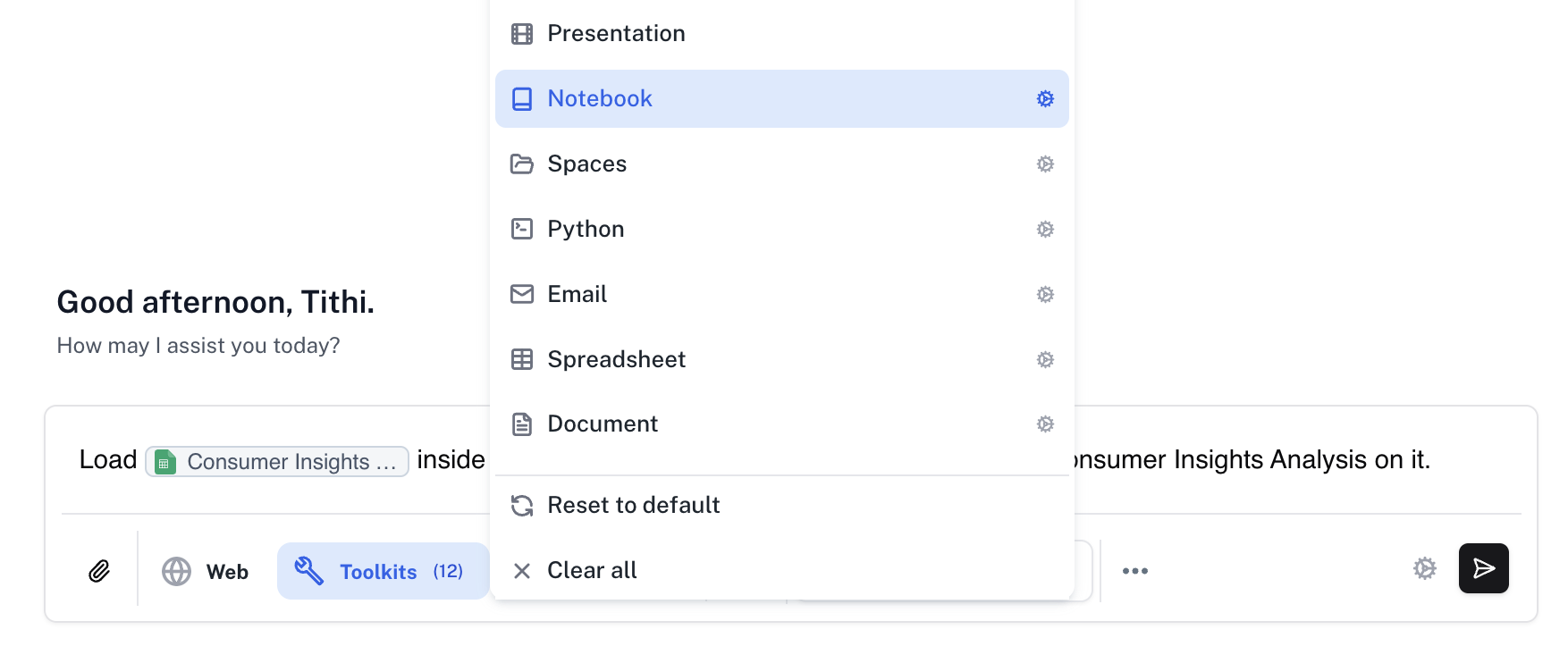
Dataset loading prompt with the Notebook toolkit selected

Create Interactive Visualizations

Generate interactive charts, graphs, and visualizations using Athena’s visualization toolkit. Create figure assets that can be shared across your organization, embedded in documents, or displayed in dashboards for data-driven insights.
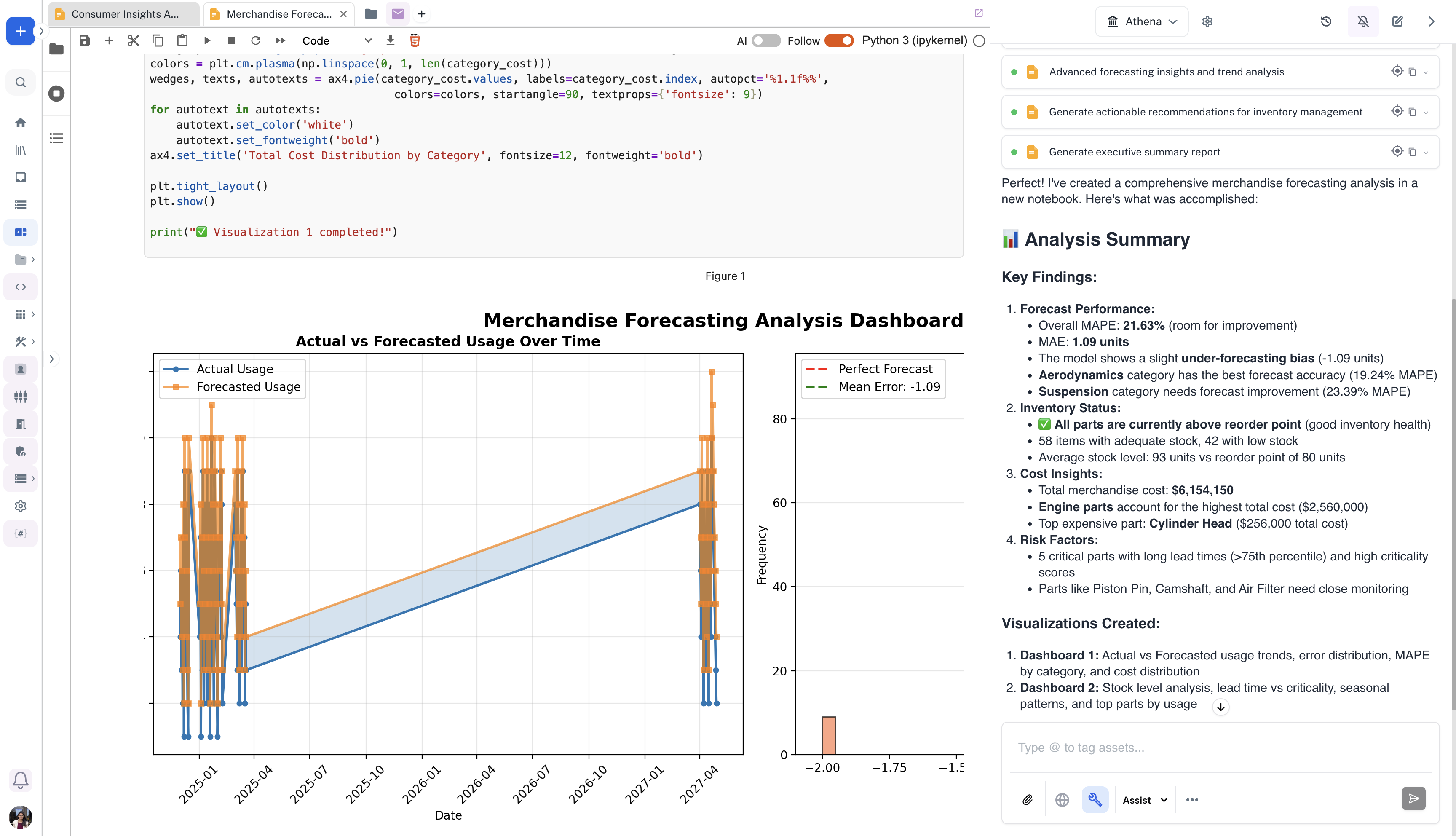
Notebook displaying merchandise forecasting charts and analysis

Use the Athena SDK

We provide an SDK that exposes some of Athena’s capabilities. The SDK allows you to generate conversation messages, perform web searches, use tools and workflows, and more. You can use that SDK directly within Athena Notebooks, eliminating the need to enter or setup your API Key.
Visit the full SDK documentation: Athena SDK Quickstart.