

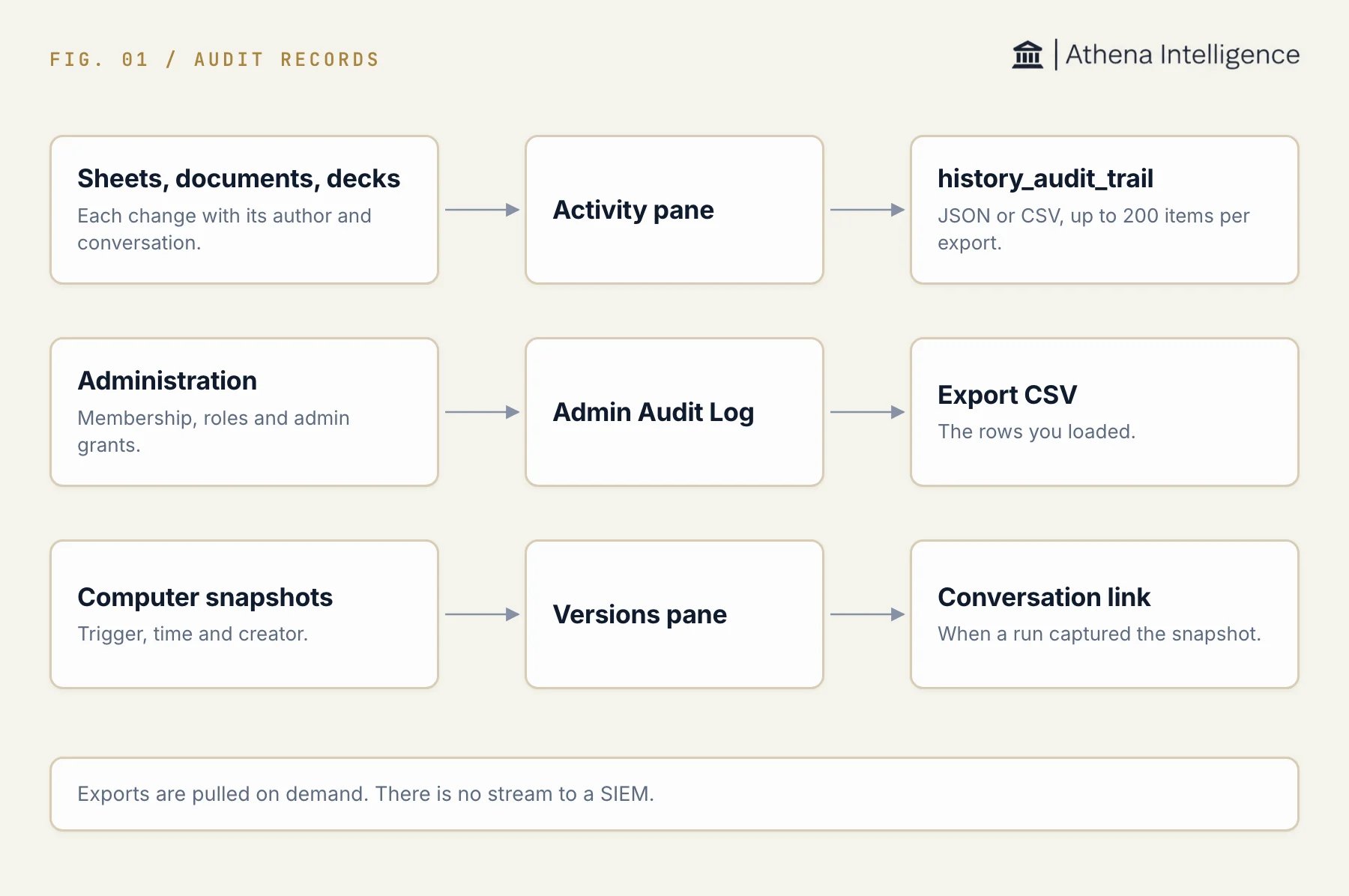
Three kinds of record, where you read each one, and how you export it.
Review an asset’s changes
The Activity pane groups edits by person or Athena activity. It can link an attributed edit to the conversation where Athena made it.- Open the sheet, document, or deck and its Activity pane.
- Select Timeline to review changes over time or Sessions to group activity by session.
- Review the author and time of the change.
- Follow an available conversation link to inspect its context. Opening that conversation requires access to the conversation itself.
Request an asset audit export
Thehistory_audit_trail tool exports change rows for one asset in JSON or CSV. You need administrator status and access to the asset in the run’s workspace. Workspace ownership alone does not satisfy the export’s administrator check.
- In a session with the history tool available, ask Athena to export the asset’s audit trail.
- Identify the asset and the time window you need.
- Specify JSON or CSV. Add an author, conversation, or location filter if needed.
- Review the export’s
completefield andnotebefore treating it as a complete record.
JSON returns the rows with completeness information. CSV output returns the CSV text alongside the export’s metadata and note.
Check export coverage
An export describes at most 200 activity items in one request. Itscomplete field is false when the scan is capped or edits cannot be described.
The note reports older edits outside the scan and edits missing from the rows. If older edits remain, request narrower time windows. If an edit could not be described, keep that gap with your exported record.
An empty value can mean that attribution was not recorded or that your access excludes past values. It is not proof that no change occurred.
Review administration events
Athena records privileged administration events: workspace membership and role changes, administrator grants and revocations, primary-workspace transfers, and users created by an administrator. Each row has the time, event, outcome, actor, target user, workspace, and request details when available. The Admin Audit Log screen shows these events to deployment administrators. It is in beta and is not listed in the sidebar yet. Ask Athena support for access.- Open Admin Audit Log as a deployment administrator.
- Set Event type and Outcome as needed.
- Narrow by Workspace ID, Actor user ID, or Target user ID.
- Set From and To for the time window.
- Expand a row to review its details.
- Load more rows until Loaded matches Total events.
- Select Export CSV. The button reads Export loaded while matching rows remain unloaded.
The CSV contains the loaded rows only. Compare Loaded with Total events before you treat it as the full set.