

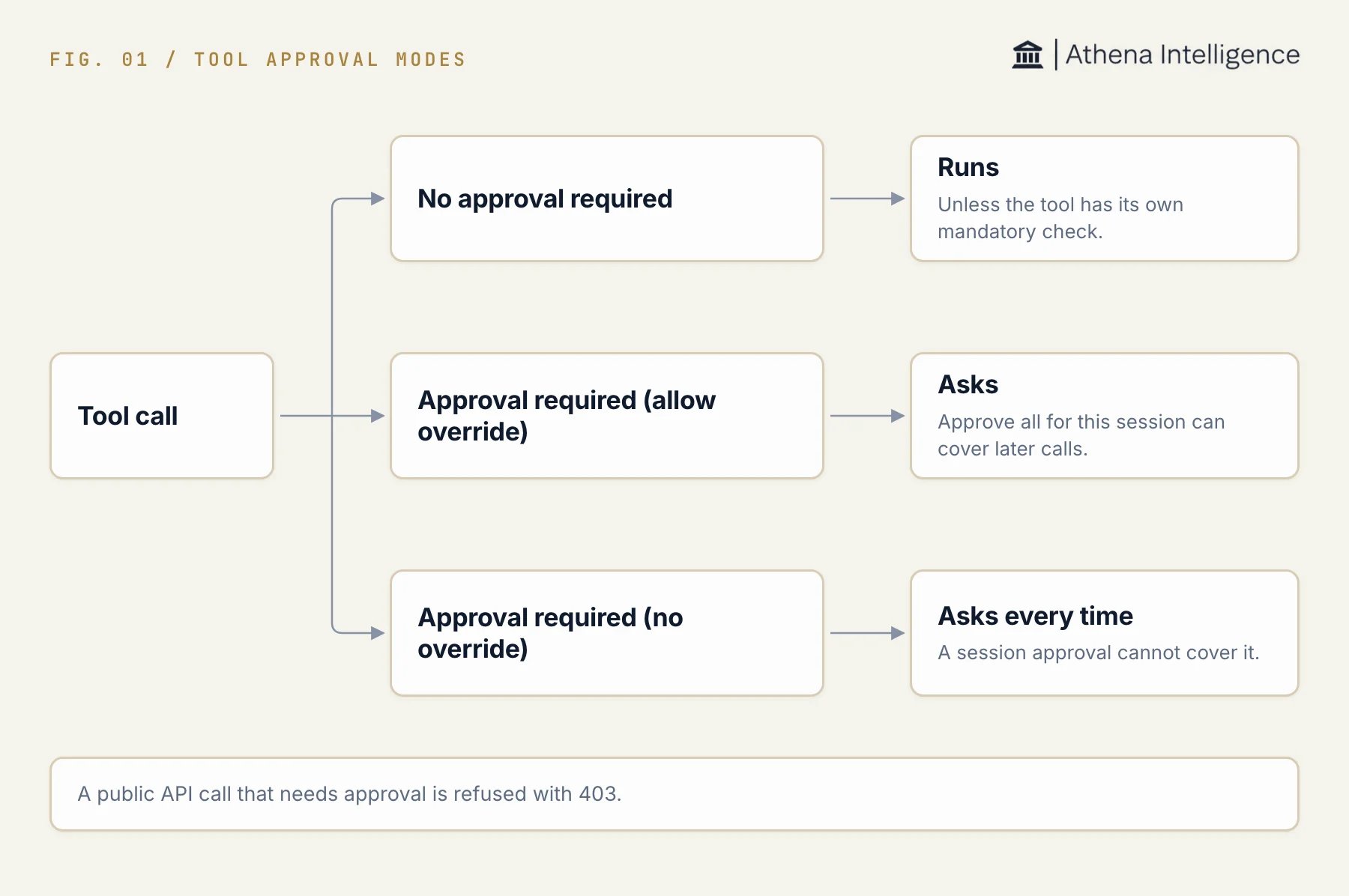
The approval mode set for a tool decides whether a call runs, asks, or asks every time.
Who can change policy
Workspace owners and administrators with live membership in the workspace can change its tool policy. Athena staff can also administer policy. A manager role alone does not grant this permission. The sidebar lists Tool Registry under Workspace for workspace owners.Set a tool’s approval mode
- Select Tool Registry under Workspace.
- In Tool Registry Management, find the tool under Available Tools.
- Use the search field to find it by name or ID.
- In Approval Mode, select the policy you need.
Keep mandatory checks
A tool call can have requirements beyond its registry row. For example, a calendar deletion keeps an approval requirement even when routine calendar updates use No approval required. For public API calls, a tool’s own mandatory approval or sensitivity gate remains in force whatever the registry says. No approval required does not remove those gates. In chat, a tool’s definition supplies the default when there is no registry entry. An explicit registry policy can change that default. Call-specific mandatory checks still apply.The registry’s mode alone does not guarantee that a call runs without review. The tool, the action being performed, and the execution surface can impose additional requirements.
Relate workspace policy to session approvals
An eligible approval request can offer Approve all for this session. It approves the displayed actions and later eligible calls covered by that allowance in the same session. Approval required (allow override) permits eligible overrides. Approval required (no override) keeps individual approval in place and does not offer the session allowance for that tool. A session allowance does not change workspace policy or carry into a new session. Review session approvals for the controls and limits on edited proposals and subagent dispatches.Call tools through the public API
Public API tool calls do not pause and wait for a person to click an approval button. When workspace policy requires approval, the public tool invocation routes refuse the call with HTTP403 and the code tool_requires_approval. Both required modes refuse these calls. The allow-override mode does not give a person’s or agent’s API call a standing approval grant.
- Check the response code and message.
- If the call needs a person’s approval, run it in an Athena chat session where the approval can be reviewed.
- For automated work that needs a reviewer, use an approval step in an Automation. An API request is not an approval.