Documentation Index
Fetch the complete documentation index at: https://resources.athenaintel.com/llms.txt
Use this file to discover all available pages before exploring further.
Athena provides powerful workflow automation capabilities through two complementary systems: Agent Operating Procedures (AOPs) and Flows. These tools enable organizations to automate repetitive tasks, streamline complex processes, and build sophisticated trigger-based workflows that operate autonomously.
Agent Operating Procedures (AOPs) are pre-configured, reusable AI workflows that automate complex, prompt-based tasks through intelligent, repeatable processes. AOPs transform standard operating procedures into executable AI workflows that can perform research, analysis, content generation, and decision-making tasks with minimal human intervention.AOPs are designed to handle tasks that traditionally require human judgment and expertise, such as conducting due diligence research, analyzing financial documents, generating compliance reports, or extracting structured data from unstructured sources. By encoding expert knowledge into reusable workflows, AOPs enable organizations to scale their operations without proportionally scaling headcount.AOPs use a special parameter syntax within their prompt templates to define dynamic inputs. When an AOP is executed, these parameters are automatically detected and presented to the user for input.Text Parameters allow users to provide free-form text input for names, descriptions, instructions, or any other textual data. For example, [[company_name|type=text]] creates a simple text input field where users can enter a company name.Asset Selectors enable users to select specific assets from their workspace, such as documents, spreadsheets, databases, or presentations. For example, [[financial_reports|type=assetSelector|filterType=document]] creates a selector that filters for document assets, allowing users to choose the relevant financial reports for analysis.Option Selectors provide predefined choices for consistent results. For example, [[analysis_depth|type=textOptions|options=Quick,Standard,Comprehensive]] creates a dropdown menu with three analysis depth options.These parameters make AOPs highly reusable. A single due diligence AOP can be used for hundreds of different companies by simply changing the input parameters, while the underlying analytical logic remains consistent.Key Features of AOPs
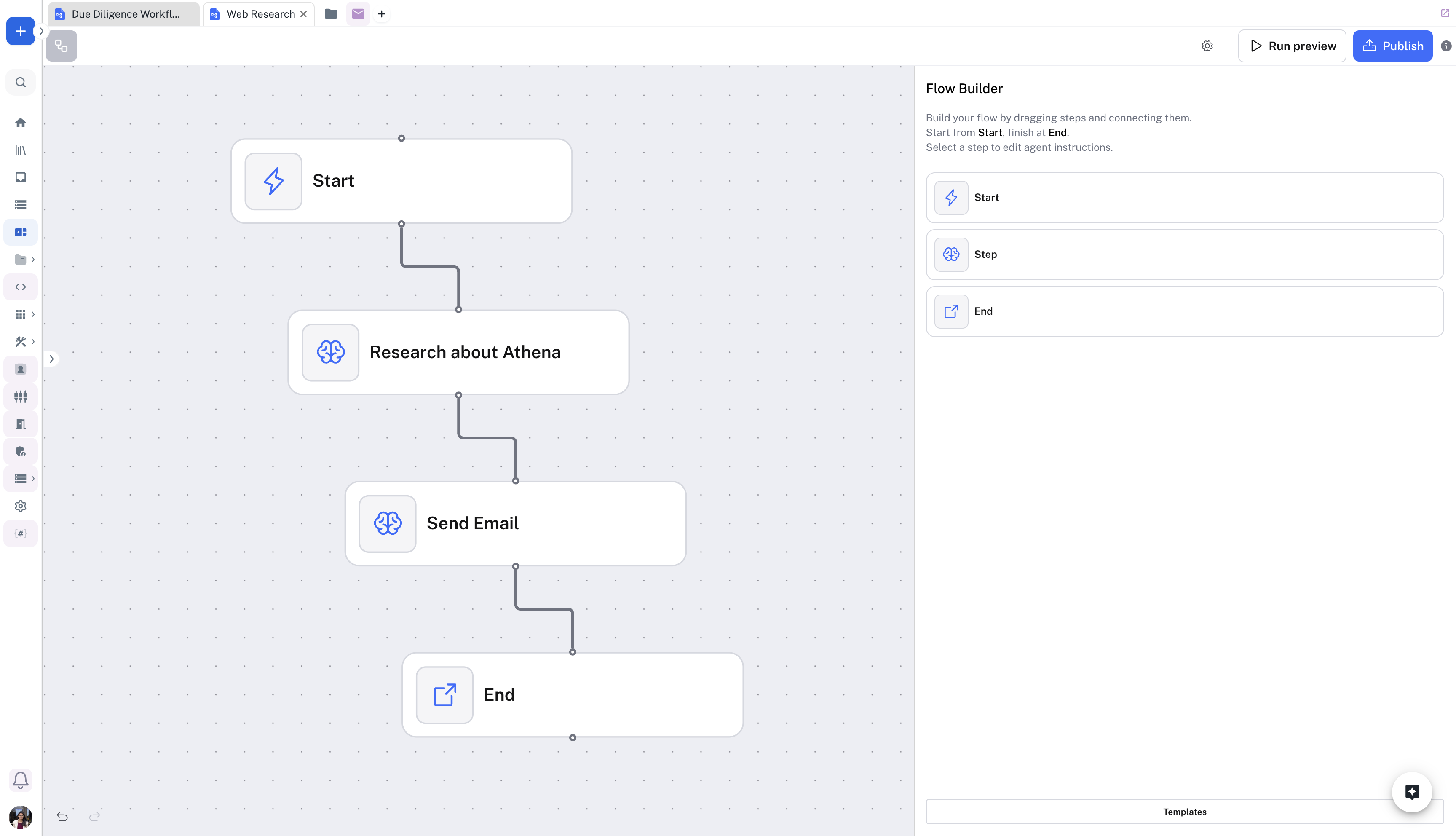
AOPs provide several powerful capabilities that make them ideal for automating knowledge work:Dynamic Parameter System: AOPs use a sophisticated parameter system that allows them to adapt to different scenarios. Parameters can be simple text inputs, asset selectors that reference specific documents or databases, or option selections that guide the workflow’s behavior. This flexibility means a single AOP can be reused across hundreds of similar tasks with different inputs.Multiple Execution Modes: AOPs can be executed through various interfaces including direct API calls for immediate results, asynchronous API mode for long-running tasks, chat integration for interactive execution with human oversight, and SDK integration for programmatic access from custom applications.Custom Agent Configuration: AOPs can leverage Athena’s suite of agents or create custom agents with research tools for web search and document analysis, content creation tools for generating reports and presentations, data processing tools for database queries and spreadsheet manipulation, and communication tools for email composition and notifications. Flows enable the automation of trigger-based workflows that respond to events or run on schedules. Unlike AOPs which are primarily prompt-based and user-initiated, Flows are designed for continuous automation scenarios such as monitoring websites for changes, processing incoming emails, responding to database updates, or executing recurring tasks on a schedule.Flows are ideal for operational processes that need to run continuously or on a regular schedule. They can monitor external systems, process incoming data, trigger actions based on conditions, and orchestrate multi-step processes across different applications and data sources.How Flows Automate Trigger-Based Workflows
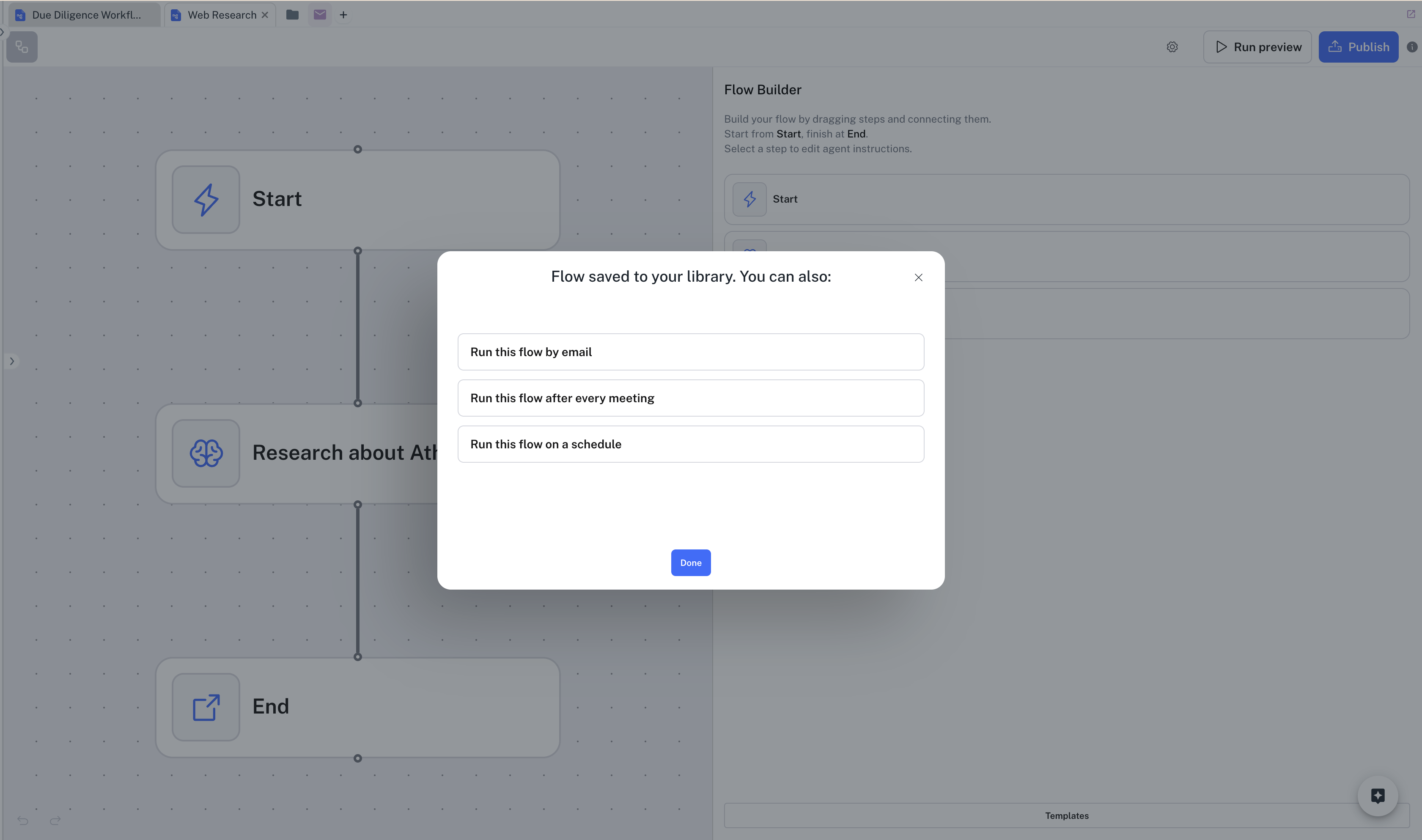
Flows operate on a trigger-action model. Users define what event should initiate the workflow (the trigger) and what actions should be taken when that trigger fires.Email Triggers allow Flows to process incoming emails automatically. For example, a Flow can be configured to trigger when an email arrives at a specific address (e.g., support@company.com), extract information from the email and attachments, route the request to the appropriate team, and send an automated acknowledgment to the sender.Schedule Triggers enable Flows to run at specific times or intervals. For example, a Flow can run every Monday morning to compile the previous week’s sales data, generate performance reports, identify trends and anomalies, and distribute reports to management.Within each Flow, users can define multiple steps that execute sequentially or in parallel, including data retrieval from databases or APIs, AI-powered analysis using Athena’s capabilities, conditional logic to handle different scenarios, data transformation and formatting, and actions like sending emails, updating databases, or creating documents.Key Features of Flows
No-Code Workflow Building: Flows provide an intuitive interface for creating automated workflows without writing code. Users can define custom tools using Athena’s AI capabilities, configure triggers and schedules, and set up multi-step workflows that chain together different operations.Event-Based Triggers: Flows can be triggered by various events including incoming emails to specific addresses, webhooks from external systems, database changes or new records, file uploads to monitored folders, and API calls from other applications.Scheduled Execution: Flows support recurring schedules for tasks that need to run at specific times, such as daily reports, weekly data synchronization, monthly compliance checks, and quarterly analysis updates.Custom Tool Integration: Organizations can create custom tools that encapsulate proprietary logic, specialized models, or domain-specific capabilities. These tools can then be used as building blocks within Flows, enabling highly customized automation that reflects the organization’s unique processes. Choosing Between AOPs and Flows
Both AOPs and Flows are powerful automation tools, but they serve different purposes and are suited to different types of workflows.Use AOPs when you need to automate complex, prompt-based tasks that require AI reasoning and judgment, the workflow is initiated by users with specific inputs for each execution, the task involves analyzing documents, generating content, or making recommendations, you want to create reusable templates that can be applied to many similar scenarios, or the workflow is primarily synchronous with results needed immediately or within a few hours.Use Flows when you need to automate trigger-based workflows that run in response to events, the workflow should execute automatically without user initiation, the task involves monitoring external systems or processing incoming data, you need scheduled execution for recurring tasks, or the workflow orchestrates multiple systems and requires complex conditional logic.Many organizations use both AOPs and Flows together to create comprehensive automation solutions. For example, a Flow might monitor for incoming customer support emails, extract key information, and then trigger an AOP to generate a detailed response based on the customer’s issue and relevant knowledge base articles.Enterprise Use Cases for AOPs and Flows
Use Case 1: Automated Due Diligence Workflows
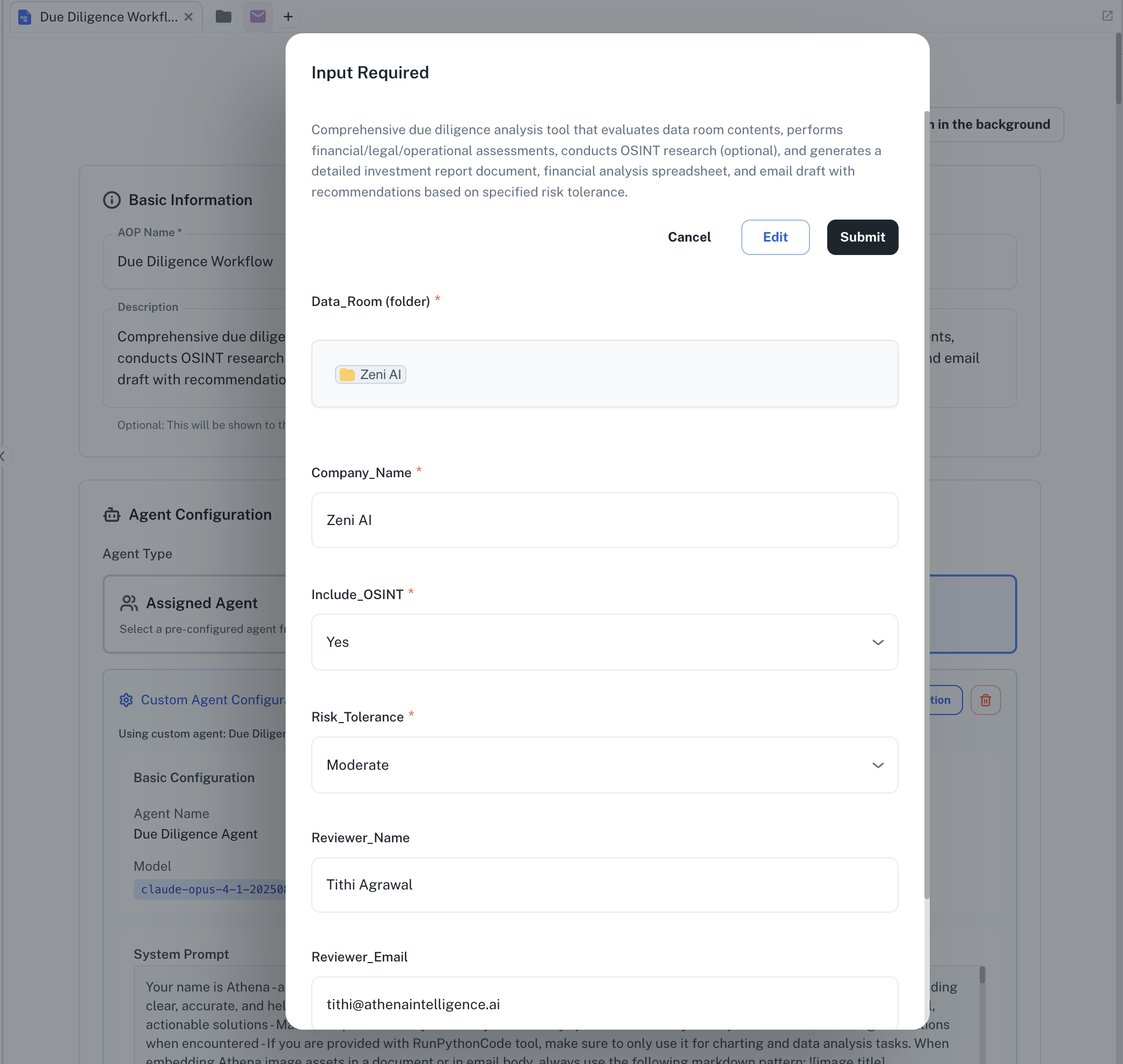
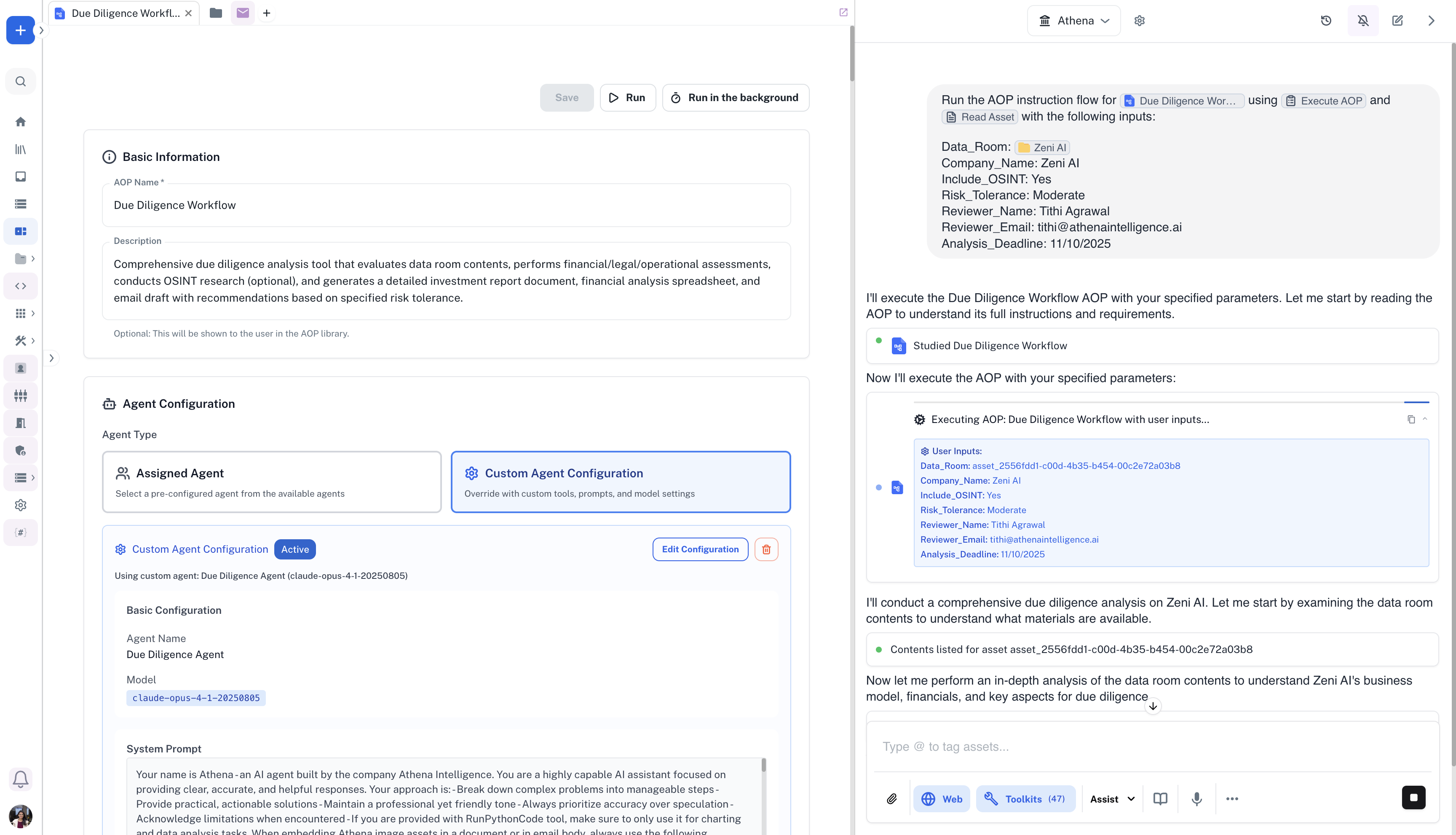
Large private equity firms and investment banks conduct hundreds of due diligence reviews annually, each requiring analysts to spend 40-60 hours reviewing financial documents, assessing risks, evaluating management teams, and compiling comprehensive reports. This process is highly repetitive yet requires expert judgment.An AOP-based due diligence workflow can automate 70-80% of this work. The AOP accepts parameters including the target company’s data room (a folder of financial documents, contracts, and presentations), company name, industry sector, and risk tolerance level. It then systematically analyzes financial statements to identify trends and anomalies, reviews contracts for unfavorable terms or hidden liabilities, assesses competitive positioning through market research, evaluates management team backgrounds and track records, identifies regulatory and compliance risks, and compiles findings into a structured report with risk ratings.Use Case 2: Automated Deal Evaluation Process
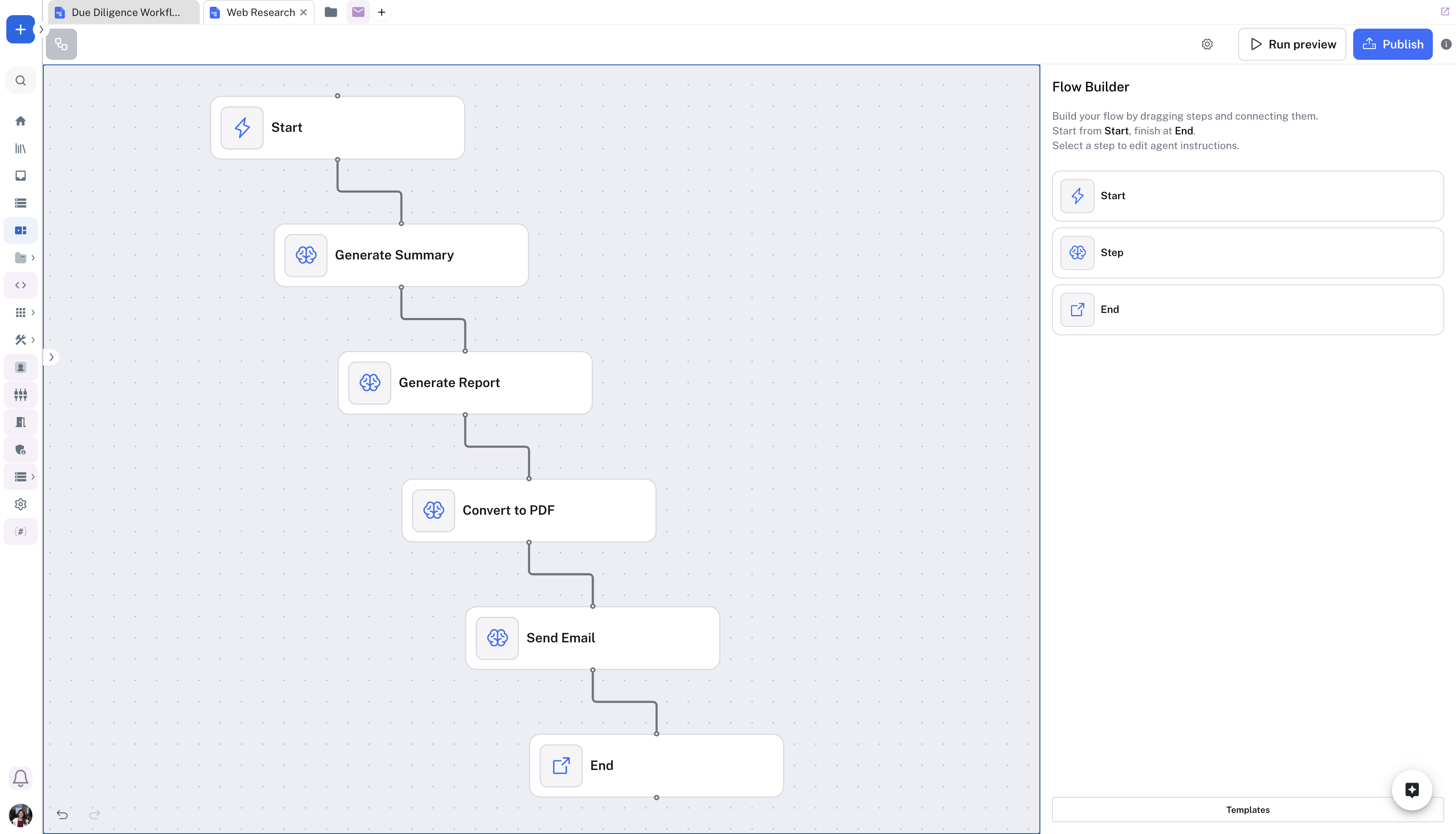
A mid-sized private equity firm faces a critical bottleneck in their deal evaluation process: analysts spend 3-5 days per opportunity manually synthesizing data room materials, creating investment memos, and distributing reports to investment committee members. With 50-100 potential deals annually, this manual process limits the firm’s capacity to evaluate opportunities and slows down critical investment decisions. The traditional workflow involves reviewing extensive financial statements, legal documents, and market research, then manually compiling findings into standardized investment memorandums—a time-consuming process prone to formatting inconsistencies and transcription errors.By implementing this automated workflow, the firm transforms their due diligence reporting from a multi-day manual task into a 4-6 hour automated process. The system analyzes flagged documents and analyst notes to generate a comprehensive investment memo with proper citations, automatically converts it to a professionally branded PDF, and distributes it to stakeholders—all without manual intervention. This automation enables the firm to evaluate 40% more deals annually while ensuring consistent report quality and reducing errors by 90%.