

Rate Card Analysis using Athena
Step-by-step Instructions
1
Create a Flow
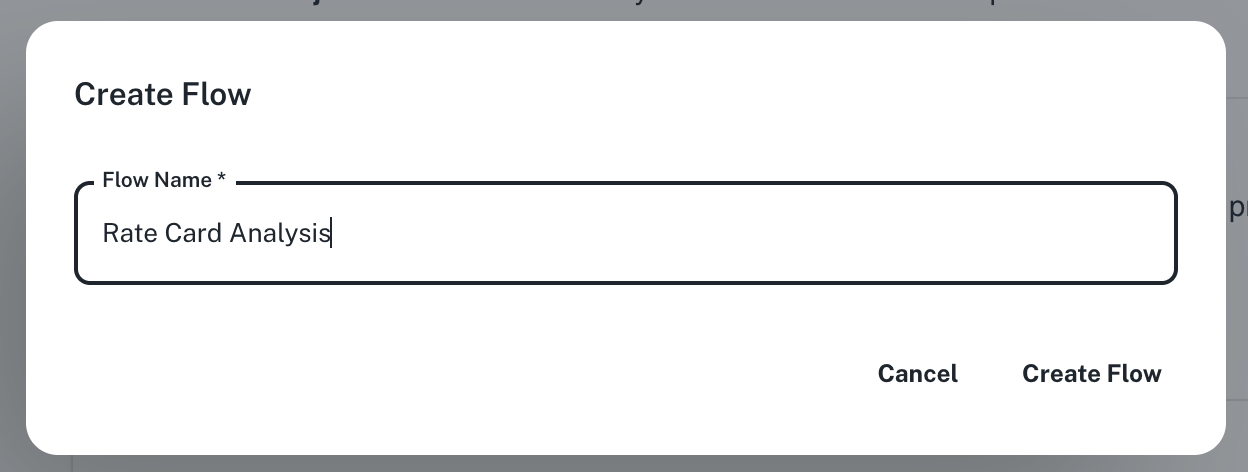
Go to Spaces. Click on the + -> Workflow -> Flow button on the top left and name your flow “Rate Card Analysis”.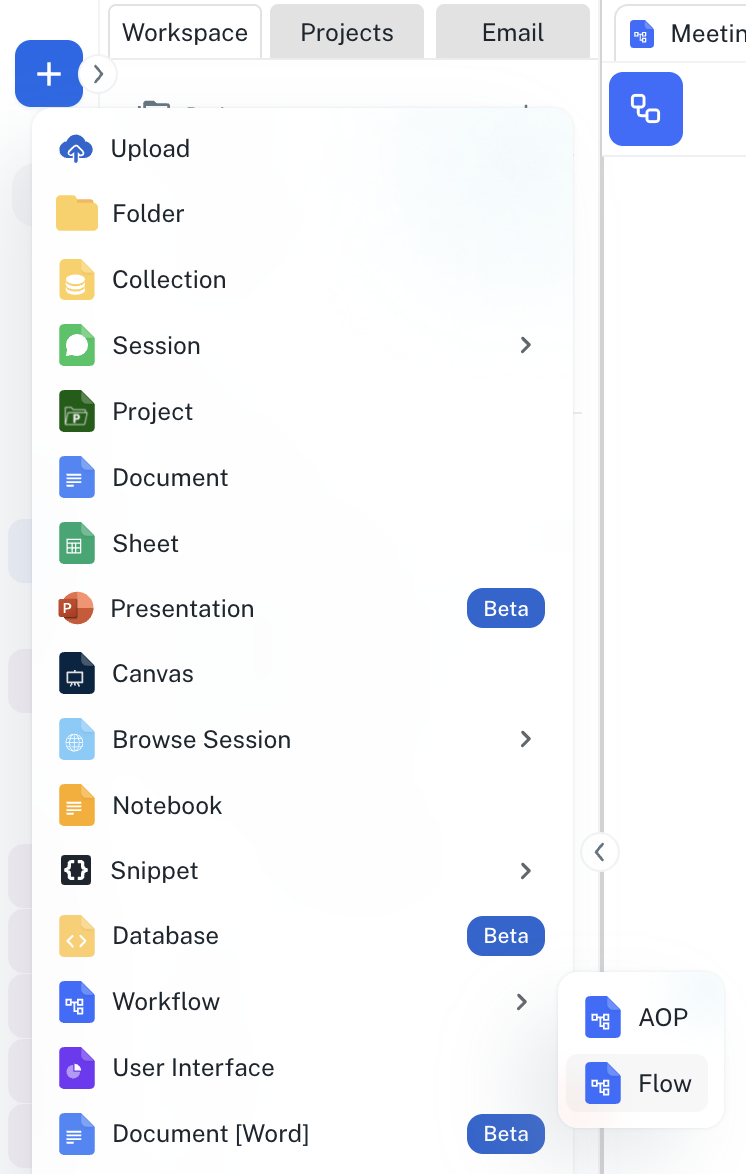
2
Define your flow
In the Title field, enter “Analyze Rate Card” and in the Agent Instructions field, enter your prompt, for example the one given below: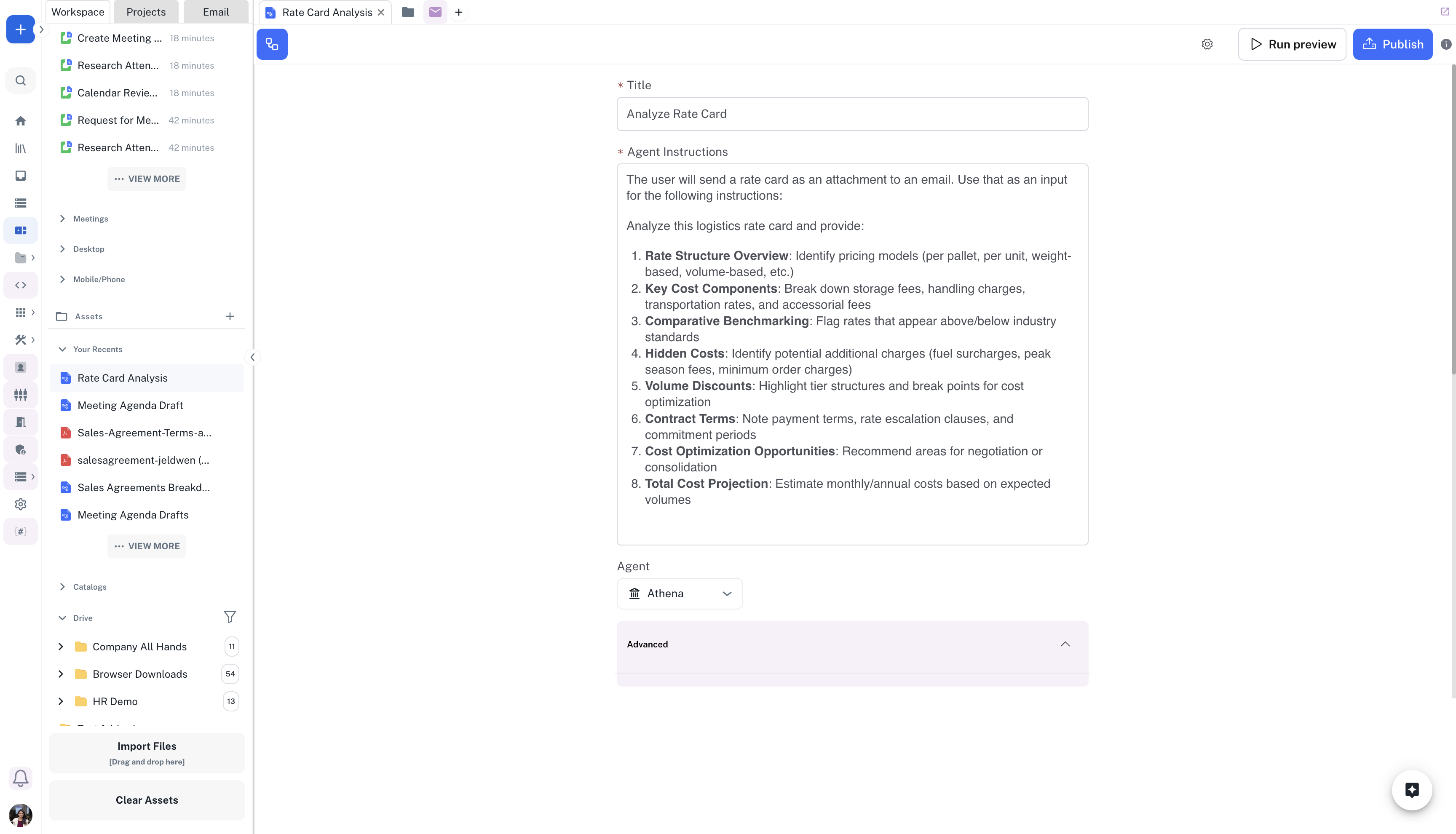
3
Publish your flow
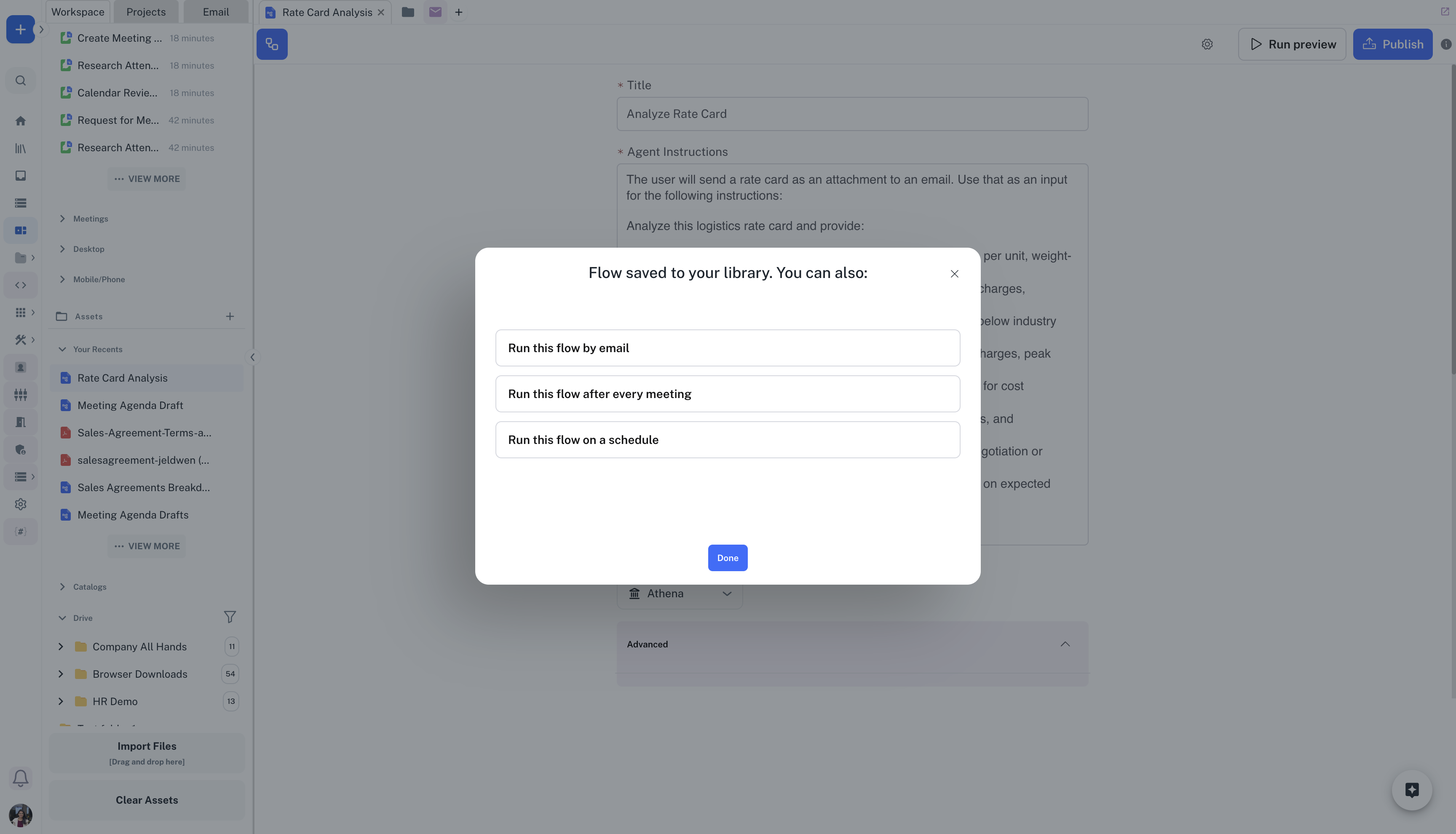
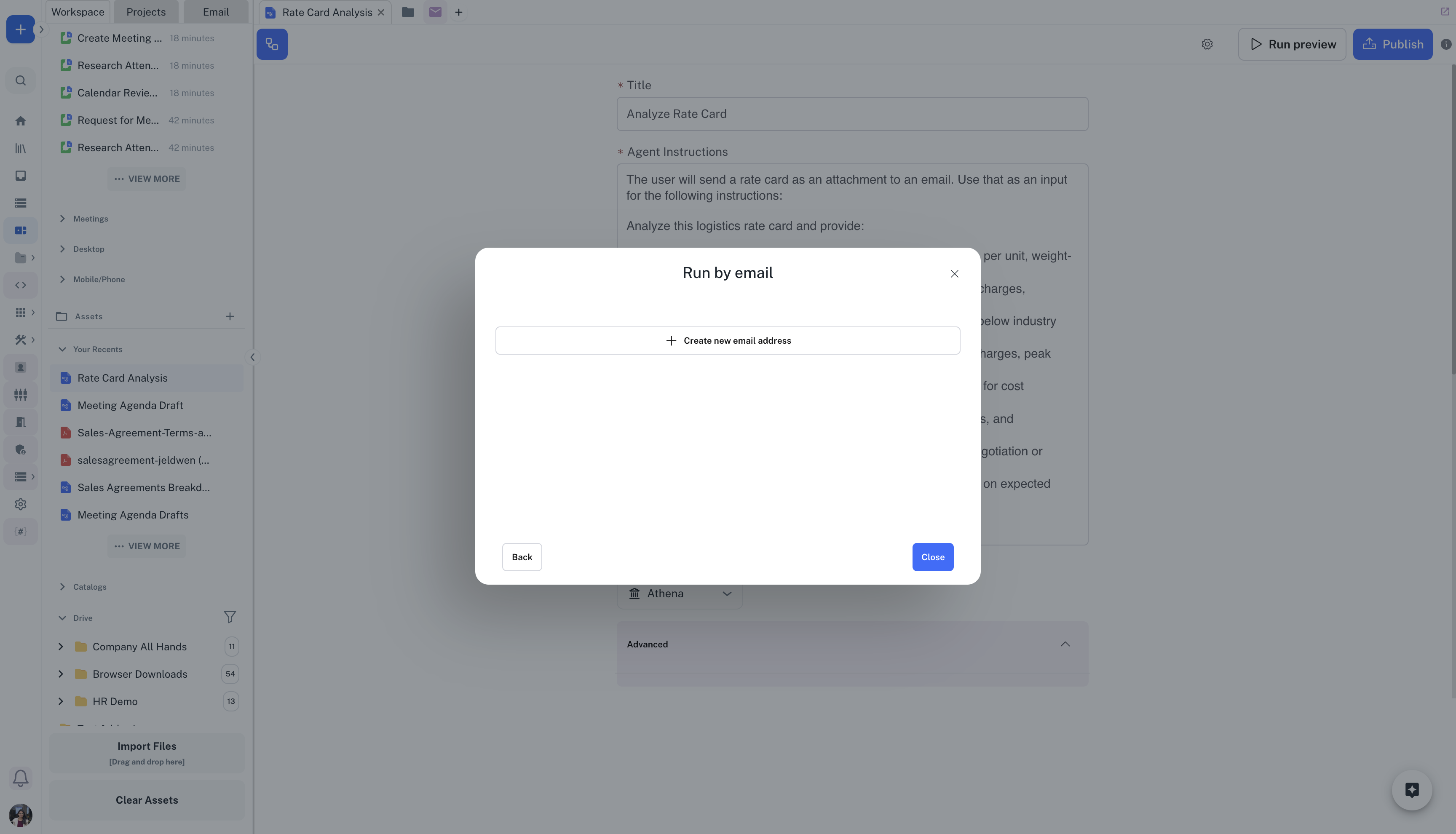
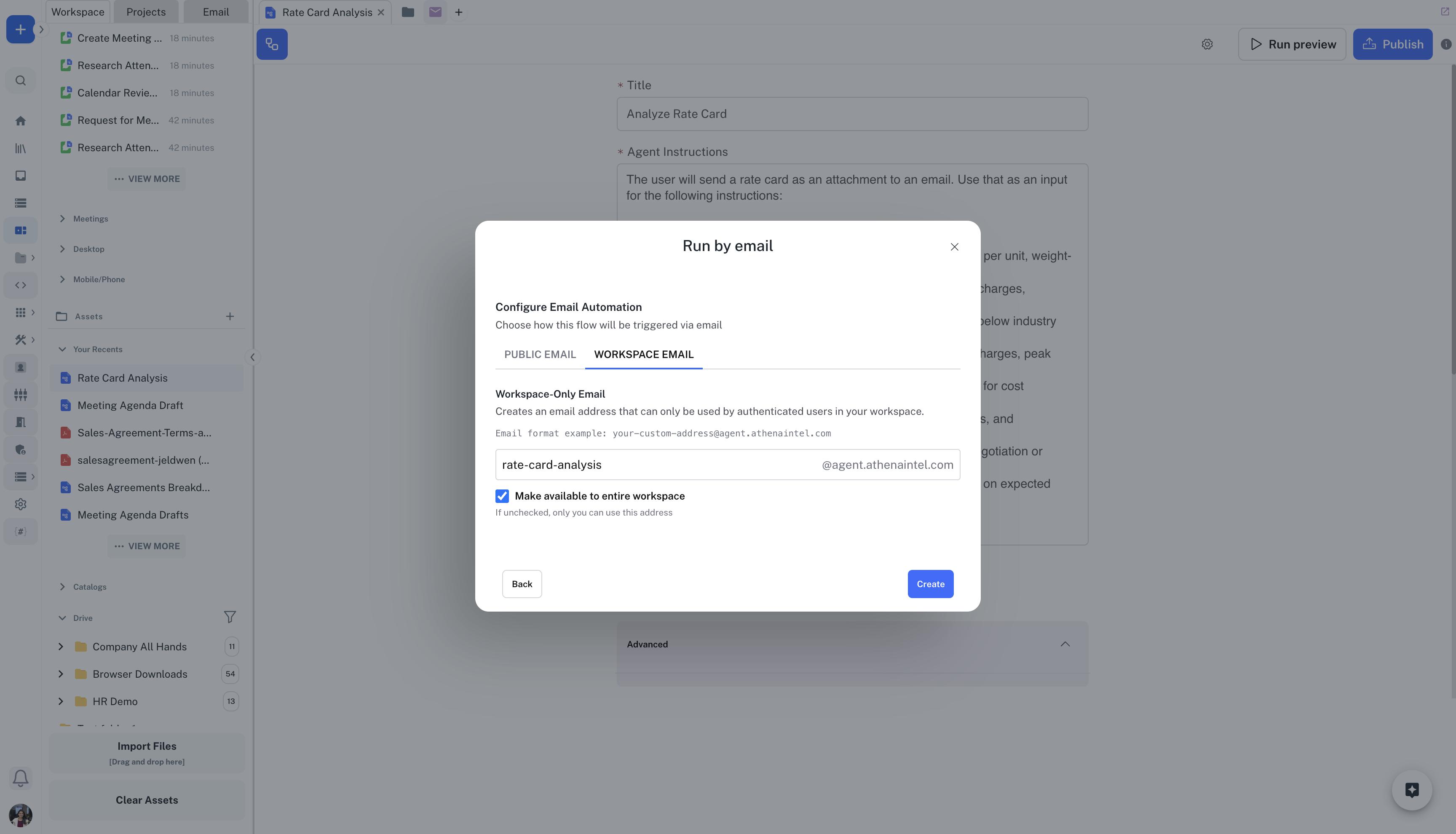
You can click on Publish on the top-right of the flow to trigger the flow on an event. Click on Run this flow on a schedule -> Create new email address. Create a new email slug for your flow, for example rate-card-analysis@agent.athenaintel.com and click on Create.
4
Send Email
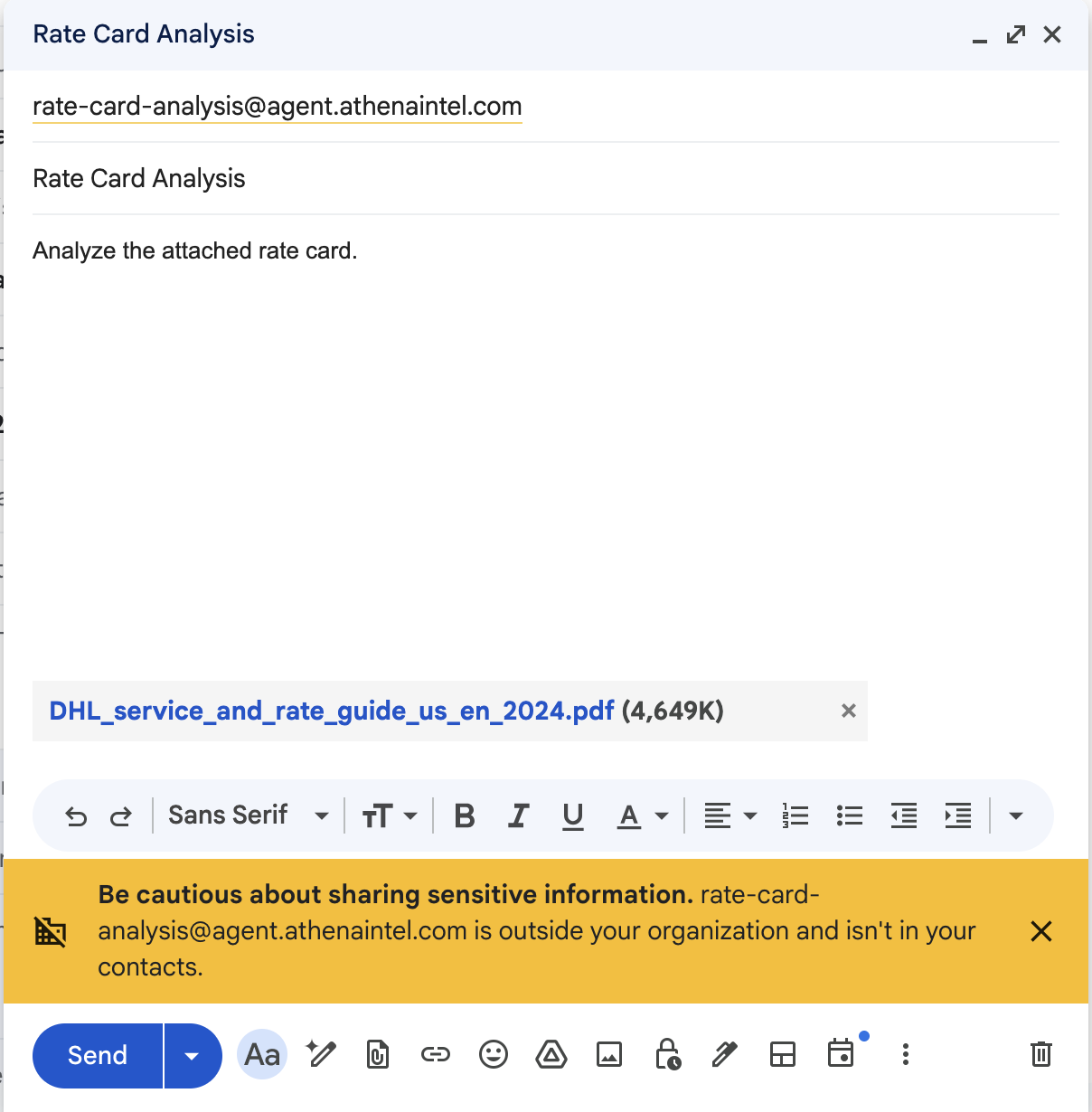
Send an email to rate-card-analysis@agent.athenaintel.com with the rate card to be analyzed as an attachment. Once Athena completes processing the rate card, it will reply to your email with the results.
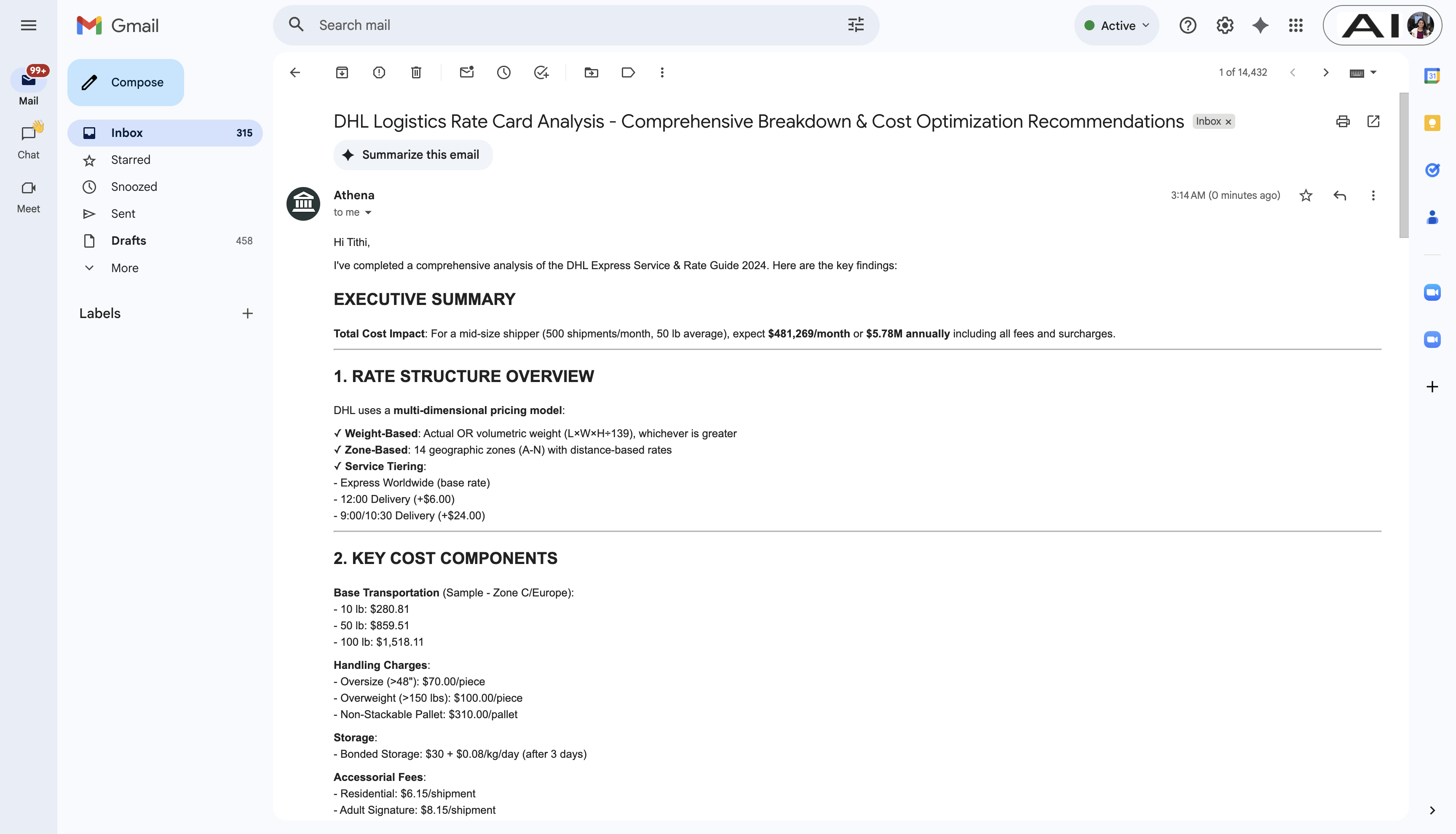
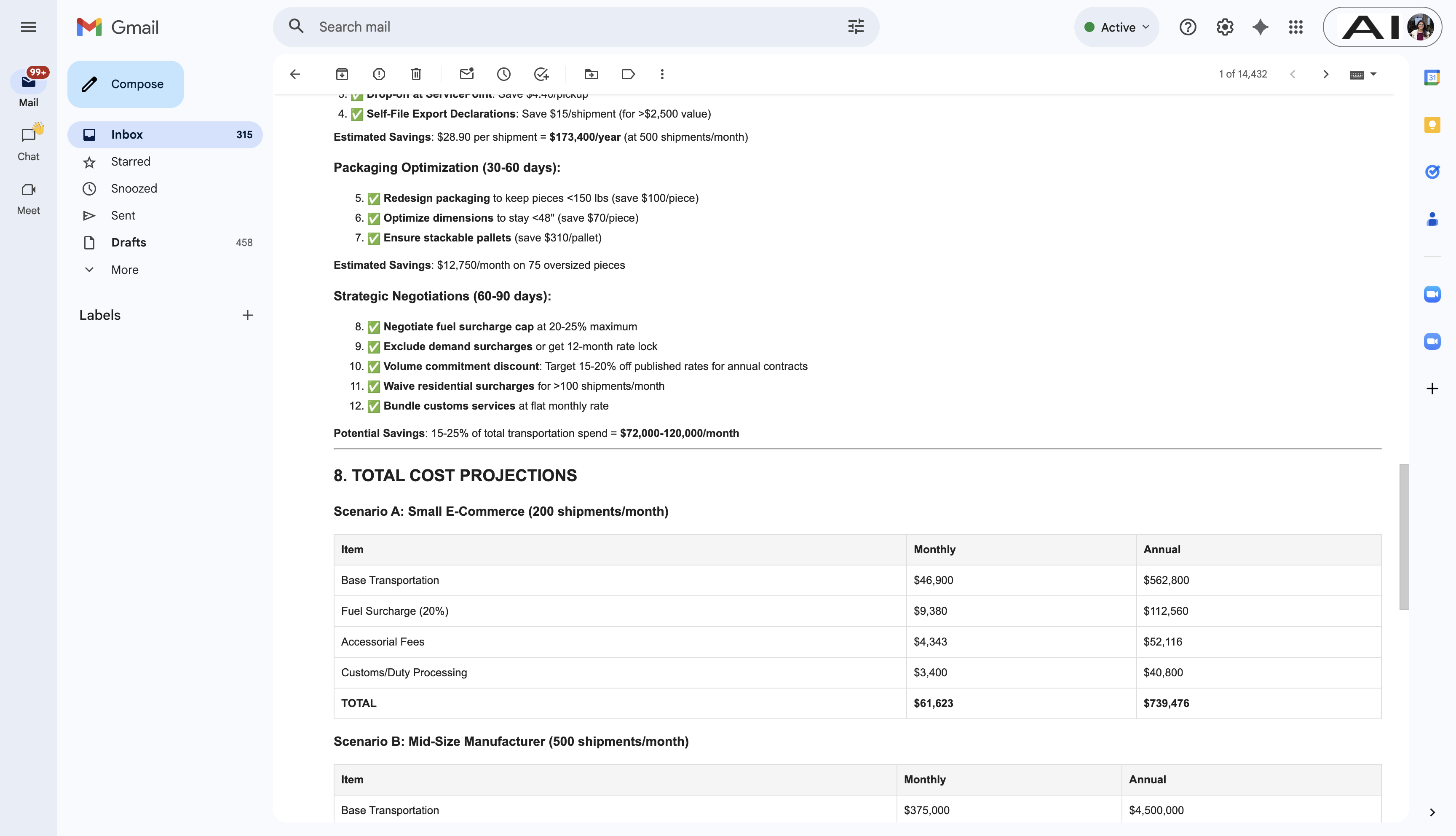
Athena can also send emails with files created during the workflow run as attachments to the response email.