Step-by-step Instructions
1
Prepare your data source
Navigate to Spaces. Upload your quarterly performance data as an Athena Sheet or connect to your existing database containing revenue, expenses, and KPI metrics.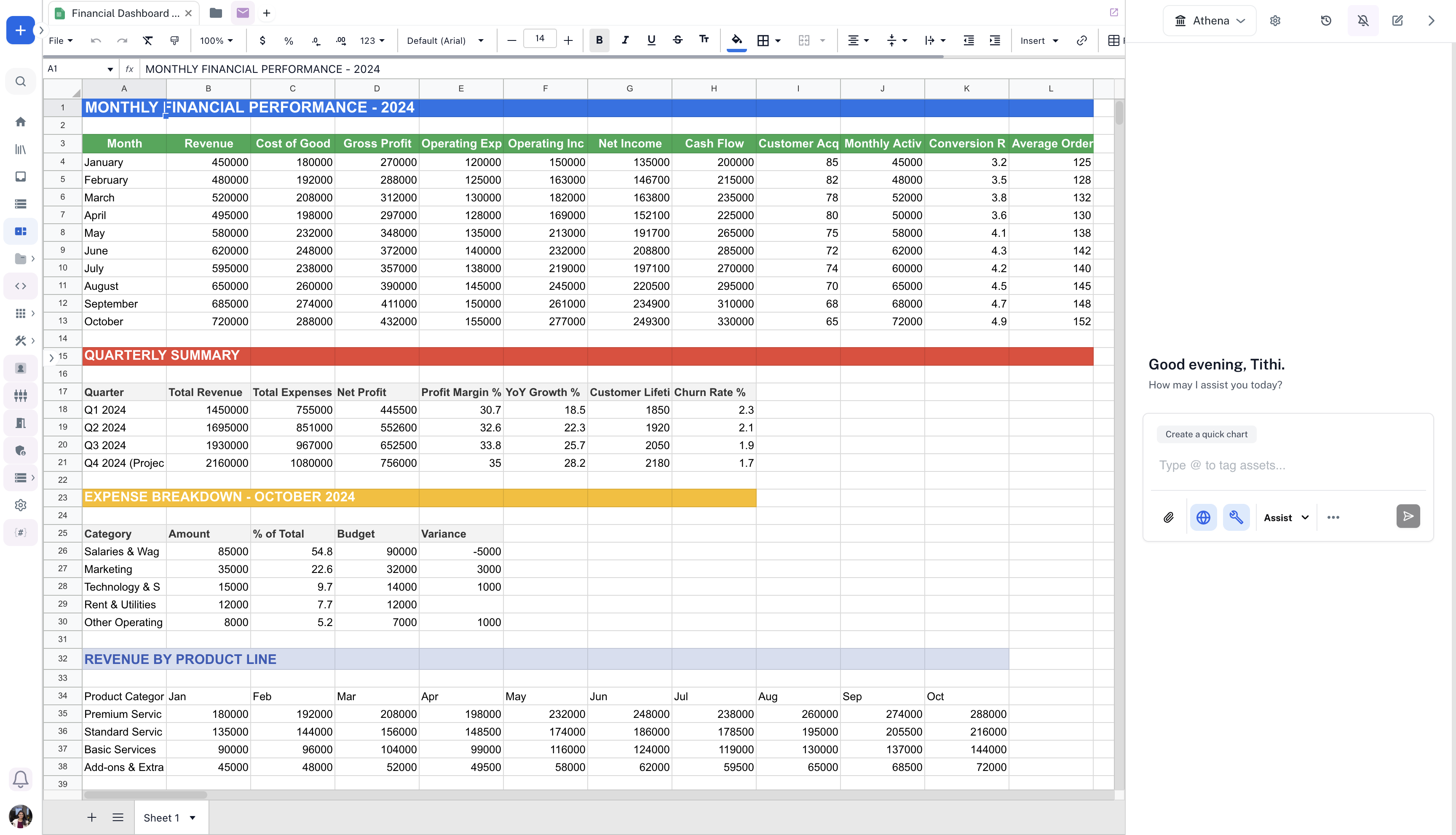
2
Generate visualizations with Athena Assist
In the chat UI, select Athena Assist and enable the Visualization Toolkit. Enter the following prompt and press Enter: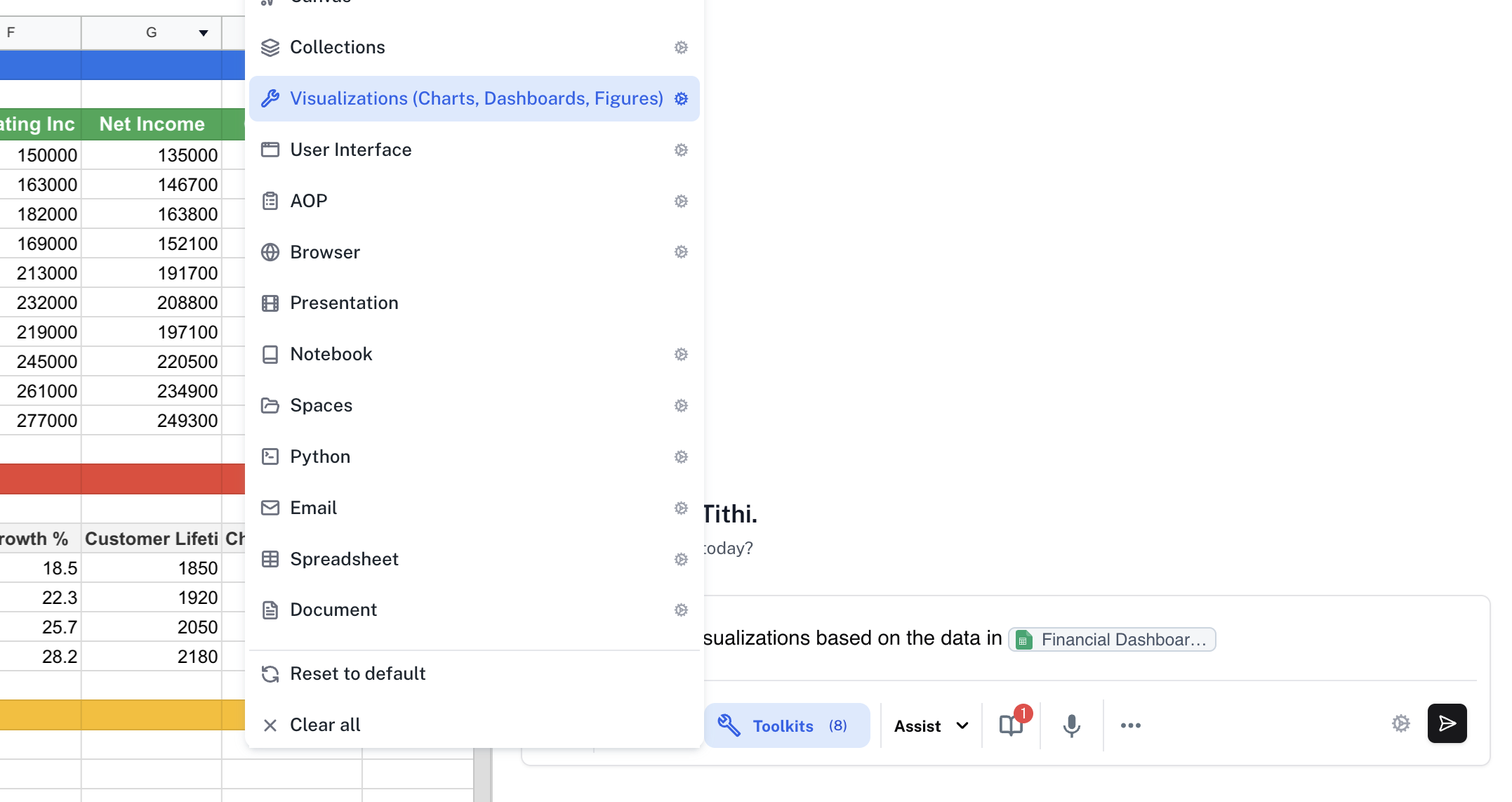
Prompt
3
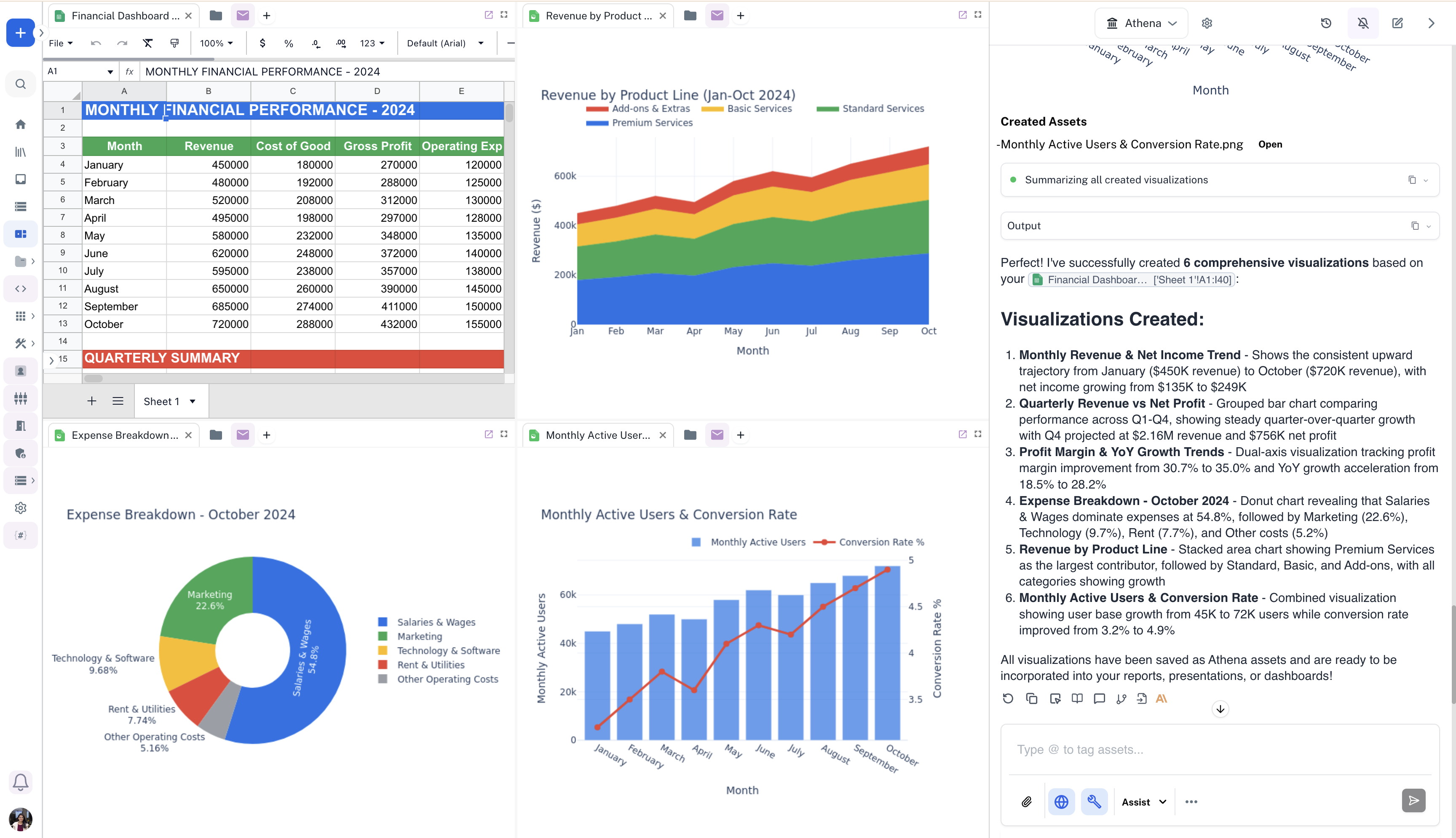
Analyze created visualizations
Analyze the visualizations created by Athena by dragging and dropping them in the Spaces view.