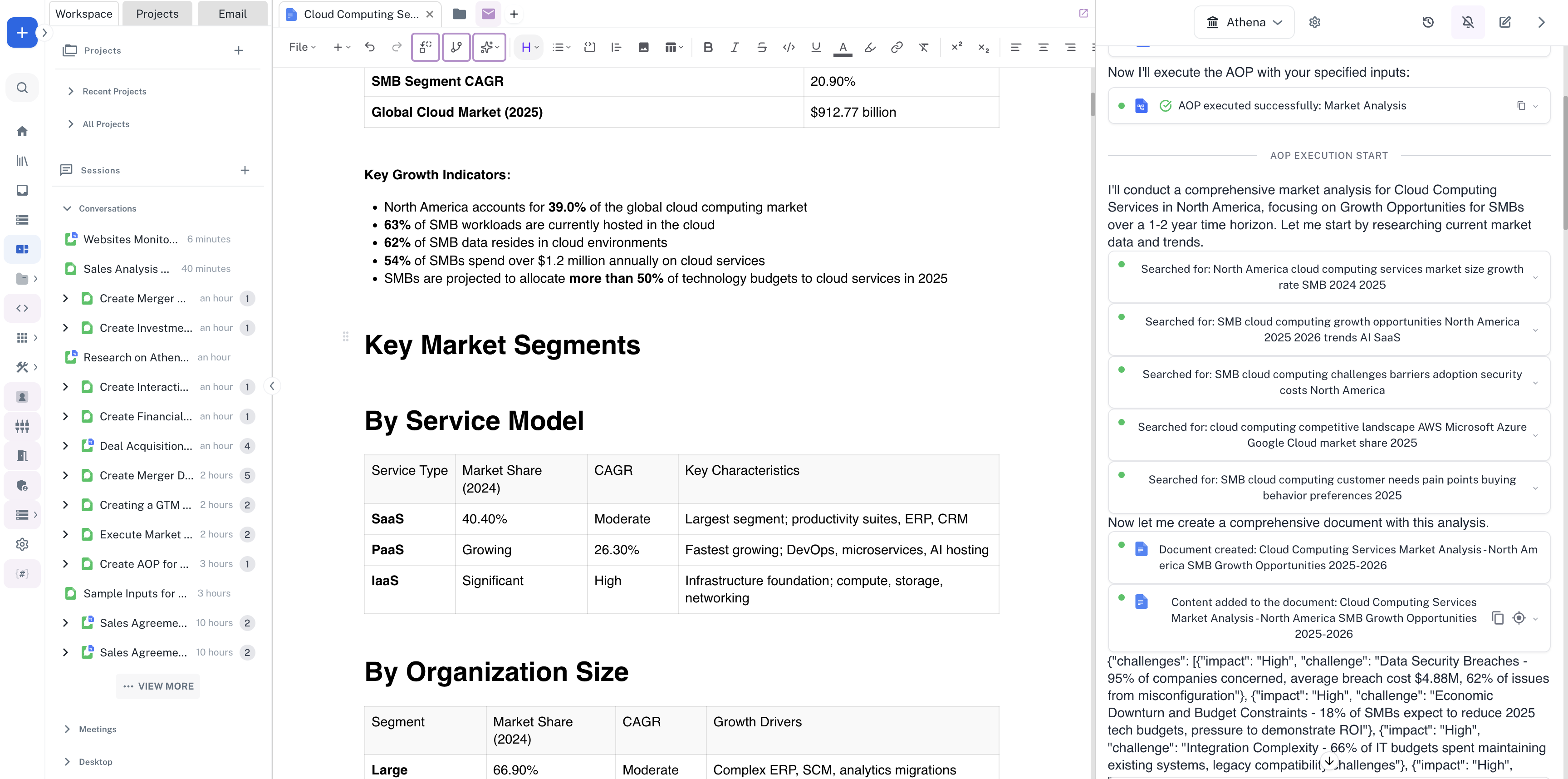
Market Analysis AOP Workflow
Step-by-step Instructions
1
Create an AOP for Market Analysis
Navigate to Spaces. In the Chat, enter a prompt to create an AOP for market analysis and press Enter.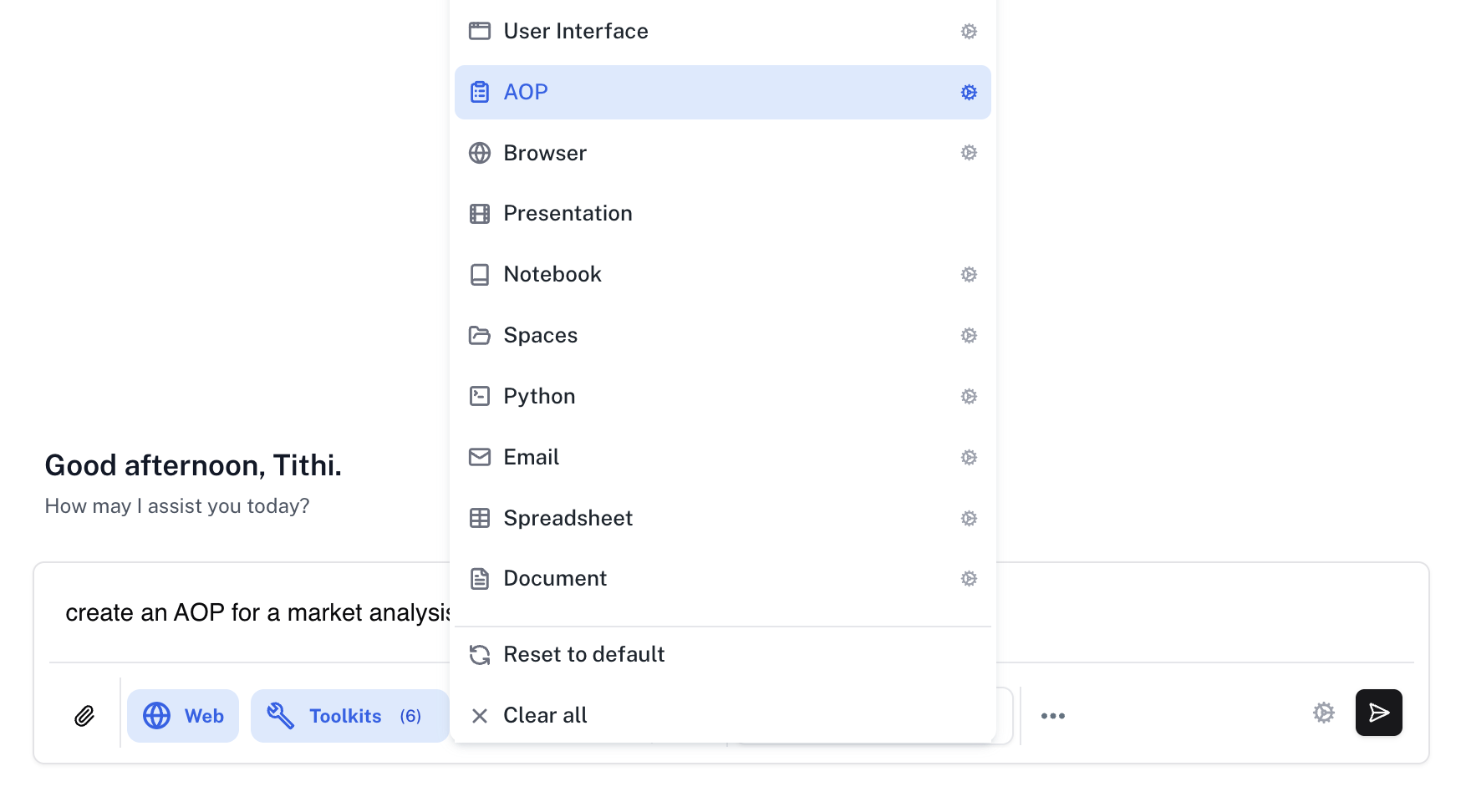
Prompt
2
Run the AOP with Inputs
Once the AOP is created, run it by providing the necessary inputs such as market, region, focus, customer segment, and time horizon. Fill in the required fields and click Submit.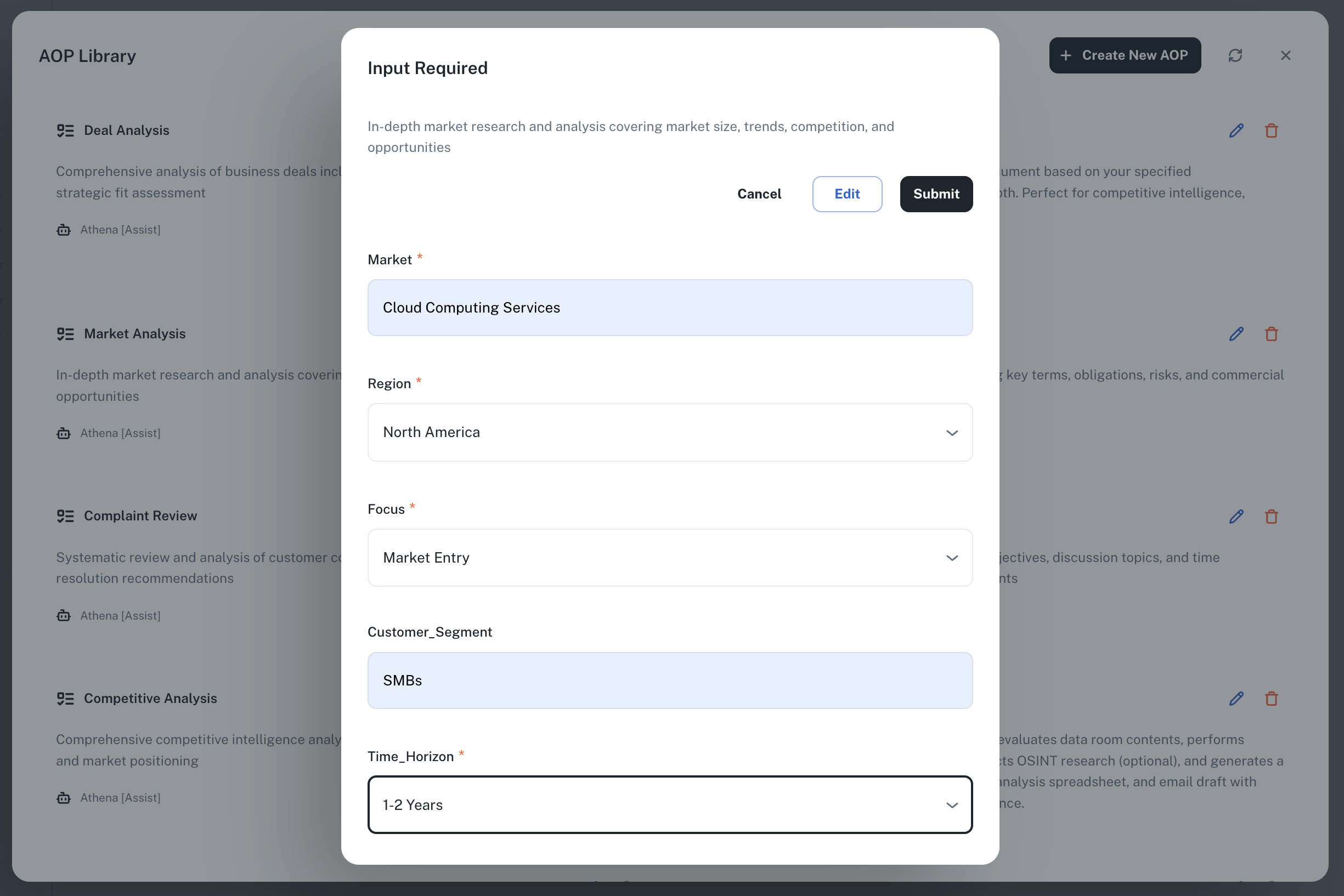
3
View the Final Output
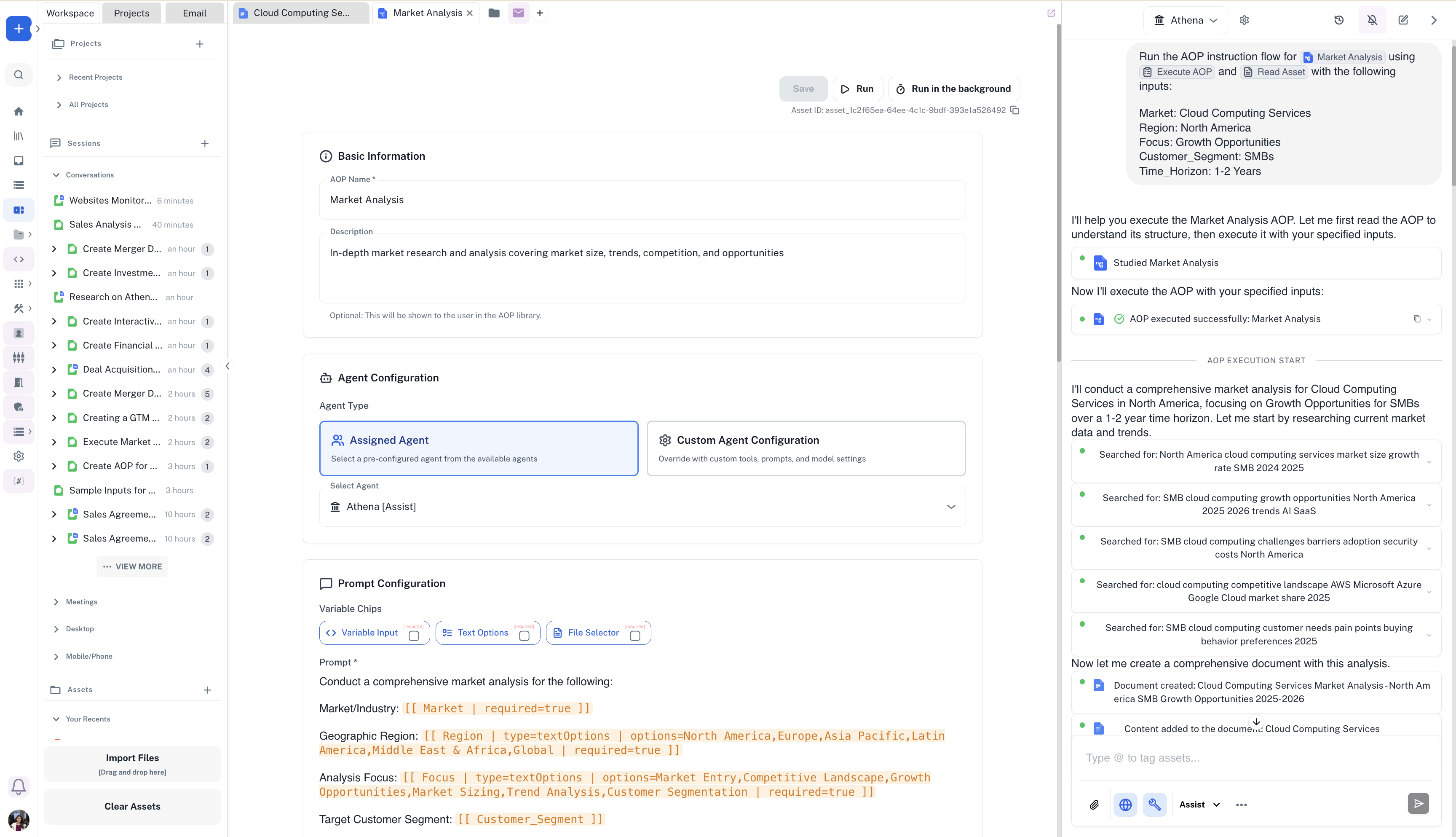
Athena will execute the market analysis and generate a comprehensive document with your findings. The created document will appear in your workspace with detailed market insights.