

Ask Athena to analyze facility locations, transportation costs, and fulfillment options in a notebook. Review the assumptions and cost comparisons before making decisions. For instance, a Formula One team can refine their logistics strategy by optimizing the transportation of cars and equipment to international race venues, ensuring the timely delivery of essential components, thereby enhancing their operational performance and competitive edge.

Network Optimization using Athena

Step-by-step Instructions

1

Add your dataset

Go to Spaces. Click on the + -> Upload button on the top left and upload your dataset into Athena.
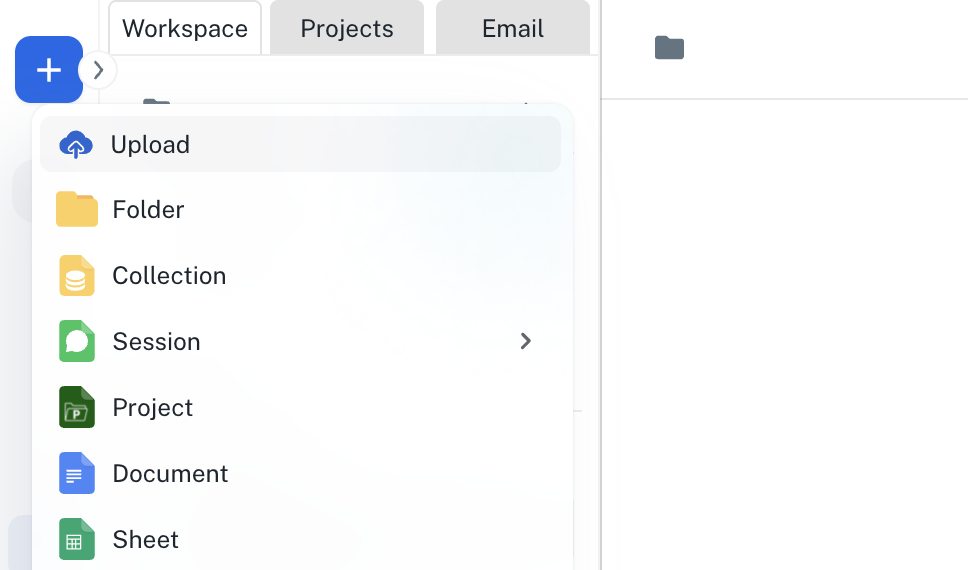
Asset creation menu with Upload selected
2

Enter the Prompt

In the Chat interface, enter the following prompt and press Enter.
Open Tools and enable the Notebook toolkit.
Network optimization prompt with Notebook toolkit selected
3

Analyse results

The Notebook will be created with a complete network optimization analysis. You can modify it by prompting Athena to do so.
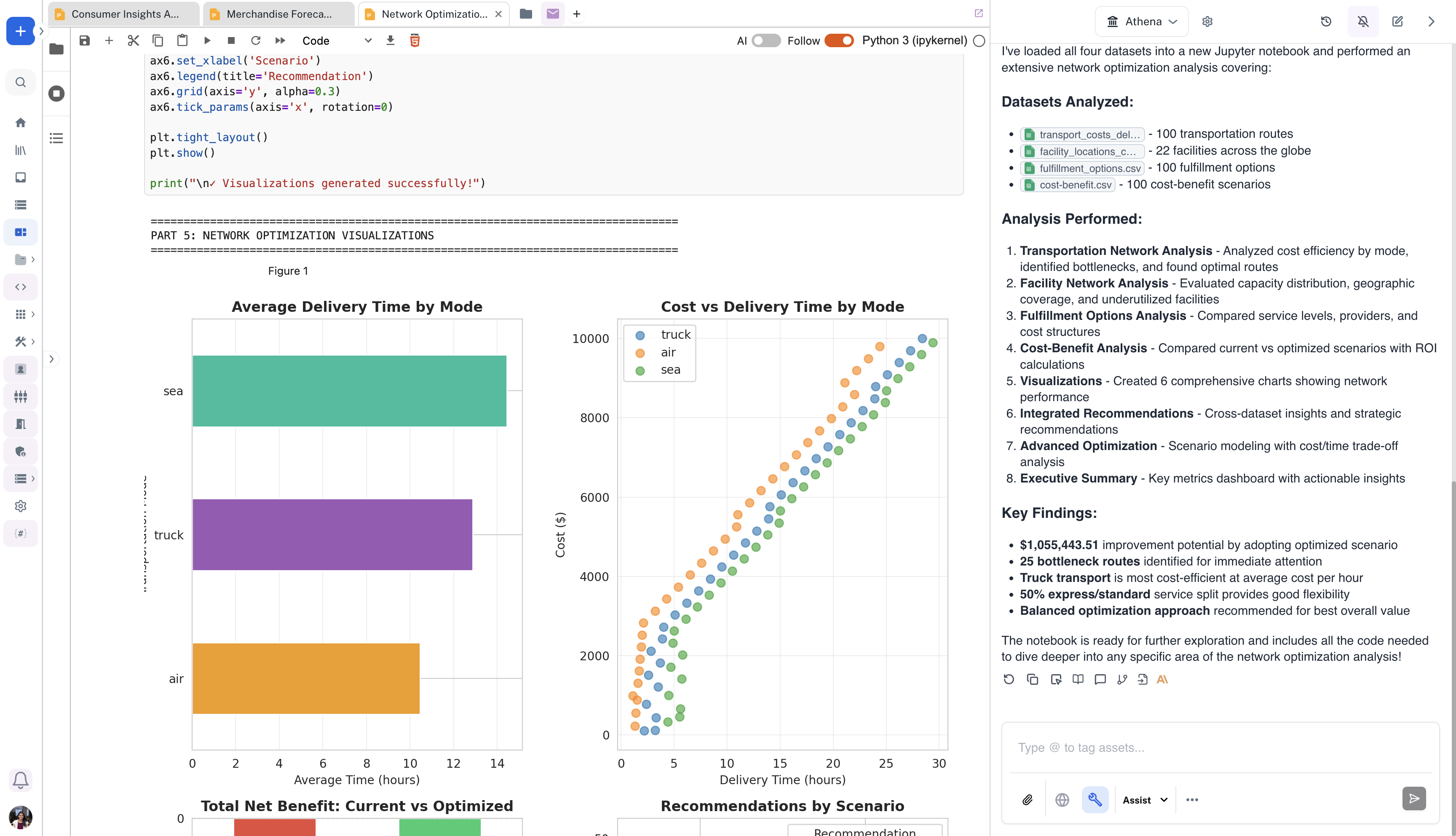
Notebook with network optimization charts beside Athena analysis