

Review a legal complaint with Athena
Step-by-step Instructions
1
Upload your file
Navigate to Spaces. Click on the + icon -> Upload on top of the left sidebar. Upload required documents.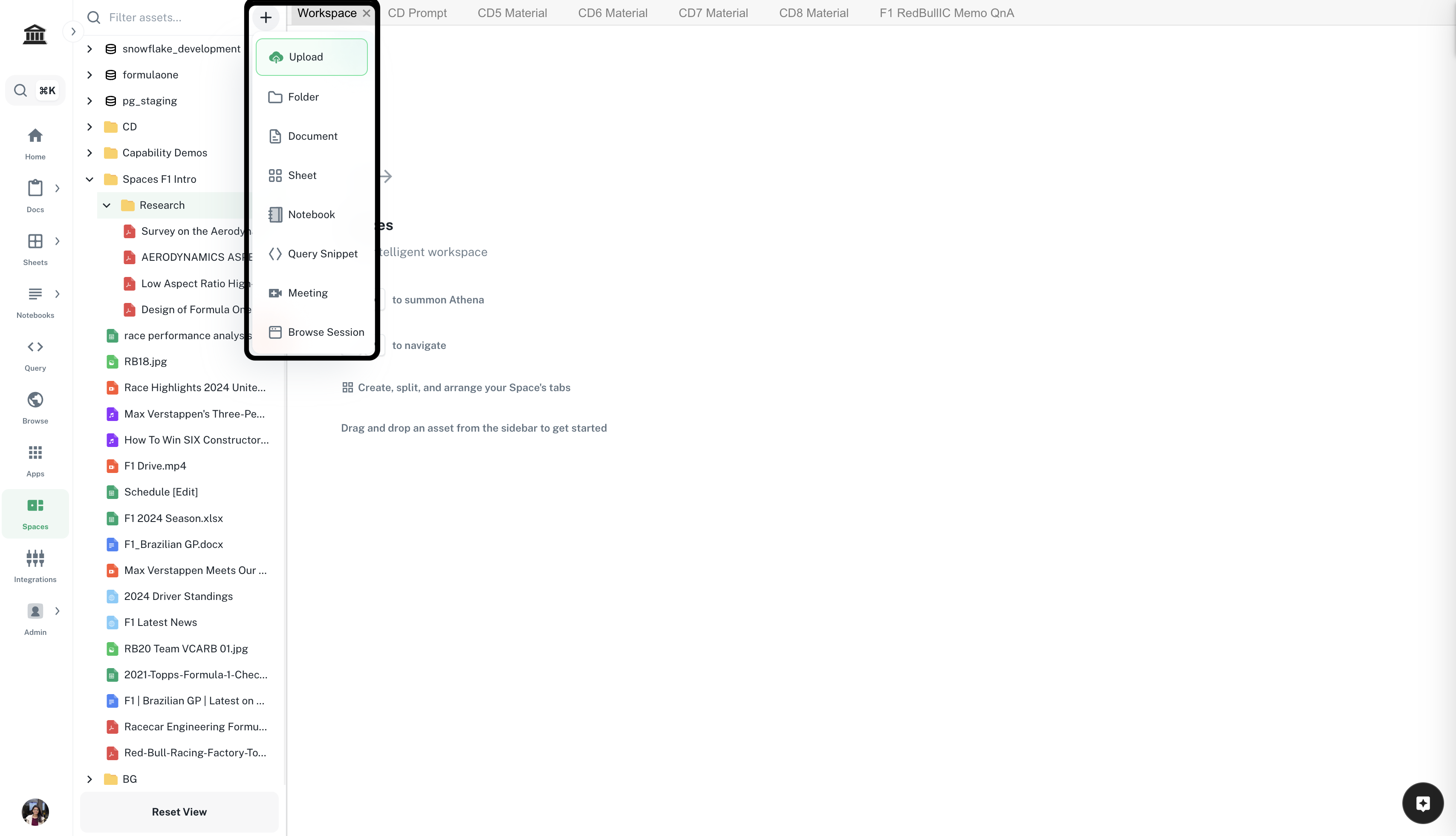
2
Prepare the Space
Drag and drop the complaint file you wish to review and the Case Review Instructions Template* inside Spaces. Edit the instructions if required.
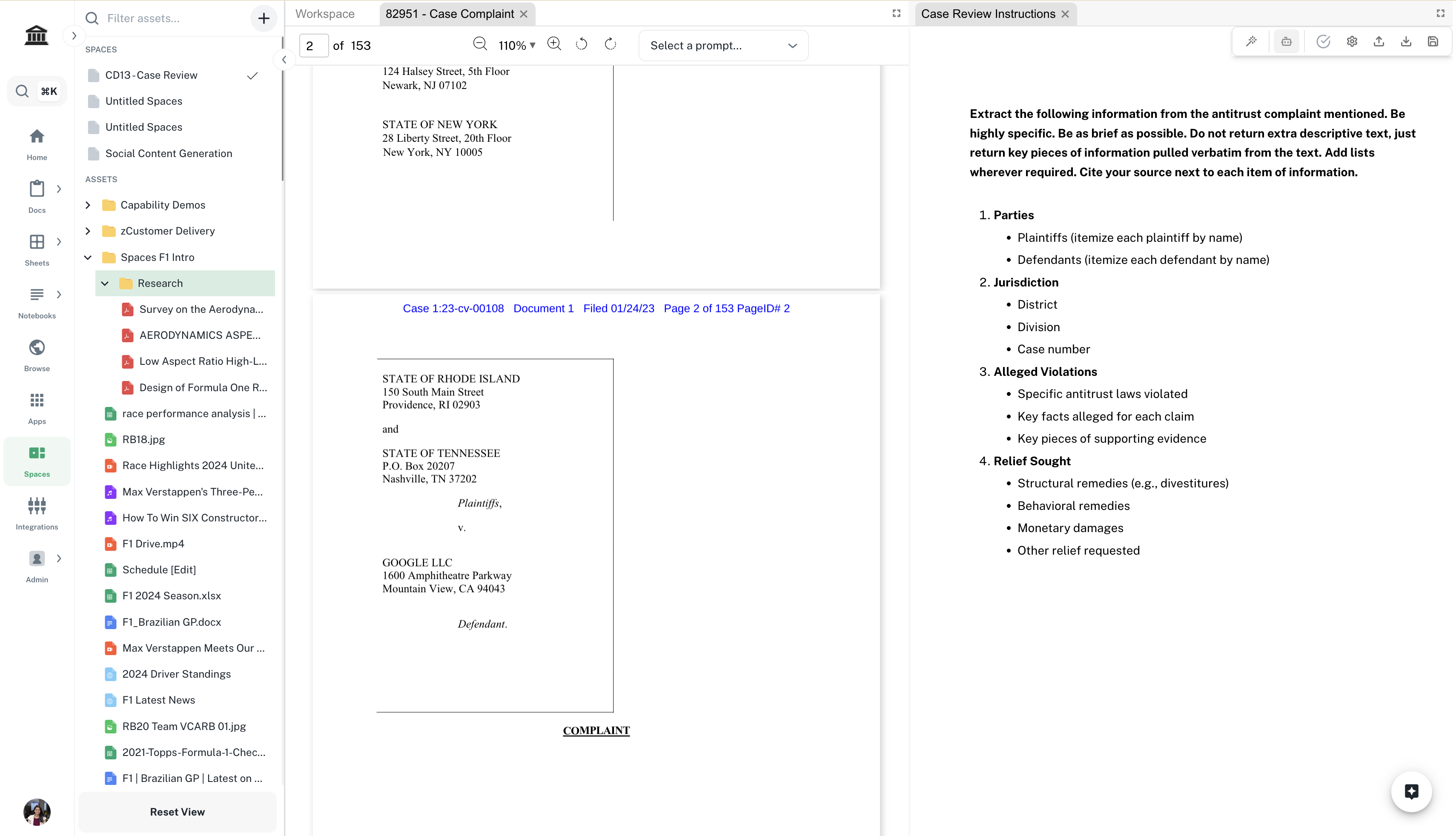
*You’ll need access to view this document.
3
Prepare the case review
In the right Chat sidebar, enter the following prompt and press Enter.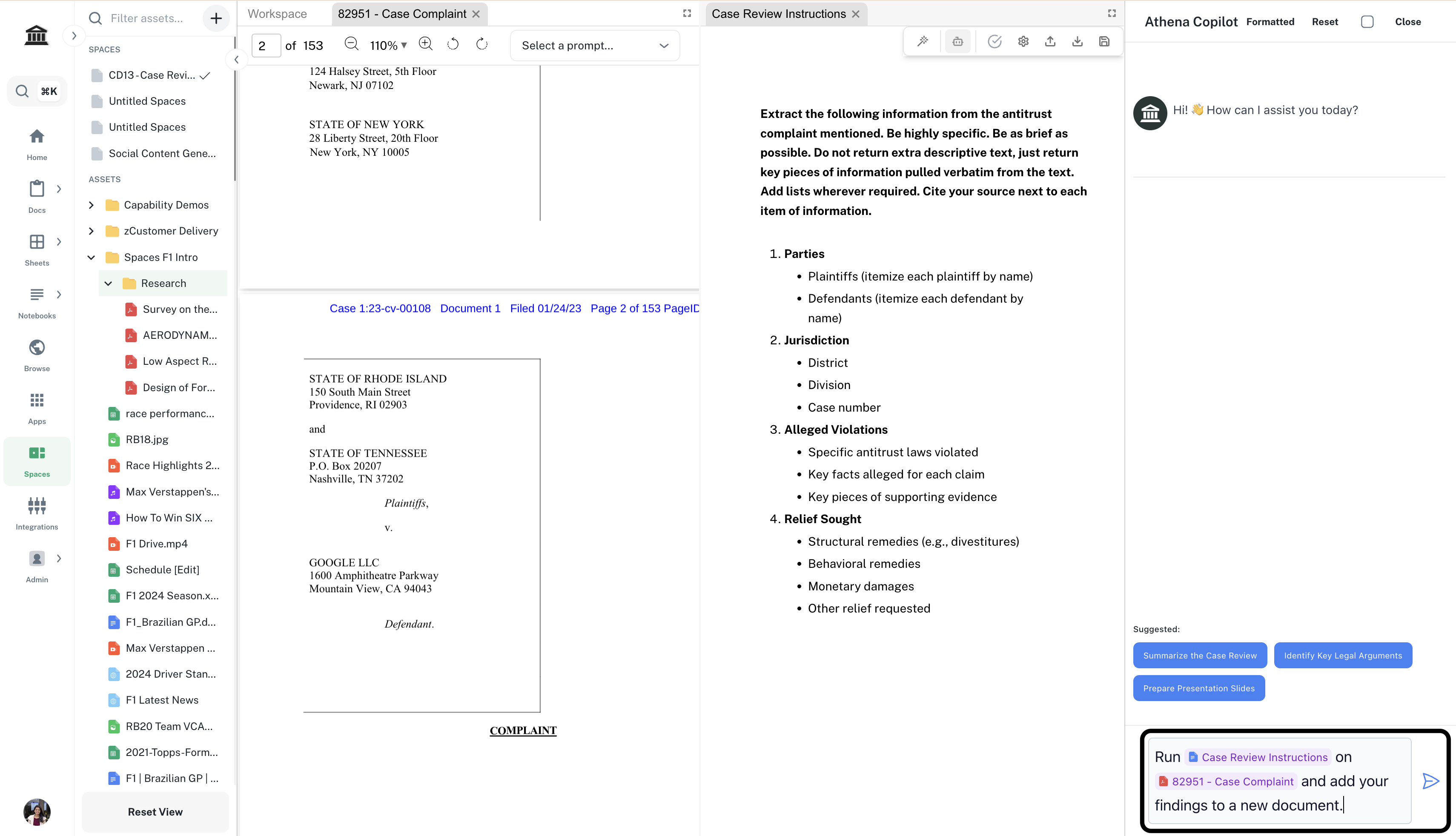
Prompt
Replace
your-complaint-file with the complaint file you wish to review.