

Upload a folder of deal documents and ask Athena for an M&A presentation: with the Presentation toolkit on, it reads the documents and drafts the presentation, which you can edit alongside Athena and download as PowerPoint. Athena creates a draft for your M&A team to review and refine.

Create Professional Merger Decks with Athena

Step-by-step Instructions

1

Provide Documents and Request Deck Creation

Go to Spaces. Upload your deal documents to a folder and ask Athena to create a presentation deck.
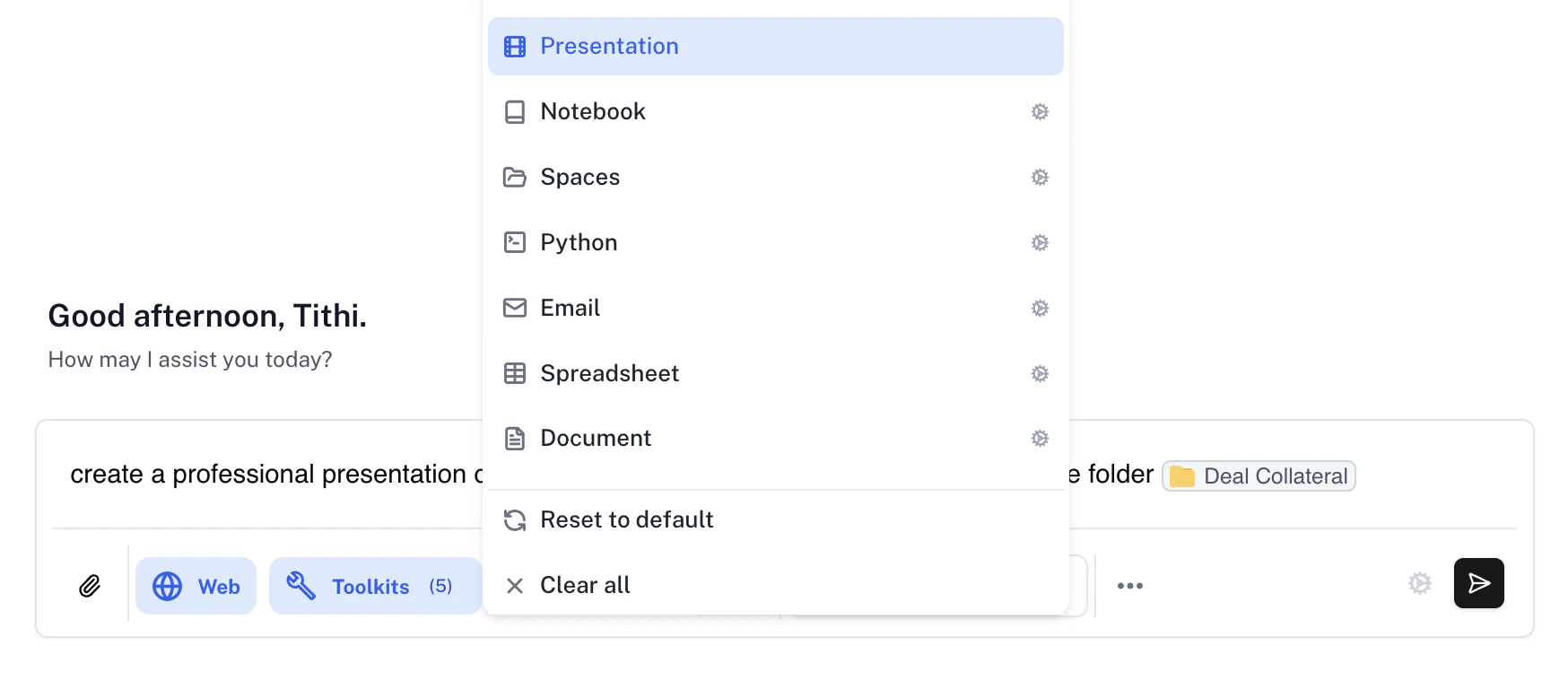
Open Tools and enable the Presentation toolkit.
Presentation prompt referencing documents in a deal folder
2

Edit and Download the Deck

Watch Athena create the presentation deck. You can simultaneously edit the deck alongside Athena and download it as a PowerPoint file when ready.
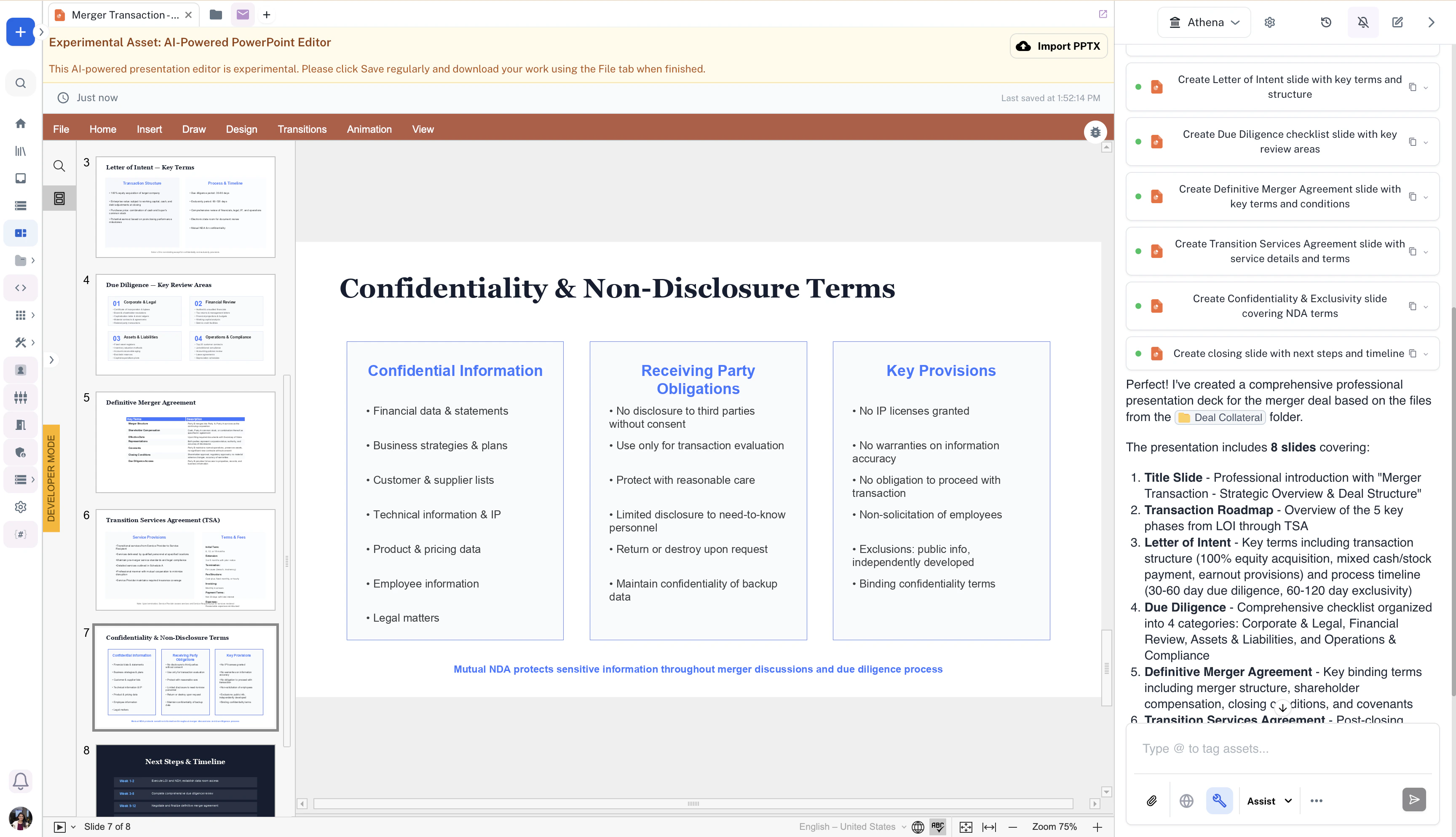
Generated deal presentation open beside Athena chat