

Ask Athena to load your dataset into a notebook and analyze consumer reviews with Python. By automating the analysis process, Athena allows you to focus on uncovering valuable insights from your consumer reviews, driving strategic improvements and enhancing customer satisfaction.

Consumer Insights Analysis

Step-by-step Instructions

1

Add your dataset

Go to Spaces. Click on the + -> Upload button on the top left and upload your dataset into Athena.
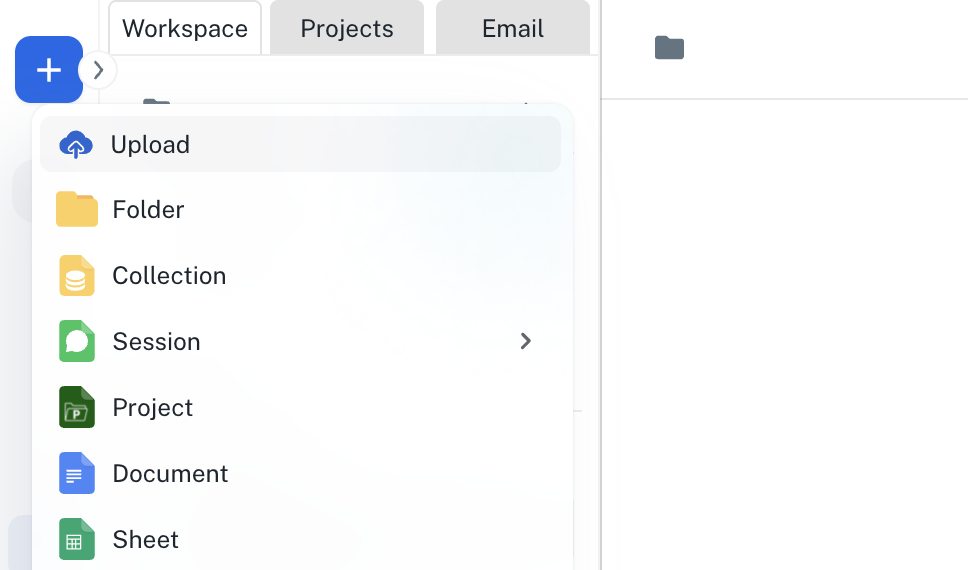
Asset creation menu with Upload selected
2

Enter the Prompt

In the Chat interface, enter the following prompt and press Enter.
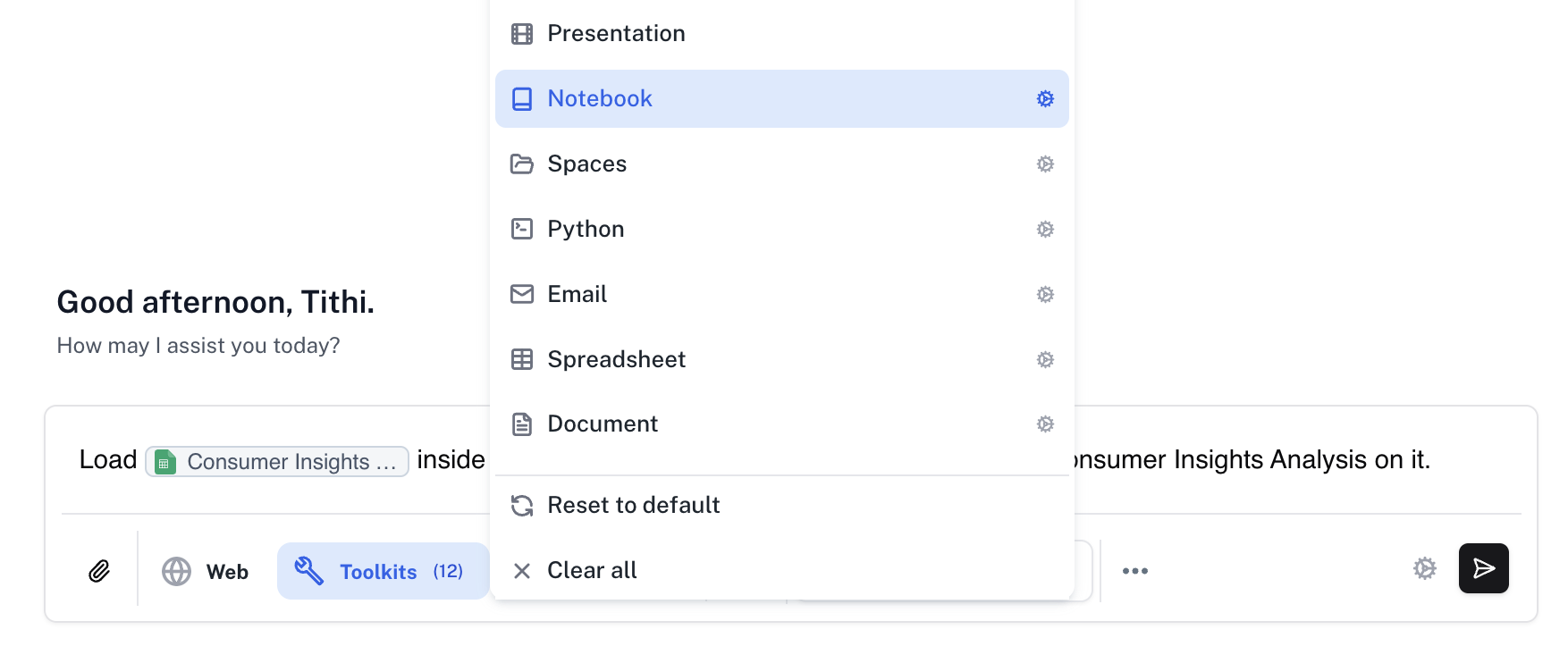
Open Tools and enable the Notebook toolkit.
Dataset loading prompt with the Notebook toolkit selected
3

Analyse results

The Notebook will be created with a complete analysis of consumer insights. You can modify it by prompting Athena to do so.
Notebook with consumer insights analysis and findings