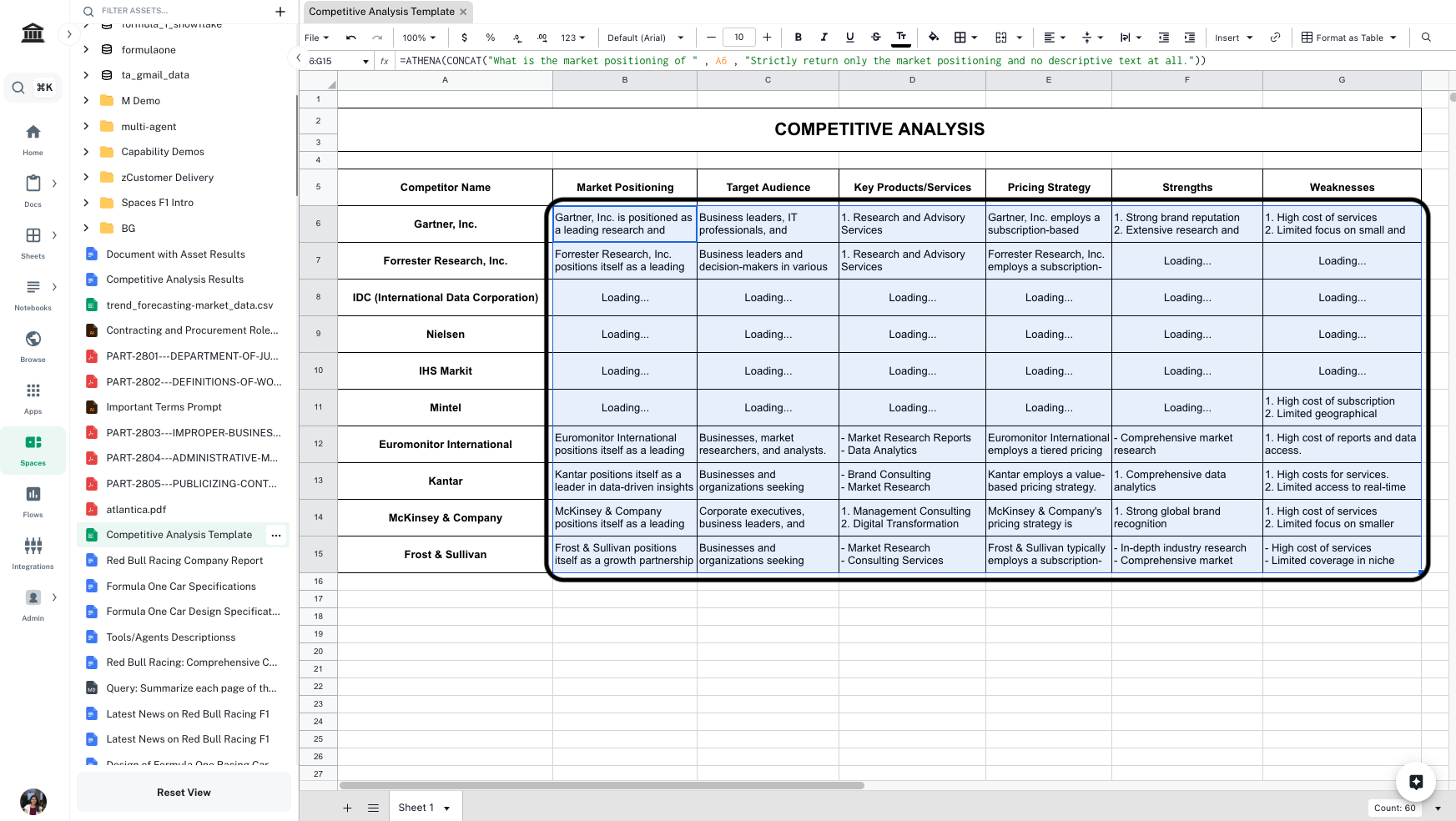
Competitive Analysis using Athena
Step-by-step Instructions
1
Open the template
Open the Competitive Analysis Template. Edit the column header and name of competitors as per need.
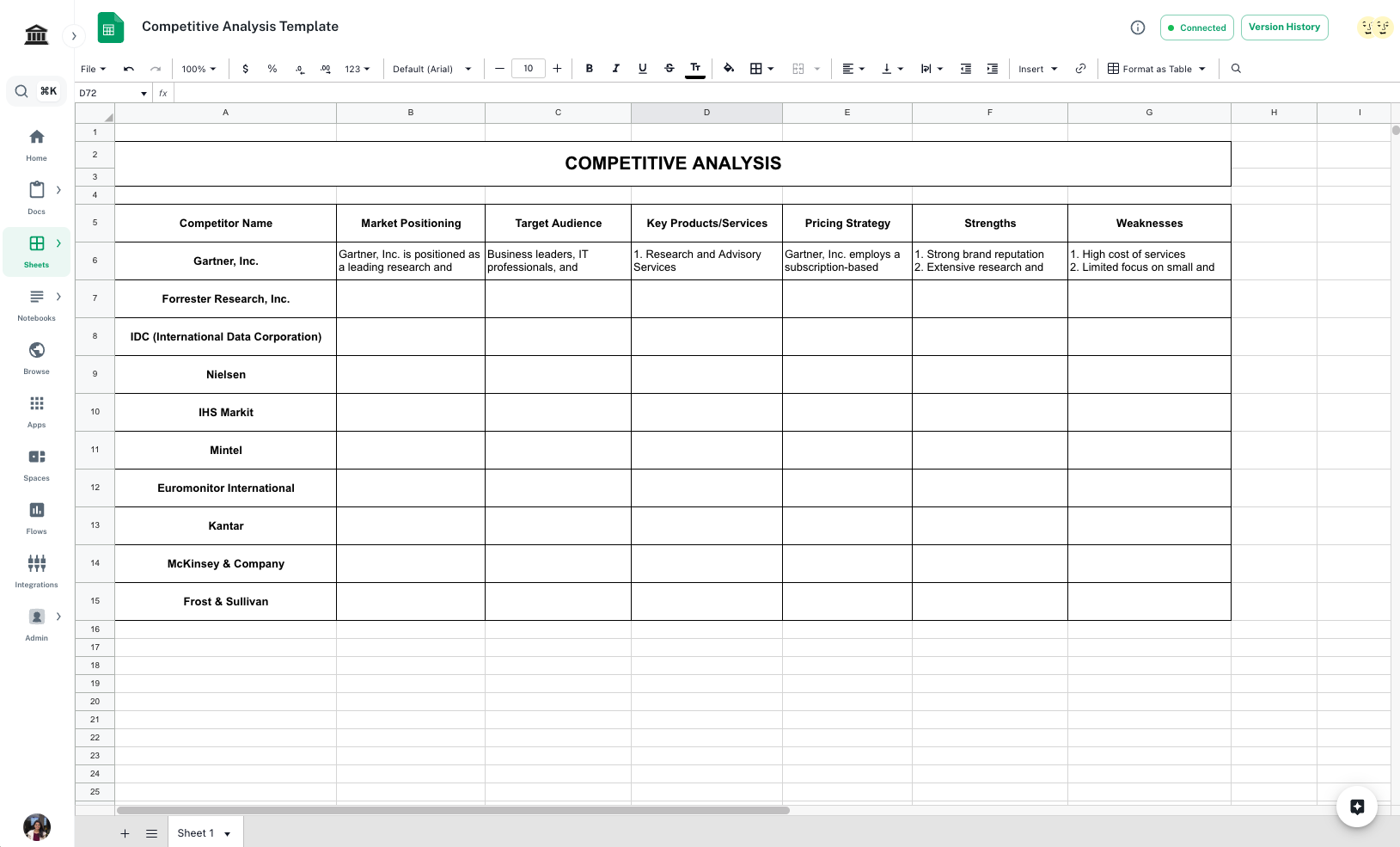
You’ll need access to view this document.
2
Open Spaces
Navigate to Spaces. Drag and drop the template in a new space.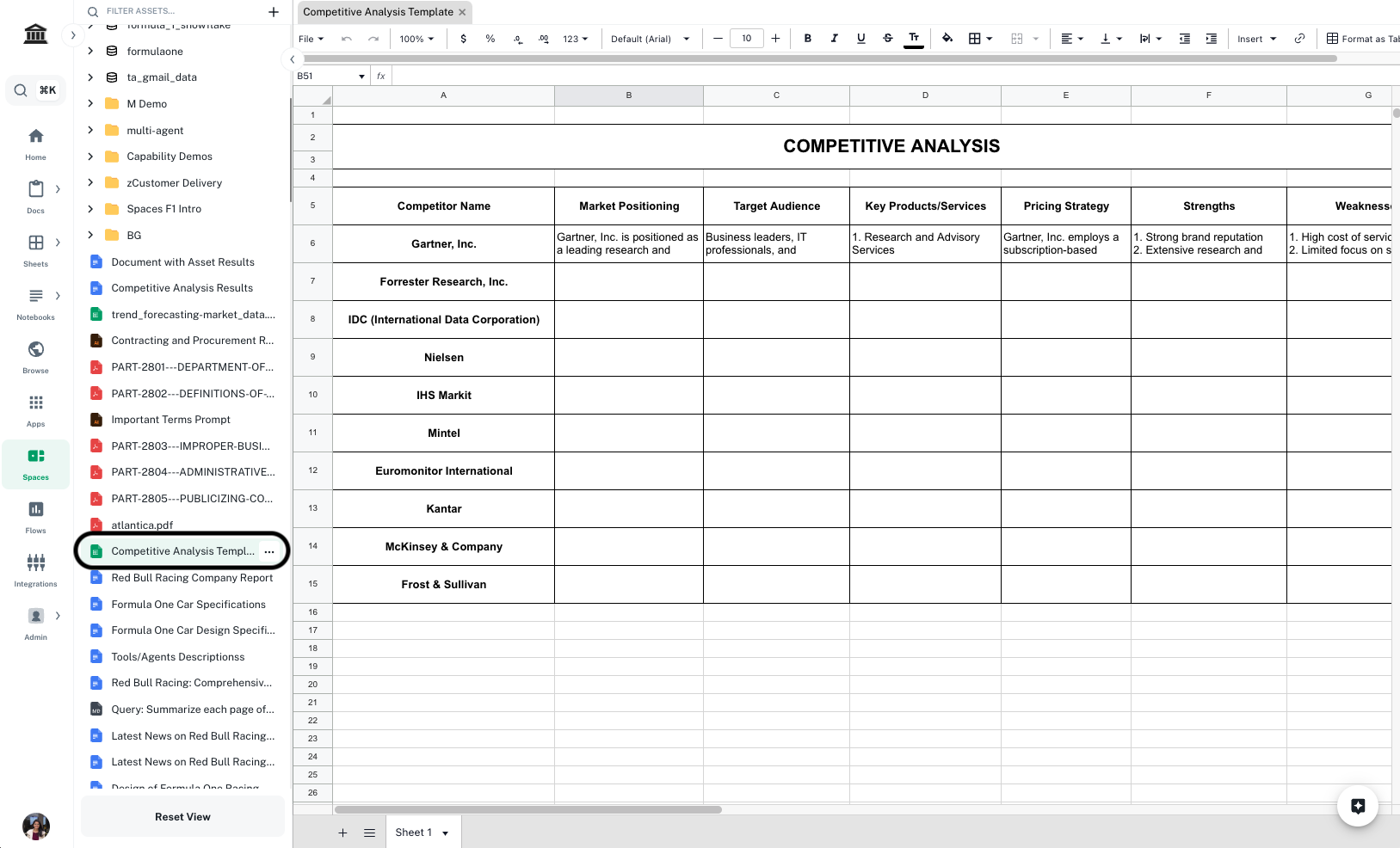
3
Enter formula to find market positioning
In 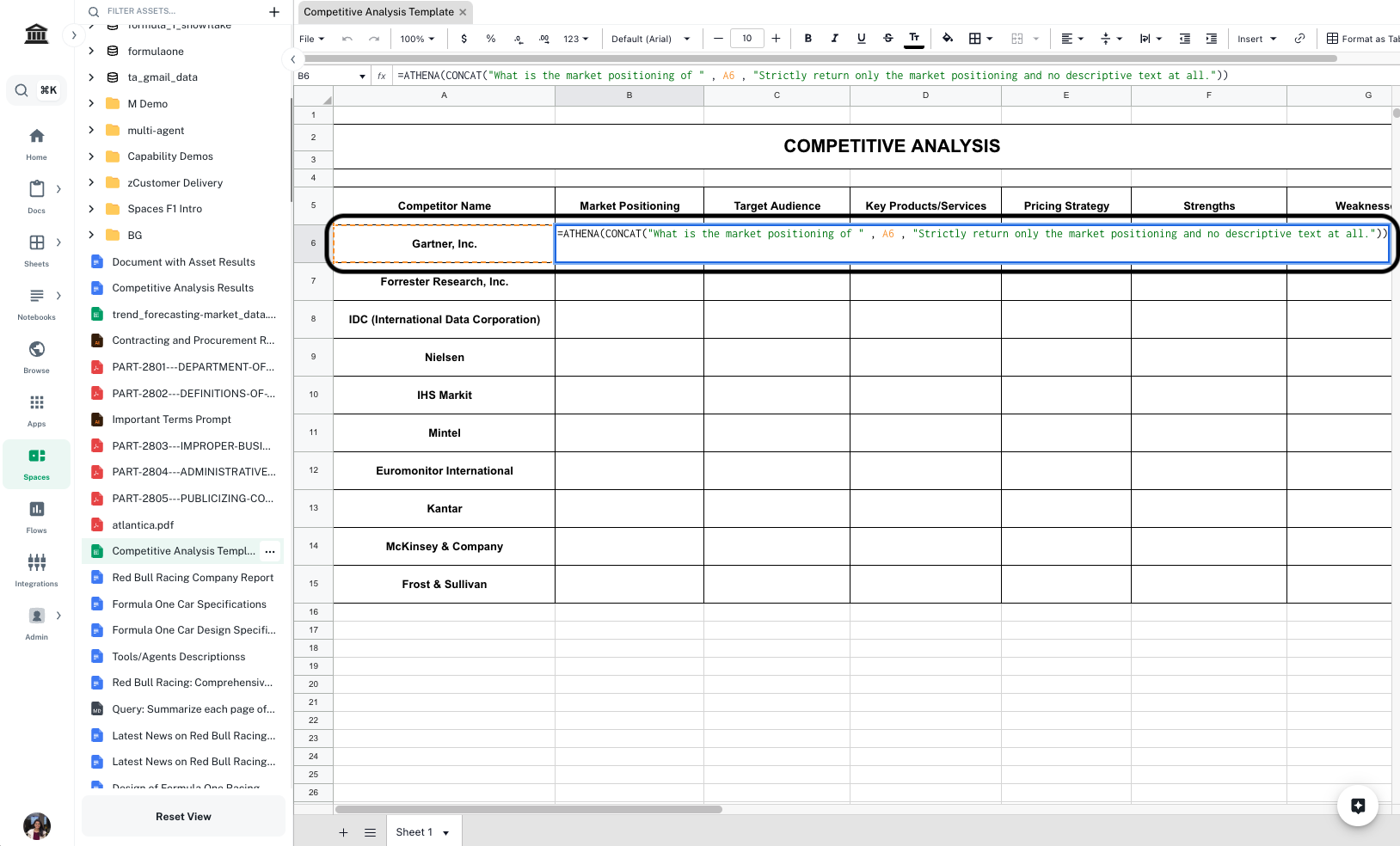
Cell B6, enter the following formula and press Enter.Formula
Replace
A6 with the first cell that contains the name of your competitor.4
Enter formulae for other fields
Follow Step 2 and enter formulae for all other information on competitors you wish to retrieve. Press Enter to execute cells after adding the formulae. In the template, we have included Target Audience, Key Products/Services, Pricing Strategy, Strengths, and Weaknesses, you can add/delete columns as per need.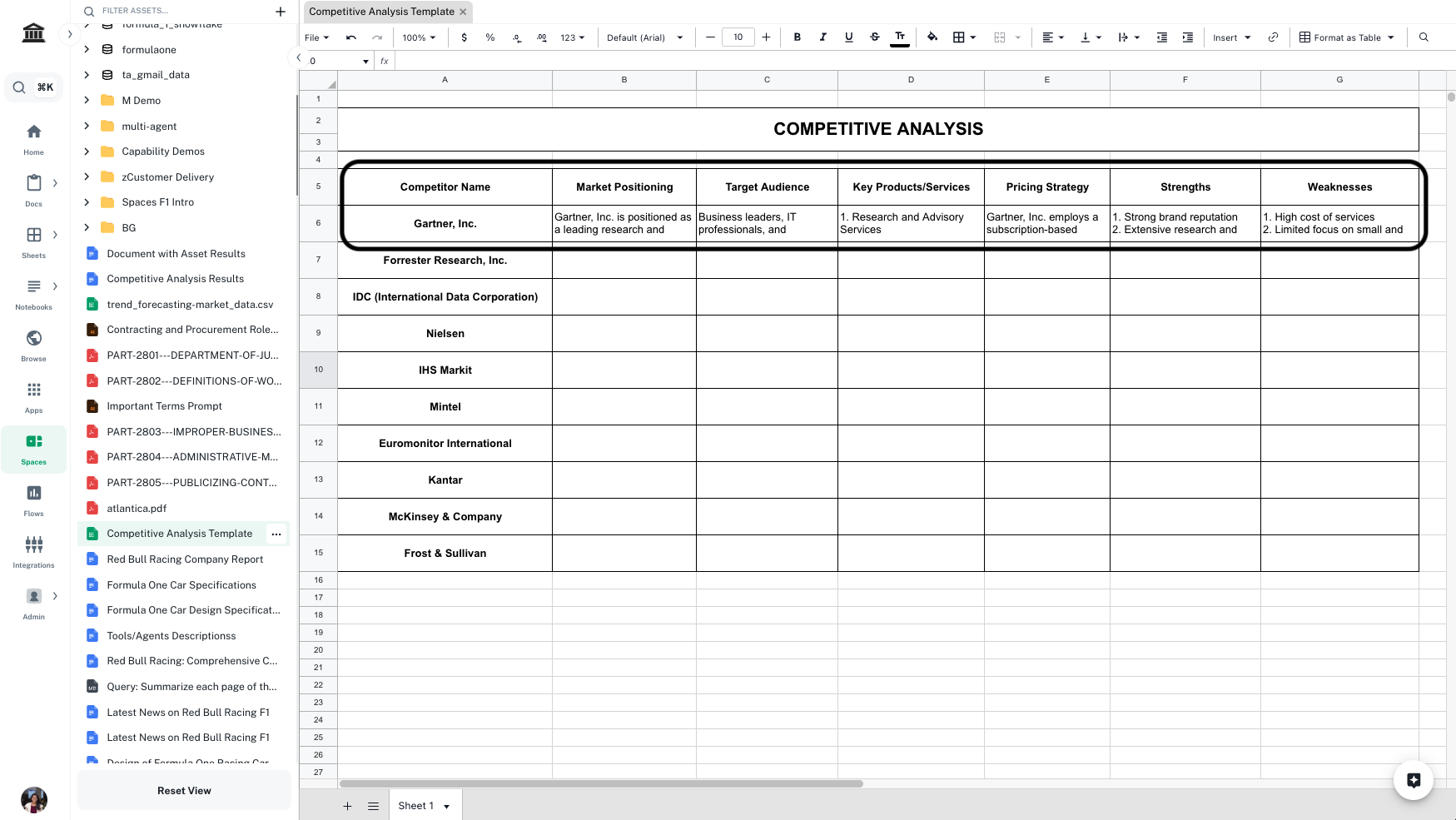
5
Complete the analysis
Select all the cells you just entered formulae in. Drag and extend them till all the competitors are covered.