

Ask Athena to find and download SEC filings from EDGAR using browser tools, then review the resulting files. For instance, obtain the latest 10-Q or 10-K reports for Tesla and interact with these documents in Spaces.

Download latest SEC Filings using Athena

Step-by-step Instructions

1

Navigate to Spaces
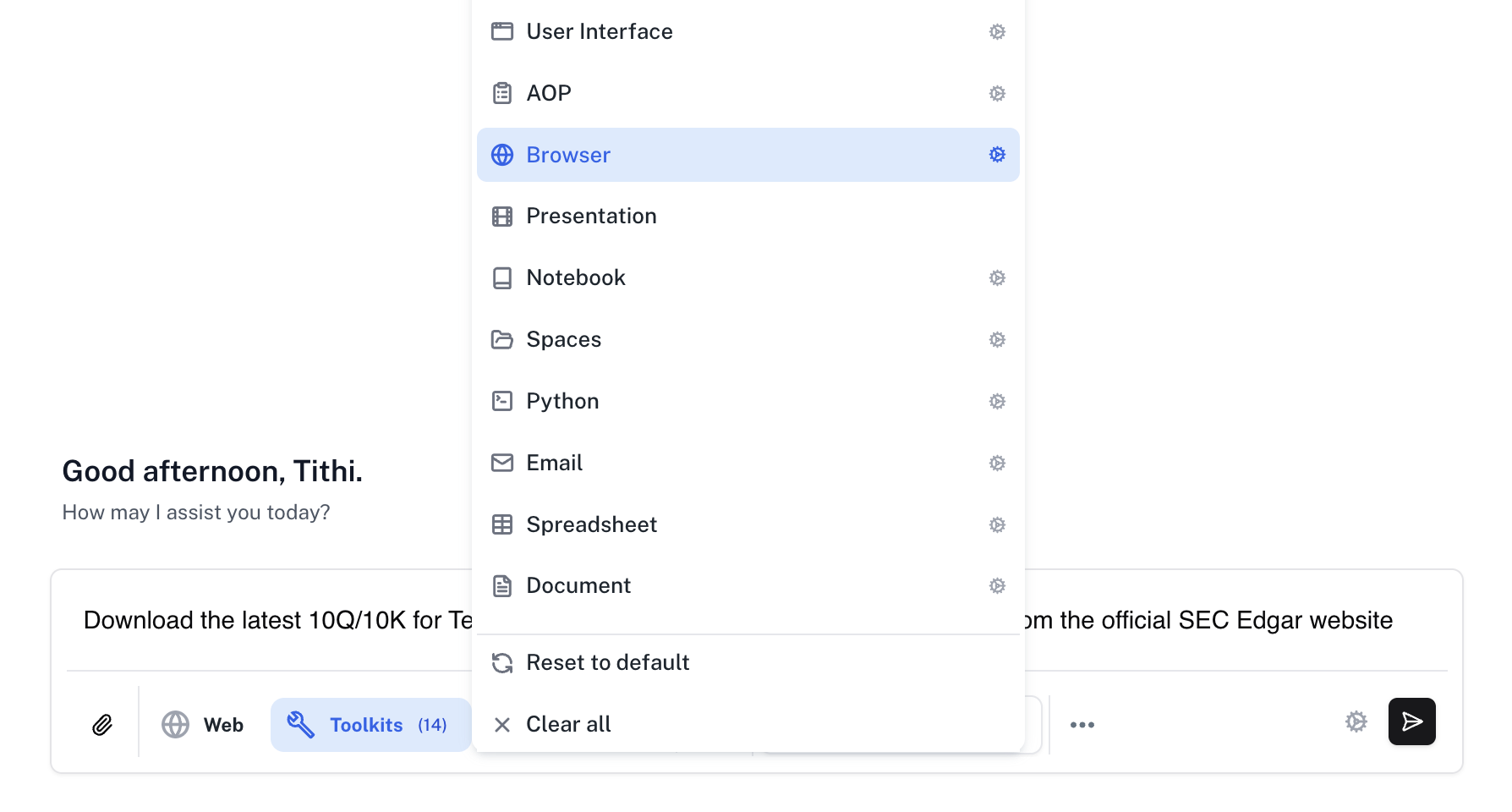
Go to Spaces. Enter the following in Chat and press Enter.
Prompt
Open Tools and enable the Browser toolkit.
SEC filing download prompt with Browser toolkit selected
2

Watch the session

Watch Athena navigate to the official SEC website and download the latest 10Q/10K for Tesla.
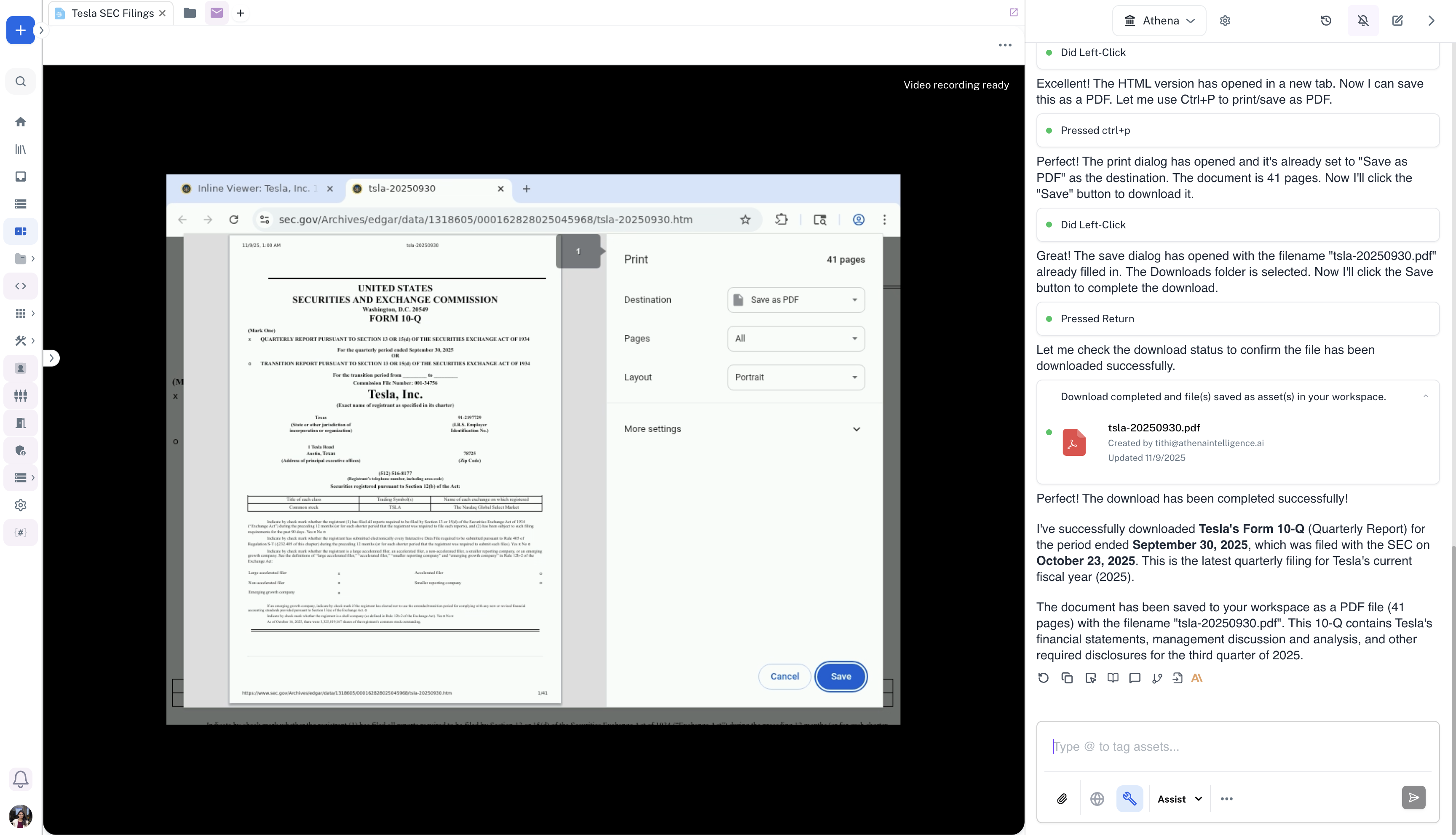
Browser recording of a Tesla filing download from SEC EDGAR
3

Check the PDF

Once Athena completes the browser session, you can see the downloaded PDF in Spaces.
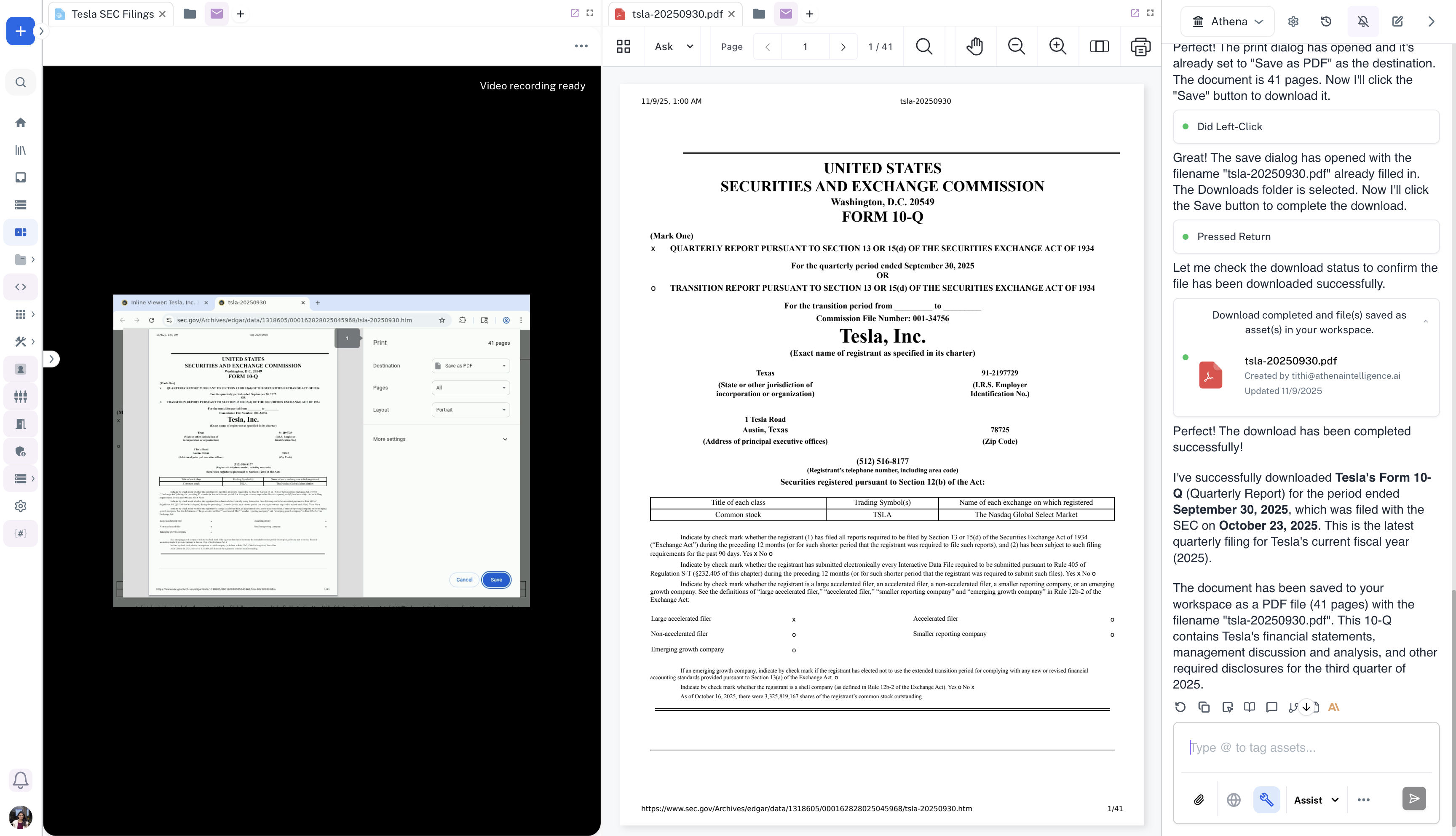
Downloaded Tesla filing open beside the browser recording