Athena Sentry is a desktop productivity assistant that captures your entire screen and workspace activity while providing AI-native voice assistance. Running quietly in the background on Windows and macOS, Desktop Sentry records your desktop sessions with real-time transcription, intelligent meeting detection as a convenience feature, and hands-free voice assistant capabilities.
Athena Sentry captures your entire desktop workspace, not limited to just meeting windows. Record your complete screen activity including application usage, browser sessions, and work flows. You maintain full control with manual start/stop functionality, ensuring complete privacy and user control over when recording occurs.
Experience live transcription with speaker identification as your session unfolds. Powered by Deepgram, the transcript updates continuously with automatic scrolling, word count tracking, and clear speaker separation for easy reference during and after recording sessions.
Athena Sentry runs unobtrusively in your system tray, consuming minimal resources while ready to record. It continues operating even when other applications are in focus, ensuring seamless productivity tracking and knowledge capture throughout your workday.
All recordings are automatically saved as assets in your Athena workspace. Access full transcripts, search session content, and reference your work directly in Chat for follow-up tasks, summaries, and comprehensive session analysis.
Follow the given guides to install the Athena Sentry app on your Windows or macOS system.
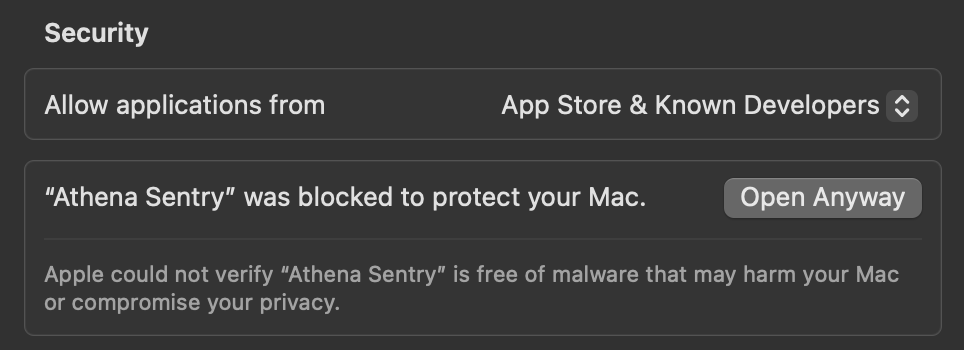
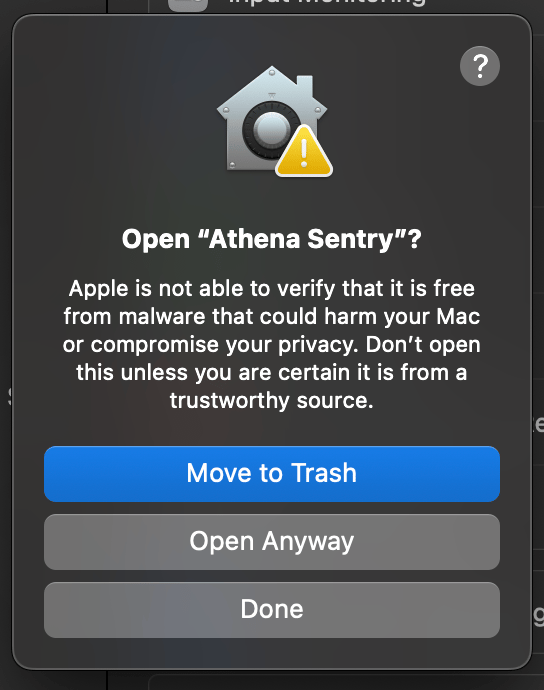
Go to System Settings -> Privacy & Security. Click on Open Anyway for the Athena Sentry app. Click on the Open Anyway button on the pop-up that shows up again.
5
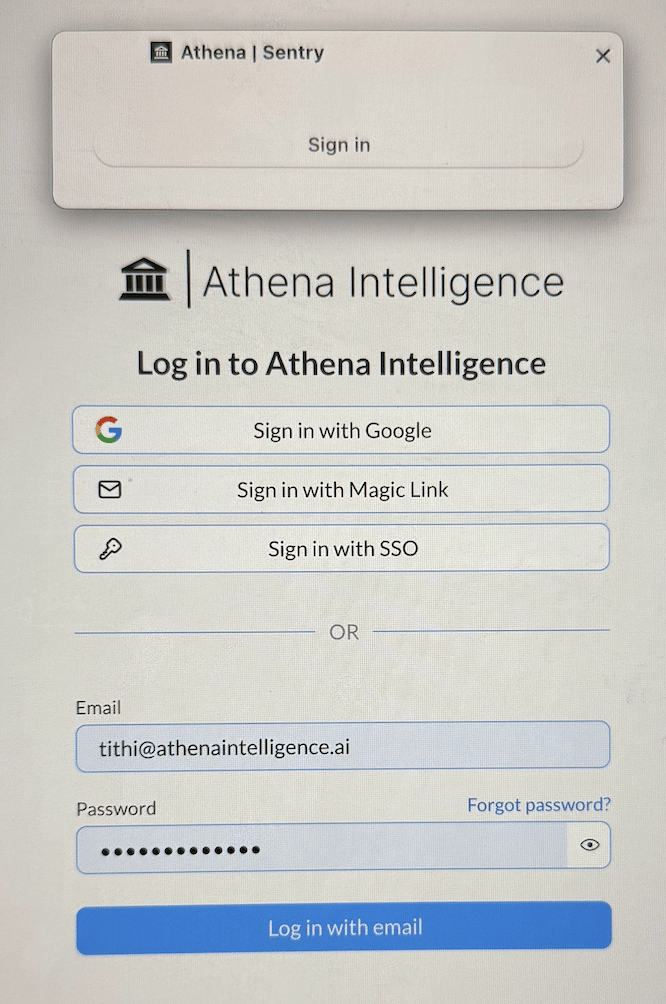
Sign In
Sign in using your credentials. Permission the Athena app to use your account to sign into Athena.
6
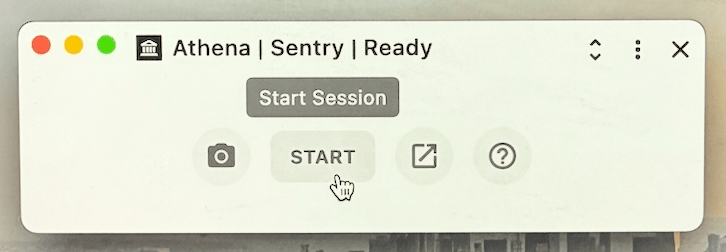
Start a Session
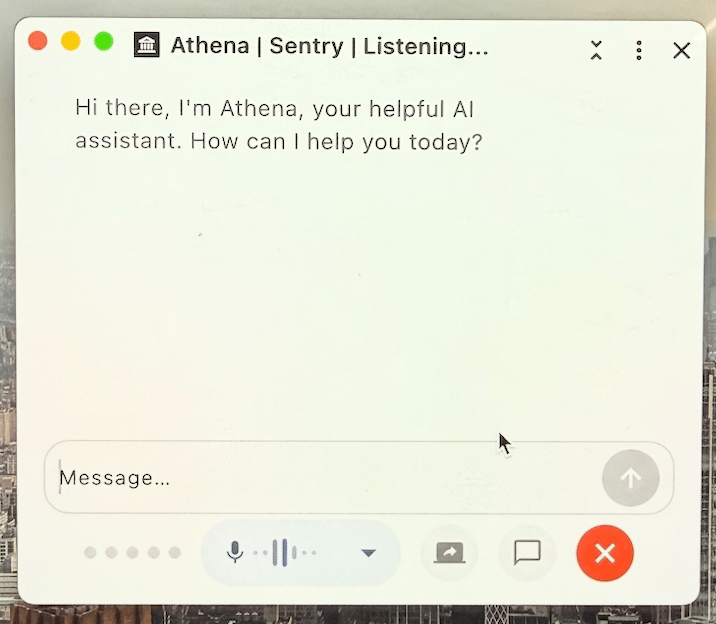
Click on the Start button to start a session with Athena. You can start talking to Athena directly.
7
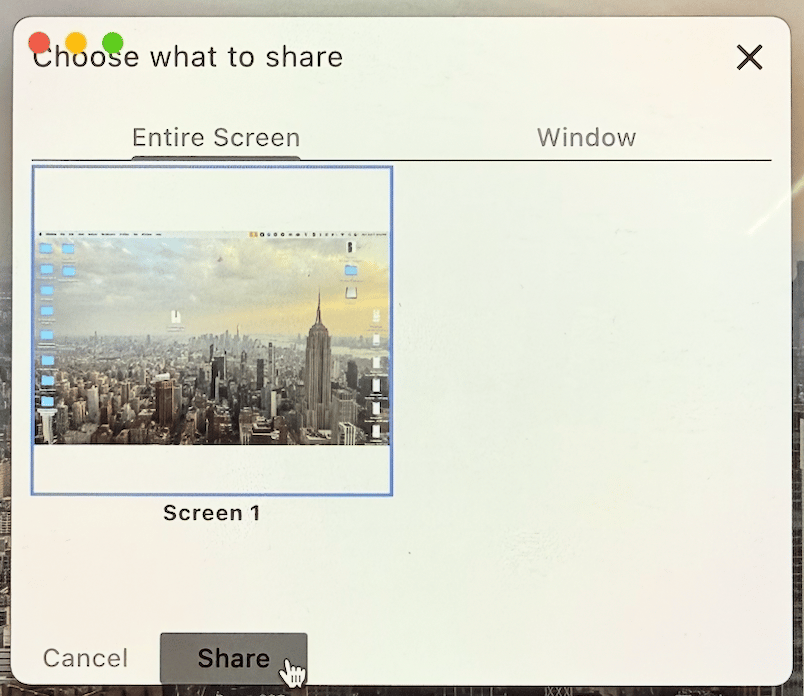
Start Screen Sharing
Click on the Screen Share icon, select your entire screen and click on the Share button. Athena will start viewing your screen as is.
8
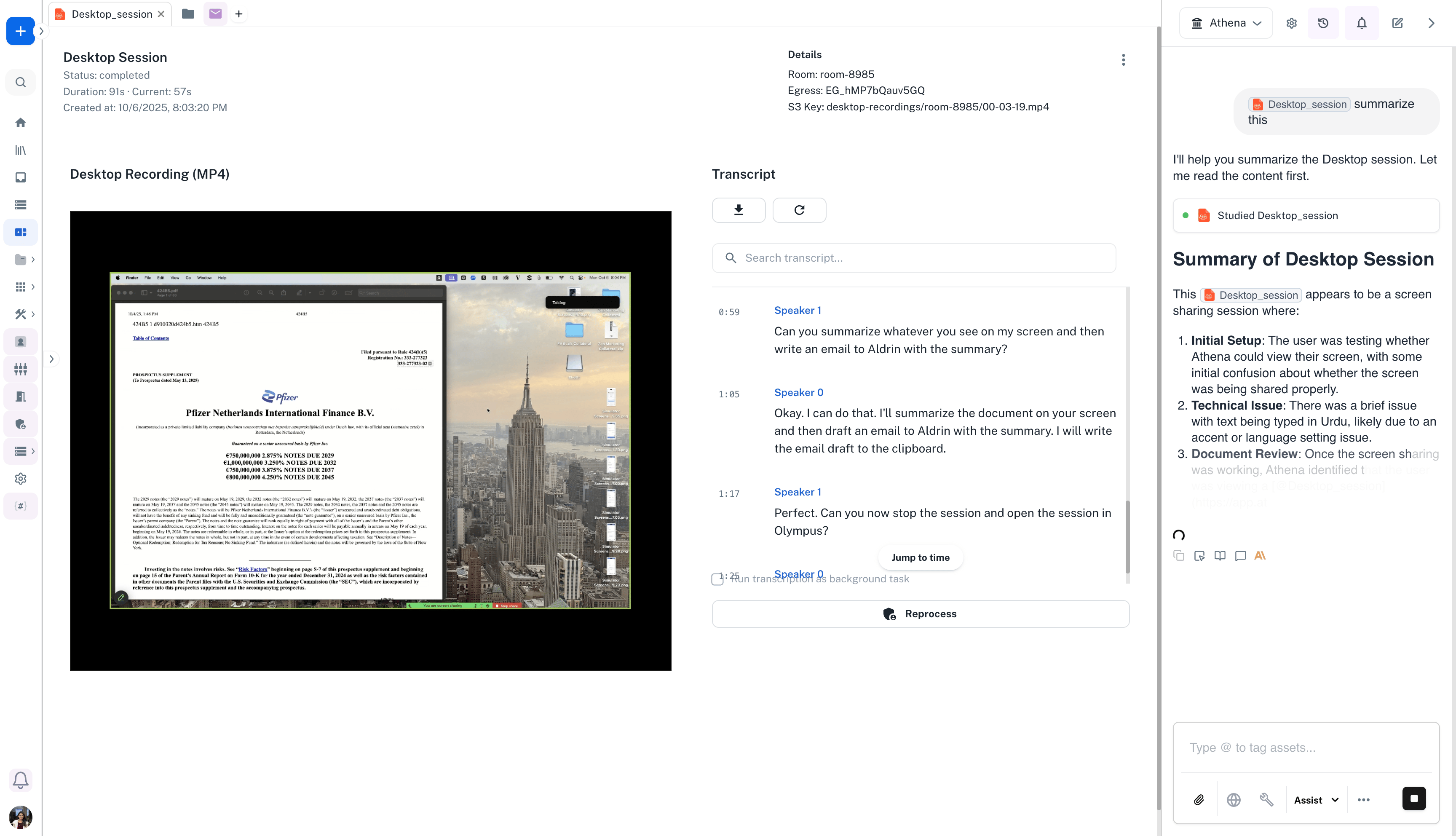
Open Olympus
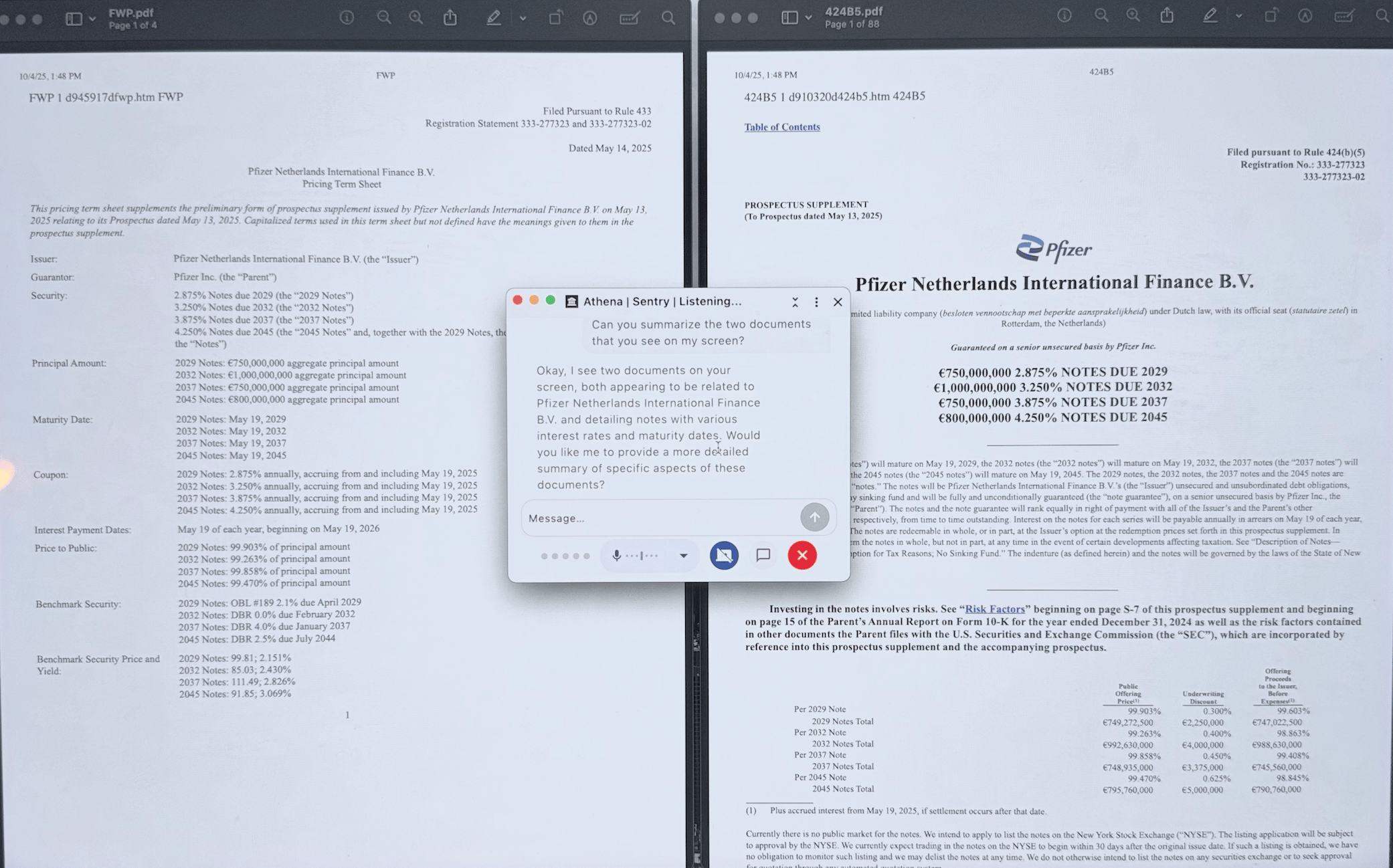
Once your session is complete, you can ask Athena to open the session in Olympus and interact with Athena over the desktop session just recorded.
Record your complete work sessions to maintain detailed logs of project progress, decision-making processes, and work patterns. Perfect for knowledge workers who need comprehensive documentation of their daily activities.
Capture design workflows, creative processes, and brainstorming sessions. Share your creative thinking process with stakeholders or teammates, complete with screen context and voice narration.
Maintain comprehensive audit trails of work processes for compliance requirements. Record quality assurance testing sessions and verification procedures with full documentation.
Create training materials by recording walkthroughs, demonstrations, and onboarding sessions. New team members can review recorded sessions to understand workflows, tools, and processes at their own pace.
Document your research process including web browsing, document analysis, and data exploration. The voice assistant helps you take notes hands-free while maintaining focus on your research.
Athena Sentry delivers unique value through the combination of screen recording and AI-native voice assistance:AI-Native Productivity Tool
Unlike traditional screen recorders that create passive video files, Athena Sentry actively understands your work through real-time transcription and AI analysis. Every recording becomes a searchable, actionable asset in your Athena workspace.Seamless Voice Assistant Integration
Work hands-free with an AI assistant that understands both what you’re saying and what’s on your screen. Draft content, search information, and execute tasks without interrupting your workflow or taking your hands off the keyboard.From Recording to Action
Screen recordings automatically transform into structured assets with transcripts, searchable content, and AI-generated insights. Query your work sessions in Chat, extract action items, and build on previous work seamlessly.Privacy-First with Manual Control
You decide when to record with simple start/stop controls. All recordings stay within your secure workspace, and you maintain complete control over what gets captured and shared.Enterprise-Grade Integration
Athena Sentry isn’t a standalone tool—it’s part of your complete Athena workspace. Recordings integrate with other applications, workflows, and AI agents for comprehensive knowledge management and automation.