

Athena gives you building blocks from chat and saved Skills to Agents, AOPs (Agent Operating Procedures), Automations, User Interfaces, and full Applications. Start with the simplest step that does the job, and move to the next step only when you need what it adds. A method saved as a Skill, or an AOP that runs every week, often does the whole job without an app.
Where do I start?
Each step on Athena adds a new capability and can use the steps above it. Start at the top of the table and move down a step only when you hit the reason in the last column.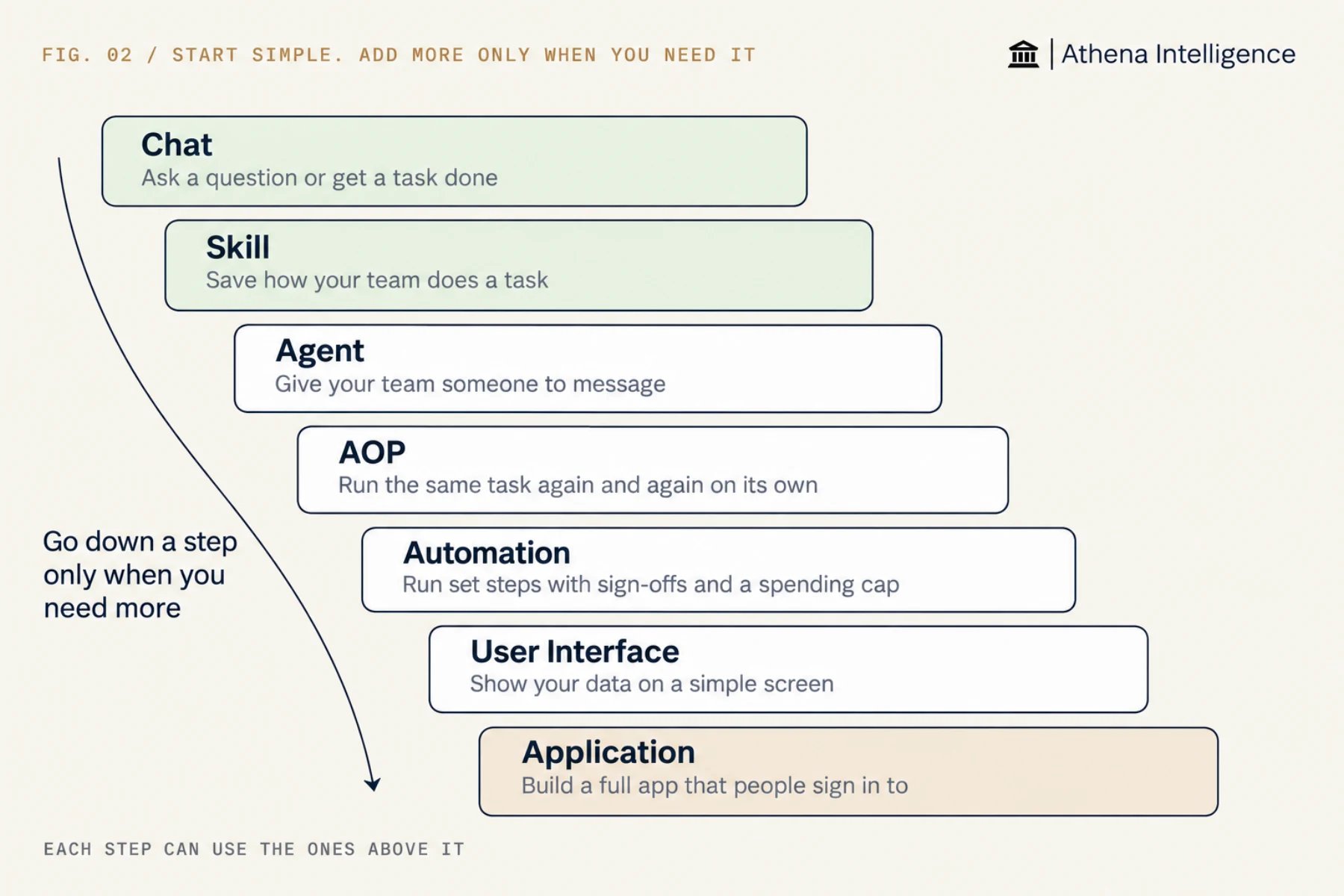
How do I learn each step?
Athena 101 walks you through chat, Skills, Agents, AOPs, and Applications hands-on with sample files. You build a single project, a freight dispute desk, so taking the lessons in order shows how the steps fit together. Use the product guides in the table for Automations and User Interfaces.
Before people rely on what you built, read Test it before you trust it.
What does a full build look like?
Athena lets you combine these building blocks into a complete workflow, such as this invoice exception desk for a finance team.
You can run the desk before you build the screen: the Automation runs each night and the controller approves fixes in Athena. Add the Application when analysts need a dedicated place to work through the list.
Which parts does an app use?
When you build an app on Athena, four questions help you pick the right parts for running code, doing the work, storing data, and reaching other systems.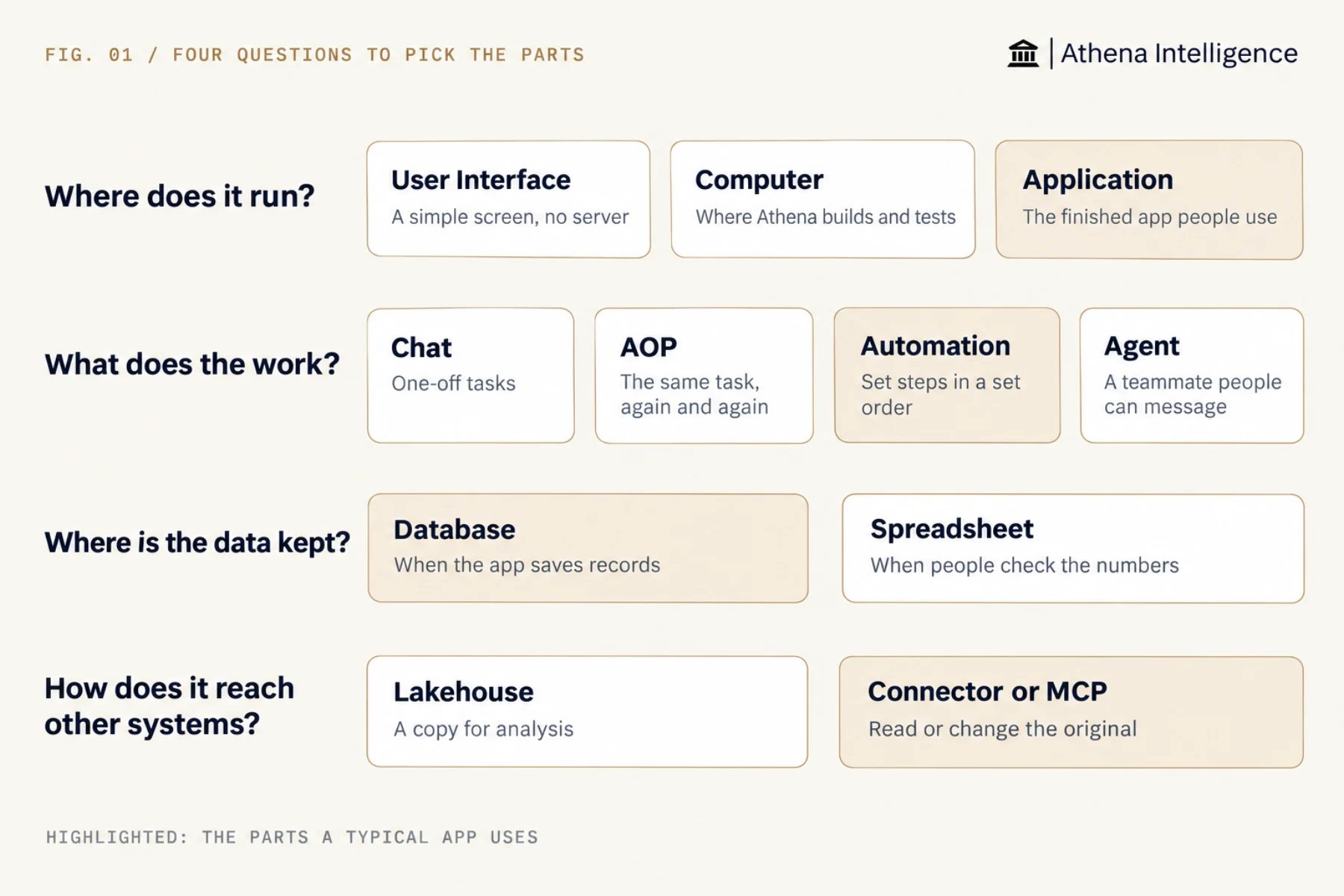
What should I use for my task?
What to plan for
Start with the lightest step that fits so you take on only the setup and maintenance you need. A Skill requires no releases, sign-in, or database management, whereas an Application includes all three. Check with your admin before you plan around Applications, Automations, the lakehouse, or databases, as your Athena setup decides which of these are available. Pick the step that covers your requirements, since each step has limits: use an Automation when you need approval steps between stages (an AOP has none), put a Skill inside an AOP or Automation when it needs to run on its own, and use an Athena-managed database when you need to stop duplicate records (a spreadsheet cannot). The linked pages explain each limit.Questions teams ask
Will Athena choose for me?
Will Athena choose for me?
Describe what you need and ask which steps fit. Athena explains the options and builds with the ones you pick. Naming the step in your request gives a more predictable result.
Can I move to another step later?
Can I move to another step later?
Yes, and your data and instructions carry over. You can add a Skill to an Agent or an AOP, turn an AOP into an Automation draft, turn a User Interface into an Application, and load a spreadsheet into a database.
Do I have to go through every step?
Do I have to go through every step?
No. Start directly at the step that fits your job. If you already know people will enter records all day, start with an Application.
Is there a list of common setups?
Is there a list of common setups?
Yes. See Reference patterns.
See it work
Thirty minutes, your workflow, and you leave with the work product.