

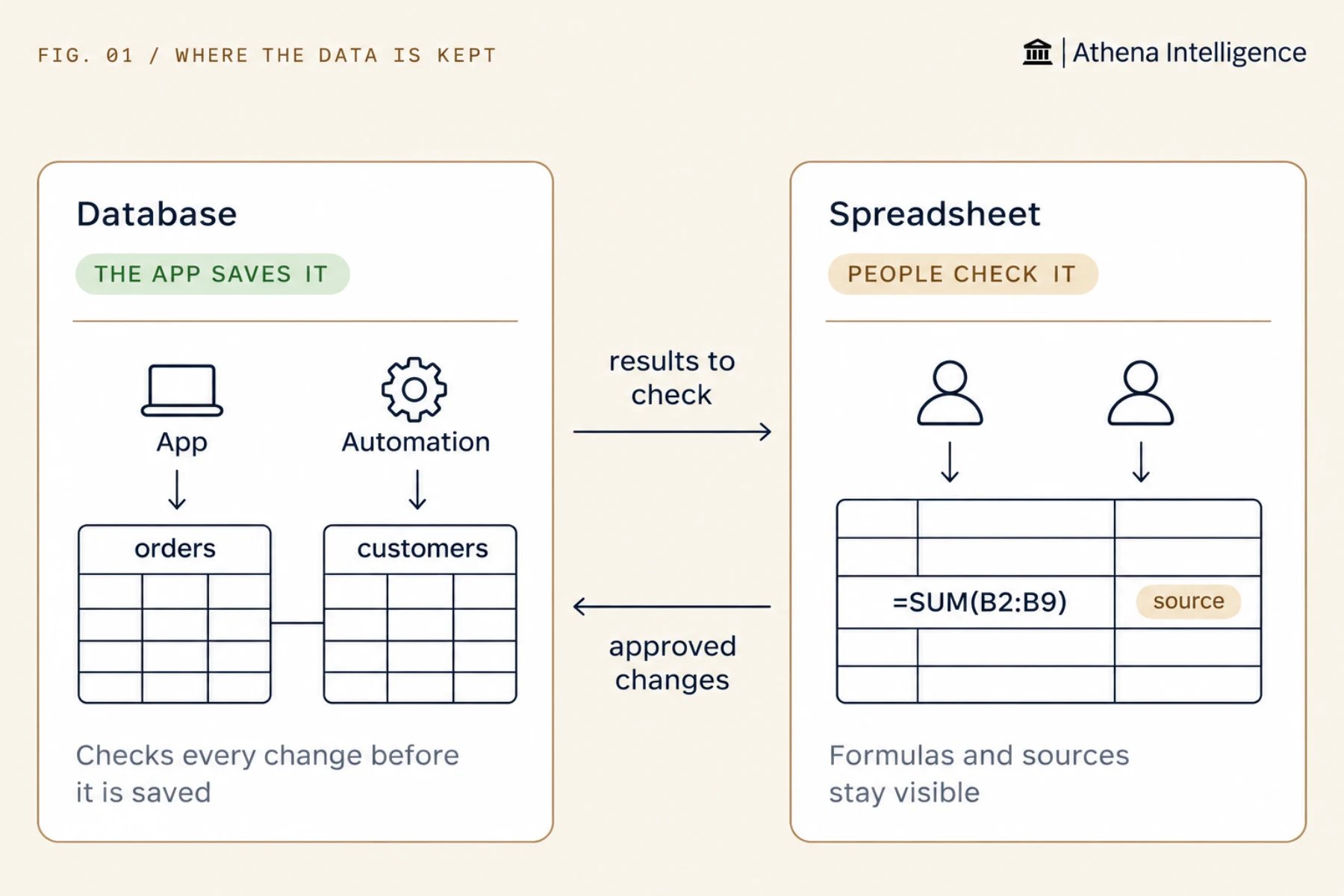
Athena gives you a managed database that enforces rules on your records and Athena Sheets where people see formulas and cell citations. Use a database when software writes the data, such as blocking duplicate IDs and requiring a customer for every order. Use a spreadsheet when people read and adjust the data. Many builds use both: records live in the database, and review happens in a spreadsheet.
What is the difference?
When should I use a database?
An Athena-managed database runs on Postgres and enforces rules on your data as software writes to it. Athena can design the tables, load a CSV file of up to 5 million rows, and write the queries. Use a database when software writes most of the data:- The app creates and updates records, such as orders, tickets, users, or approval queues.
- A record must never appear twice, even if two requests arrive at the same moment.
- Records link to each other. For example, a line item belongs to an invoice, and the database rejects a line item without one.
- The data will keep growing. With the right indexes (lookup tables that speed up searches), a database finds records fast as it grows.
When should I use a spreadsheet?
Athena Sheets gives people a grid where they can read, check, and adjust numbers together, and where a cell formula can start an AOP (Agent Operating Procedure) or a tool for each row. Use a spreadsheet when people work with the data directly:- People need to see the formula in the cell to understand how a number was calculated.
- People will adjust the numbers, such as a forecast or a list of exceptions to work through.
- Each value needs a source. Athena adds a citation to cells it fills from documents.
- The spreadsheet itself is the deliverable that you send to a client as an Excel file.
How do I use both?
- The app and Automations write records to the database.
- An AOP pulls this month’s exceptions into a spreadsheet, where a reviewer marks each one.
- An Automation reads the reviewed rows, waits for approval, and updates the database records.
How do I test a database change safely?
Athena lets you make a branch, which is a copy of the database from a single moment in time, so you can test changes without touching the original:- Before you change the table layout, test the change on a branch and point a preview of your app at it.
- After a mistake, make a branch from an earlier time and compare the two.
- Before an Agent writes data, Athena can create a safety branch first.
What to plan for
Create a separate database login for each app so it can only reach the tables it needs, because the connection details Athena shows you have full admin power. Set a small, fixed connection limit in your app, because a database accepts a limited number of open connections. Addupdated_by and updated_at columns, or create a table that records each change, to track who changed what. Query history is not an audit log.
Add a duplicate check in the AOP or Automation that writes to a spreadsheet, because a spreadsheet cannot block duplicate rows on its own.
Convert an uploaded .xlsx file to Athena Sheets so people can edit it together, as an uploaded .xlsx file stays static.
Questions teams ask
Can an app use a spreadsheet as its database?
Can an app use a spreadsheet as its database?
Yes, for a small tool used by a few people. Move to a database when two people might write at the same time, when duplicates would cause problems, or when the sheet gets slow.
How far back can I restore a database?
How far back can I restore a database?
Athena lets you restore up to seven days back by default. Check with your admin before you rely on it, as your setup may differ.
Can a User Interface read the database directly?
Can a User Interface read the database directly?
Yes. A User Interface reads and writes using the access permissions of the person viewing it, with no server needed in between.
When is neither the right answer?
When is neither the right answer?
Use a lakehouse or live connector when the data already lives in another system, or when your question spans several systems. See Lakehouse or live connector.
See it work
Thirty minutes, your workflow, and you leave with the work product.