

Please reach out to us at team@athenaintel.com for SSL configuration and IP allowlisting (including specific IP ranges and hosts).
Security & Privacy
Athena’s Snowflake integration is designed with enterprise security and data governance in mind:- Per-user connection: Each user connects their own Snowflake account individually. Athena does not access any user’s data unless that specific user has explicitly authorized the connection. No blanket access is granted across an organization.
- Role-based access control: Connections are scoped to a specific Snowflake role, ensuring users can only access data permitted by their assigned role within Snowflake. Workspace administrators can pin a default role and configure which additional roles are available for user connections.
- Credential security: Athena encrypts all stored credentials (passwords, OAuth tokens) at rest. For OAuth-based connections, Athena uses industry-standard OAuth 2.0 flows and never sees or stores your Snowflake password.
- No bulk data extraction: Athena does not copy or permanently store the contents of your Snowflake warehouse. Queries are executed on demand when you interact with Athena, and results are scoped to the requesting user’s session.
- Network security: Athena supports SSL/TLS encrypted connections to your Snowflake account. Organizations can configure IP allowlisting to restrict Athena’s access to specific network ranges.
- Revocable at any time: Users can disconnect their Snowflake account from Athena at any time, immediately revoking access. For OAuth connections, tokens can also be revoked from the Snowflake side.
Workspace Owner Controls
Workspace owners and administrators have granular control over the Snowflake integration:- Restrict Snowflake integration: Workspace owners can disable the Snowflake integration for the entire workspace, preventing any member from connecting their Snowflake account.
- Control role scope: Administrators configure which Snowflake roles are available for workspace connections, including setting a pinned default role and restricting which additional roles users may select.
- Manage OAuth configuration: For OAuth-based connections, workspace owners manage the OAuth client configuration (account identifier, client ID, allowed roles) centrally for the workspace.
- Monitor connections: Administrators can view which users have active Snowflake connections within the workspace.
- Revoke access: Workspace owners can remove Snowflake connections, and organizations can revoke the OAuth app registration from the Snowflake side at any time.
Connection Methods
Athena supports two methods for connecting to Snowflake:Credential-Based Connection
Connect using your Snowflake account credentials (account identifier, username, password, warehouse, and role). This method is suitable for direct connections where users manage their own credentials.OAuth-Based Connection (Snowflake Direct)
Connect using Snowflake’s OAuth 2.0 integration. This method is configured at the workspace level by an administrator and allows individual users to authorize Athena via a secure OAuth flow — without sharing their Snowflake password. Each user’s OAuth token is scoped to a specific Snowflake role and encrypted at rest.Admin Setup for OAuth (once per workspace)
Two different administrators are involved. A Snowflake account admin creates the OAuth security integration in Snowflake, and an Athena workspace admin or owner then saves it on the Athena side for the entire workspace. Individual members cannot do this themselves — until an Athena admin completes the second step, the OAuth connect option is unavailable to everyone in the workspace.
1. Create the OAuth security integration (Snowflake admin)
Run this once per Snowflake account you want to connect:OAUTH_CLIENT_TYPE = 'CONFIDENTIAL'is required — Athena authenticates the token exchange with the client ID and secret.OAUTH_ISSUE_REFRESH_TOKENS = TRUEis required so short-lived access tokens refresh without re-prompting members.- The redirect URI must match exactly — no trailing slash, and
httpsmatters. - The integration itself doesn’t name a role. Athena requests the role at OAuth time as the
session:role:<chosen_role>scope, and the default comes from the Pinned Role (default) field in step 2 — so every role you expose must beGRANTed to the members who will connect.
2. Save the OAuth app in Athena (Athena workspace admin)
Open Workspace Settings → Treasury → Integrations, expand Snowflake, and fill in:
Client secrets are encrypted at rest and never returned to the browser. Members may only connect under the pinned role or a role on the allowlist — they cannot self-select a higher-privilege role.
Setup Instructions
1
Select your data source
Navigate to Integrations. Click on Snowflake.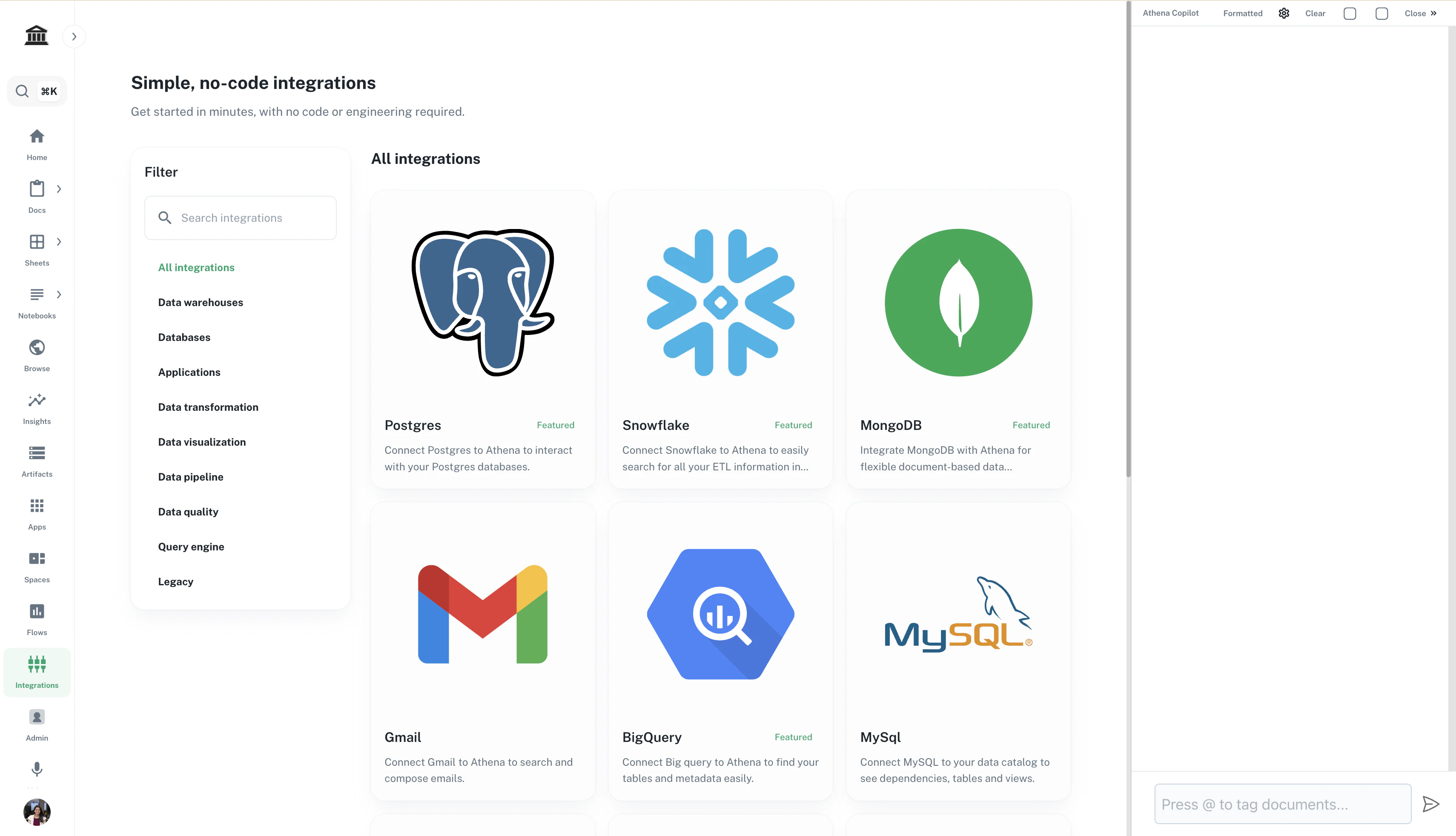
2
Configure the connection
The fields you see depend on the connection method configured for your workspace:Credential-based setup (user-managed):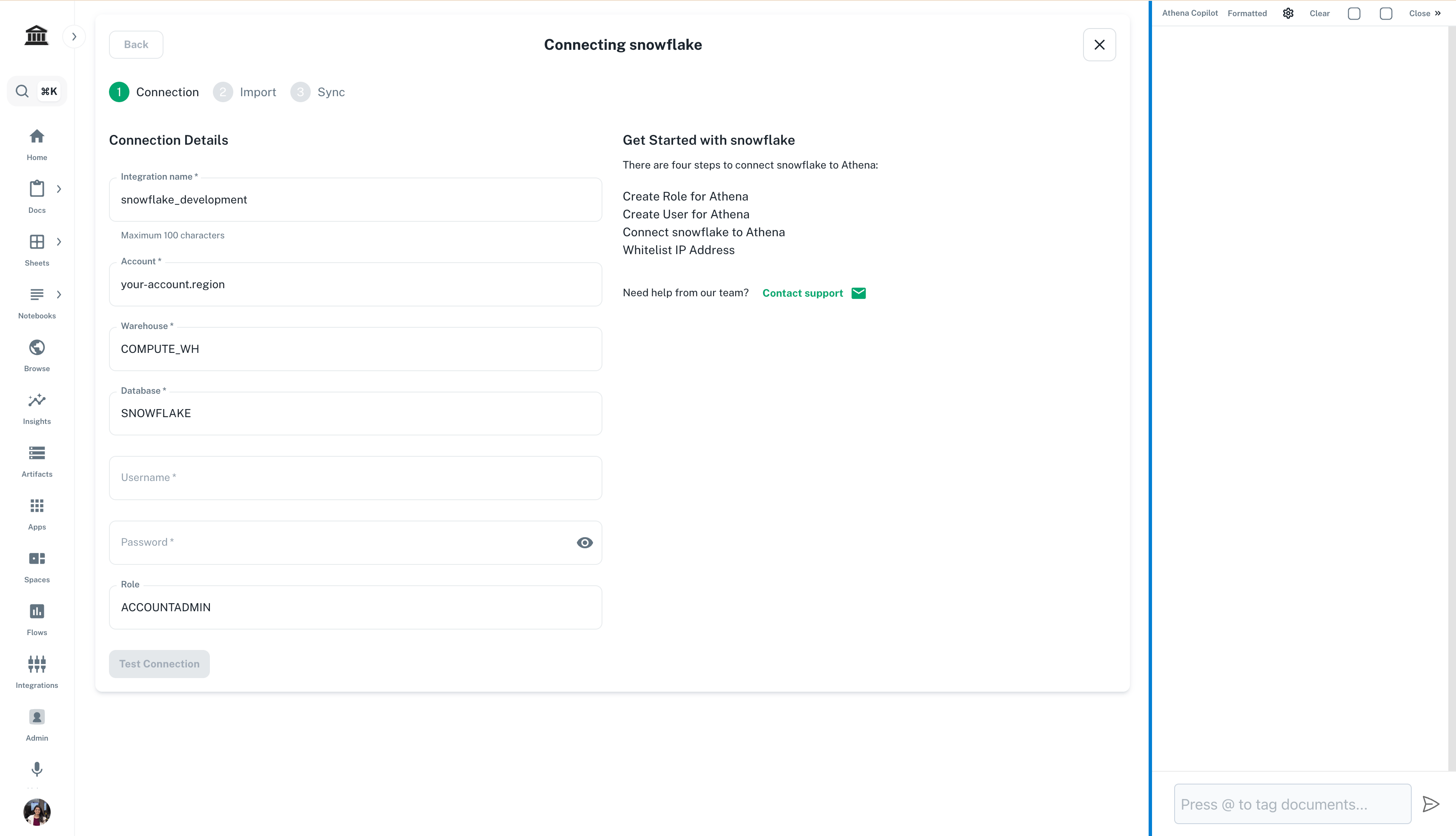
- Account Identifier: Your Snowflake account identifier (e.g.,
myorg-myaccount) - Warehouse: The Snowflake warehouse to use for query execution
- Role: The Snowflake role to use for the connection (determines data access scope)
- Username / Password: Your Snowflake credentials
- Your workspace administrator has already configured the account identifier, client ID, and allowed roles centrally. Click Connect with Snowflake to authorize via the secure OAuth flow — you will not need to enter a password.
3
Select a warehouse (OAuth only)
For OAuth-based connections, after completing the authorization flow, select the default Snowflake warehouse for your queries from the available warehouses visible to your connected account.