

Postgres is a per-user connection: each member adds their own connection details, and nothing is shared with other members. No workspace-admin setup is required. Please reach out to us at team@athenaintel.com for SSL configuration and IP allowlisting (including specific IP ranges and hosts).
1
Select your data source
Navigate to Integrations. Click on Postgres.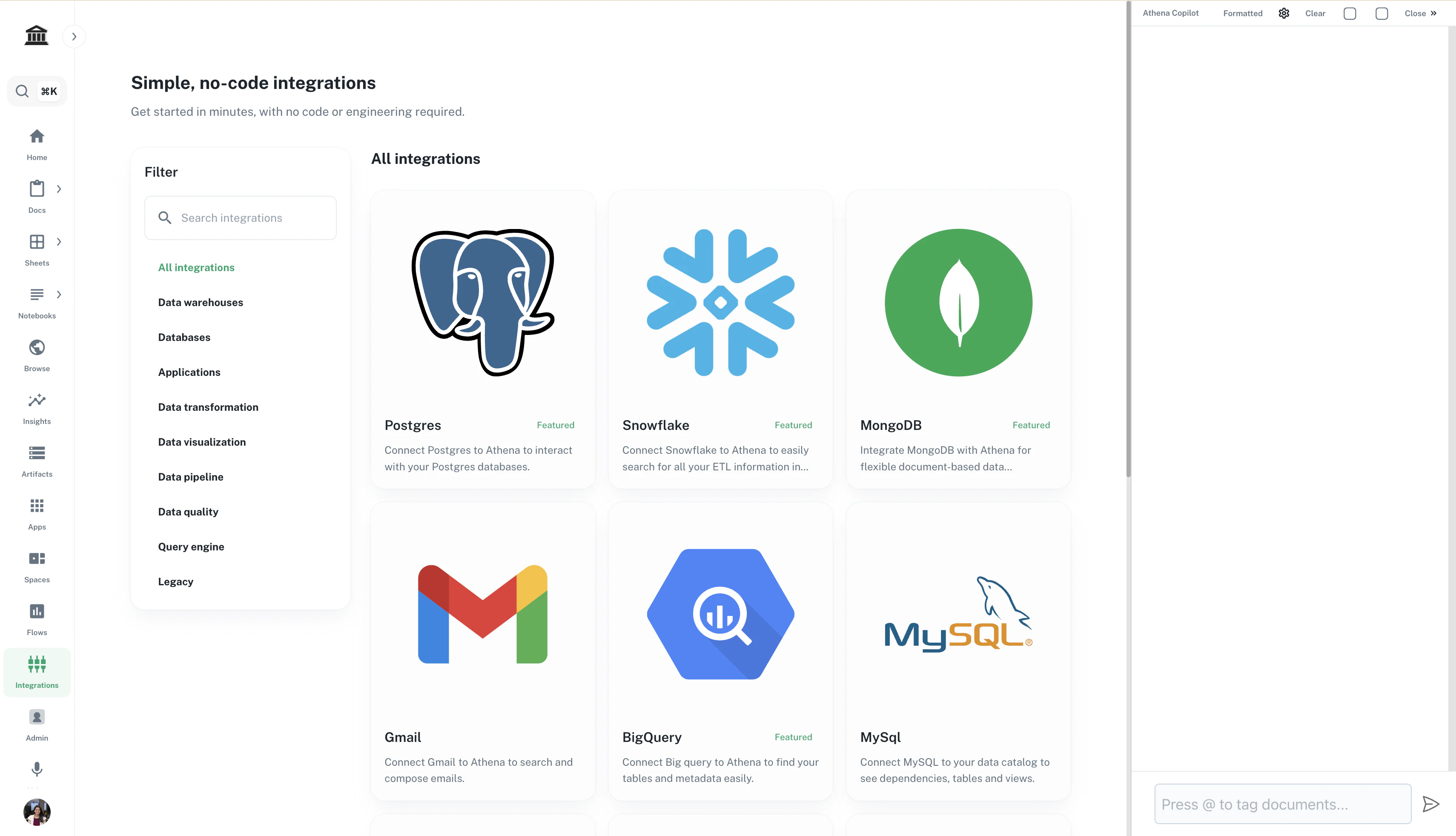
2
Setup the connection
Fill in the connection details and click on Test Connection.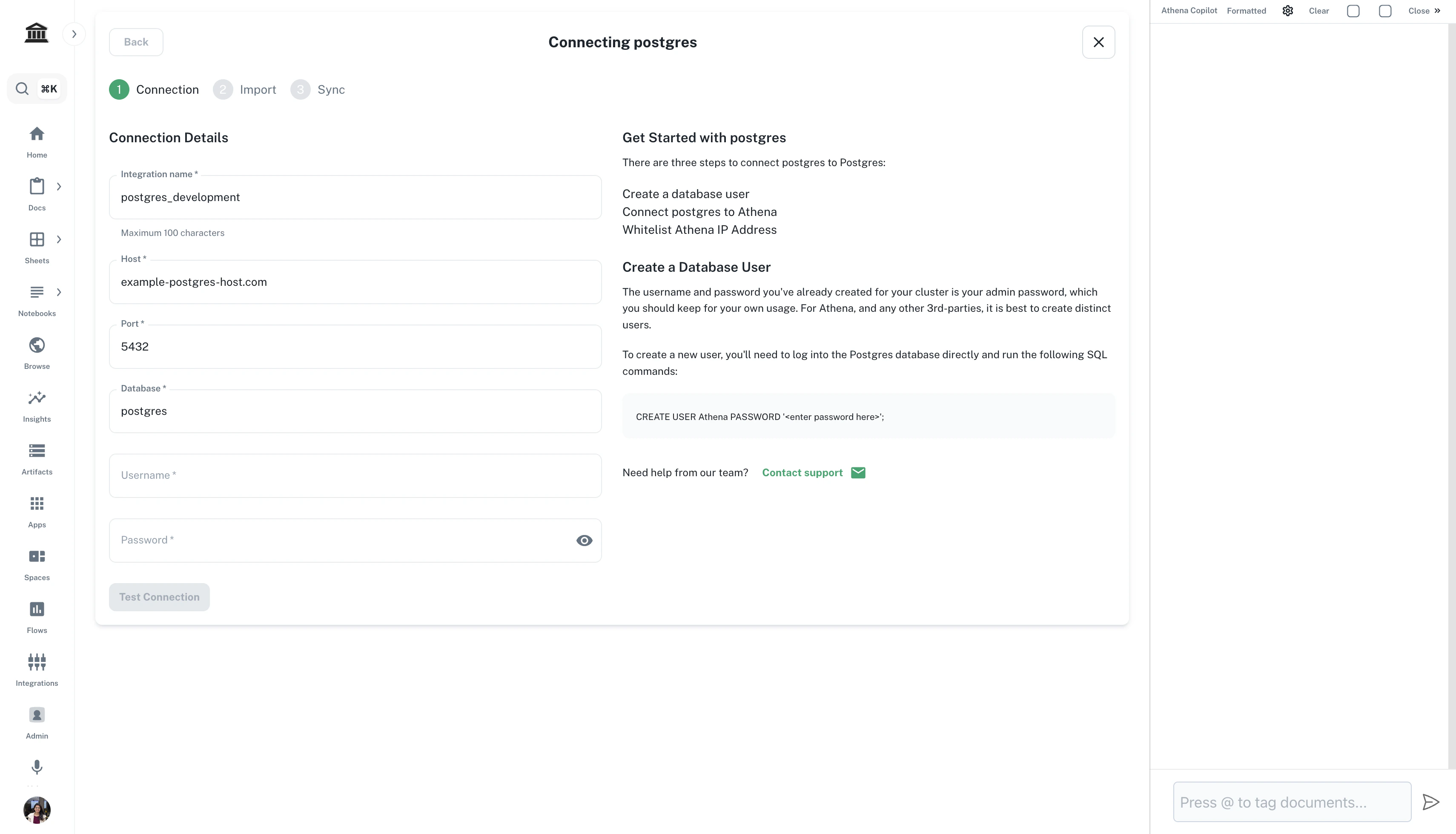
The database must be reachable from the public internet, and the connection is always encrypted — unencrypted connections are not offered. If your database sits behind an allowlist, ask your DBA to permit Athena’s egress IP; contact team@athenaintel.com for the current value.