

Apps you host on Athena start private, sign people in with your company login, and keep a record of every release. They run wherever Athena runs, including your own cloud or your own servers, and Athena can rebuild any saved version on demand. This page walks through each area a security review covers. For each one it says what Athena handles, what your team adds, and what to confirm with your admin.
At a glance
Who can open the app?
Every Application is private when you publish it. Only people who are signed in and have access can open it. Making an app public takes edit access plus admin rights, or an admin’s permission. If your workspace requires a security scan, an admin clears or accepts its findings before the app goes public.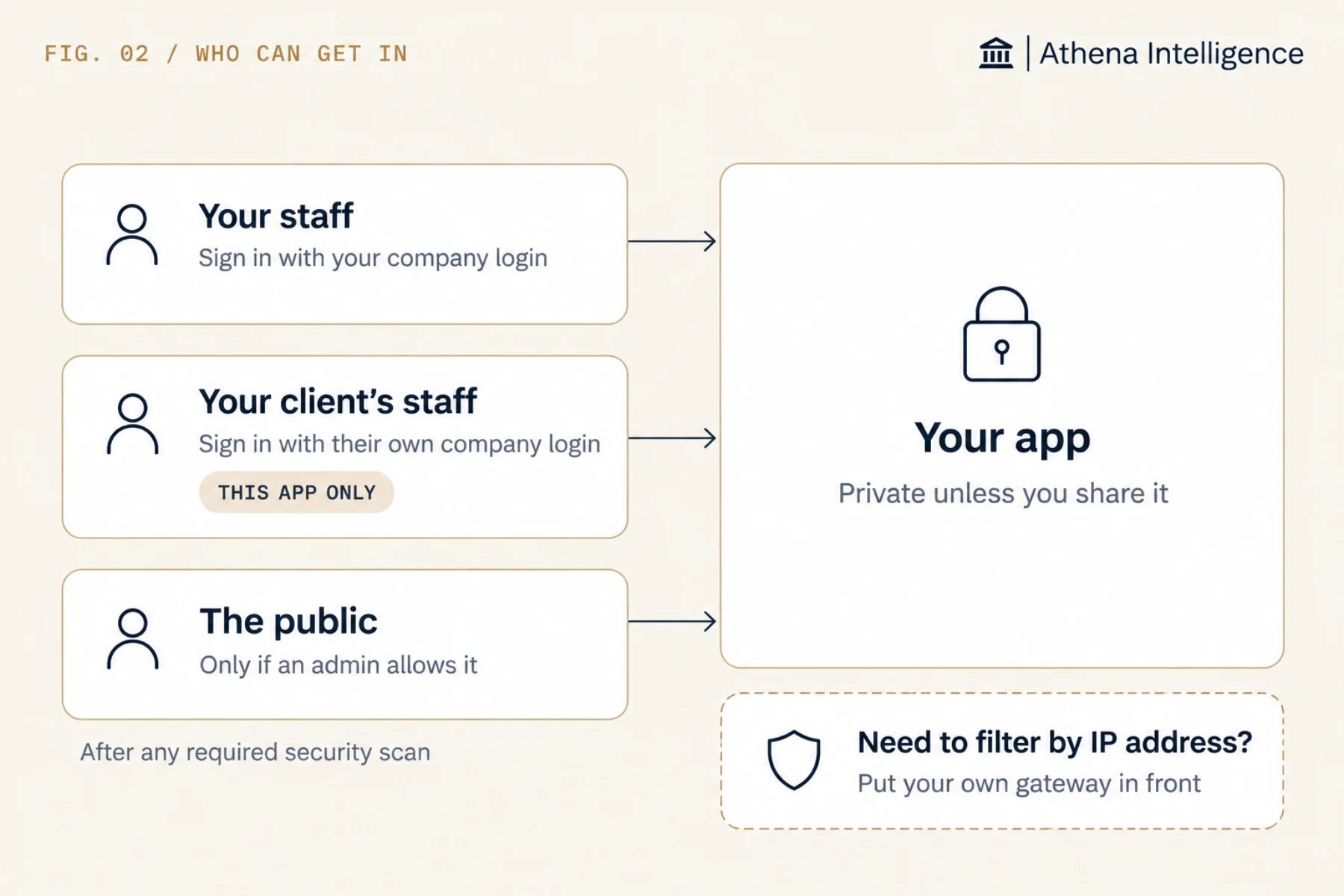
How are releases approved and recorded?
An Application can be published several ways. Ask Athena to release it from a chat, upload a packaged build in the app’s Deployment tab or through the API, or connect it to a GitHub repository. Git is optional. Every path saves a new version, builds it and checks that it is healthy before it goes live. You can also stage a version, check it in preview, and promote it later. Inside Athena, anyone with edit access to the app can publish, and Athena does not ask for a second approver. Give edit access only to the people who own releases. If your review needs a second person to approve each release, connect the app to GitHub and require the review there. Athena keeps a record of every version: who made it and when, its size, and a fingerprint of its contents (a SHA-256 hash). It can also record a release note and the version it came from. Each publish records who published it and when.If you connect GitHub
Only the app’s owner can connect a repository, and the connection supports GitHub and GitHub Enterprise. Require a review before anything merges into the connected branch, and make your tests required checks so only tested code reaches it.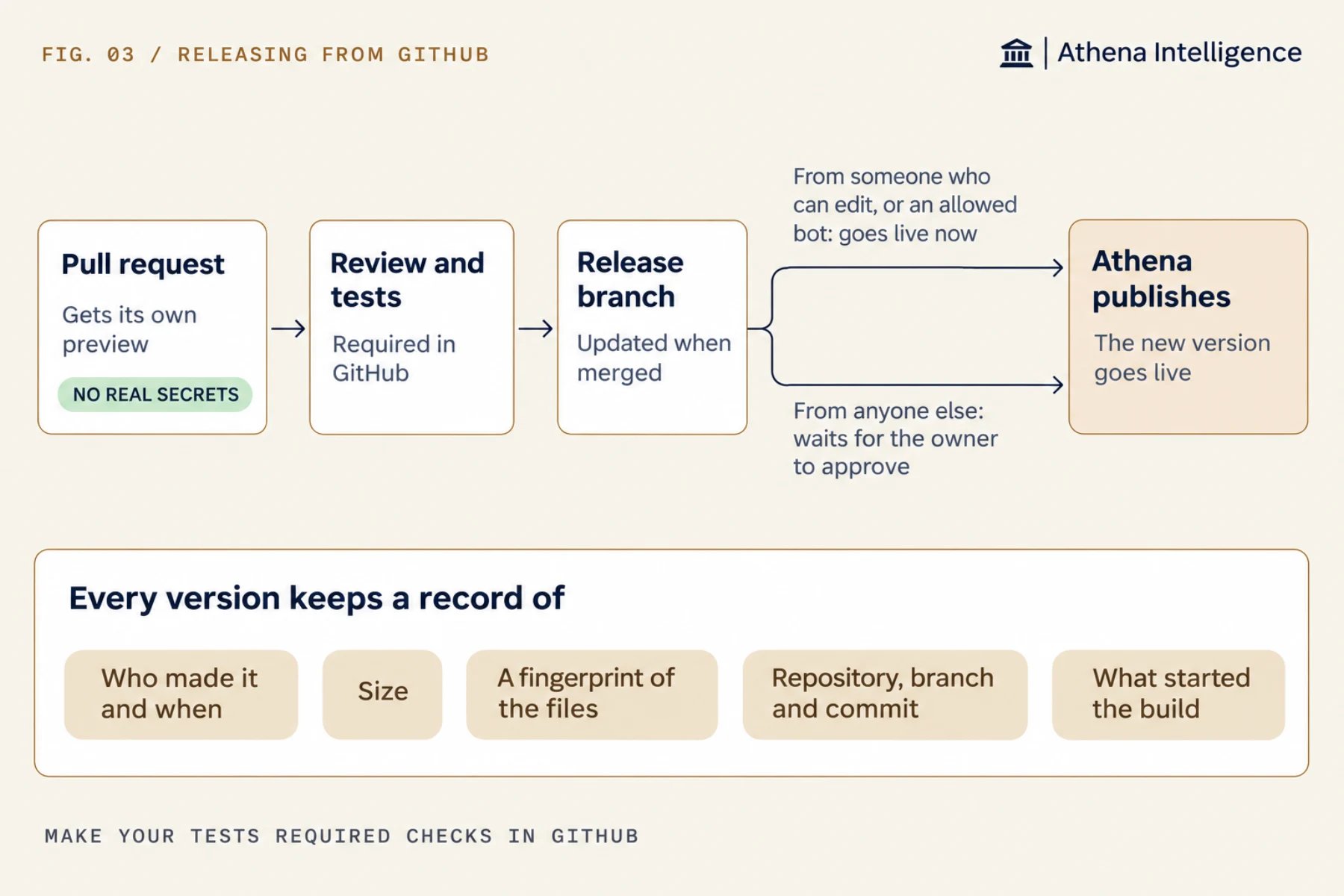
Where does it run, and what can it reach?
You choose where Athena runs: Athena’s cloud, your own AWS (including GovCloud), Azure or Google Cloud account, your own servers, or fully offline. Hosted apps and their databases run wherever Athena runs, so when Athena is in your cloud, your apps and their data stay there too. See deployment options.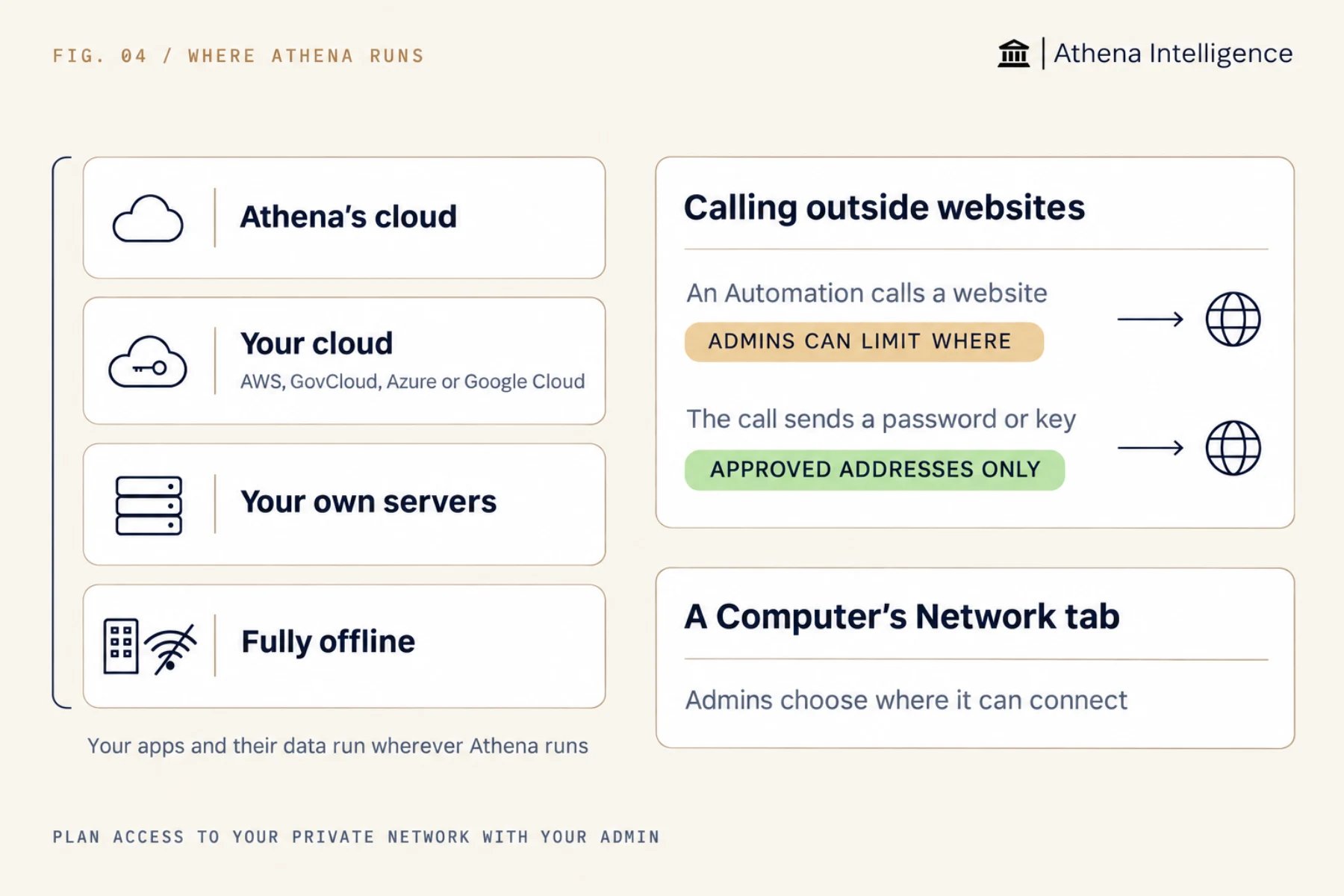
How is the data protected?
An app can keep its data in an Athena database or in a database you already run. The answers differ. If the app connects to your own database, that database’s backups, encryption, access rules and audit logs apply, and Athena does not change them. Store its connection details as Secrets and give the app a login that reaches only what it needs. The rest of this section covers Athena databases. Each one is Postgres, run by Athena inside your Athena setup. If Athena runs in your cloud, the database does too. An Athena database keeps a continuous history, seven days by default. You can make a copy of it as it was at any point in that window, or restore the main database in place. A restore disconnects anyone connected and keeps the data it replaced as a protected copy. Copies and restore are marked Experimental.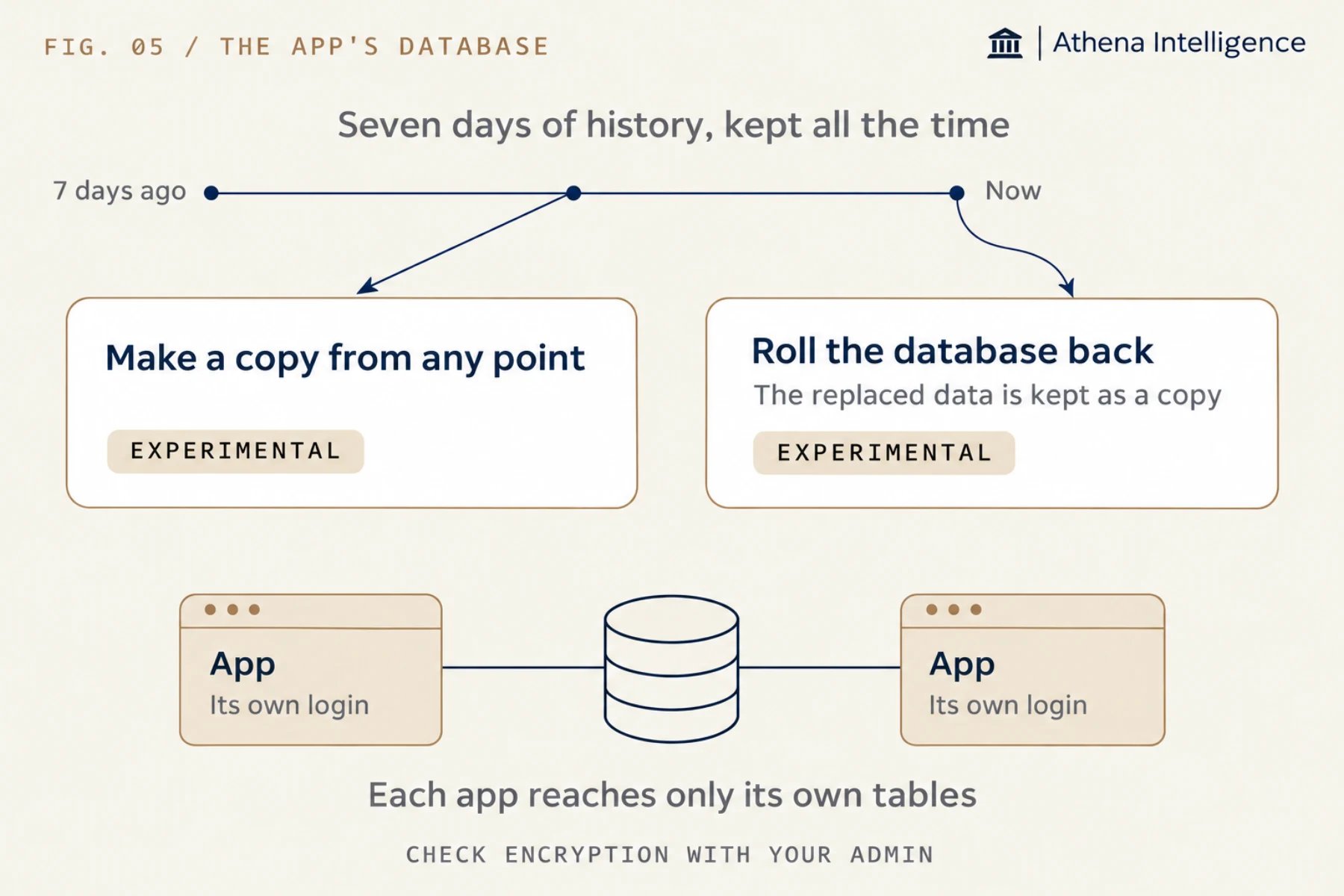
updated_by and updated_at columns, or a table that records each change. The database’s query history shows recent activity and is not meant as a full change log.
How is traffic encrypted?
Every hosted app is served over HTTPS. Athena manages the certificates for its own app links. If you use your own web address, your setup decides its certificate and whether plain HTTP is redirected to HTTPS.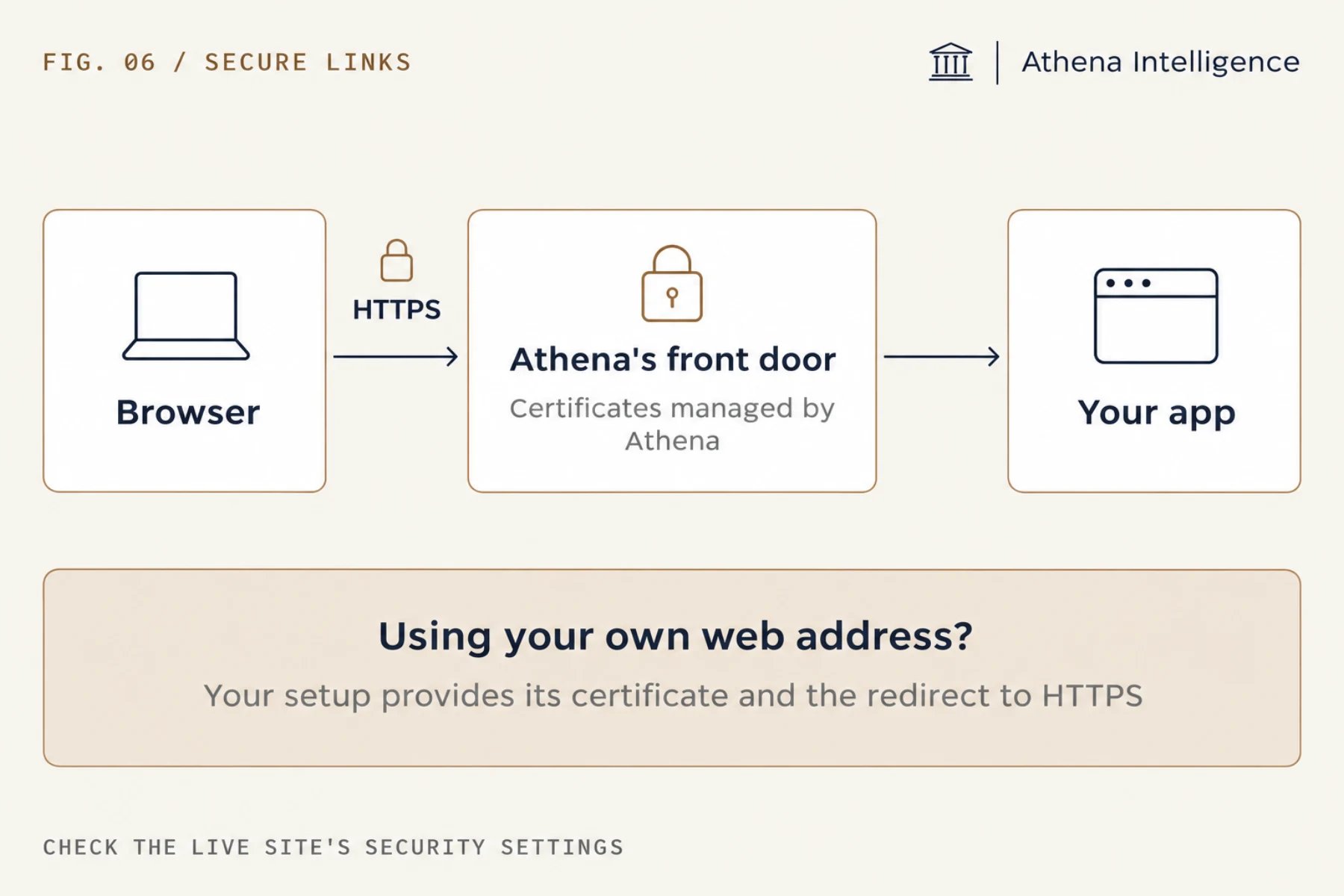
<meta http-equiv="Content-Security-Policy"> tag in the page and confirm in the browser that it works.
Where do logs go?
Admins can export asset history and admin events as CSV or JSON at any time. Schedule a regular export into your security monitoring system (SIEM). See Audit records.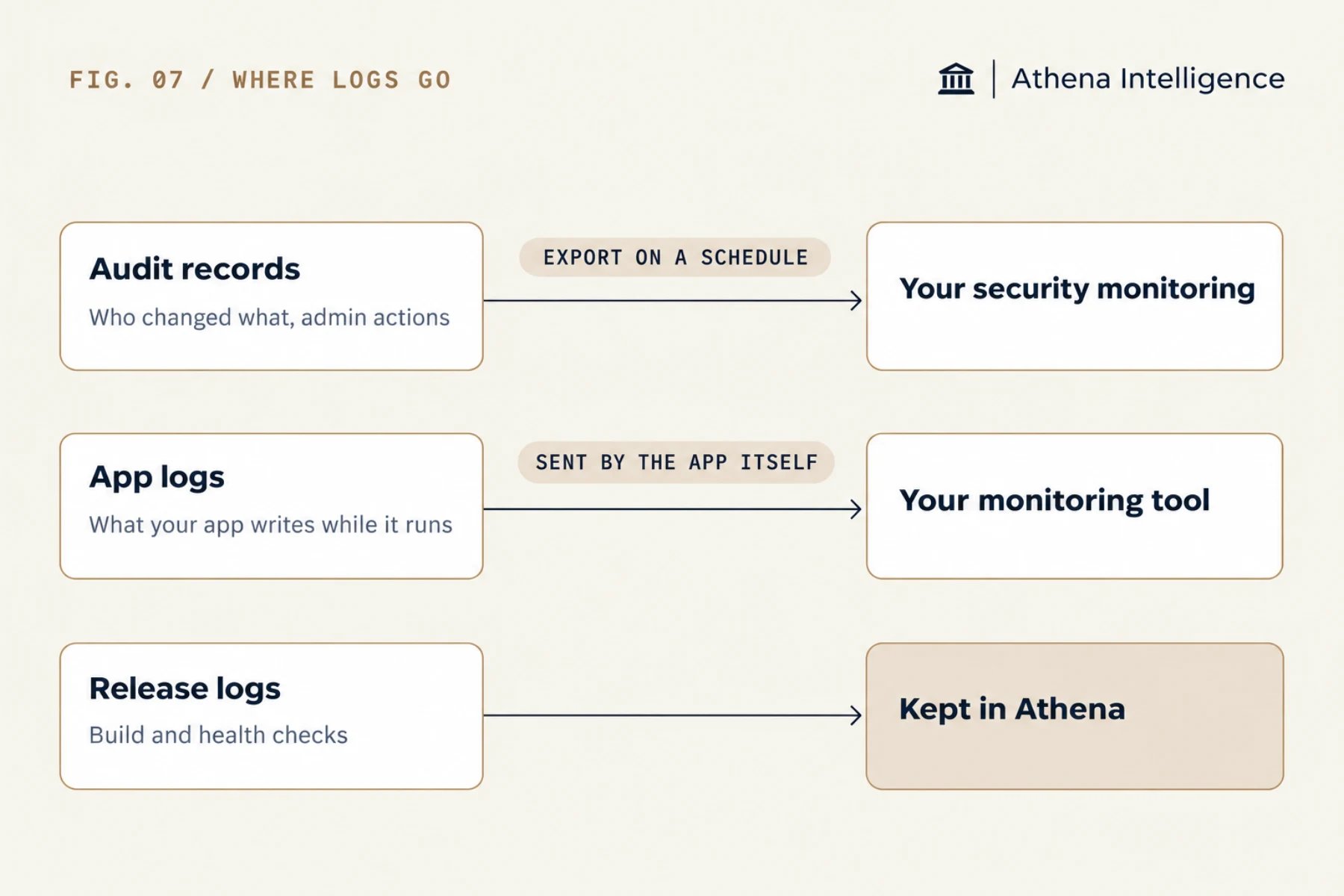
Do legal hold and retention cover app data?
Workspace owners can place legal holds and set retention rules on workspaces and assets. Held items are kept, and Athena records who placed or released each hold. See Legal holds and retention.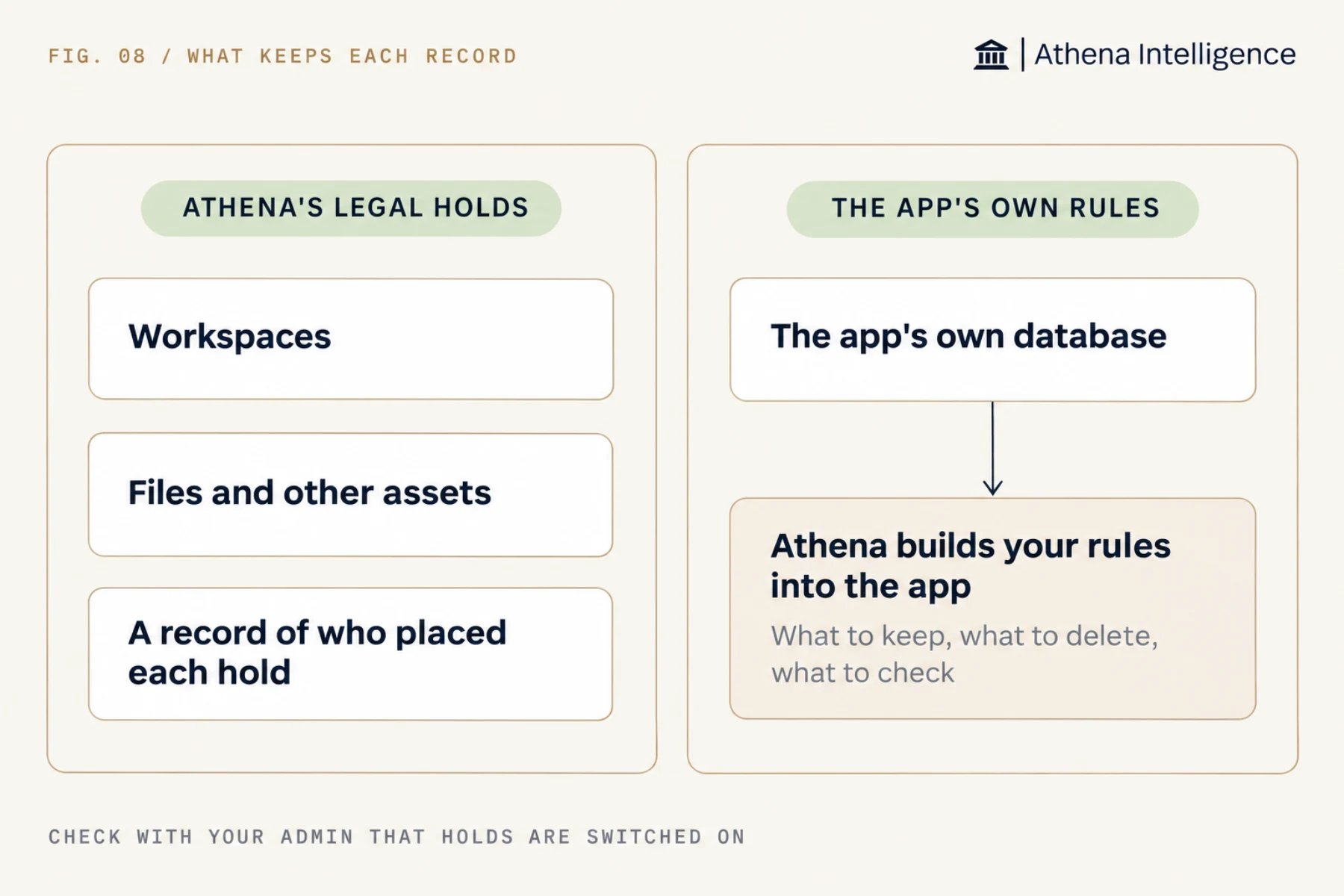
How does the app run, and how does recovery work?
Each Application runs as a single copy, and an admin can move it to a bigger machine when it needs more room. By default, a live app sleeps after 30 minutes without traffic, a preview after 10 and a Computer after 60. Set any of them to never sleep and it stays ready.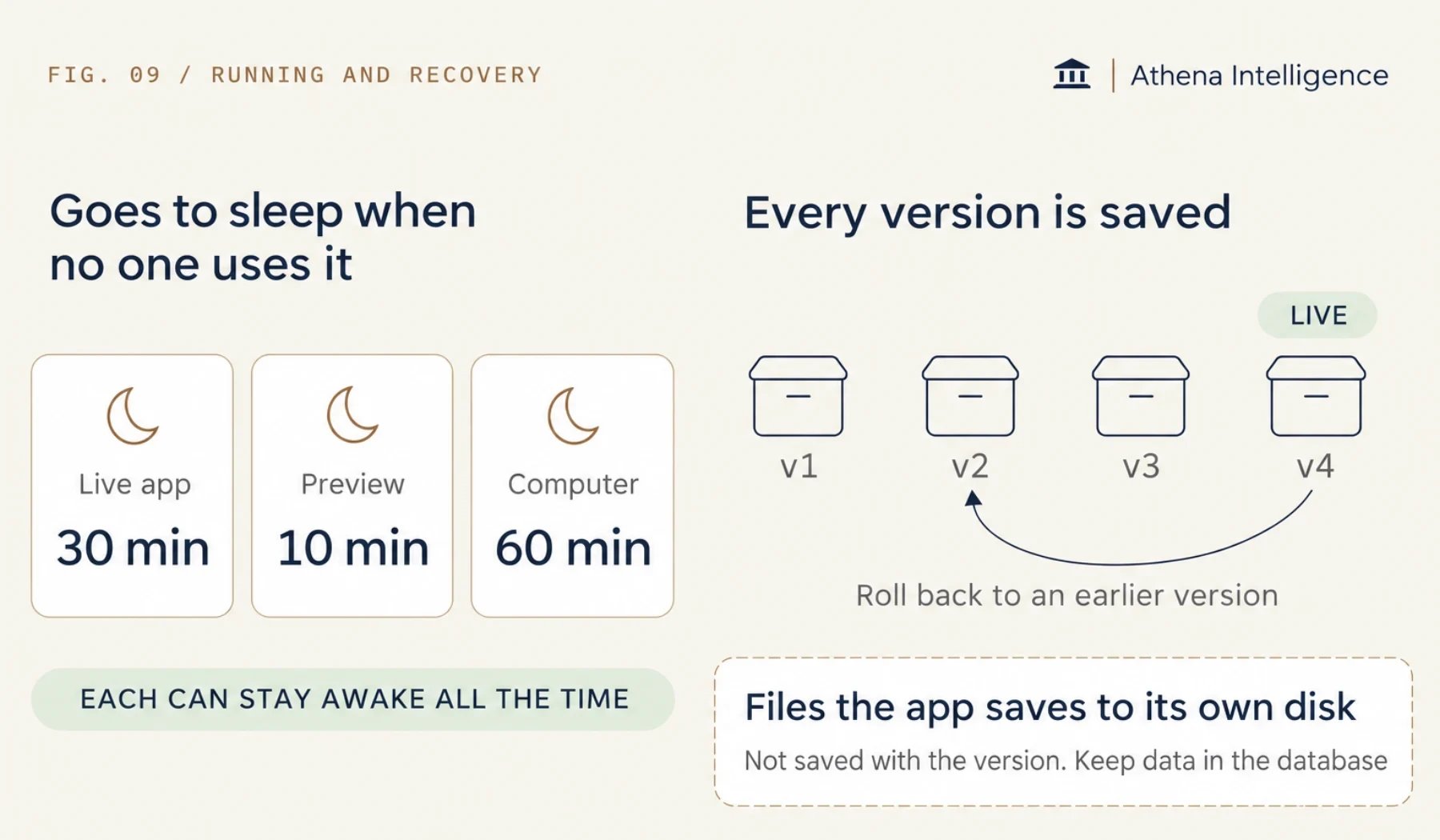
Can builders start from an approved setup?
Yes, where environments are turned on. An admin builds and publishes an approved environment, and builders create Computers from it with view access. Everyone starts with the same approved tools and settings, and with the build standard already in place.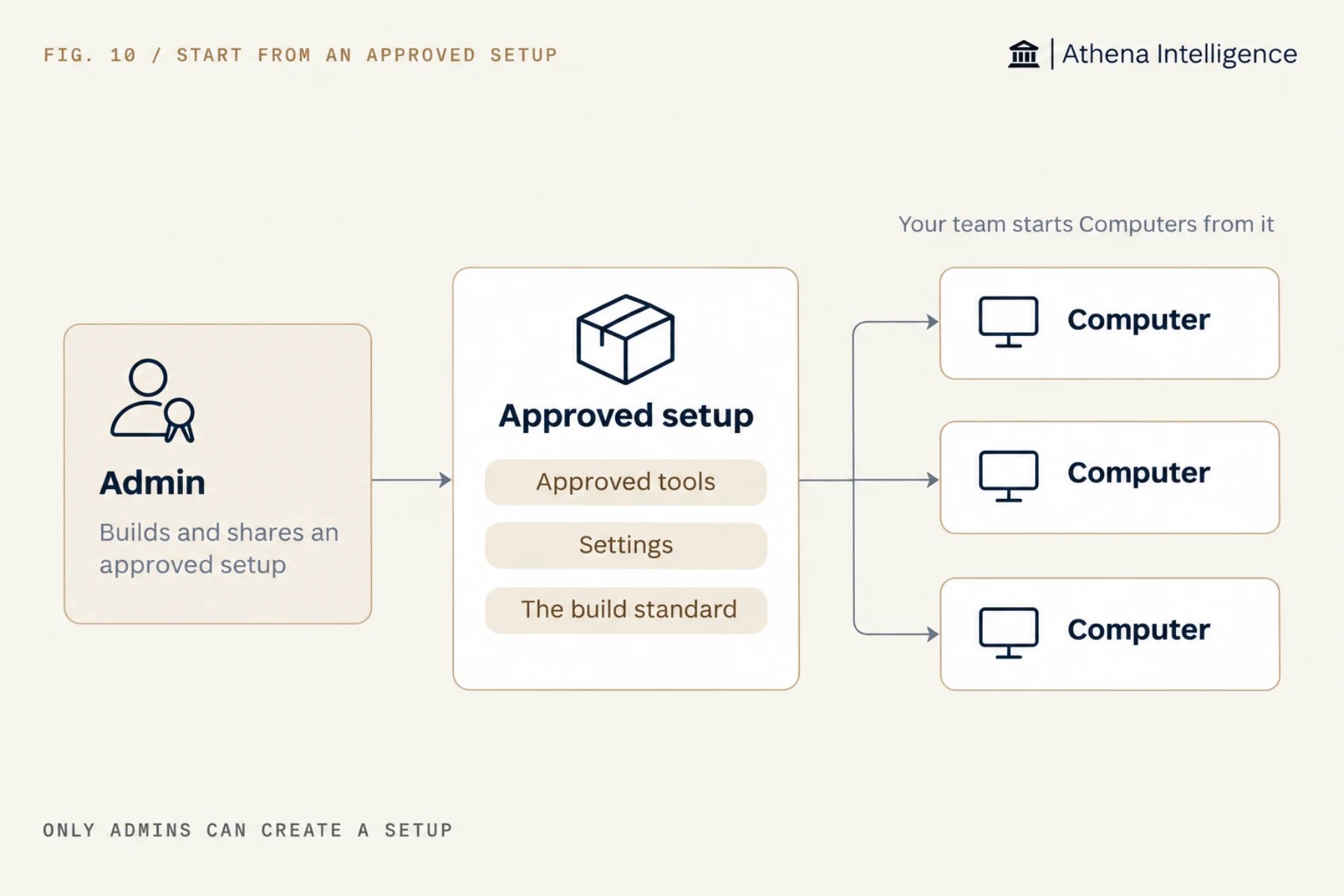
What to plan for
- Six settings vary by installation: sleep time, database history, encryption, environments, legal hold enforcement and the security scan. Get your values from your admin and put them in the review.
- If a gateway sits in front of your web address, test sign-in and live updates through it, and check that the app refuses a request sent straight to its Athena web address.
- Practice recovery once before you need it. Restore a database copy and republish an older version.
Questions teams ask
Does this apply to AOPs and Automations?
Does this apply to AOPs and Automations?
No. Athena runs AOPs (saved AI procedures) and Automations itself, with their own access, approvals, budgets and run history. This page covers apps hosted as Applications or on Computers.
Who can make an app public?
Who can make an app public?
Someone with edit access who is an Athena admin, or whom an admin has allowed to make apps public.
Can outside people sign in without an Athena seat?
Can outside people sign in without an Athena seat?
Yes. Connect the Application to their company login. They sign in with their own accounts and reach only that app.
Where are the rules Athena follows when it builds?
Where are the rules Athena follows when it builds?
See it work
Thirty minutes, your workflow, and you leave with the work product.