

Athena gives you a Computer, a managed database, hosting, and company sign-in from day one, so you spend your time on the client’s problem instead of setup. This guide shows you how to build a working app with the client, publish it, and let their staff sign in with their normal work accounts without needing Athena accounts.
Why is setup the problem?
Forward deployed engineers sit with a business team to build software for a single problem. The build itself is meant to take days, and Athena lets you start on day one by providing the coding machine, database, hosting, and login integration that otherwise take longer to arrange than the actual coding. The role started at Palantir and is spreading fast, with job postings rising more than 1,000% between January and August 2026 compared with a year earlier, according to Lightcast data reported by Fortune.What does Athena take off your list?
You focus on the work that requires judgment: understanding the process, deciding what to build, and checking the result.
How does an engagement run?
- Plan with the business owner using the interview in Plan before you build, and agree on the test cases.
- Build on a Computer with sample data while Athena writes the code following the build standard, then share the preview in the same meeting.
- Improve the app with the people who will use it, so they see each change as it happens.
- Publish an Application to give the client a fixed link for review while you continue working on the Computer.
- Run the test cases and get sign-off.
- Let the client’s staff sign in.
How do the client’s staff sign in?
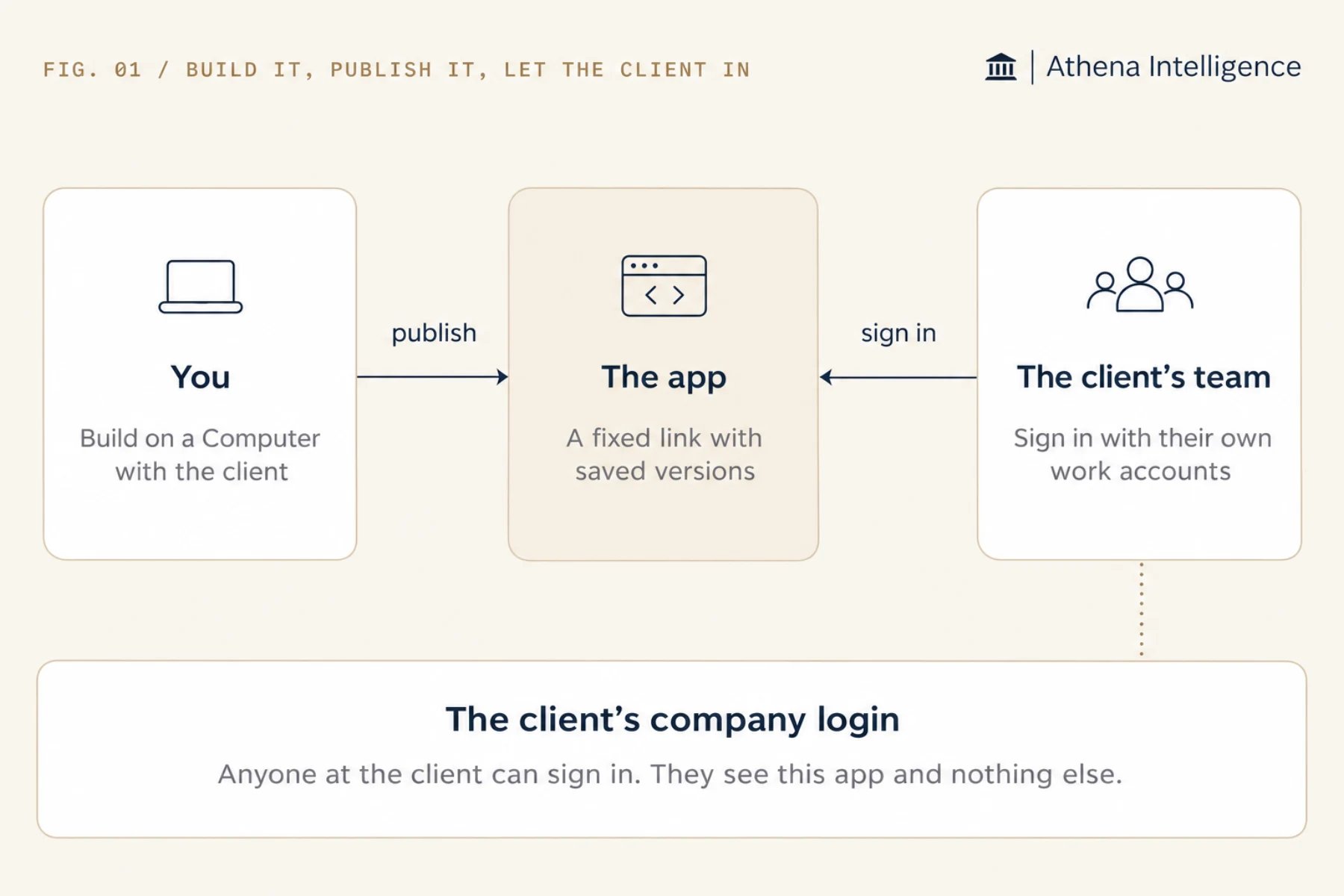
- To let the client sign in with Microsoft work accounts, connect your workspace to Microsoft 365, ask the client’s IT team for their organization’s Microsoft ID (the Entra tenant ID, a unique identifier for their company directory), and enter it on the app.
- If your workspace has its own company login, use that instead. This approach fits a workspace set up for a single client.
- Athena lets the client’s staff sign in with their own work accounts without joining your workspace, and shows them only that app.
- Put team or group access rules inside the app itself, because Athena grants sign-in to anyone at the client’s company rather than filtering by team or group.
- Your workspace members keep full access to open the app, improve it on the Computer, publish new versions, and roll back if a release goes wrong.
How do I make it something the client can rely on?
- Follow the build standard and read Athena’s report on it.
- Store records in the Athena-managed database, and keep only code in the files on the Computer.
- Add a health check so Athena tests each new version before it goes live.
- Turn sleep off if the client uses the app at all hours.
- Write a README as you go that explains what the app does, who owns it, and how to test it.
- Agree on who owns the app after you leave and who can roll it back.
What to plan for
Athena keeps the app in your workspace and lets you transfer ownership to any other member of that workspace, so agree on who will take over before the engagement ends. Line up the sign-in details early on both sides. Ask the client’s IT team for their Entra tenant ID at the start of the project, and make sure you have edit access to the app plus admin rights (or an admin’s permission) to let outside people in.Questions teams ask
Can the client's engineers take over the app?
Can the client's engineers take over the app?
Yes. Invite them to the workspace that owns the app, and transfer ownership to them.
Can a person read the code?
Can a person read the code?
Yes. Athena writes normal source code in the framework you chose. Ask Athena to follow your conventions and write the README and design notes as it builds.
Can we build inside the client's own Athena?
Can we build inside the client's own Athena?
Yes. Athena can run in the client’s cloud account or on their own servers, keeping the app, its data, and its users in the client’s environment. See deployment options.
Does this work for internal projects too?
Does this work for internal projects too?
Yes. Follow the same steps, and let your colleagues sign in through the workspace. See From first draft to everyday use.
See it work
Thirty minutes, your workflow, and you leave with the work product.