> ## Documentation Index
> Fetch the complete documentation index at: https://resources.athenaintel.com/llms.txt
> Use this file to discover all available pages before exploring further.
# Rate Card Analysis
Simplify analyzing rate cards from different logistics providers by Athena. Easily compare pricing structures and service offerings from various third-party logistics (3PL) providers by emailing them to Athena.
In the fast-paced world of Formula 1, logistics are critical to a team's success. Compare multiple rate cards and understand why F1 teams often choose DHL, revealing insights into their specialized logistics capabilities and guiding your team in selecting the most effective partner for your operational needs.
## Step-by-step Instructions
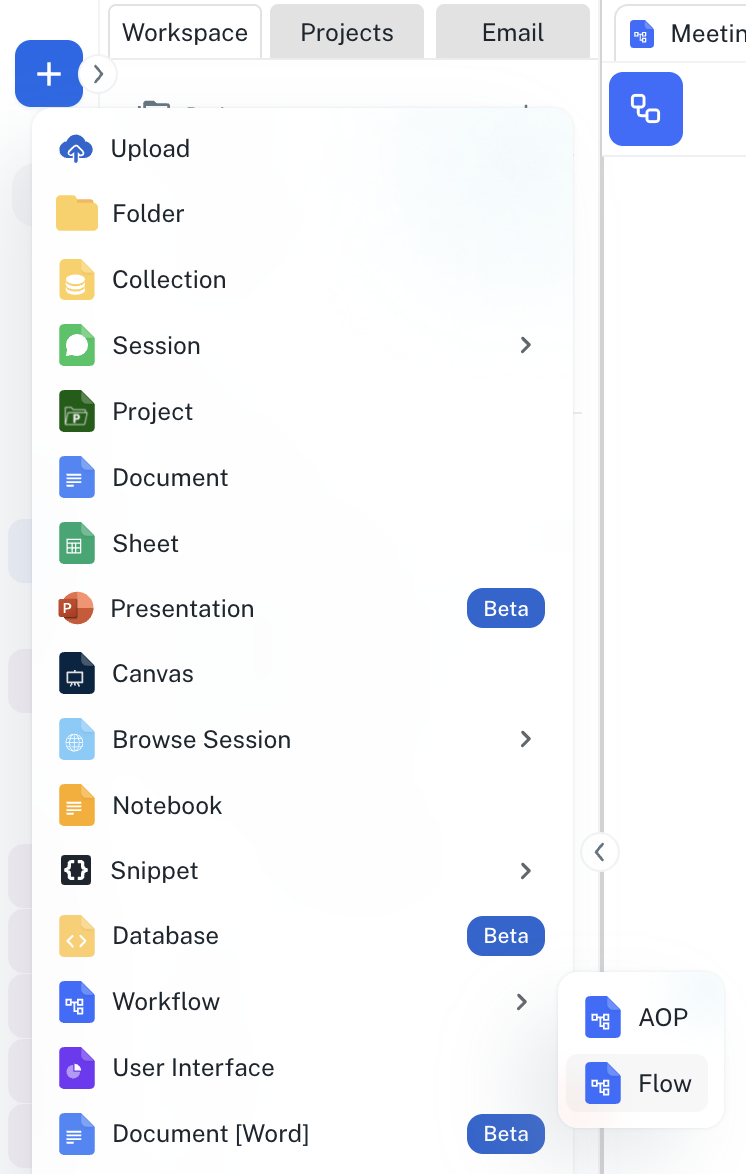
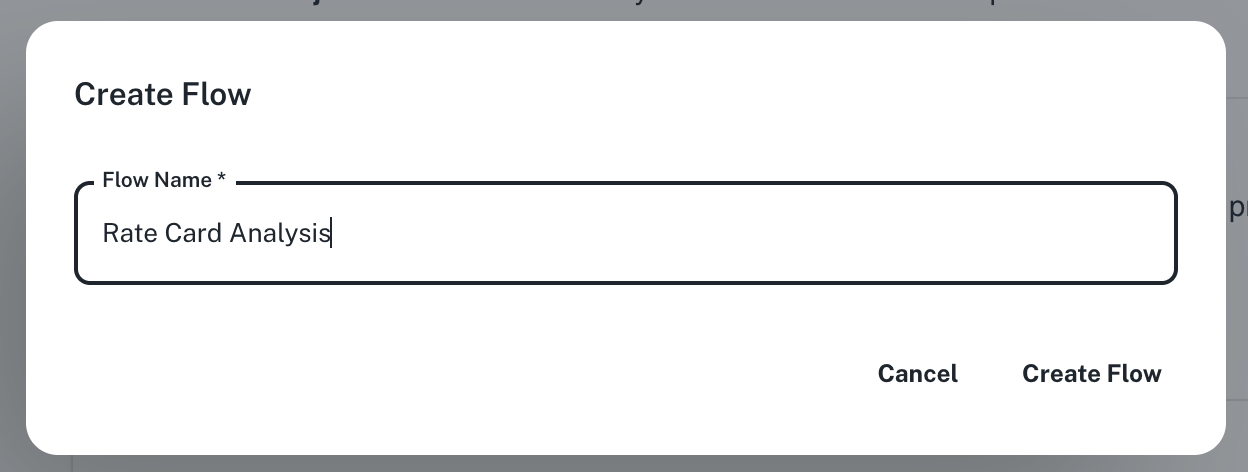
Go to **[Spaces](https://app.athenaintel.com/dashboard/spaces/)**. Click on the **+ -> Workflow -> Flow** button on the top left and name your flow "Rate Card Analysis".
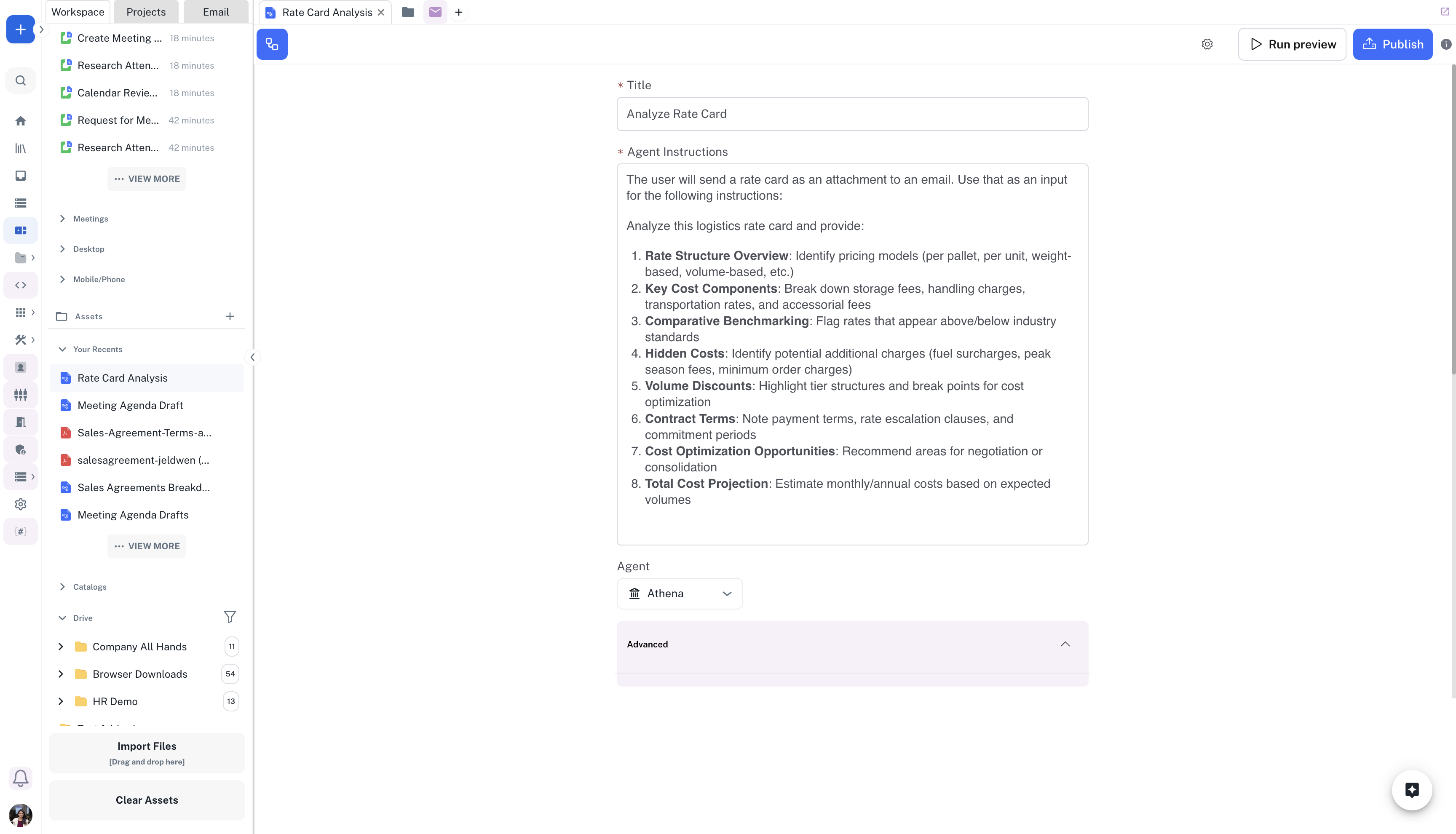
 In the **Title** field, enter "Analyze Rate Card" and in the **Agent Instructions** field, enter your prompt, for example the one given below:
The user will send a rate card as an attachment to an email. Use that as an input for the following:
In the **Title** field, enter "Analyze Rate Card" and in the **Agent Instructions** field, enter your prompt, for example the one given below:
The user will send a rate card as an attachment to an email. Use that as an input for the following:
Analyze this logistics rate card and provide the Rate Structure Overview, Key Cost Components, Comparative Benchmarking, Hidden Costs, Volume Discounts, Contract Terms, Cost Optimization Opportunities, Total Cost Projection
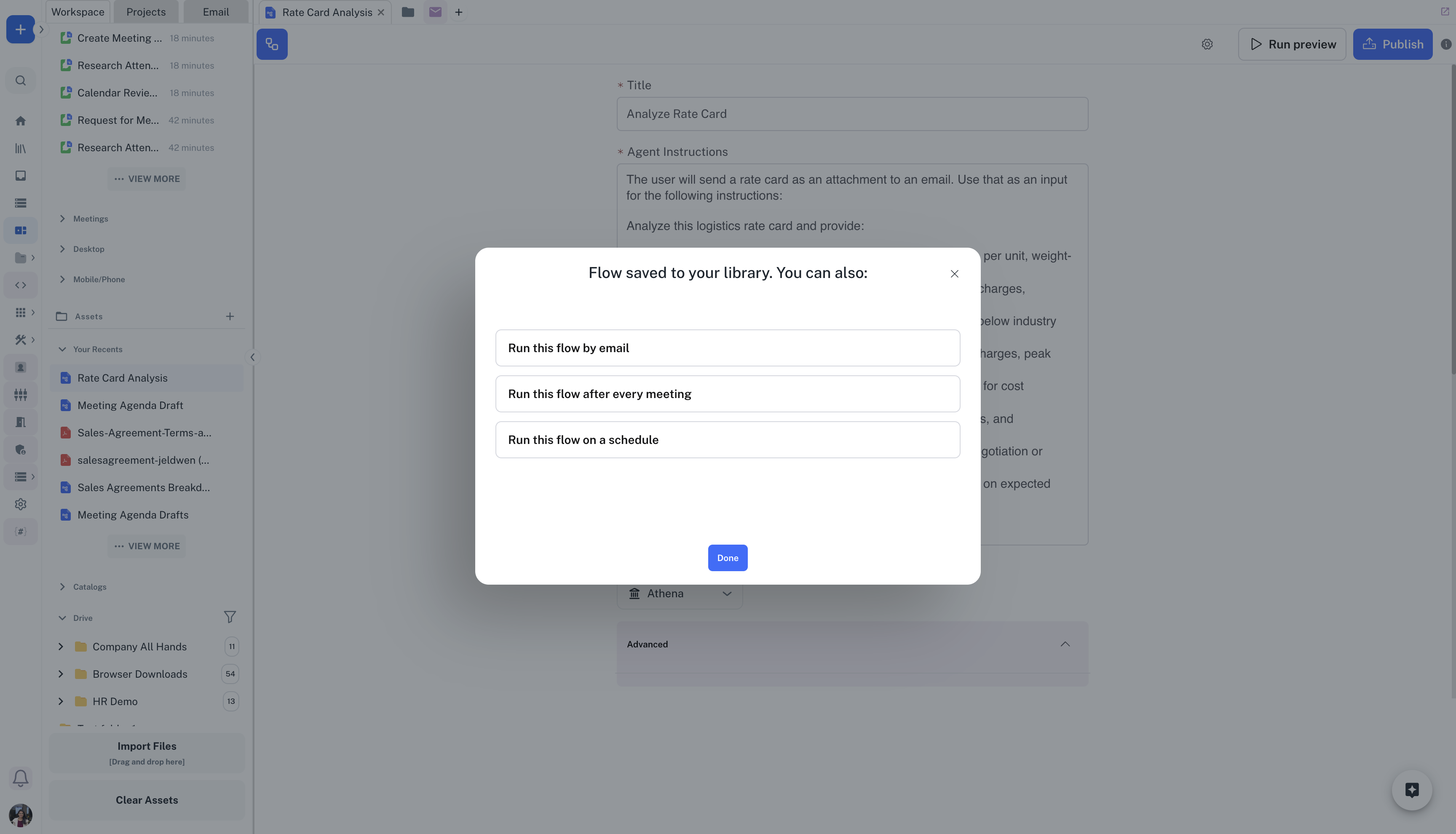
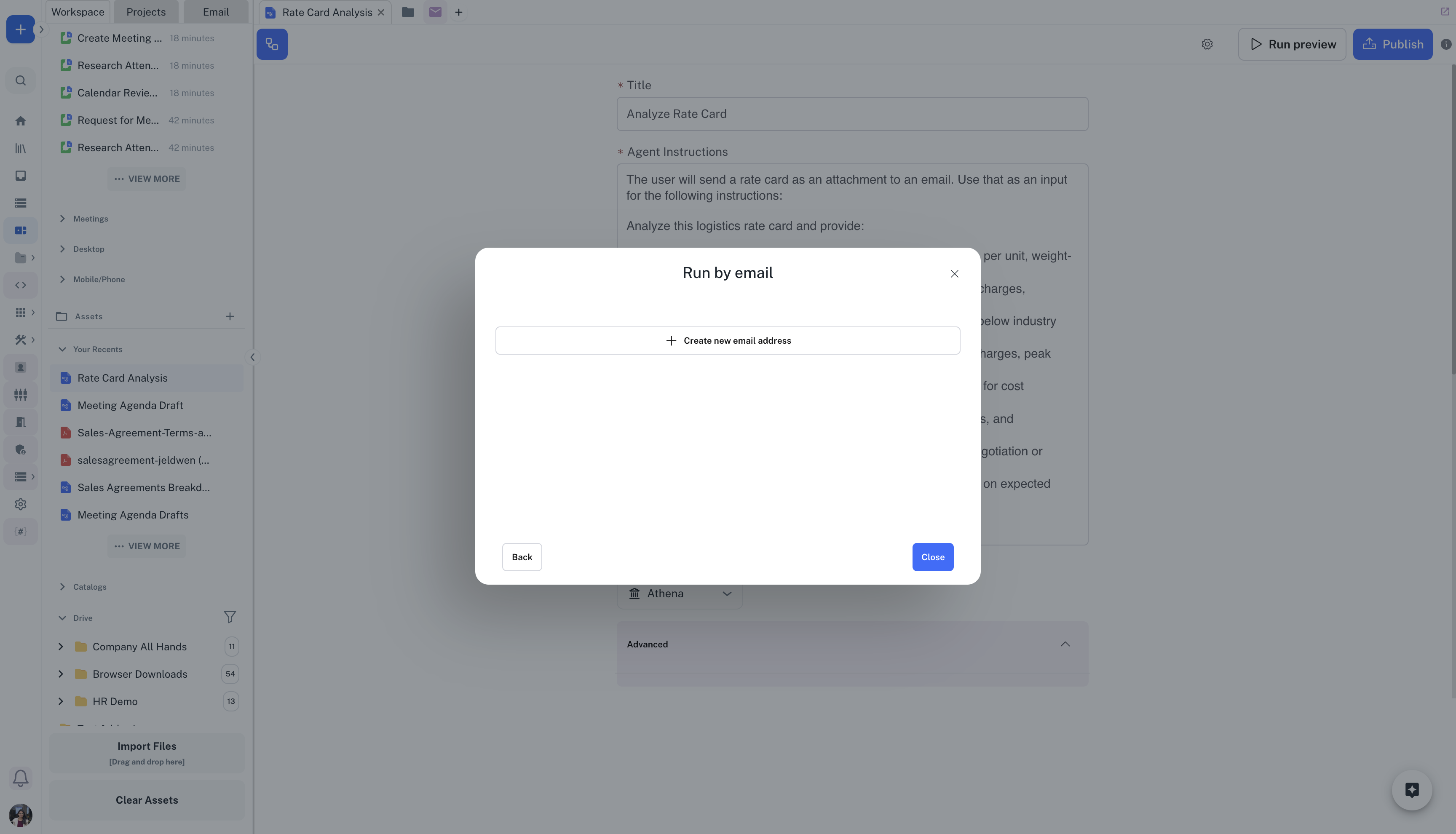
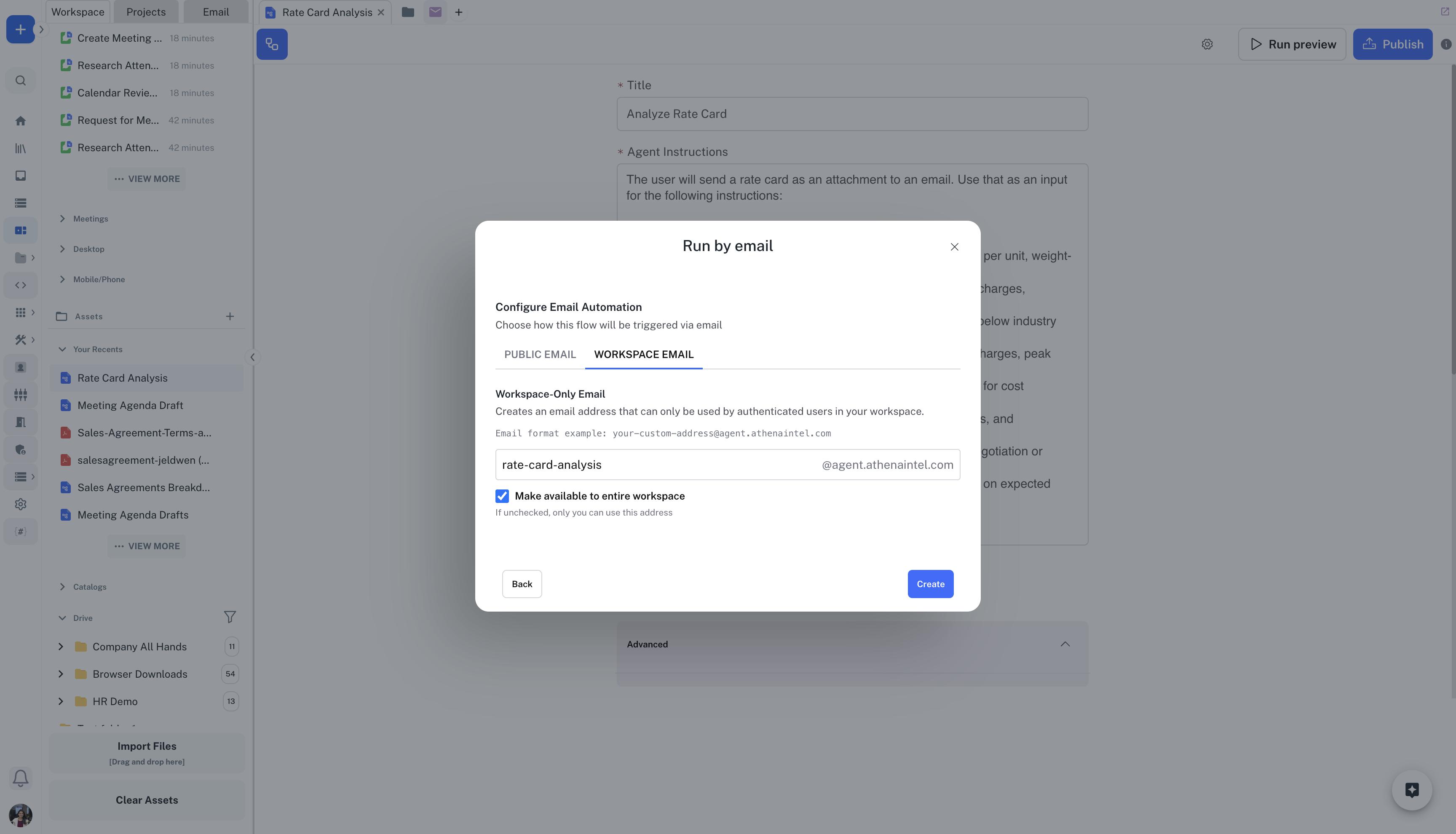
 You can click on **Publish** on the top-right of the flow to trigger the flow on an event. Click on **Run this flow on a schedule -> Create new email address**. Create a new email slug for your flow, for example **[rate-card-analysis@agent.athenaintel.com](mailto:rate-card-analysis@agent.athenaintel.com)** and click on **Create**.
You can run the flow on a schedule, when an email is sent to a custom email address assigned to the flow or after a meeting ends.
You can click on **Publish** on the top-right of the flow to trigger the flow on an event. Click on **Run this flow on a schedule -> Create new email address**. Create a new email slug for your flow, for example **[rate-card-analysis@agent.athenaintel.com](mailto:rate-card-analysis@agent.athenaintel.com)** and click on **Create**.
You can run the flow on a schedule, when an email is sent to a custom email address assigned to the flow or after a meeting ends.
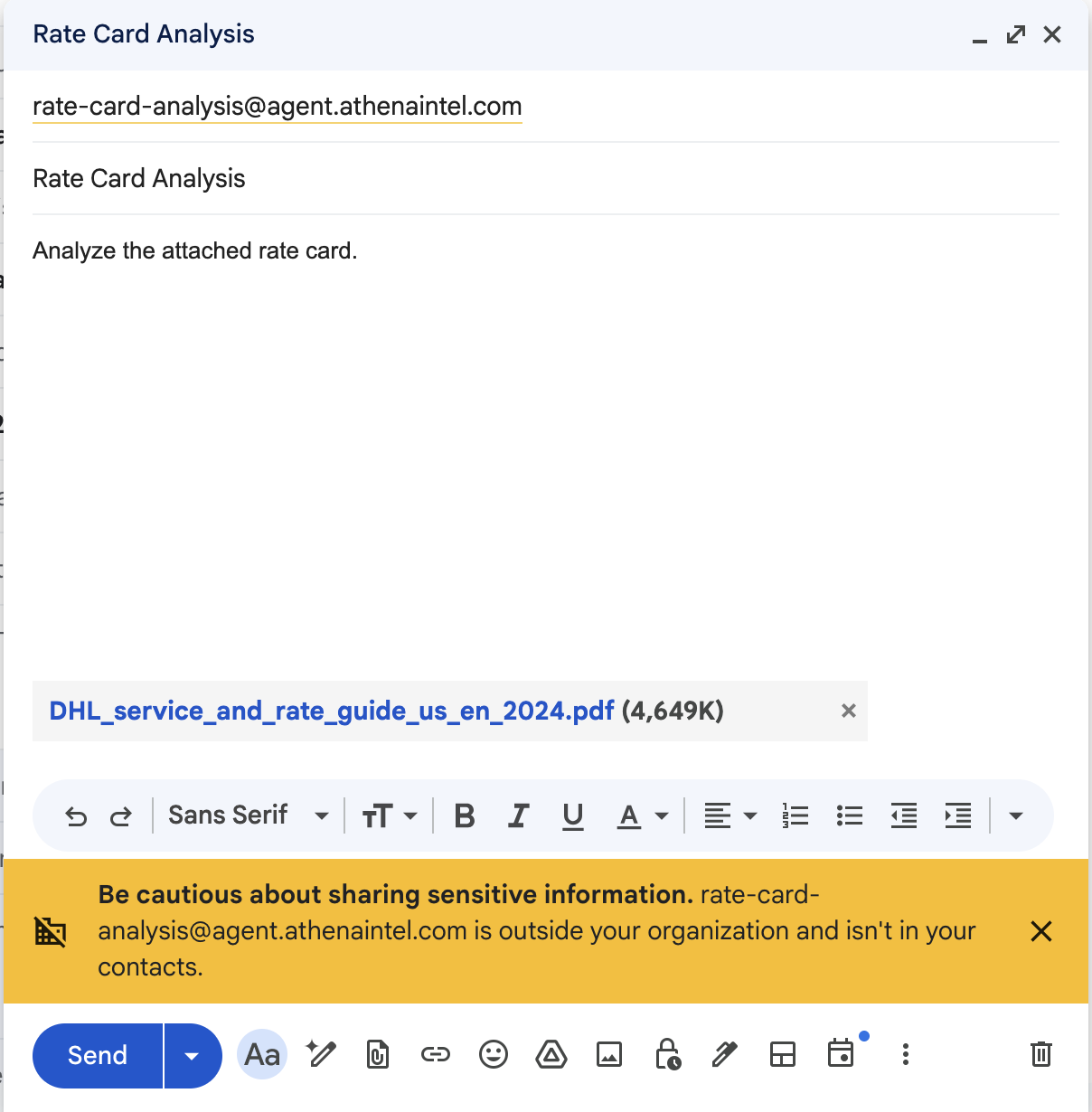
 Send an email to [rate-card-analysis@agent.athenaintel.com](mailto:rate-card-analysis@agent.athenaintel.com) with the rate card to be analyzed as an attachment. Once Athena completes processing the rate card, it will reply to your email with the results.
You can choose to send the email without any subject or email body.
Send an email to [rate-card-analysis@agent.athenaintel.com](mailto:rate-card-analysis@agent.athenaintel.com) with the rate card to be analyzed as an attachment. Once Athena completes processing the rate card, it will reply to your email with the results.
You can choose to send the email without any subject or email body.
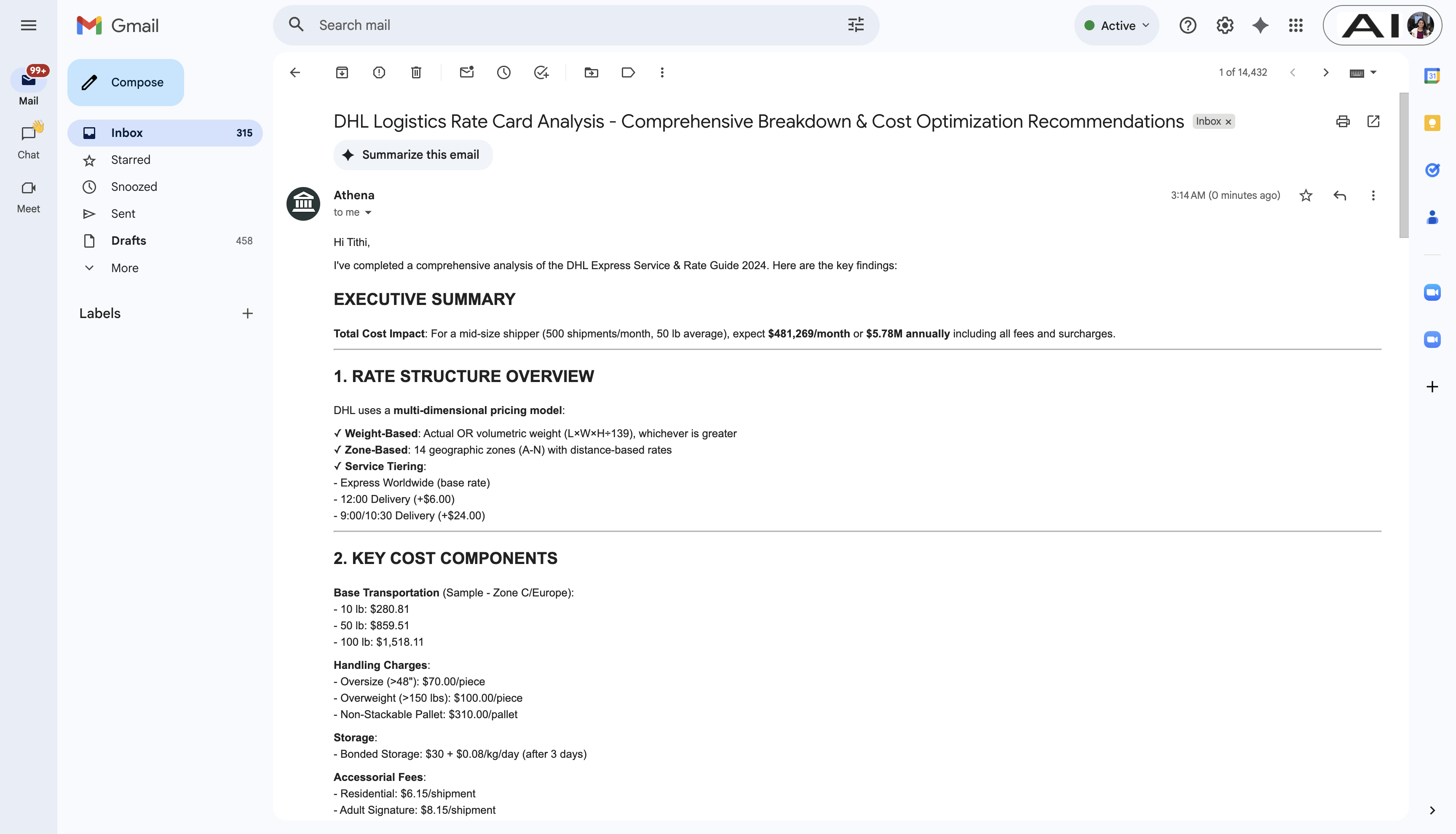
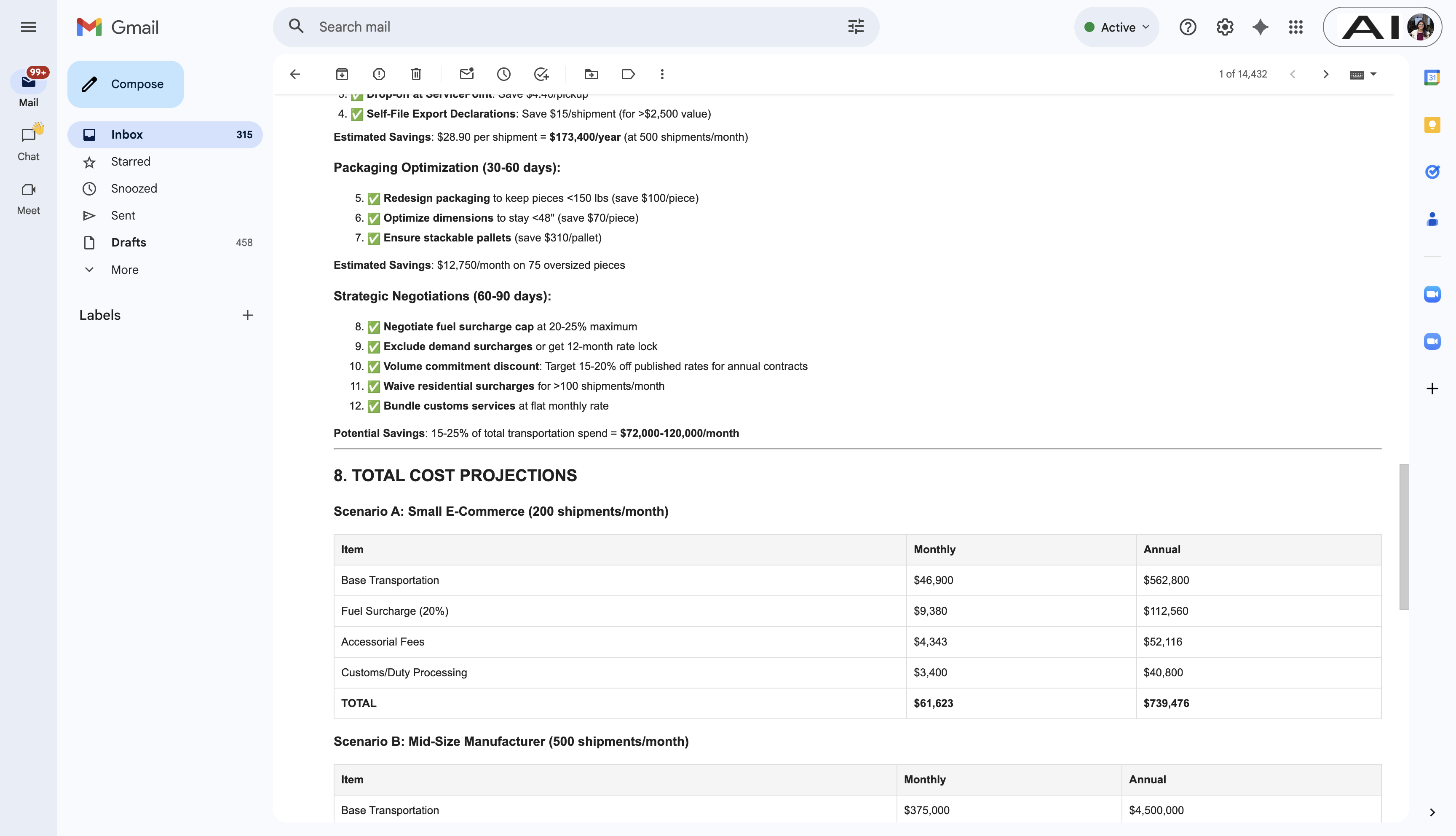 Athena can also send emails with files created during the workflow run as attachments to the response email.