> ## Documentation Index
> Fetch the complete documentation index at: https://resources.athenaintel.com/llms.txt
> Use this file to discover all available pages before exploring further.
# Optimize Logistics Networks with Athena Notebooks
> Network optimization uses data and the Notebook toolkit to analyze facility locations, transportation costs, fulfillment options, and cost benefits.
Harness the power of AI-native Athena Notebooks to streamline supply chain efficiency and optimize logistics operations. Implement seamless management of facility locations, comprehensive analysis of transportation costs, and evaluation of various fulfillment options. Offering a hands-off coding experience, Athena Notebooks facilitate the generation of detailed cost-benefit analysis reports, empowering data-driven decision-making.
For instance, a Formula One team can refine their logistics strategy by optimizing the transportation of cars and equipment to international race venues, ensuring the timely delivery of essential components, thereby enhancing their operational performance and competitive edge.
## Step-by-step Instructions
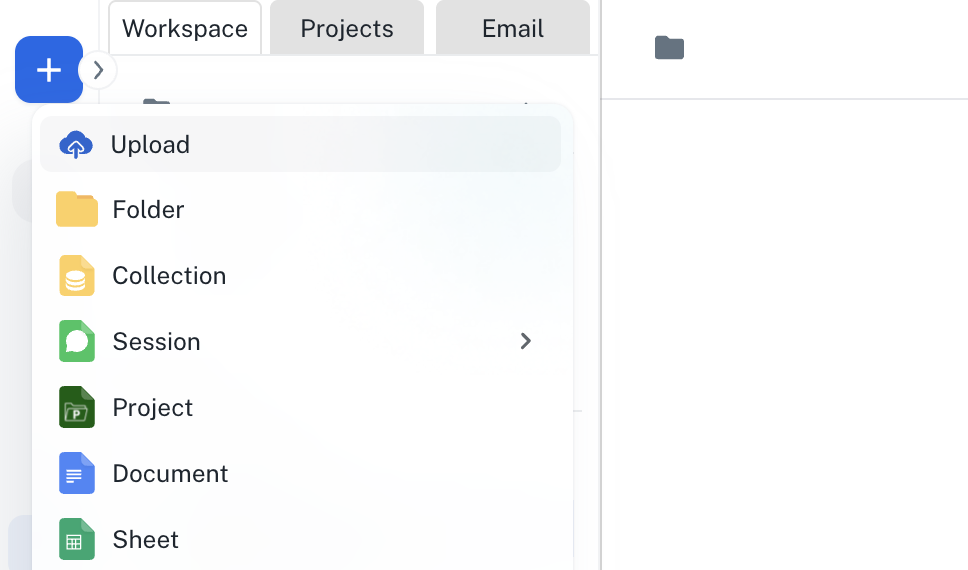
Go to **[Spaces](https://app.athenaintel.com/dashboard/spaces/)**. Click on the **+ -> Upload** button on the top left and upload your dataset into Athena.
 In the **Chat** interface, enter the following prompt and press **Enter**.
Load @your-dataset-name inside a new Notebook and perform a comprehensive Network Optimization Analysis on it.
Make sure that the **Assist** persona is selected and click on the **Toolkits** button to select the **Notebook** toolkit.
In the **Chat** interface, enter the following prompt and press **Enter**.
Load @your-dataset-name inside a new Notebook and perform a comprehensive Network Optimization Analysis on it.
Make sure that the **Assist** persona is selected and click on the **Toolkits** button to select the **Notebook** toolkit.
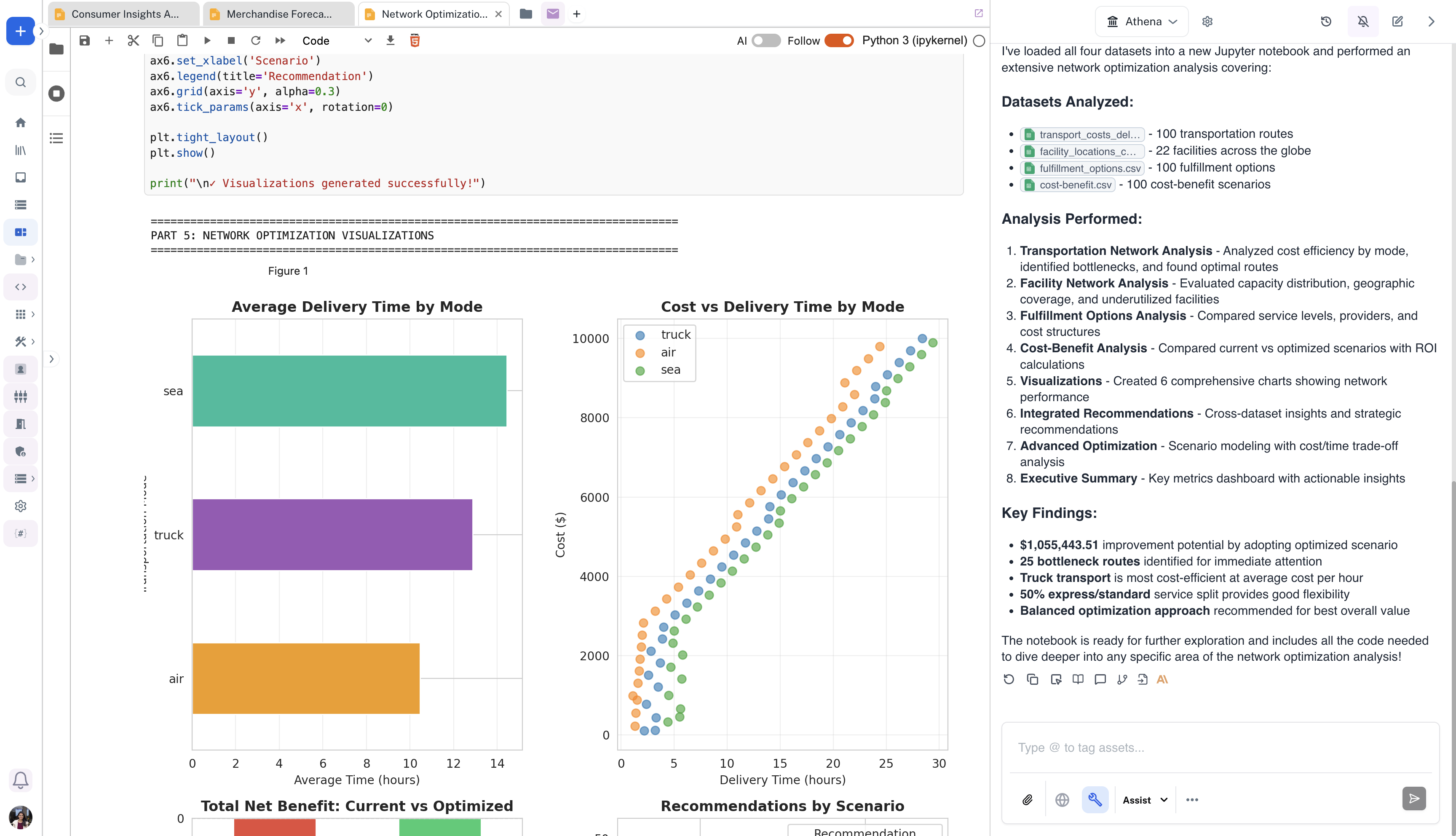
 The Notebook will be created with a complete network optimization analysis. You can modify it by prompting Athena to do so.
 This documentation is built and hosted on [Mintlify](https://mintlify.com), a developer documentation platform.