> ## Documentation Index
> Fetch the complete documentation index at: https://resources.athenaintel.com/llms.txt
> Use this file to discover all available pages before exploring further.
# Merchandise Demand Forecasting
Athena makes merchandise demand forecasting straightforward by utilizing AI-first Athena Notebooks to assess historical sales data. Eliminate the need to code and use visualize sales trends and identify which products are in high demand, enabling effective inventory management and strategic planning.
For the Formula 1 Red Bull Racing team, forecasting the demand for car parts is essential. By analyzing past sales data of critical components such as tires and engines, the team can predict future needs and adjust their inventory accordingly. This proactive approach minimizes downtime during races and ensures the team is prepared for each event, contributing to their competitive edge.
## Step-by-step Instructions
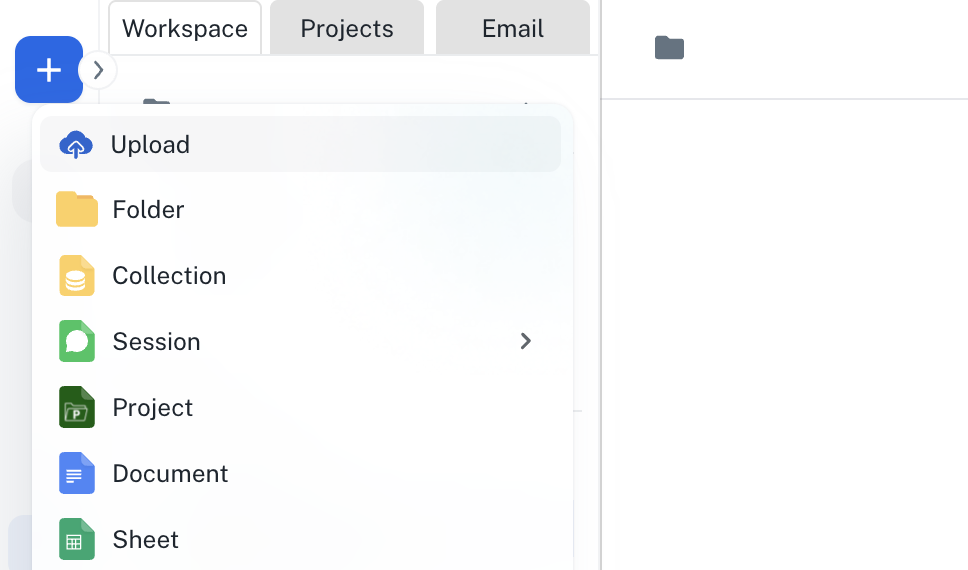
Go to **[Spaces](https://app.athenaintel.com/dashboard/spaces/)**. Click on the **+ -> Upload** button on the top left and upload your dataset into Athena.
 In the **Chat** interface, enter the following prompt and press **Enter**.
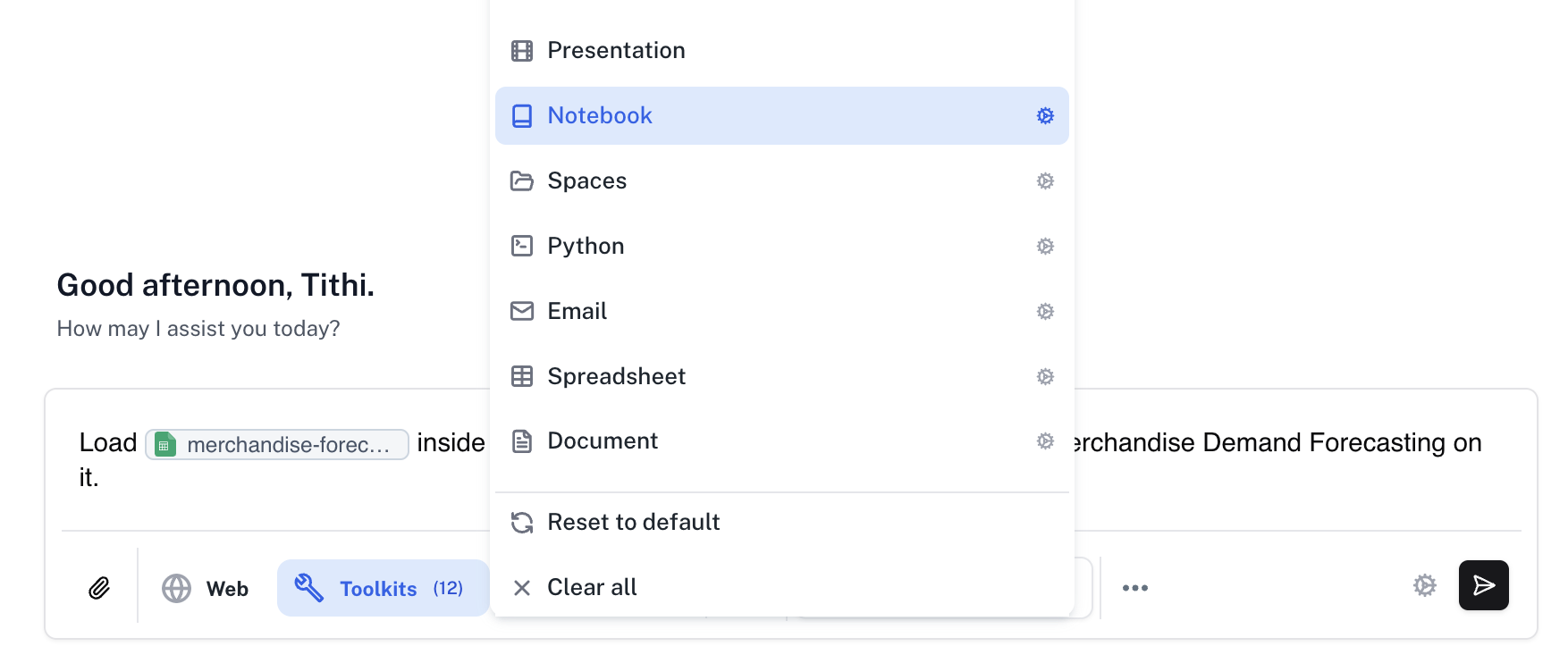
Load @your-dataset-name inside a new Notebook and perform a comprehensive Merchandise Demand Forecasting on it.
Make sure that the **Assist** persona is selected and click on the **Toolkits** button to select the **Notebook** toolkit.
In the **Chat** interface, enter the following prompt and press **Enter**.
Load @your-dataset-name inside a new Notebook and perform a comprehensive Merchandise Demand Forecasting on it.
Make sure that the **Assist** persona is selected and click on the **Toolkits** button to select the **Notebook** toolkit.
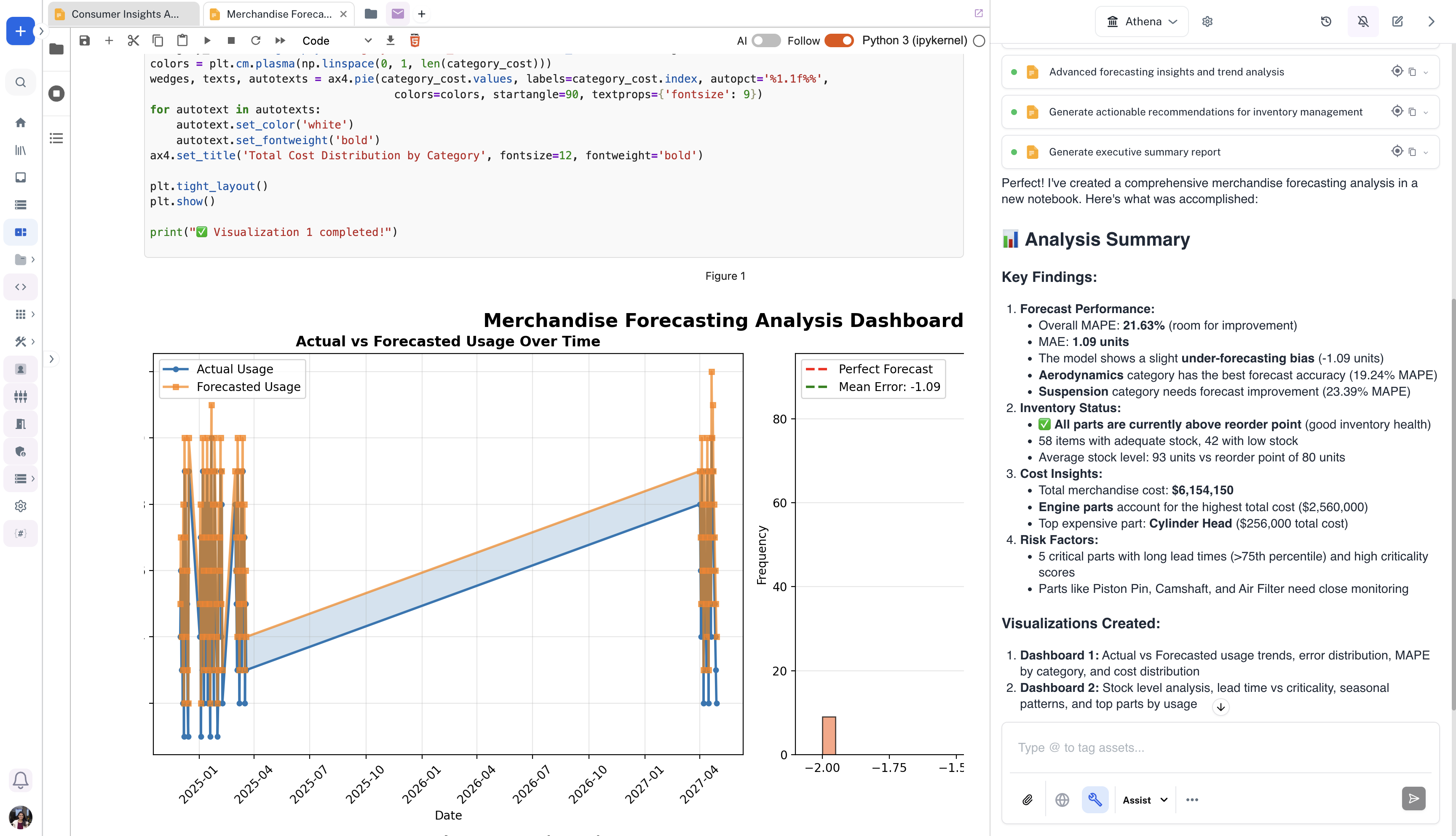
 The Notebook will be created with a complete forecast of merchandise demand. You can modify it by prompting Athena to do so.