> ## Documentation Index
> Fetch the complete documentation index at: https://resources.athenaintel.com/llms.txt
> Use this file to discover all available pages before exploring further.

# Extract Financial Figures

Comparing financial reports with Athena allows you to interact with multiple PDFs seamlessly. By extracting key financial figures from two reports and analyzing them side by side, you can quickly gain insights into the financial health of different companies. The results can then be compiled into a polished report in Athena Docs, simplifying financial analyses.

In Formula 1, understanding the financial dynamics between teams is crucial. For instance, by extracting key financial figures for Red Bull Racing and Mercedes-AMG Petronas, you can generate insights into their financial performance and operational expenditures. This analysis can guide decisions on resource allocation and investment in technology, ultimately impacting their performance on the track.

<Frame caption="Extract Financial Figures with Athena">
  <iframe width="560" height="315" src="https://www.youtube.com/embed/nyyb_vTJgJQ" title="YouTube video player" frameborder="0" allow="accelerometer; autoplay; clipboard-write; encrypted-media; gyroscope; picture-in-picture" allowfullscreen />
</Frame>

## Step-by-step Instructions

<Steps>
  <Step title="Upload documents">
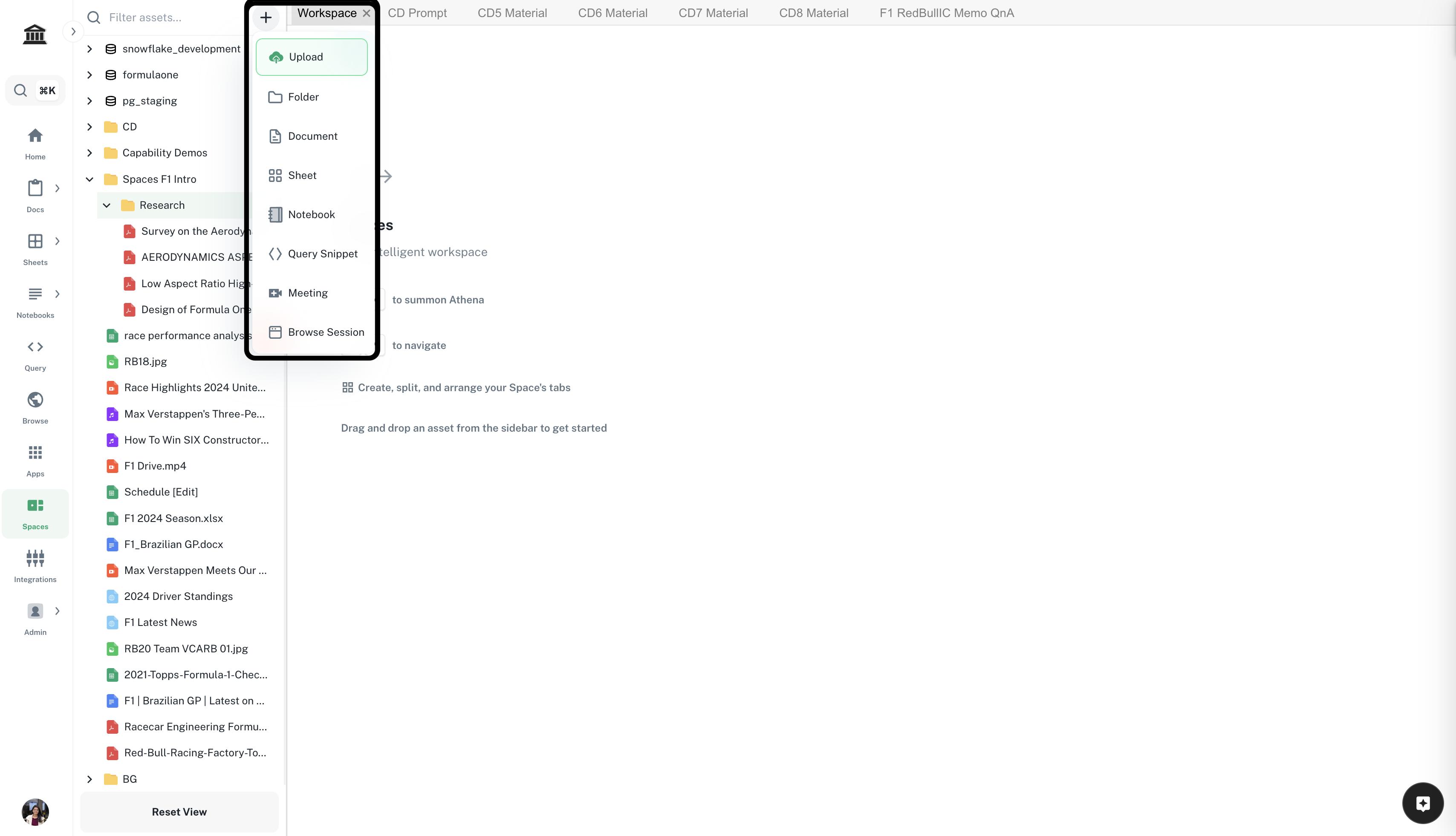
    Navigate to ***[Spaces](https://app.athenaintel.com/dashboard/workspaces/)***. Click on the **'+'** icon -> **Upload** on top of the left sidebar. Upload required documents.

    <Frame>
      <img src="https://mintcdn.com/athenaintelligence-e46bc9d3/Uv9JdE4EbB3zmCPu/images/financial-step1.png?fit=max&auto=format&n=Uv9JdE4EbB3zmCPu&q=85&s=e2dad4687c94b83c43f229ffb82b089a" width="3416" height="1962" data-path="images/financial-step1.png" />
    </Frame>
  </Step>

  <Step title="Organize your Space">
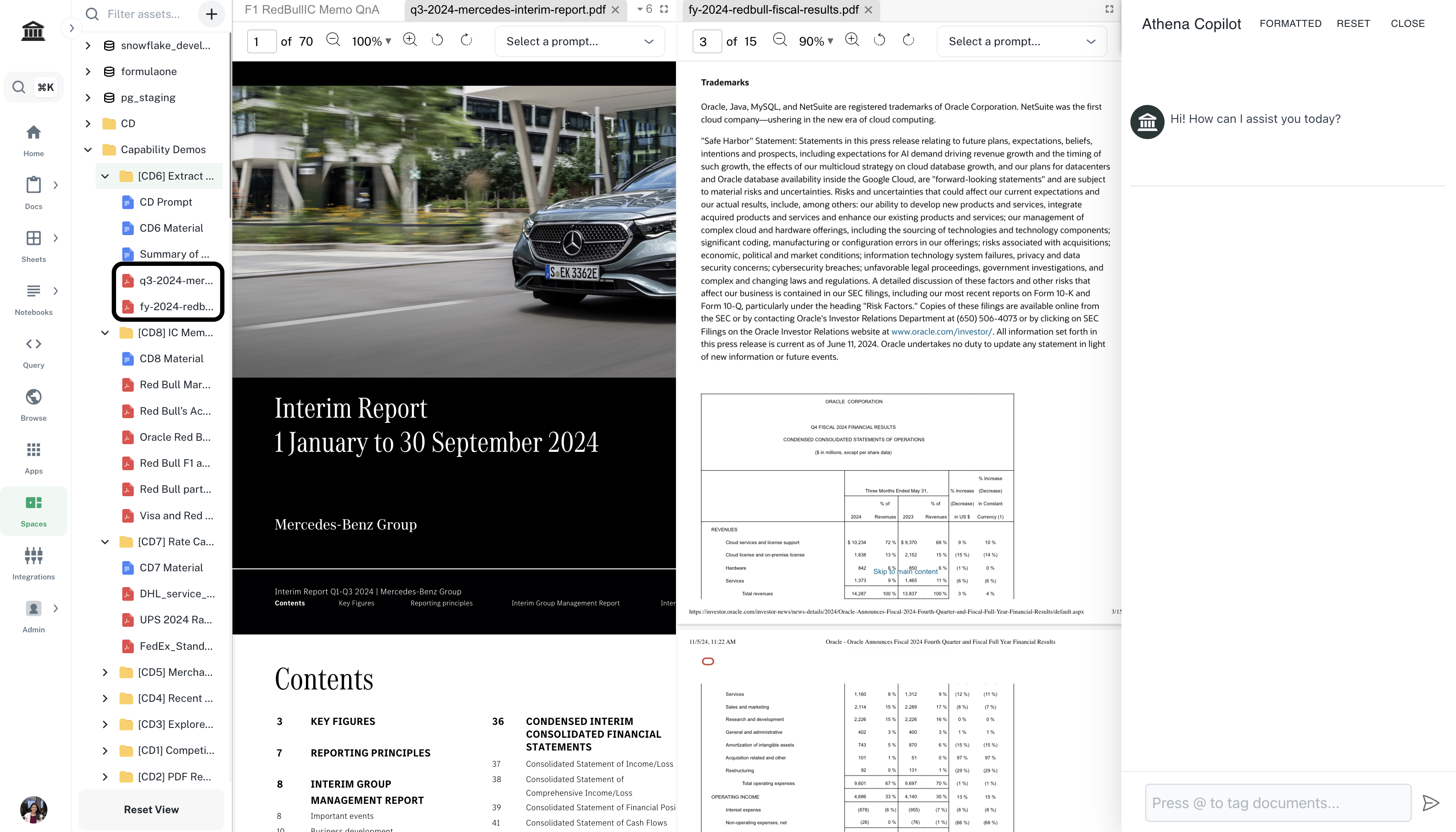
    Drag and drop the uploaded documents onto **Spaces** and arrange them as required.

    <Frame>
      <img src="https://mintcdn.com/athenaintelligence-e46bc9d3/Uv9JdE4EbB3zmCPu/images/financial-step2.png?fit=max&auto=format&n=Uv9JdE4EbB3zmCPu&q=85&s=1f892073d280485380bc6505ecf132d3" width="3412" height="1950" data-path="images/financial-step2.png" />
    </Frame>
  </Step>

  <Step title="Extract key financial figures">
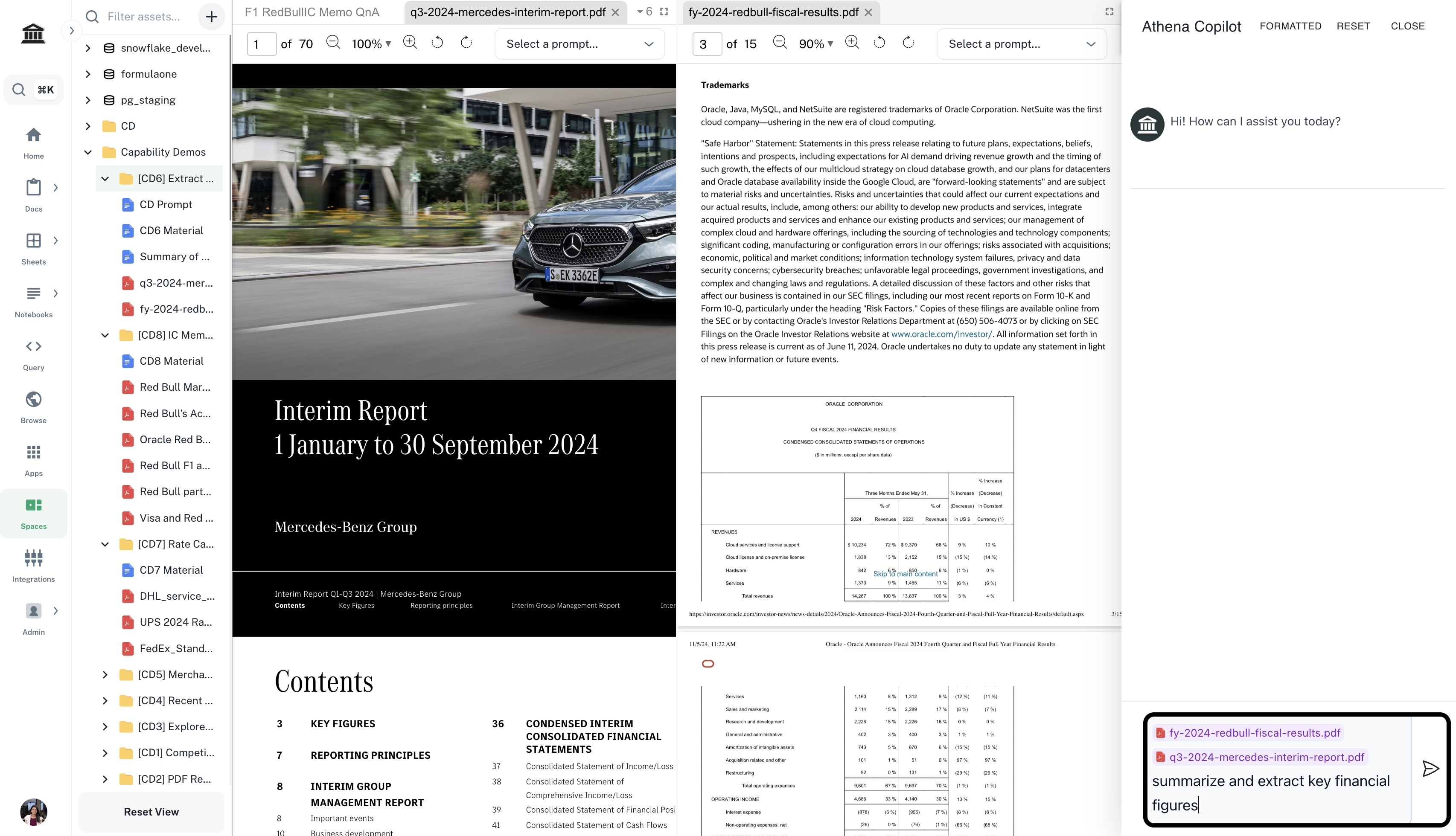
    In the **Chat** sidebar, enter the following prompt and press **Enter**.

    <CodeBlock filename="Prompt">
      *@your-documents'-name* summarize and extract key financial figures.
    </CodeBlock>

    <Info>Replace `your-documents'-name` by selecting uploaded documents from the **Athena Assets** dropdown.</Info>

    <Frame>
      <img src="https://mintcdn.com/athenaintelligence-e46bc9d3/Uv9JdE4EbB3zmCPu/images/financial-step3.png?fit=max&auto=format&n=Uv9JdE4EbB3zmCPu&q=85&s=e2cfc35ec361d99e99384c69c5a104ea" width="3412" height="1960" data-path="images/financial-step3.png" />
    </Frame>
  </Step>

  <Step title="Draft a report">
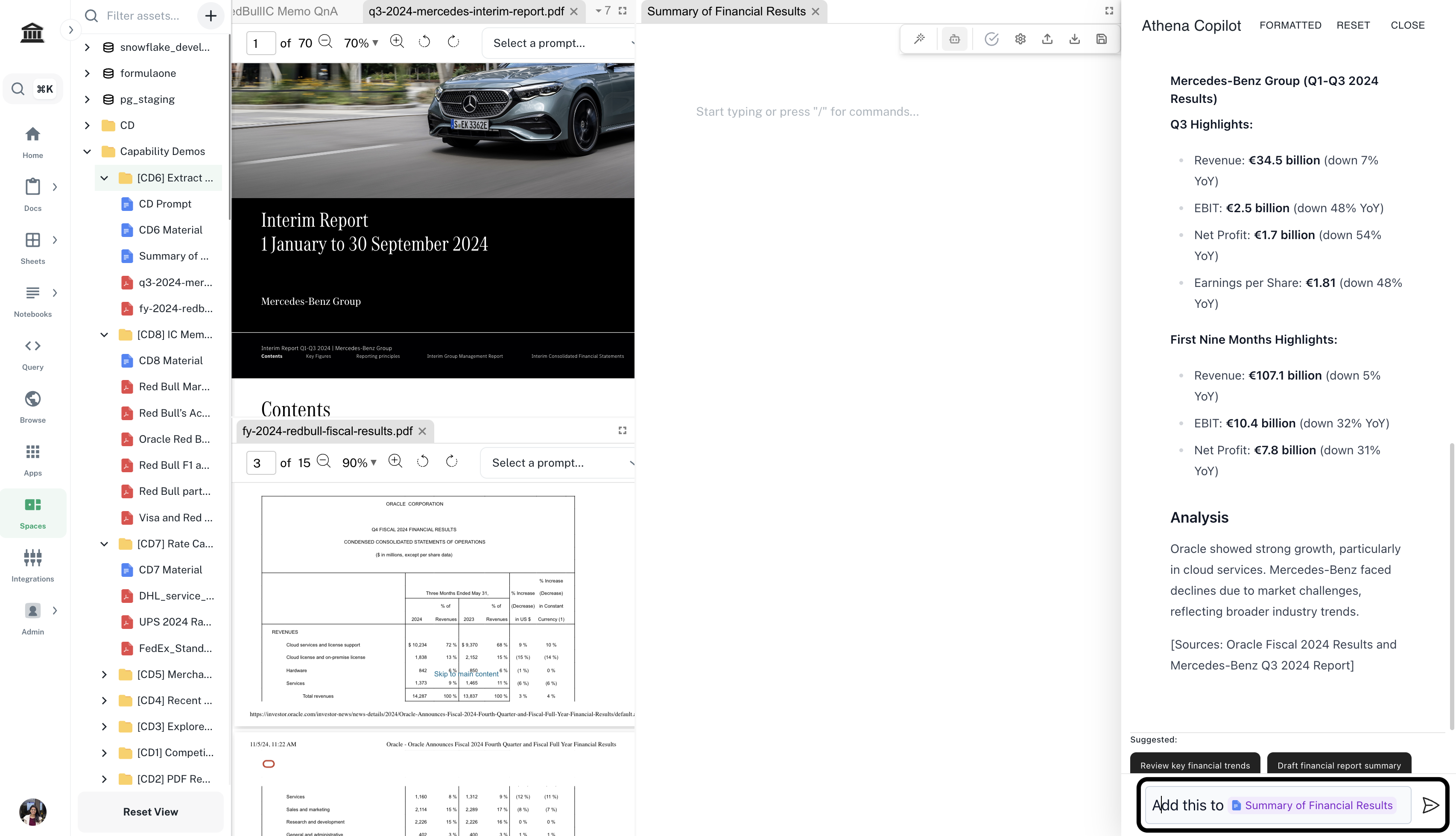
    Create a new document from **'+'** icon -> **Document**. In the **Chat** sidebar, enter the following prompt and press **Enter**.

    <CodeBlock filename="Prompt">
      Add this to *@your-document-name*.
    </CodeBlock>

    <Info>Replace `your-document-name` by the document you just created.</Info>

    <Frame>
      <img src="https://mintcdn.com/athenaintelligence-e46bc9d3/Uv9JdE4EbB3zmCPu/images/financial-step4.png?fit=max&auto=format&n=Uv9JdE4EbB3zmCPu&q=85&s=f4e76f01a65e9cffa002d6703b38c692" width="3410" height="1958" data-path="images/financial-step4.png" />
    </Frame>
  </Step>
</Steps>