> ## Documentation Index
> Fetch the complete documentation index at: https://resources.athenaintel.com/llms.txt
> Use this file to discover all available pages before exploring further.

# Explore Dataset Schemas with Athena Sheets

> Dataset exploration uploads data into Spaces and uses chat to summarize the dataset, describe its schema, and suggest analyses that can be performed.

Athena Sheets empower data exploration by offering a streamlined approach to navigating complex datasets. Instantly access detailed information on columns, generate comprehensive schema descriptions, and identify potential analyses—all with just a few clicks.

Familiarize yourself with the latest race results data from Formula One season 2024. Generate insights to enhance RedBull’s future performance using data-driven strategies, and stay on track!

<Frame caption="Explore Datasets using Athena Sheets">
  <iframe width="560" height="315" src="https://www.youtube.com/embed/mzbgLEDgMZU" title="YouTube video player" frameborder="0" allow="accelerometer; autoplay; clipboard-write; encrypted-media; gyroscope; picture-in-picture" allowfullscreen />
</Frame>

## Step-by-step Instructions

<Steps>
  <Step title="Navigate to Spaces">
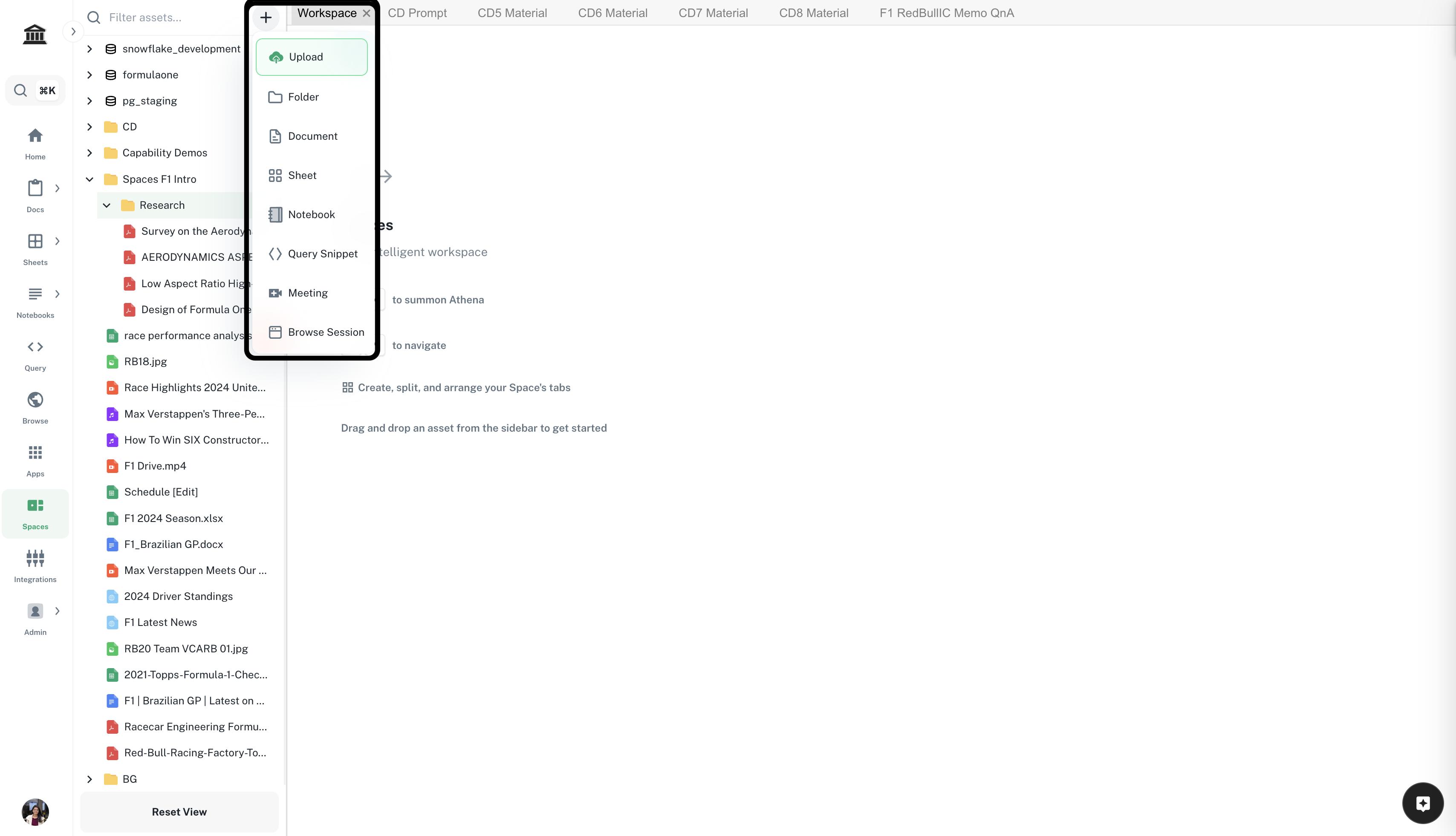
    Navigate to ***[Spaces](https://app.athenaintel.com/dashboard/workspaces/)***. Click on the **+** icon -> **Upload** on top of the left sidebar. Upload required datasets.

    <Frame>
      <img src="https://mintcdn.com/athenaintelligence-e46bc9d3/Uv9JdE4EbB3zmCPu/images/financial-step1.png?fit=max&auto=format&n=Uv9JdE4EbB3zmCPu&q=85&s=e2dad4687c94b83c43f229ffb82b089a" width="3416" height="1962" data-path="images/financial-step1.png" />
    </Frame>
  </Step>

  <Step title="Drag and drop your datasets">
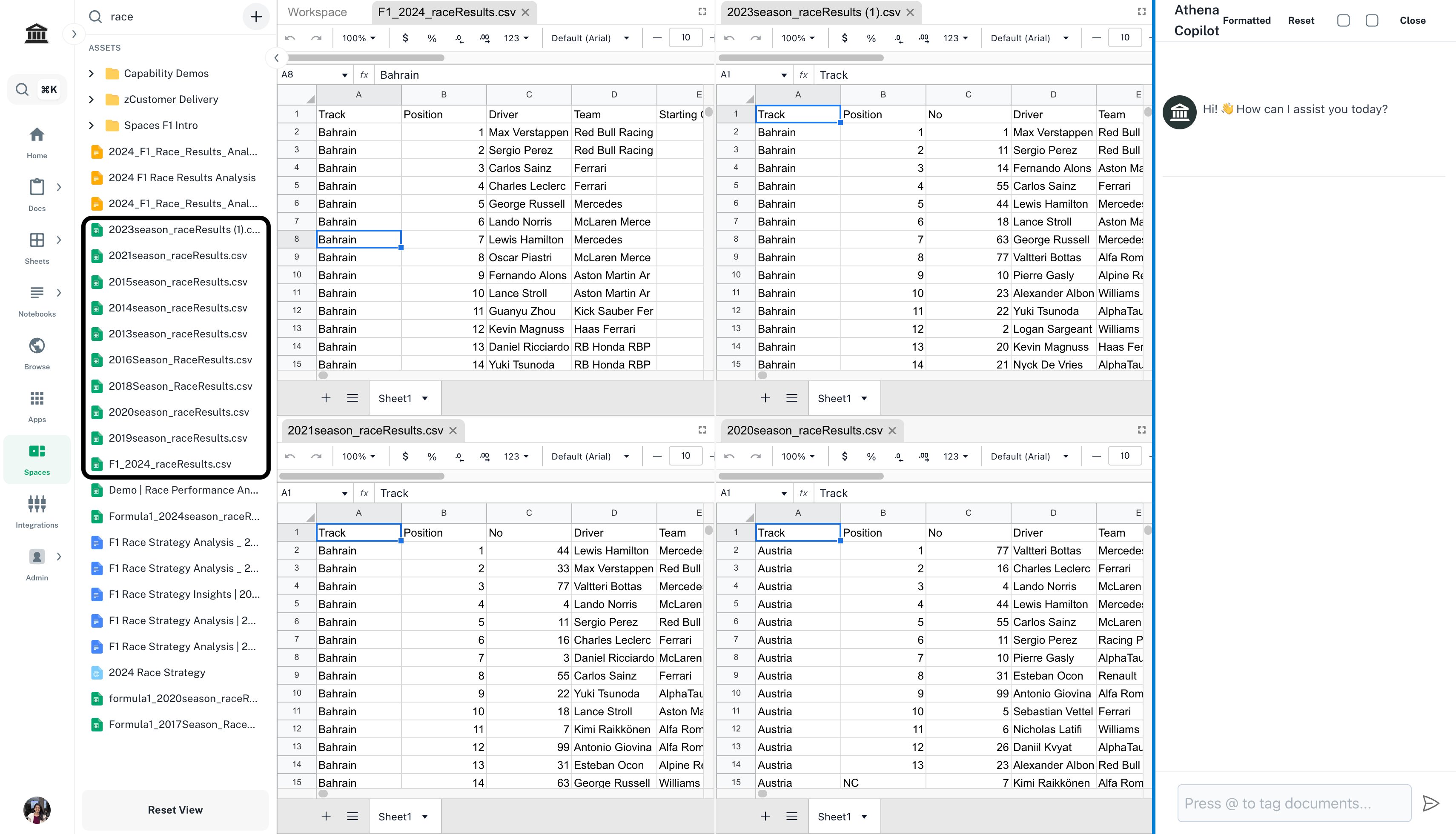
    Drag and drop the dataset(s) you wish to explore.

    <Frame>
      <img src="https://mintcdn.com/athenaintelligence-e46bc9d3/Uv9JdE4EbB3zmCPu/images/explore-step2.png?fit=max&auto=format&n=Uv9JdE4EbB3zmCPu&q=85&s=1a465a36d95e4f1c586de6112ee37321" width="3420" height="1960" data-path="images/explore-step2.png" />
    </Frame>
  </Step>

  <Step title="Enter your prompt">
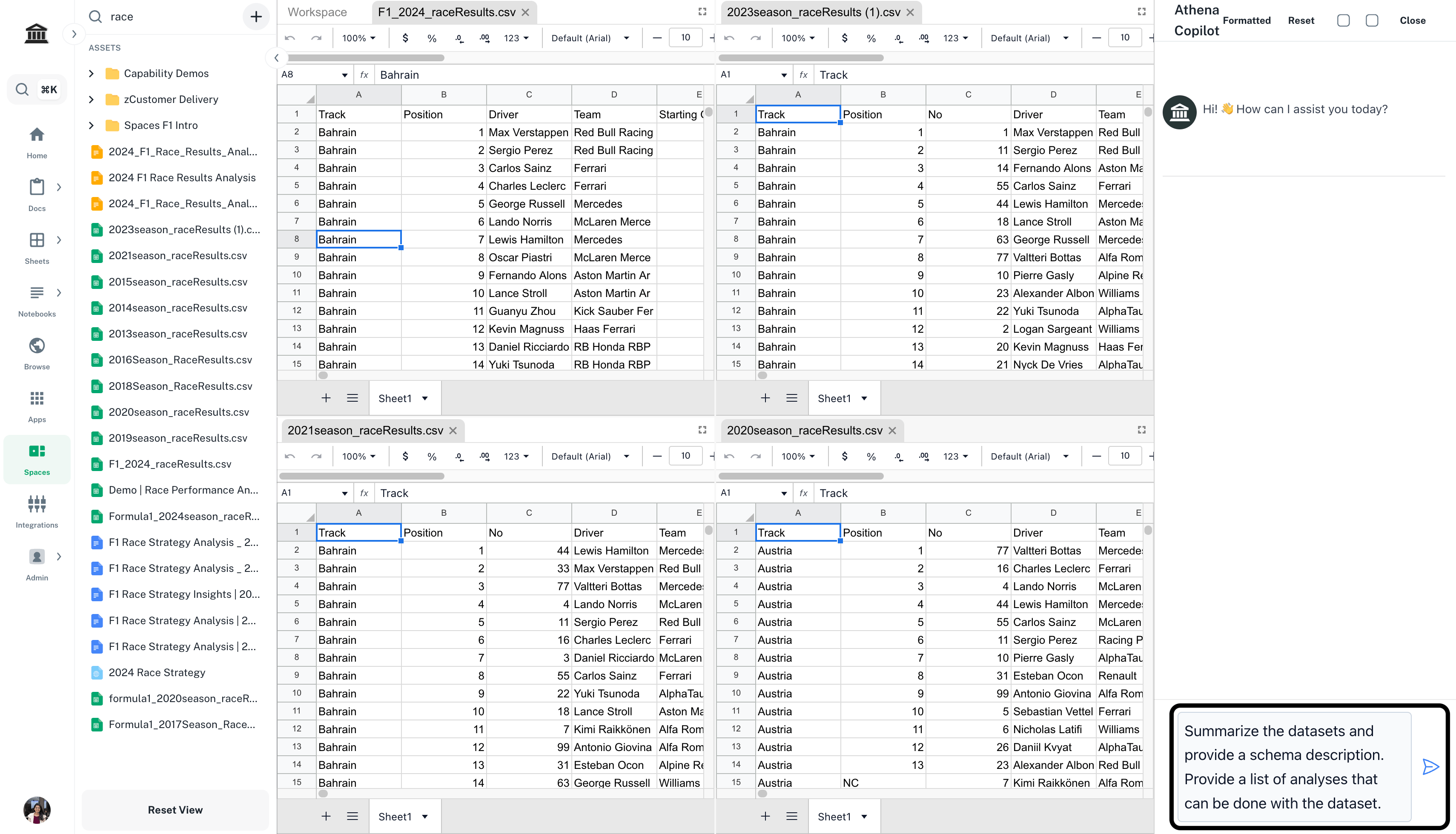
    Enter the following prompt in **Chat** and press **Enter**.

    <CodeBlock filename="Prompt">
      Summarize the dataset and provide a schema description. Provide a list of analyses that can be done with the dataset.
    </CodeBlock>

    <Frame>
      <img src="https://mintcdn.com/athenaintelligence-e46bc9d3/Uv9JdE4EbB3zmCPu/images/explore-step3.png?fit=max&auto=format&n=Uv9JdE4EbB3zmCPu&q=85&s=a8b2b3dff21bcdbac591eead36d0cda6" width="3420" height="1960" data-path="images/explore-step3.png" />
    </Frame>
  </Step>
</Steps>


This documentation is built and hosted on [Mintlify](https://mintlify.com), a developer documentation platform.