> ## Documentation Index
> Fetch the complete documentation index at: https://resources.athenaintel.com/llms.txt
> Use this file to discover all available pages before exploring further.
# Download SEC Filings
Athena Browser revolutionizes the way you interact with web content by eliminating the need for manual browsing. With Athena Browser, you can effortlessly download SEC filings for any company with a single click. This allows you to focus on strategic tasks while Athena navigates through websites, follows links, and downloads the necessary documents automatically.
For instance, obtain the latest 10-Q or 10-K reports for Tesla and interact with these documents in Spaces.
## Step-by-step Instructions
Go to [**Spaces**](https://app.athenaintel.com/dashboard/spaces). Enter the following in **Chat** and press **Enter**.
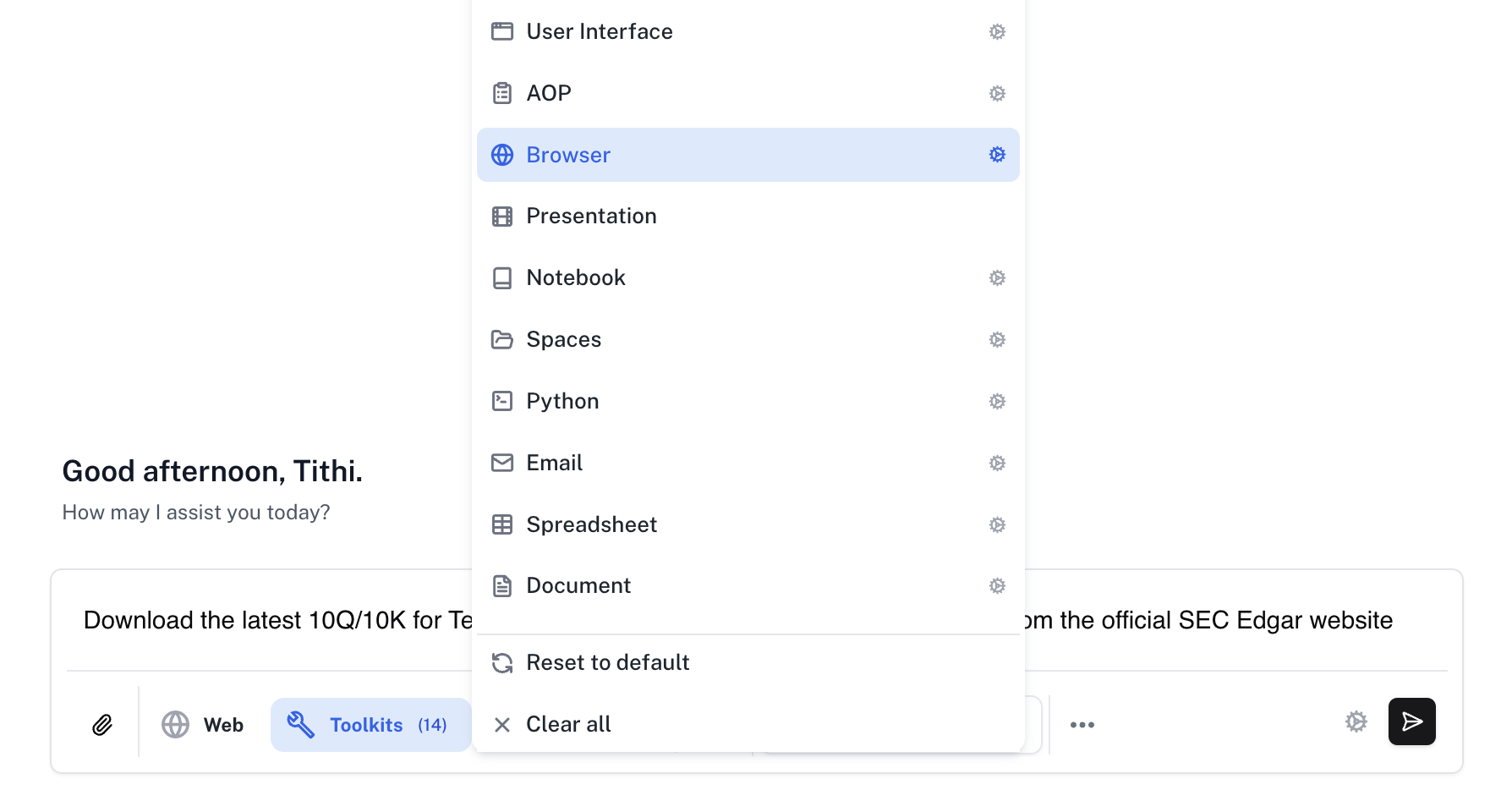
Download the latest 10Q/10-K for Tesla, Inc. (TSLA on Nasdaq) for the current fiscal year from the official SEC EDGAR website.
Make sure that the **Assist** persona is selected and click on the **Toolkits** button to select the **Browser** toolkit.
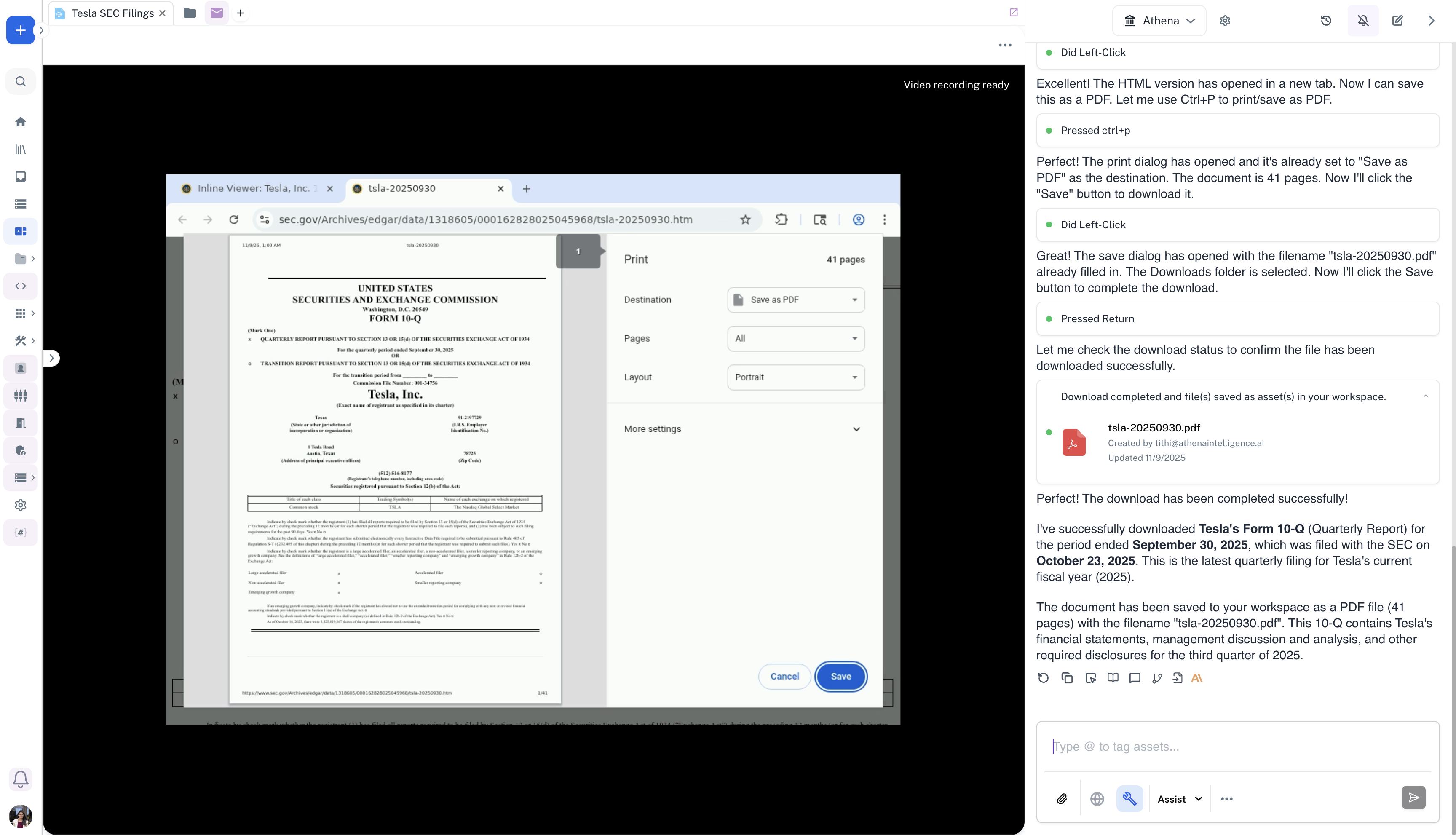
 Watch Athena navigate to the official SEC website and download the latest 10Q/10K for Tesla.
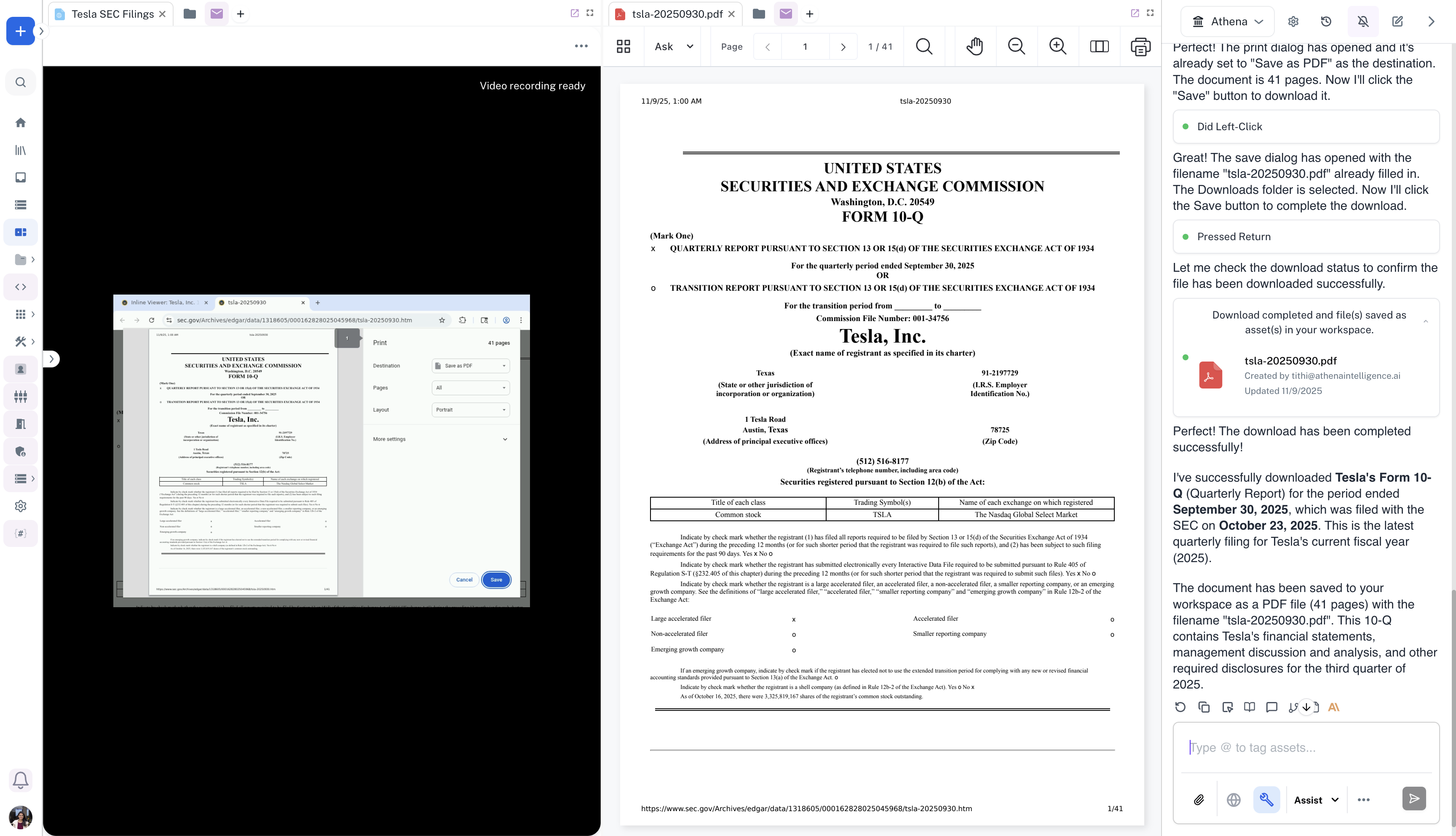
 Once Athena completes the browser session, you can see the downloaded PDF in Spaces.