> ## Documentation Index
> Fetch the complete documentation index at: https://resources.athenaintel.com/llms.txt
> Use this file to discover all available pages before exploring further.

# Document Pool Analysis

Athena enables users to analyze multiple documents simultaneously using Athena Sheets, making it easy to gain insights from various sources such as financial performance reports, partnership agreements, and market analyses. This capability allows teams to uncover trends and relationships across different documents, providing a comprehensive view of any business situation.

For Red Bull Racing, analyzing their business strategy can be greatly enhanced by examining their revenue reports, strategic investments, and partnership agreements all at once in Athena Sheets.

<Frame caption="Rate Card Analysis using Athena">
  <iframe width="560" height="315" src="https://www.youtube.com/embed/NiaXeUFmfSY" title="YouTube video player" frameborder="0" allow="accelerometer; autoplay; clipboard-write; encrypted-media; gyroscope; picture-in-picture" allowfullscreen />
</Frame>

## Step-by-step Instructions

<Steps>
  <Step title="Open the template">
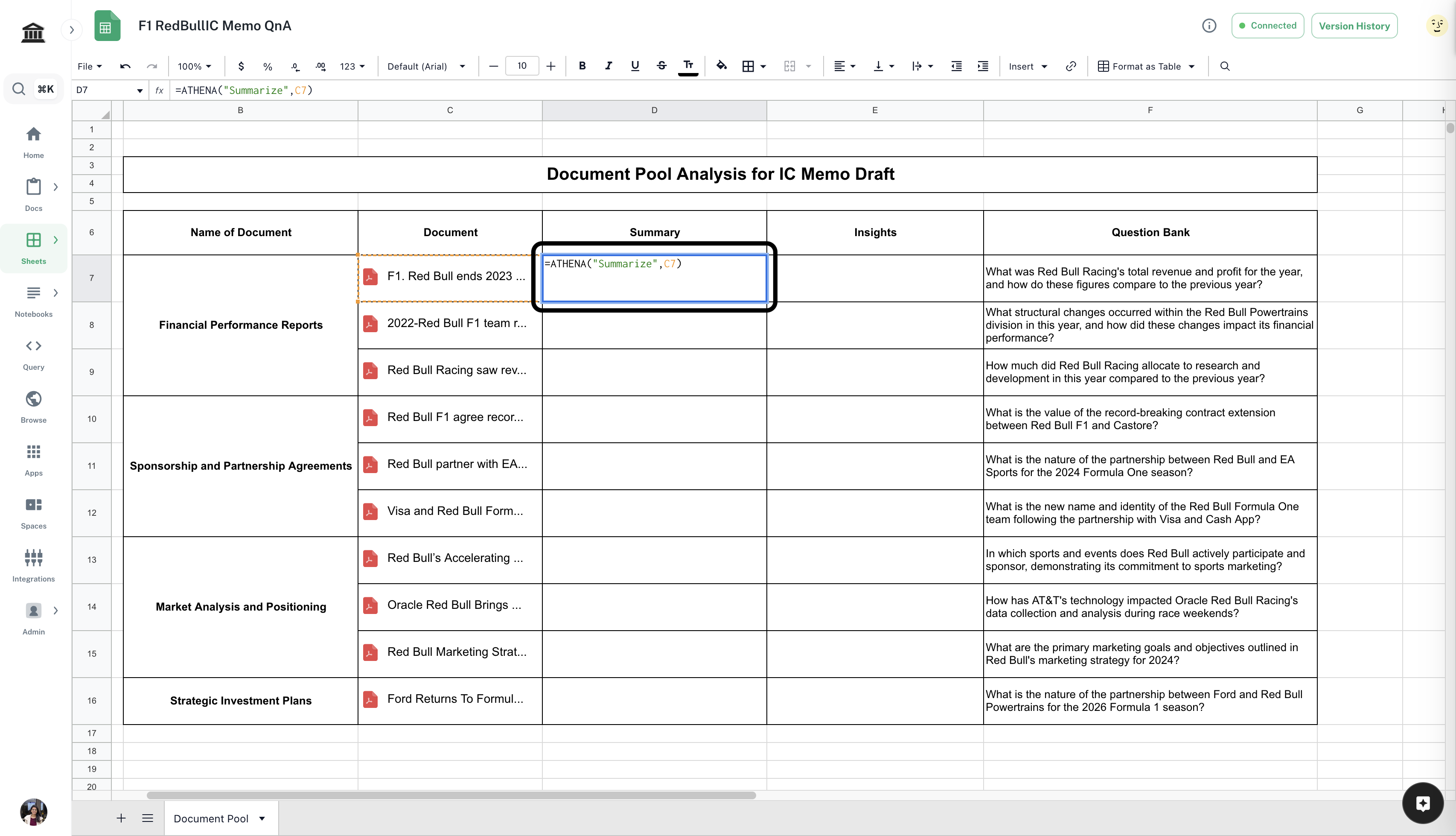
    Open the [*Document Pool Analysis Template*](https://app.athenaintel.com/dashboard/sheets/asset_8a68885c-7073-4df5-8c57-237bcab5fb48/). Drag and drop the documents you wish to analyze in the corresponding cells. Edit the question bank if required.
    <Info>You'll need access to view this document.</Info>

    <Frame>
      <img src="https://mintcdn.com/athenaintelligence-e46bc9d3/QJdvZ-zoMHrpUmMn/images/pool-step1.png?fit=max&auto=format&n=QJdvZ-zoMHrpUmMn&q=85&s=4f2c62ca9ad1c98c7d99ccd575a83550" width="3410" height="1956" data-path="images/pool-step1.png" />
    </Frame>
  </Step>

  <Step title="Enter formula to summarize">
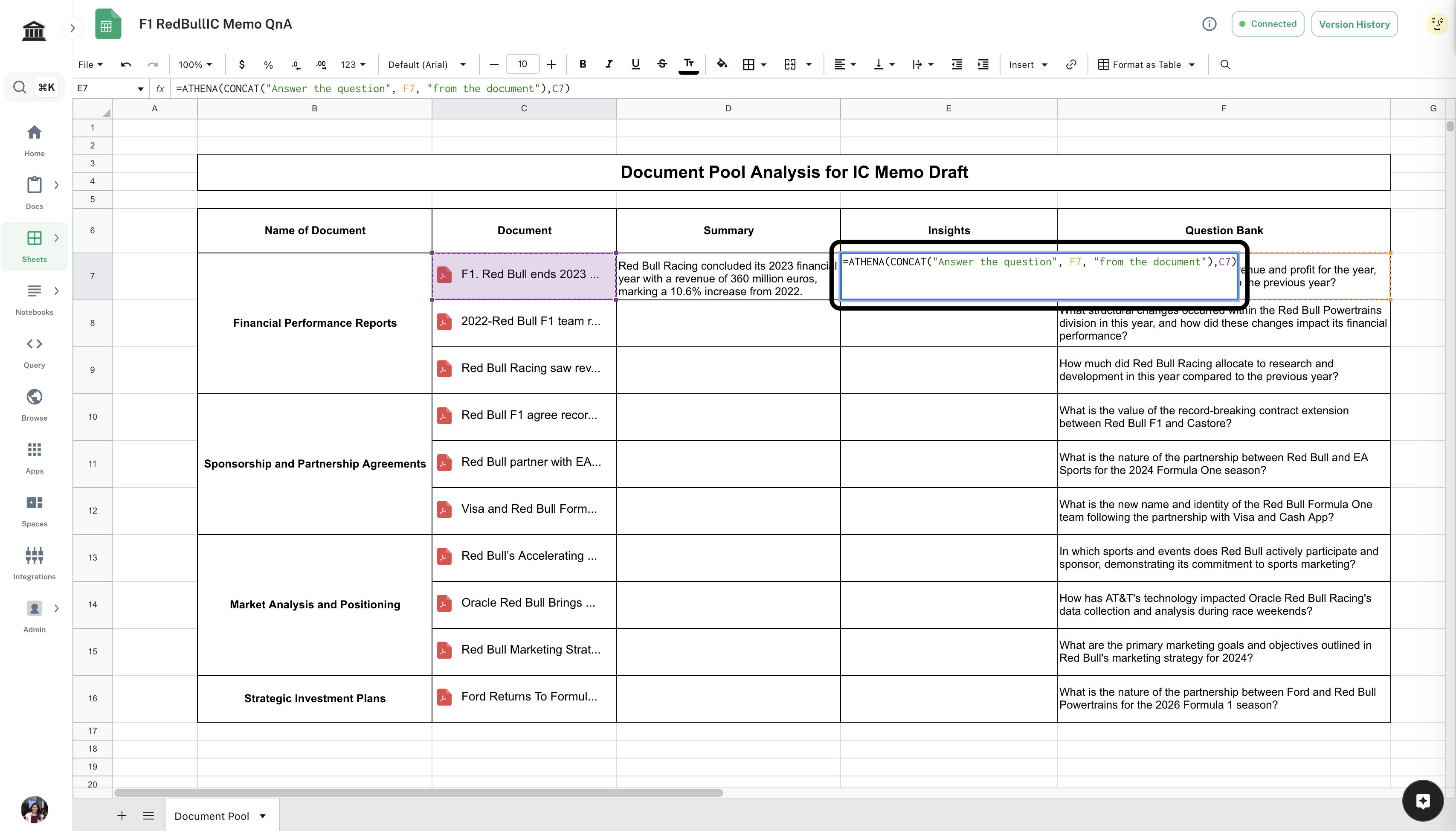
    In `Cell D7`, enter the following formula and press **Enter**.

    <CodeBlock filename="Formula">
      \=ATHENA("Summarize", *cell-containing-document*)
    </CodeBlock>

    <Info>Replace `cell-containing-document` with the cell that contains your document.</Info>

    <Frame>
      <img src="https://mintcdn.com/athenaintelligence-e46bc9d3/QJdvZ-zoMHrpUmMn/images/pool-step2.png?fit=max&auto=format&n=QJdvZ-zoMHrpUmMn&q=85&s=67b6827169511bacbfe7f20bc221a47e" width="3412" height="1958" data-path="images/pool-step2.png" />
    </Frame>
  </Step>

  <Step title="Enter formula to answer specific question">
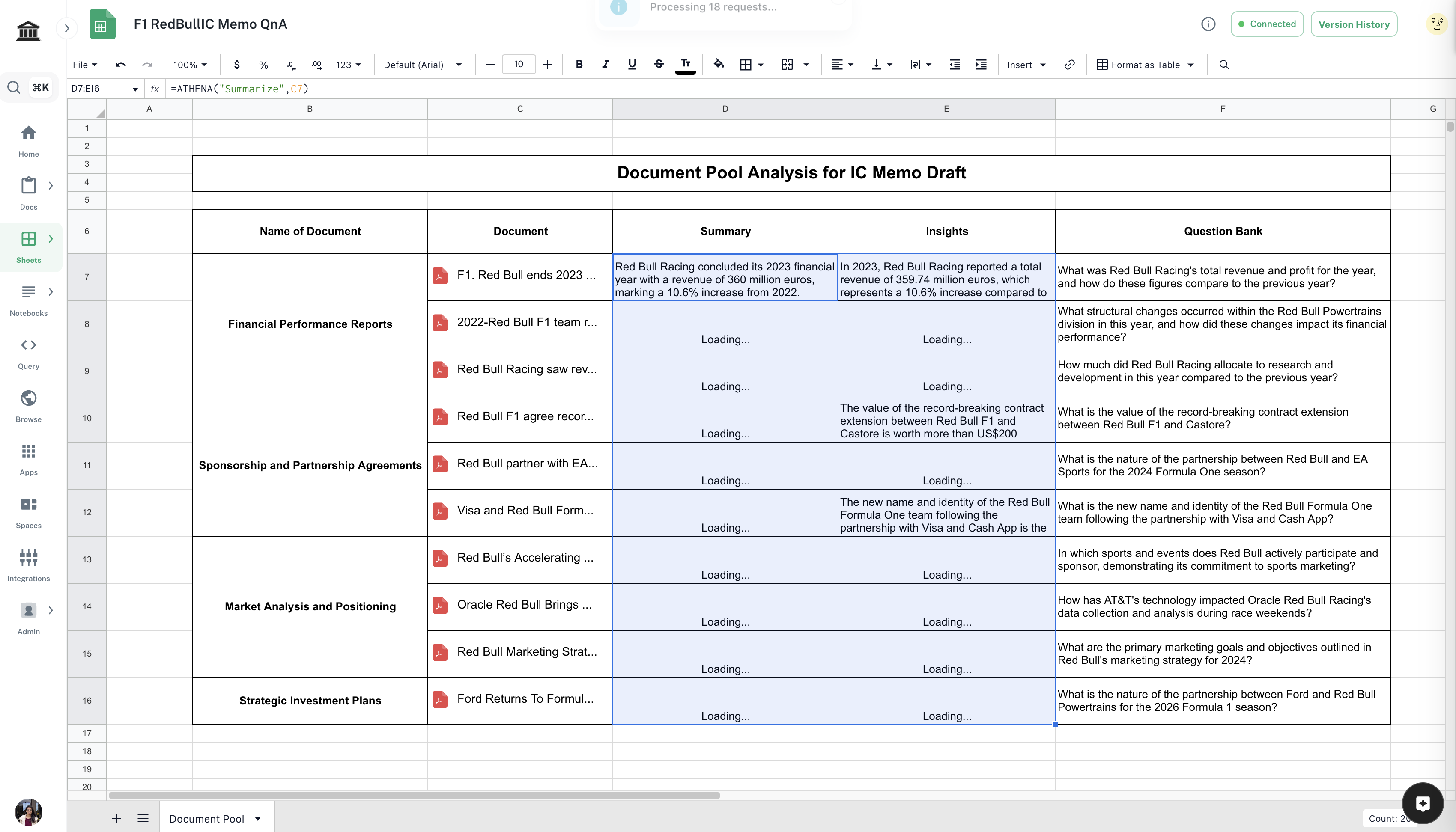
    In `Cell E7`, enter the following formula and press **Enter**.

    <CodeBlock filename="Formula">
      \=ATHENA(CONCAT("Answer the question", *cell-containing-question*, "from the document"), *cell-containing-document*)
    </CodeBlock>

    <Info>Replace `cell-containing-document` and `cell-containing-question` with the cells that contain your document and question respectively.</Info>

    <Frame>
      <img src="https://mintcdn.com/athenaintelligence-e46bc9d3/QJdvZ-zoMHrpUmMn/images/pool-step3.png?fit=max&auto=format&n=QJdvZ-zoMHrpUmMn&q=85&s=b62926d93a8e5a84847d071b2481953e" width="3414" height="1948" data-path="images/pool-step3.png" />
    </Frame>
  </Step>

  <Step title="Complete the analysis">
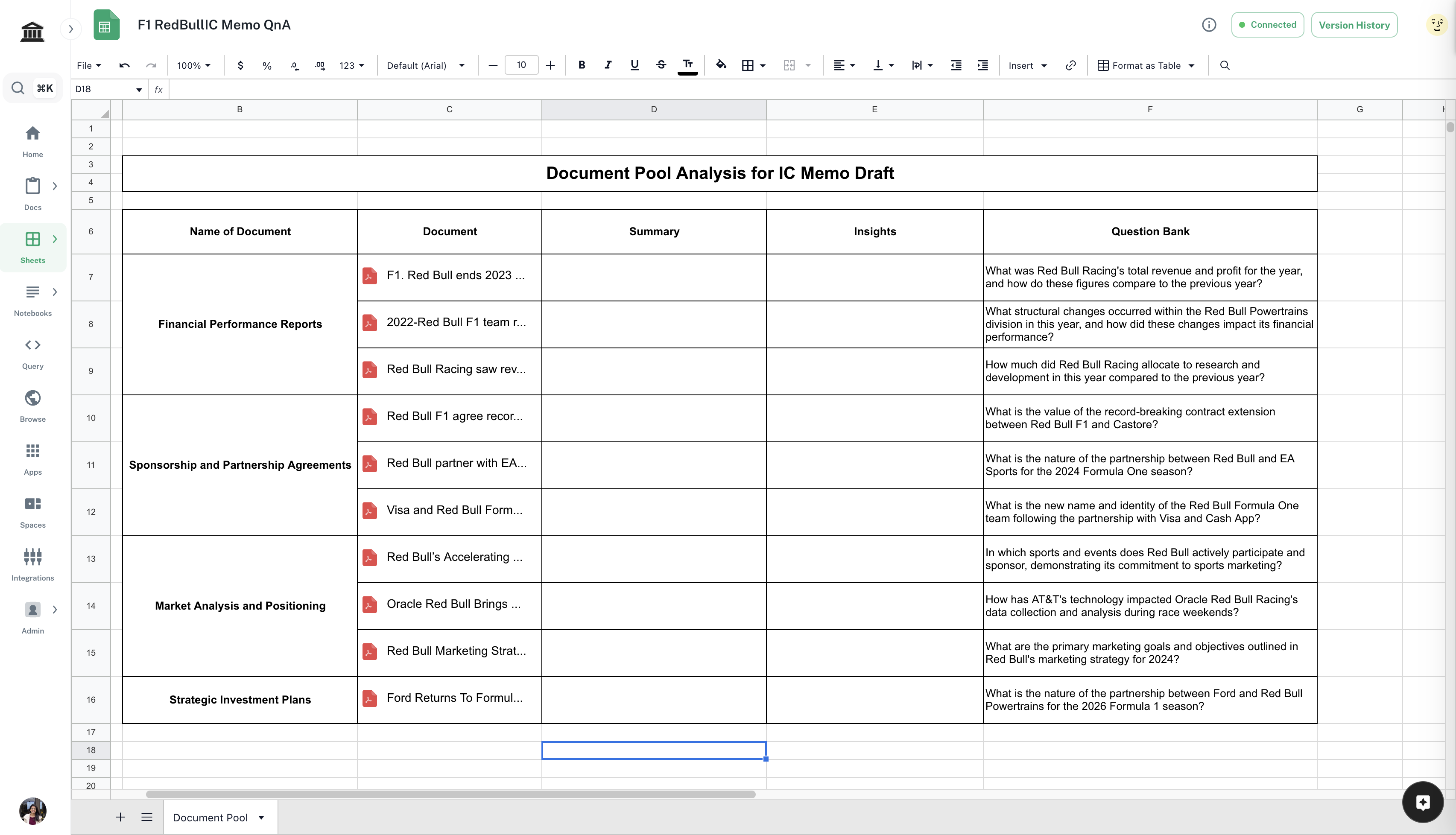
    Select `Cell D7` and `Cell E7`. Drag and extend them till all the documents are covered.
    <Frame>
      <img src="https://mintcdn.com/athenaintelligence-e46bc9d3/QJdvZ-zoMHrpUmMn/images/pool-step4.png?fit=max&auto=format&n=QJdvZ-zoMHrpUmMn&q=85&s=0179c267e8abc77f6d6b8dddaf5c40e0" width="3400" height="1944" data-path="images/pool-step4.png" />
    </Frame>
  </Step>
</Steps>