> ## Documentation Index
> Fetch the complete documentation index at: https://resources.athenaintel.com/llms.txt
> Use this file to discover all available pages before exploring further.
# AI Deal Analysis with Athena AOPs
> Deal analysis runs an AOP from the Library with files or folders as inputs, reviews contracts and risks, and returns structured output for use in Sheets.
Athena's Deal Analysis Assistant specializes in providing a comprehensive and structured review of contracts, agreements, and related deal materials. With capabilities spanning document analysis, risk assessment, and financial evaluation, Athena extracts key terms, highlights risks, and delivers actionable insights.
This workflow demonstrates how to run an AOP from the AOP Library for deal analysis, showcasing the capability to use a folder as an input to an AOP.
Go to the **[Library page](https://app.athenaintel.com/dashboard/library/)** and select the AOP you wish to run. Fill in all the required inputs for the deal analysis.
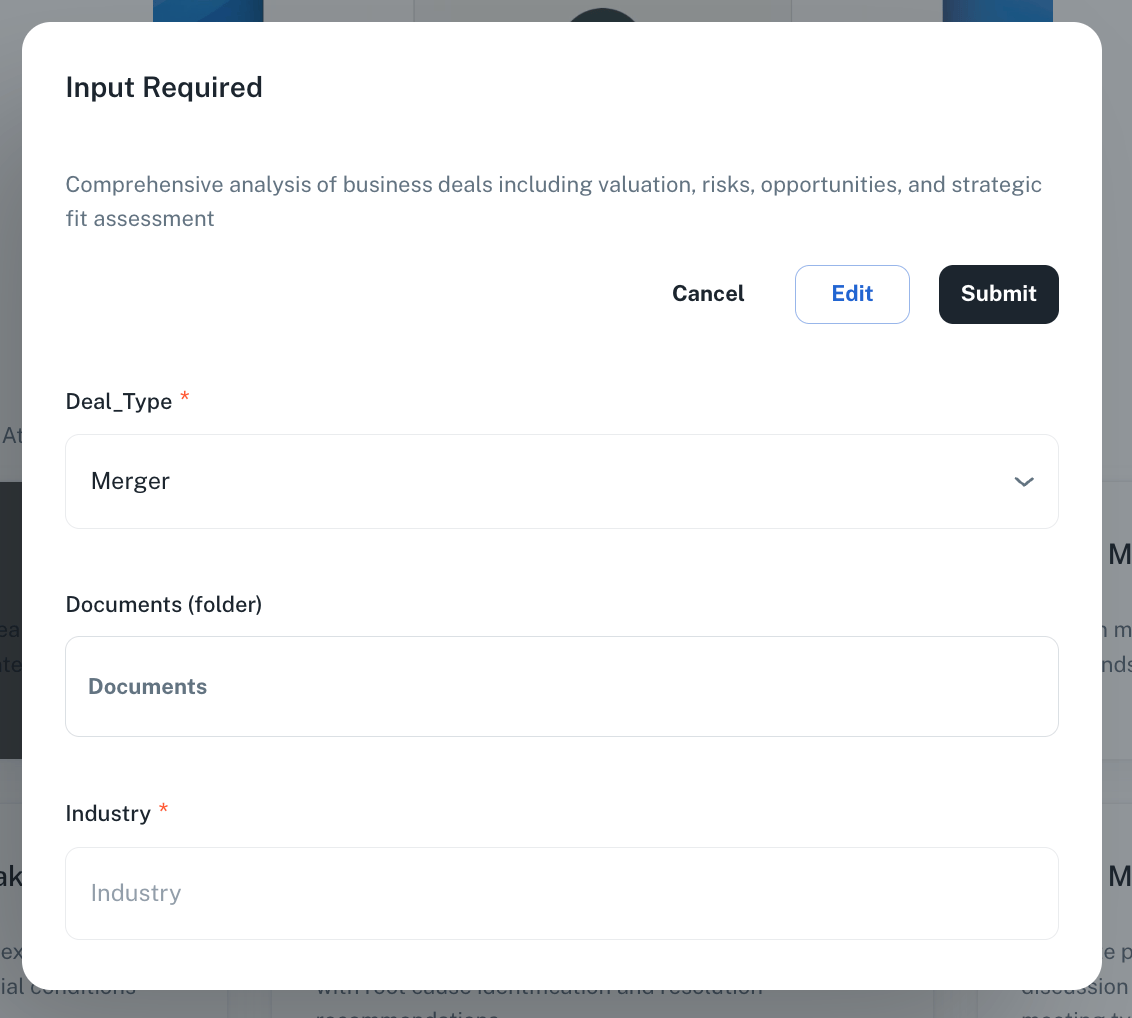
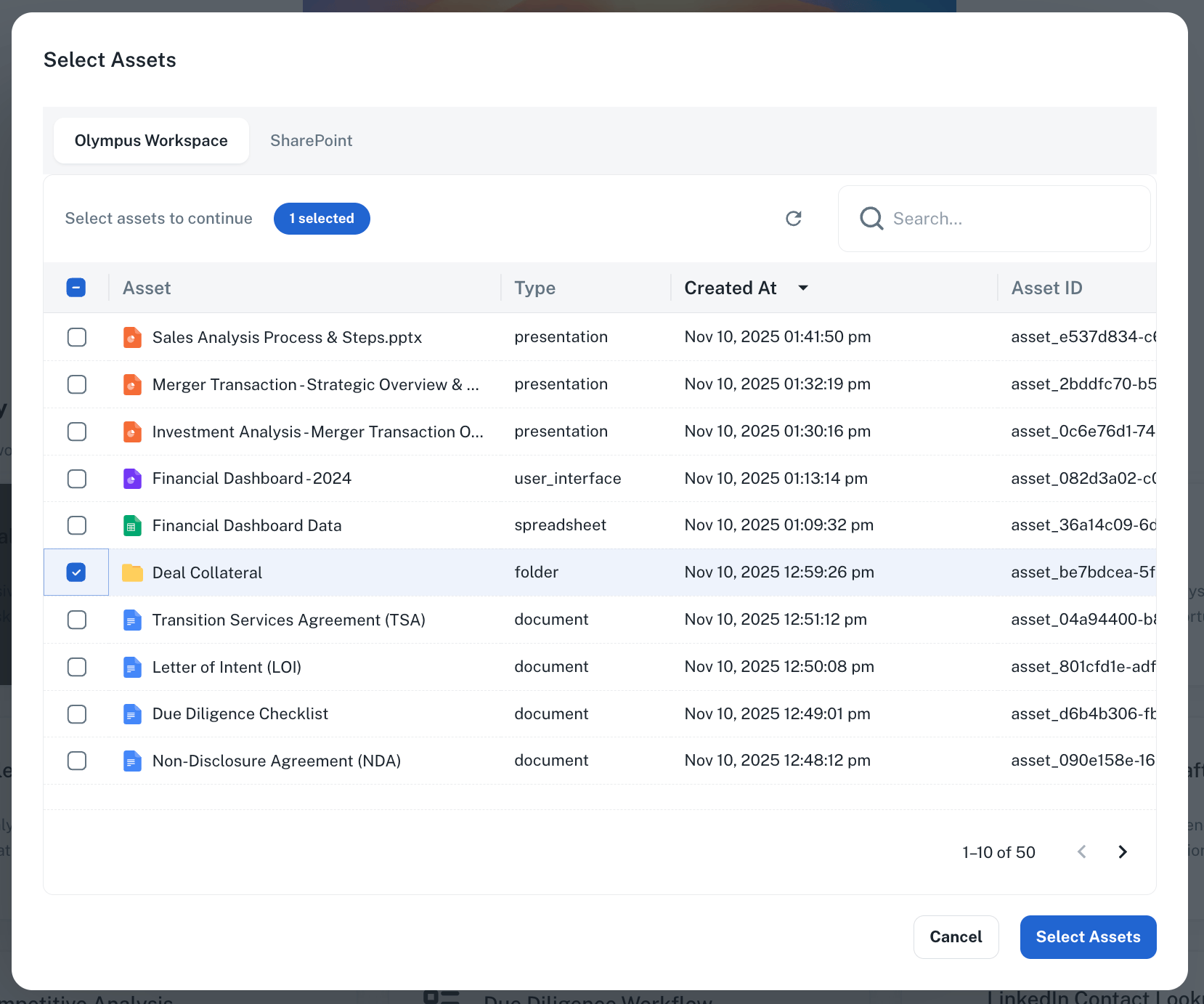 You can select files directly from your SharePoint as inputs to an AOP, making it easy to work with your existing document repositories.
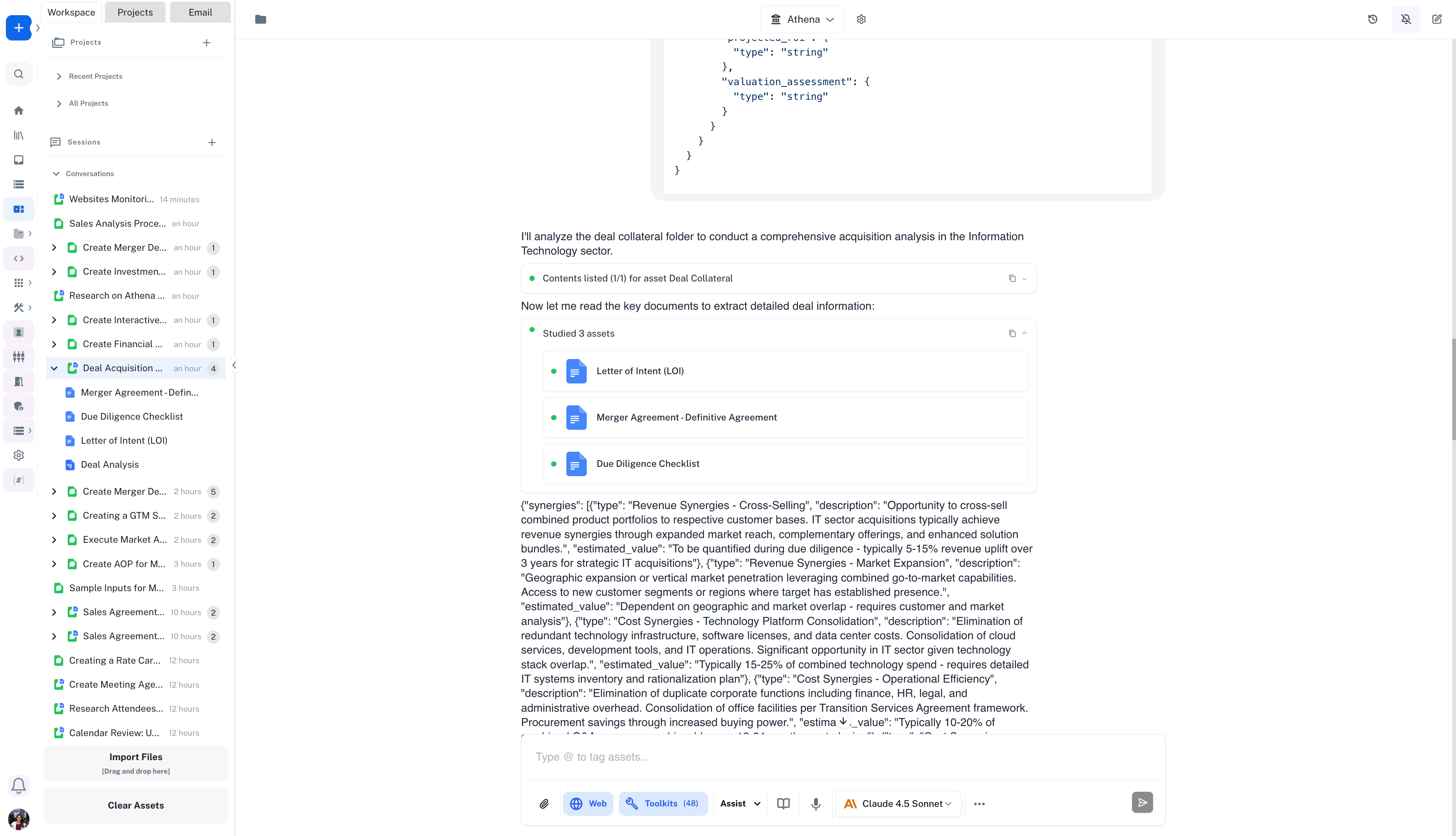
Run the AOP and wait for the output. The system can generate a JSON schema output, which can be used in Sheets to extract specific values for further analysis and reporting.
You can select files directly from your SharePoint as inputs to an AOP, making it easy to work with your existing document repositories.
Run the AOP and wait for the output. The system can generate a JSON schema output, which can be used in Sheets to extract specific values for further analysis and reporting.
 This documentation is built and hosted on [Mintlify](https://mintlify.com), a developer documentation platform.