> ## Documentation Index
> Fetch the complete documentation index at: https://resources.athenaintel.com/llms.txt
> Use this file to discover all available pages before exploring further.
# Contract Review
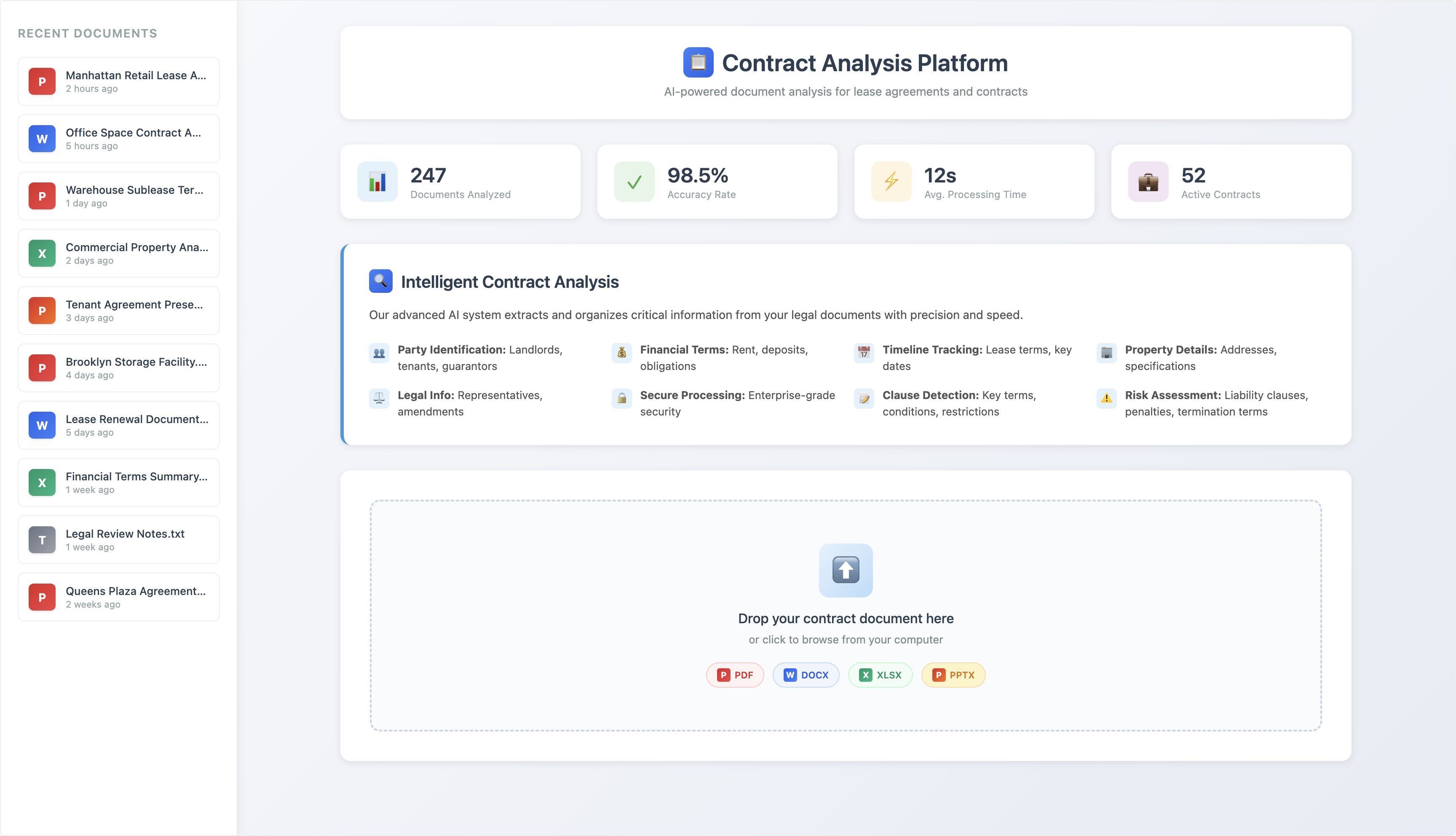
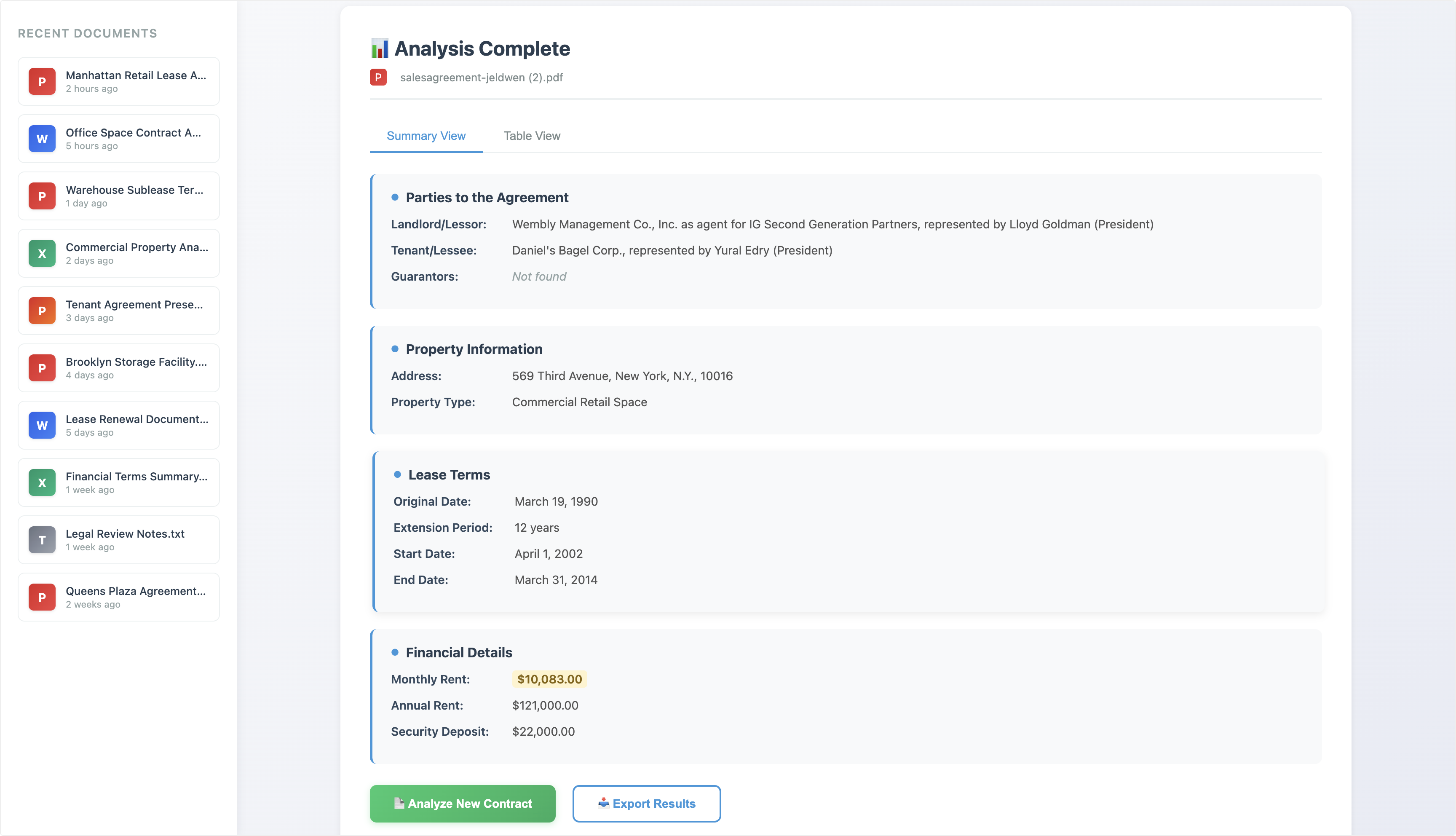
Athena's User Interface toolkit enables legal and business teams to create interactive dashboards for contract analysis. By combining AI-powered document processing with custom user interfaces, teams can build sophisticated contract review platforms that execute Agent Operating Procedures (AOPs) directly within the interface.
The platform allows users to generate versioned user interface assets that can be shared via independent links, enabling stakeholders without Athena access to upload documents and view analysis results in real-time. This capability transforms contract review from a manual process into an automated, scalable workflow.
## Step-by-step Instructions
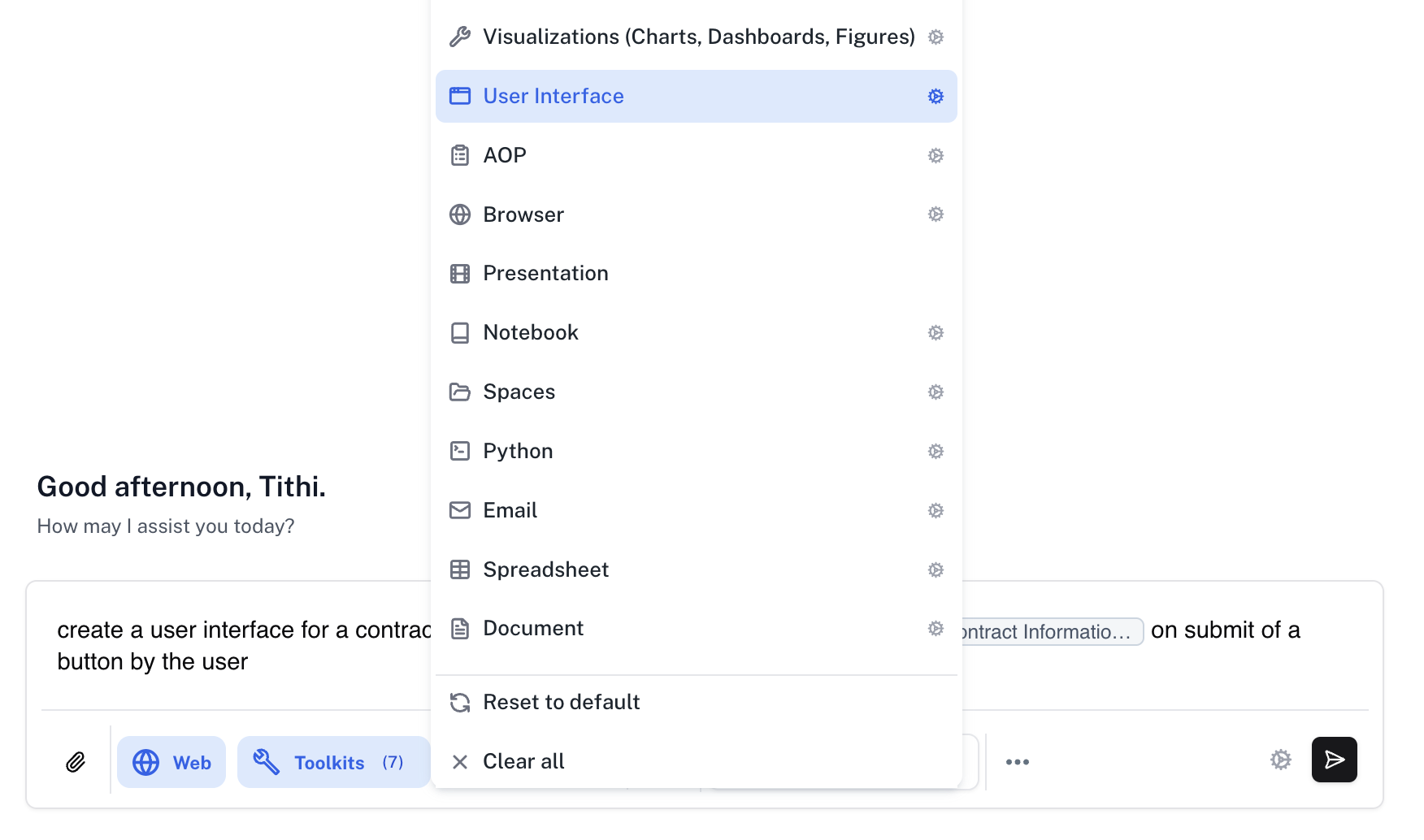
Go to [**Spaces**](https://app.athenaintel.com/dashboard/spaces). Enter the following prompt in **Chat** and press **Enter**.
Create a user interface for contract analysis that includes a document upload section and a button that executes the selected AOP to display the results in the interface itself.
Make sure that the **Assist** persona is selected and click on the **Toolkits** button to select the **User Interface** toolkit.
 Once created, the user interface asset appears in your workspace. These interfaces support versioning, allowing you to safely return to previous versions if needed. Athena generates an independent shareable link that enables users without Athena access to view and interact with the dashboard.
Users can upload contract documents through the interface and execute AOPs in the backend to see analysis results displayed directly within the interface. This creates a seamless experience for contract review workflows.
Once created, the user interface asset appears in your workspace. These interfaces support versioning, allowing you to safely return to previous versions if needed. Athena generates an independent shareable link that enables users without Athena access to view and interact with the dashboard.
Users can upload contract documents through the interface and execute AOPs in the backend to see analysis results displayed directly within the interface. This creates a seamless experience for contract review workflows.