> ## Documentation Index
> Fetch the complete documentation index at: https://resources.athenaintel.com/llms.txt
> Use this file to discover all available pages before exploring further.
# Organize Compliance Audit Documents with Athena
> Compliance audit collections group documents from multiple folders without moving them. The guide covers creation, adding assets, and stakeholder sharing.
Athena Collections streamline the organization of due diligence materials by grouping related assets from across your workspace without restructuring folders. Enterprise teams can quickly assemble comprehensive document sets for audits, compliance reviews, or M\&A transactions while maintaining existing folder structures.
With Collections, legal and finance teams can create curated resource groups that provide stakeholders with instant access to all relevant materials, ensuring nothing is overlooked during critical business processes.
## Step-by-step Instructions
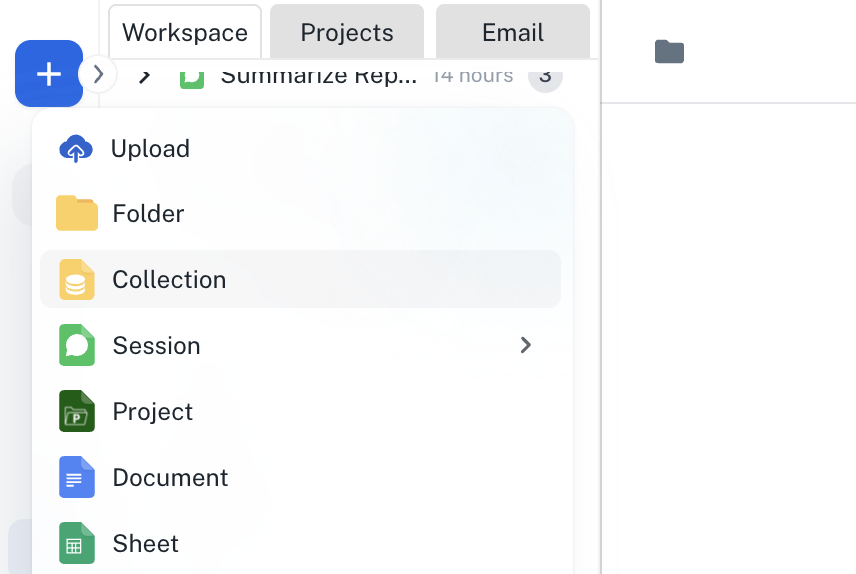
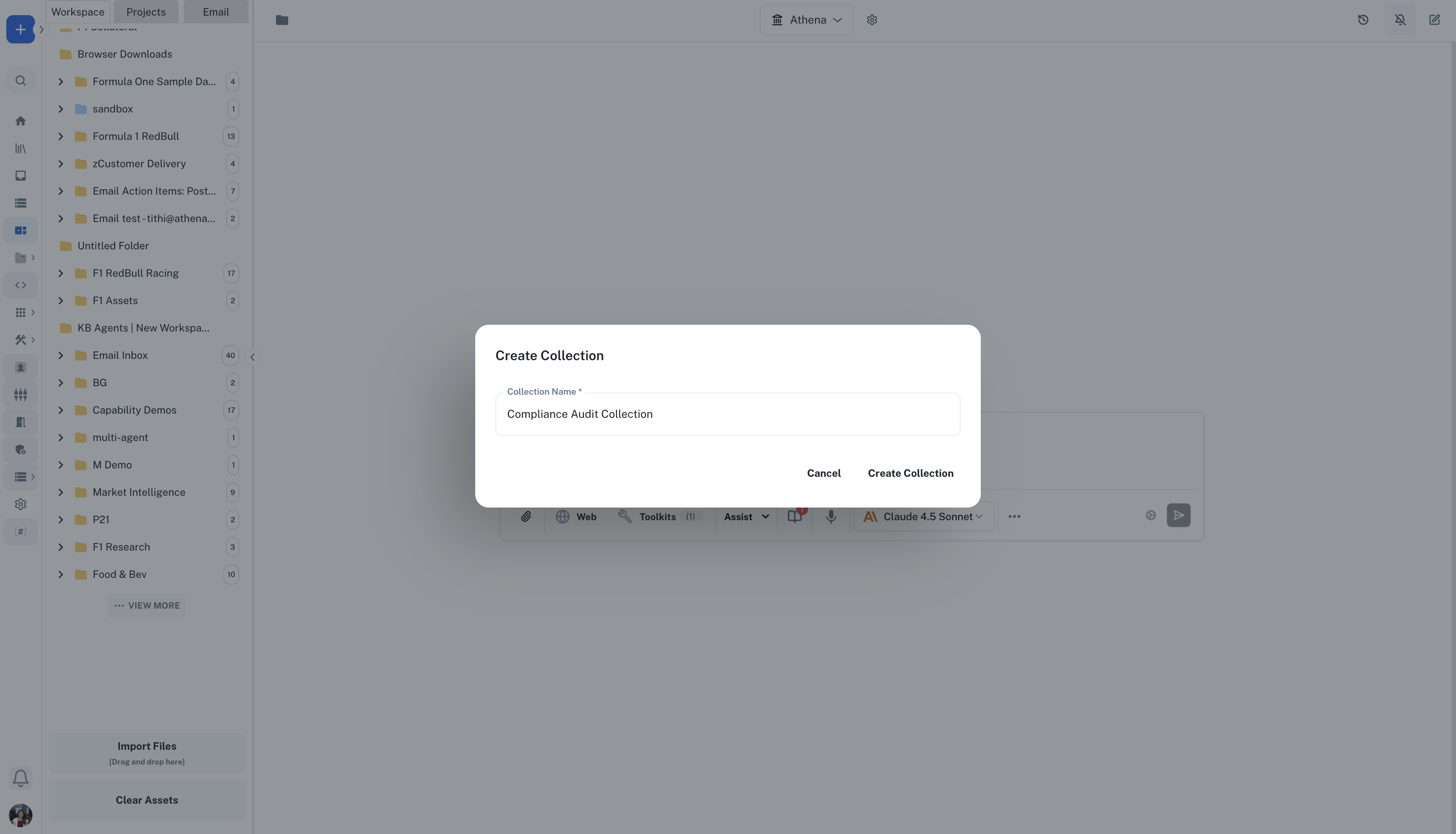
Navigate to ***[Spaces](https://app.athenaintel.com/dashboard/spaces/)***. Click the **+** icon and select **New Collection**. Name it "Q4 Compliance Audit" and add a description explaining the audit scope and timeline.
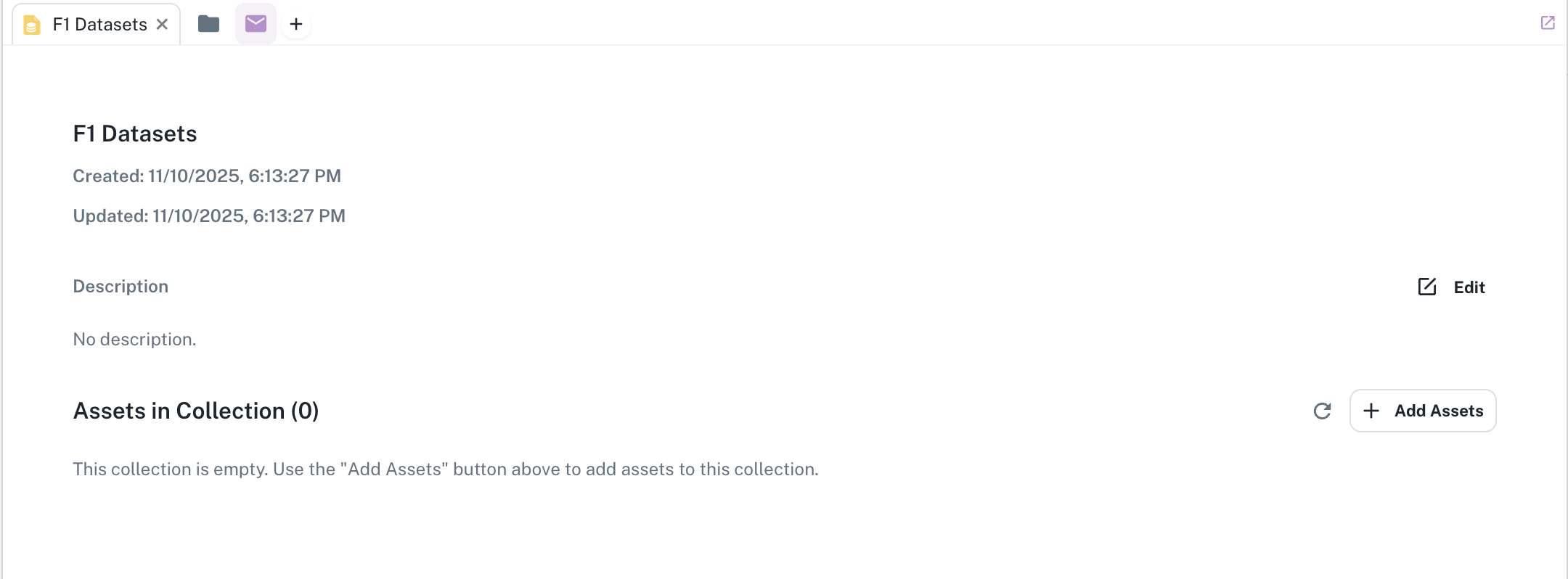
 Click **Add Assets** and select relevant documents from different folders: financial statements from Finance folder, contracts from Legal folder, and operational reports from Operations folder. All assets remain in their original locations while being grouped in the collection.
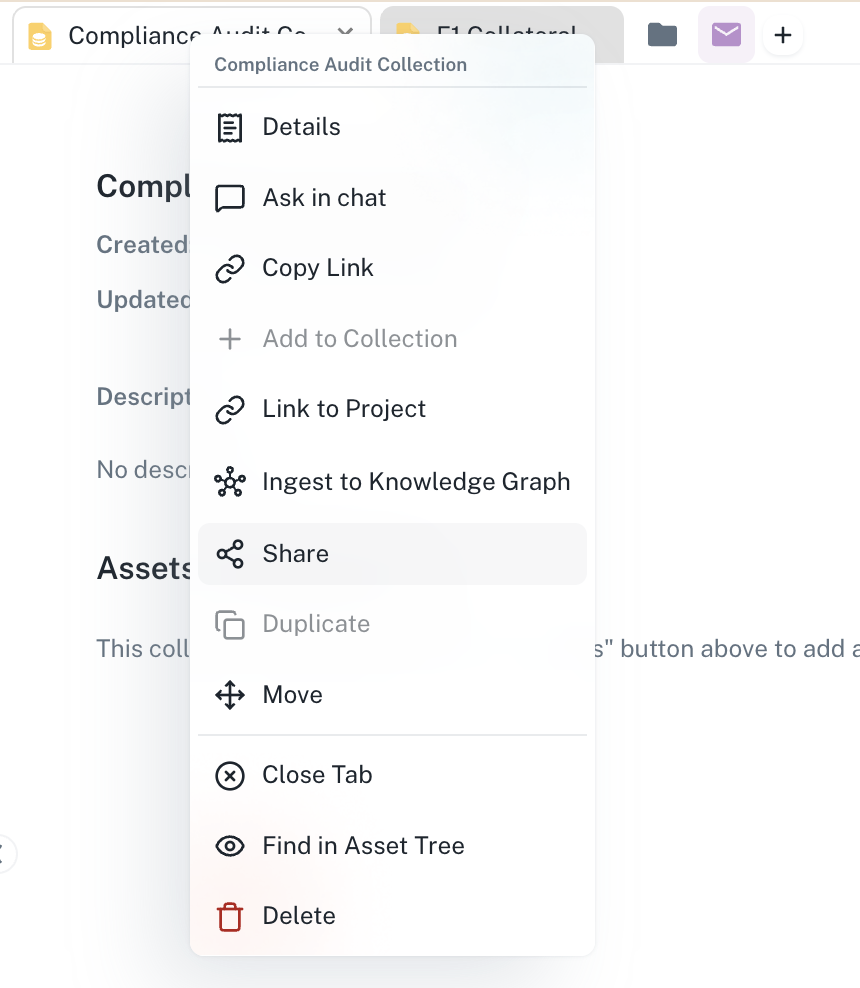
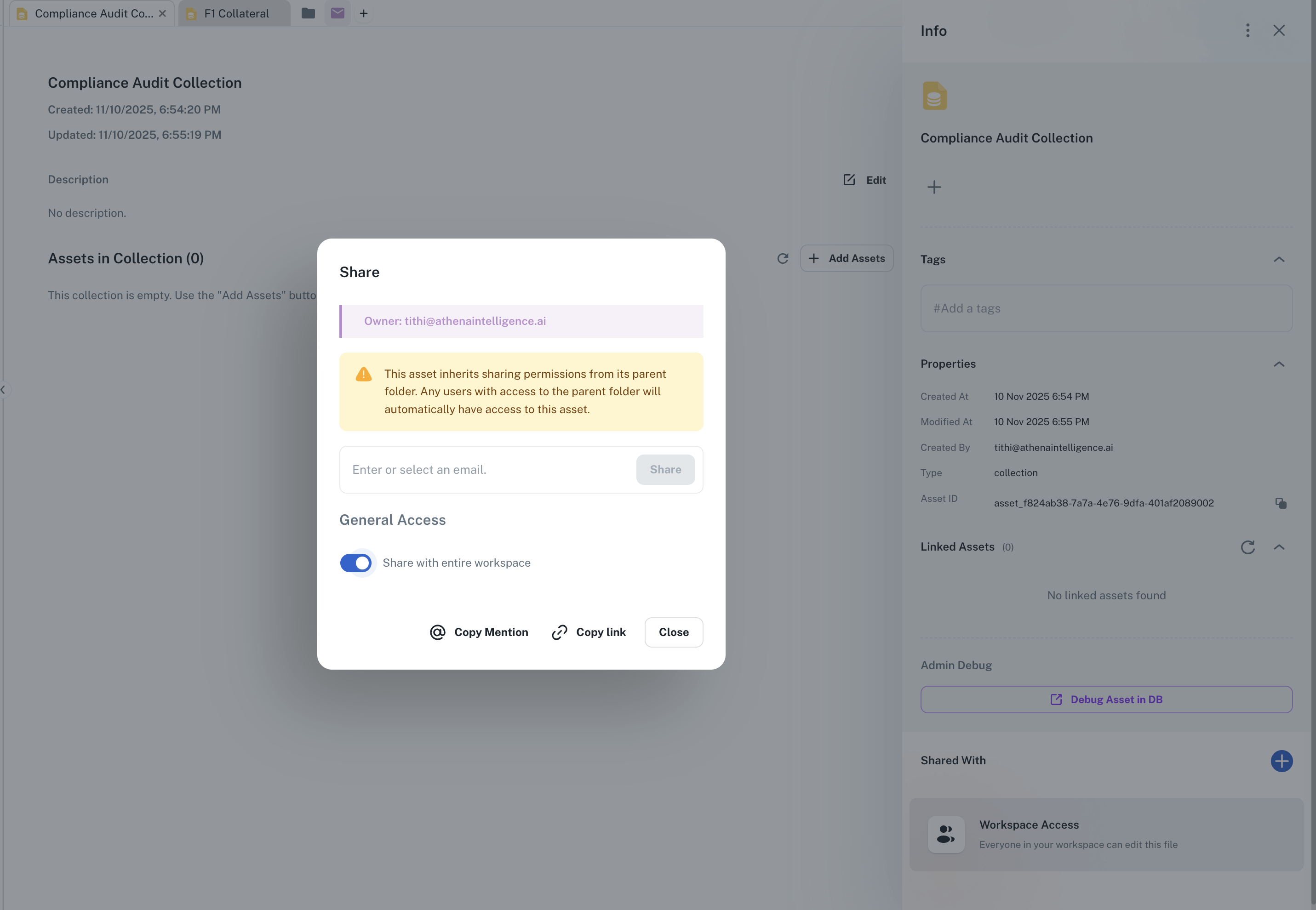
 Configure collection permissions to share with audit team members. Provide the collection link to auditors, ensuring they have immediate access to all required materials in one organized view.
 This documentation is built and hosted on [Mintlify](https://mintlify.com), a developer documentation platform.