> ## Documentation Index
> Fetch the complete documentation index at: https://resources.athenaintel.com/llms.txt
> Use this file to discover all available pages before exploring further.

# Complaint Review

Athena optimizes legal data extraction by automating the identification of key case information. Motorize your routine workflows by modifying instructions to create standardized prompts for each case type, streamlining future processing.

Enhance your legal operations with comprehensive solutions designed to save time and reduce manual effort.

<Frame caption="Competitor Research Report using Athena Docs">
  <iframe width="560" height="315" src="https://www.youtube.com/embed/9ngRCbxnDbk" title="YouTube video player" frameborder="0" allow="accelerometer; autoplay; clipboard-write; encrypted-media; gyroscope; picture-in-picture" allowfullscreen />
</Frame>

## Step-by-step Instructions

<Steps>
  <Step title="Upload your file">
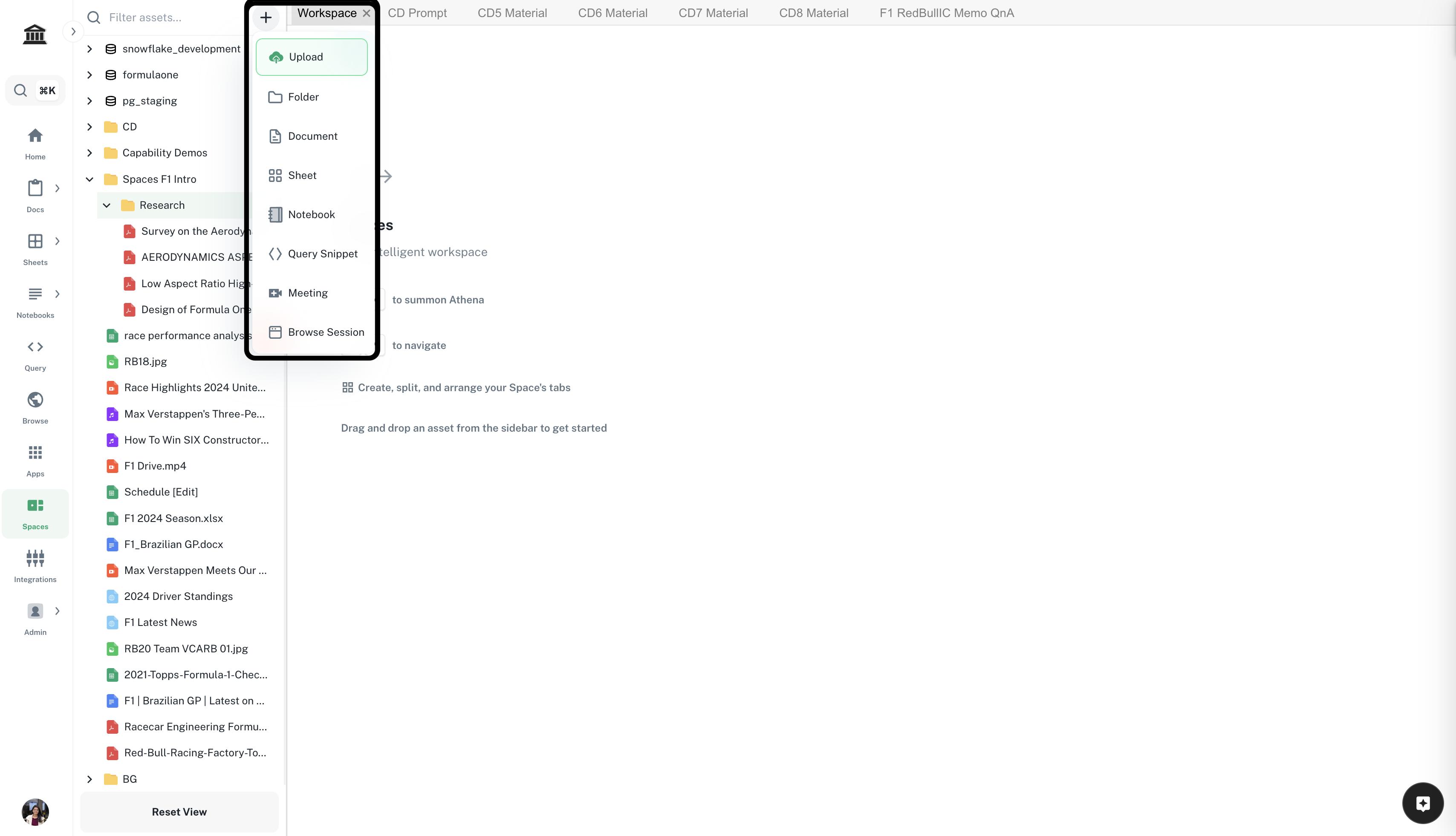
    Navigate to ***[Spaces](https://app.athenaintel.com/dashboard/workspaces/)***. Click on the **+** icon -> **Upload** on top of the left sidebar. Upload required documents.

    <Frame>
      <img src="https://mintcdn.com/athenaintelligence-e46bc9d3/Uv9JdE4EbB3zmCPu/images/financial-step1.png?fit=max&auto=format&n=Uv9JdE4EbB3zmCPu&q=85&s=e2dad4687c94b83c43f229ffb82b089a" width="3416" height="1962" data-path="images/financial-step1.png" />
    </Frame>
  </Step>

  <Step title="Prepare the Space">
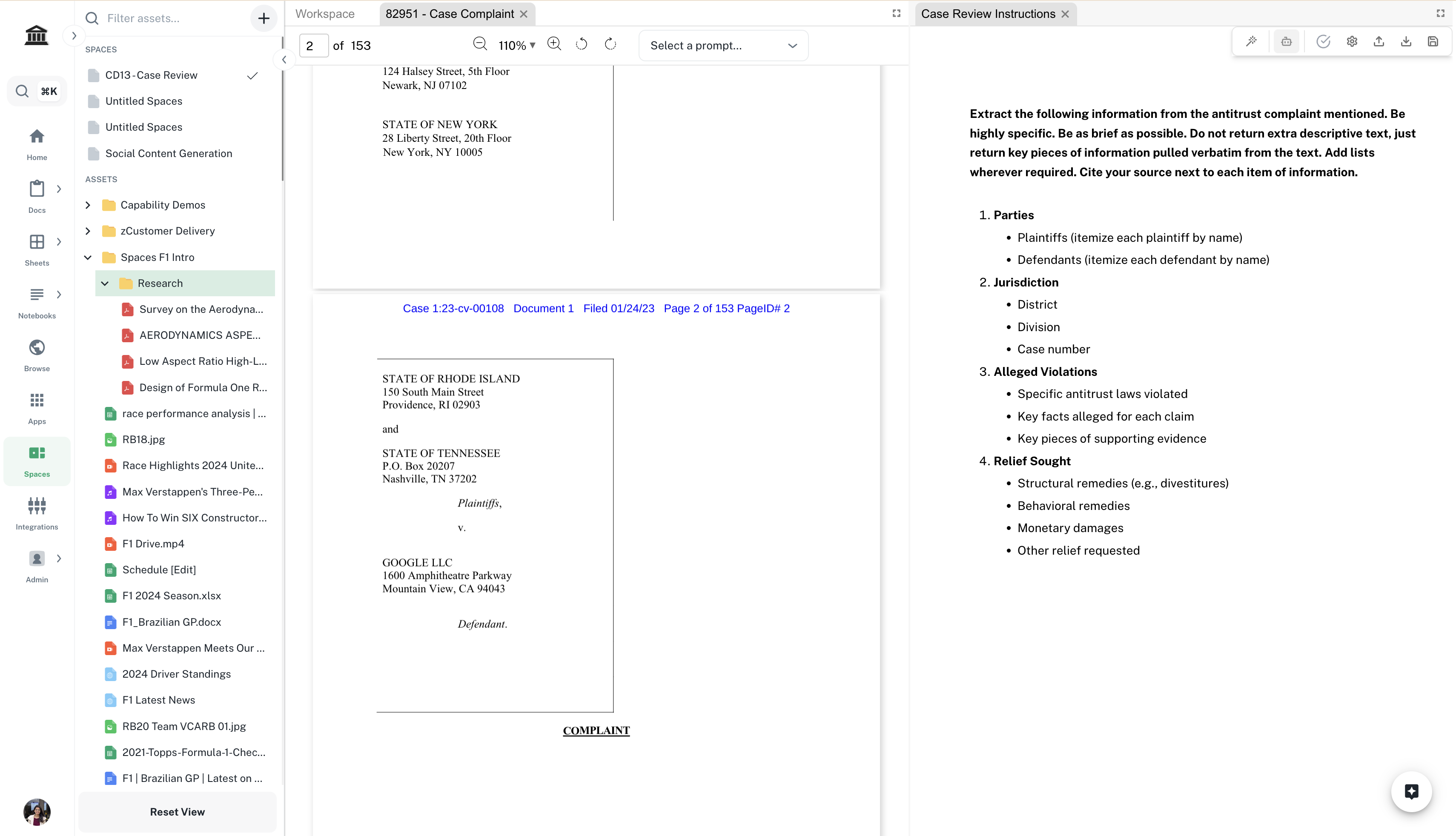
    Drag and drop the complaint file you wish to review and the [Case Review Instructions Template\*](https://app.athenaintel.com/dashboard/docs/asset_8dd11727-5519-404a-b00d-8deaffc44d34/) inside **Spaces**. Edit the instructions if required.
    <Info>\*You'll need access to view this document.</Info>

    <Frame>
      <img src="https://mintcdn.com/athenaintelligence-e46bc9d3/JOia5pER8hEU2s7U/images/complaint-step2.png?fit=max&auto=format&n=JOia5pER8hEU2s7U&q=85&s=2ea32d63301337a8a0e1aa7c139d24a3" width="3420" height="1964" data-path="images/complaint-step2.png" />
    </Frame>
  </Step>

  <Step title="Prepare the case review">
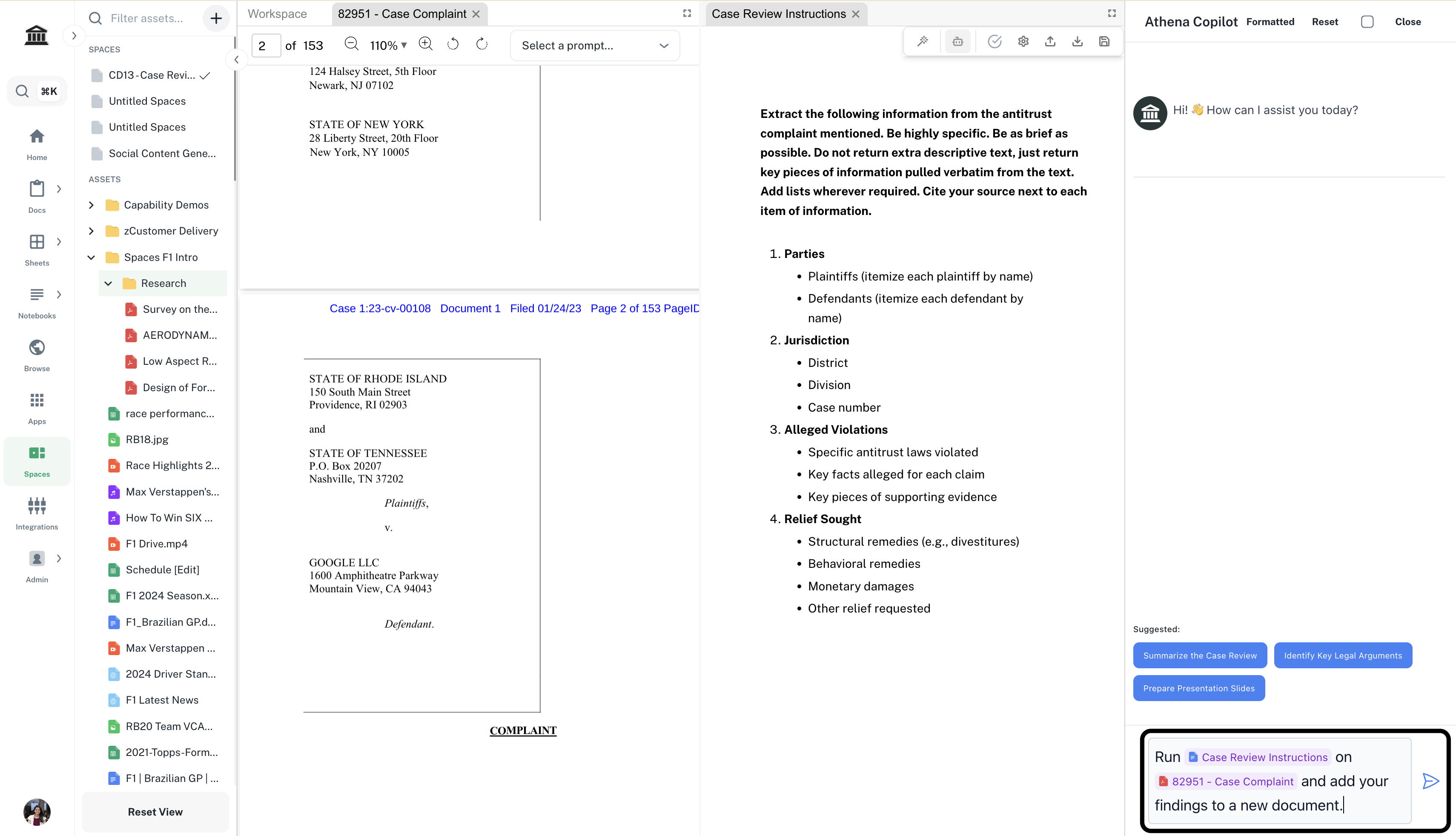
    In the right **Chat** sidebar, enter the following prompt and press **Enter**.

    <CodeBlock filename="Prompt">
      Run *@Case Review Instructions* on *@your-complaint-file* and add your findings to a new document.
    </CodeBlock>

    <Info>Replace `your-complaint-file` with the complaint file you wish to review.</Info>

    <Frame>
      <img src="https://mintcdn.com/athenaintelligence-e46bc9d3/JOia5pER8hEU2s7U/images/complaint-step3.png?fit=max&auto=format&n=JOia5pER8hEU2s7U&q=85&s=4327605eacd123a73892ba9d8221cd79" width="3420" height="1964" data-path="images/complaint-step3.png" />
    </Frame>
  </Step>
</Steps>