> ## Documentation Index
> Fetch the complete documentation index at: https://resources.athenaintel.com/llms.txt
> Use this file to discover all available pages before exploring further.

# Competitive Analysis

Athena Sheets streamlines competitive intelligence by leveraging Athena Sheets to consolidate and analyze market data about competitors. Eliminate manual competitor tracking processes and gain instant insights into their dynamics through customizable templates.

With Athena, you can effortlessly monitor competitor activities, benchmark performance metrics, and uncover strategic opportunities, delivering comprehensive competitive landscapes in an intuitive spreadsheet interface.

<Frame caption="Competitive Analysis using Athena">
  <iframe width="560" height="315" src="https://www.youtube.com/embed/bvFHV8HAsuk" title="YouTube video player" frameborder="0" allow="accelerometer; autoplay; clipboard-write; encrypted-media; gyroscope; picture-in-picture" allowfullscreen />
</Frame>

## Step-by-step Instructions

<Steps>
  <Step title="Open the template">
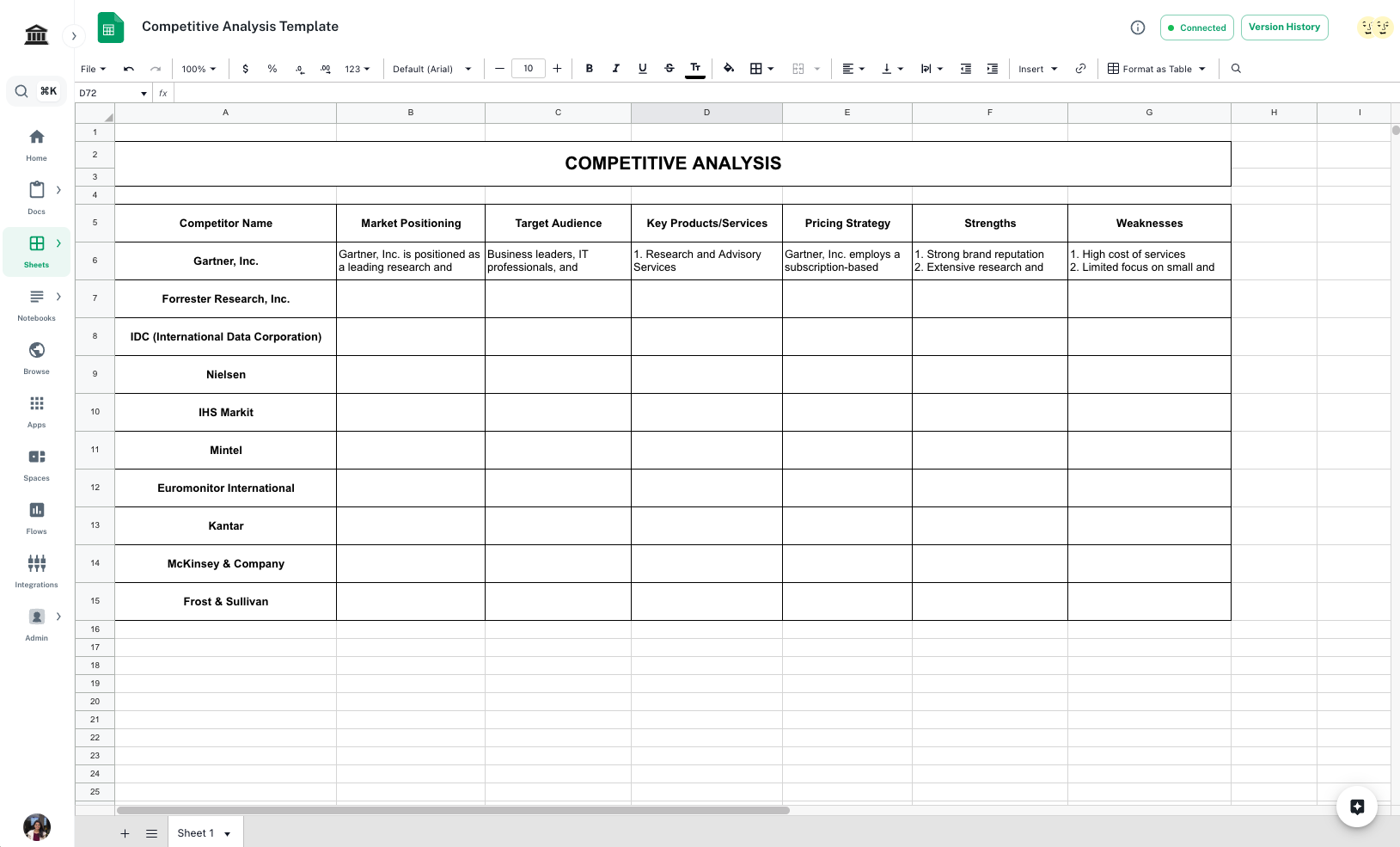
    Open the [*Competitive Analysis Template*](https://app.athenaintel.com/dashboard/sheets/asset_e94f6754-4f5c-4d79-8f17-8bf54f40c94d/). Edit the column header and name of competitors as per need.
    <Info>You'll need access to view this document.</Info>

    <Frame>
      <img src="https://mintcdn.com/athenaintelligence-e46bc9d3/JOia5pER8hEU2s7U/images/competitive-step1.png?fit=max&auto=format&n=JOia5pER8hEU2s7U&q=85&s=251e440d53ef3fa1a7252a06ad439a87" width="1629" height="985" data-path="images/competitive-step1.png" />
    </Frame>
  </Step>

  <Step title="Open Spaces">
    Navigate to ***[Spaces](https://app.athenaintel.com/dashboard/workspaces/)***. Drag and drop the template in a new space.

    <Frame>
      <img src="https://mintcdn.com/athenaintelligence-e46bc9d3/JOia5pER8hEU2s7U/images/competitive-step2.png?fit=max&auto=format&n=JOia5pER8hEU2s7U&q=85&s=ebe891289b2c4a220566fccc28999d4f" width="1627" height="986" data-path="images/competitive-step2.png" />
    </Frame>
  </Step>

  <Step title="Enter formula to find market positioning">
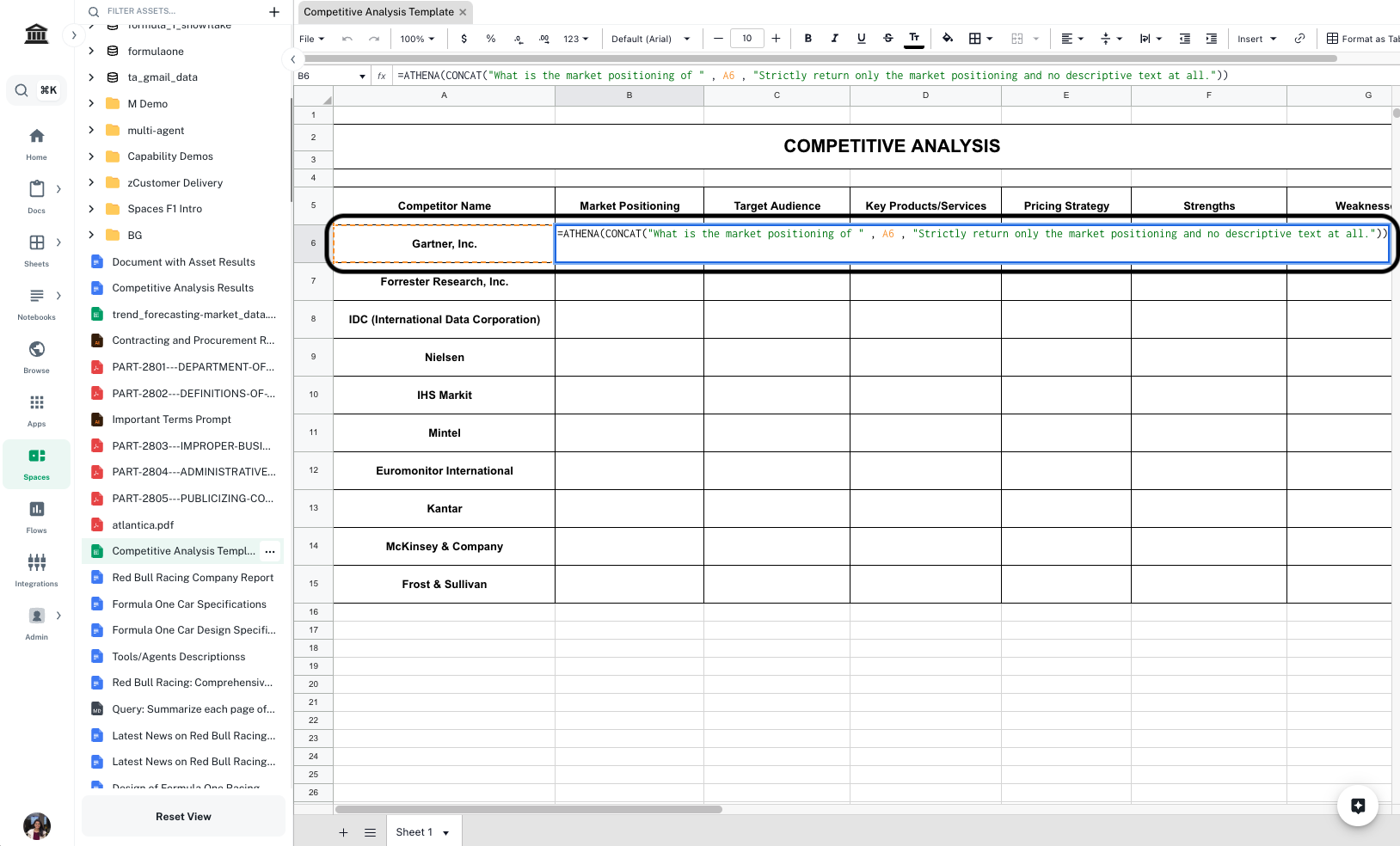
    In `Cell B6`, enter the following formula and press **Enter**.

    <CodeBlock filename="Formula">
      \=ATHENA(CONCAT("What is the market positioning of " , A6 , "Strictly return only the market positioning and no descriptive text at all."))
    </CodeBlock>

    <Info>Replace `A6` with the first cell that contains the name of your competitor.</Info>

    <Frame>
      <img src="https://mintcdn.com/athenaintelligence-e46bc9d3/JOia5pER8hEU2s7U/images/competitive-step3.png?fit=max&auto=format&n=JOia5pER8hEU2s7U&q=85&s=a36bb0060302ec865a6db497796b00e6" width="1628" height="984" data-path="images/competitive-step3.png" />
    </Frame>
  </Step>

  <Step title="Enter formulae for other fields">
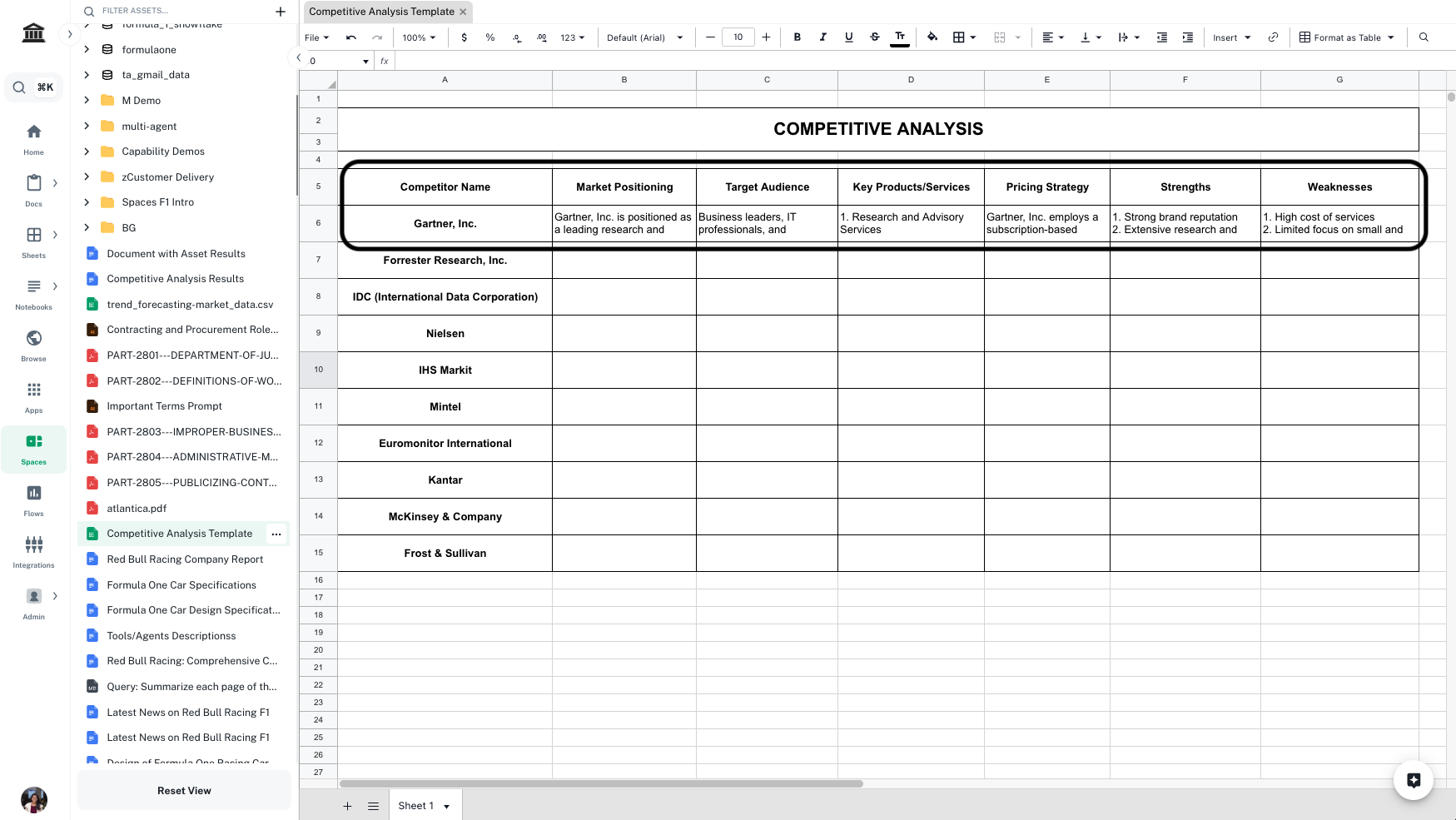
    Follow Step 2 and enter formulae for all other information on competitors you wish to retrieve. Press **Enter** to execute cells after adding the formulae. In the template, we have included **Target Audience**, **Key Products/Services**, **Pricing Strategy**, **Strengths**, and **Weaknesses**, you can add/delete columns as per need.

    <Frame>
      <img src="https://mintcdn.com/athenaintelligence-e46bc9d3/JOia5pER8hEU2s7U/images/competitive-step4.png?fit=max&auto=format&n=JOia5pER8hEU2s7U&q=85&s=4a4778b25a99d9d98b0b50f399322122" width="1749" height="985" data-path="images/competitive-step4.png" />
    </Frame>
  </Step>

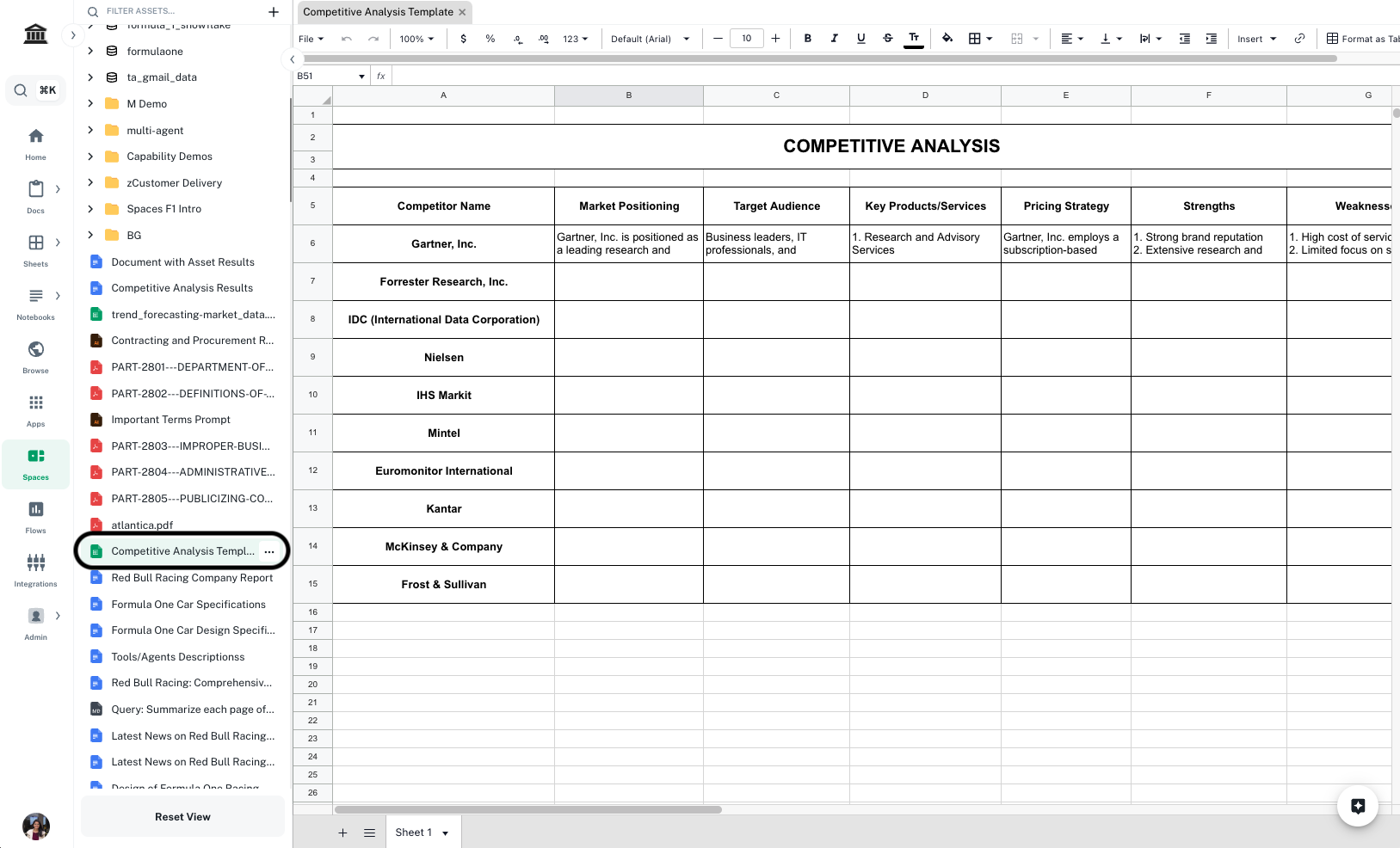
  <Step title="Complete the analysis">
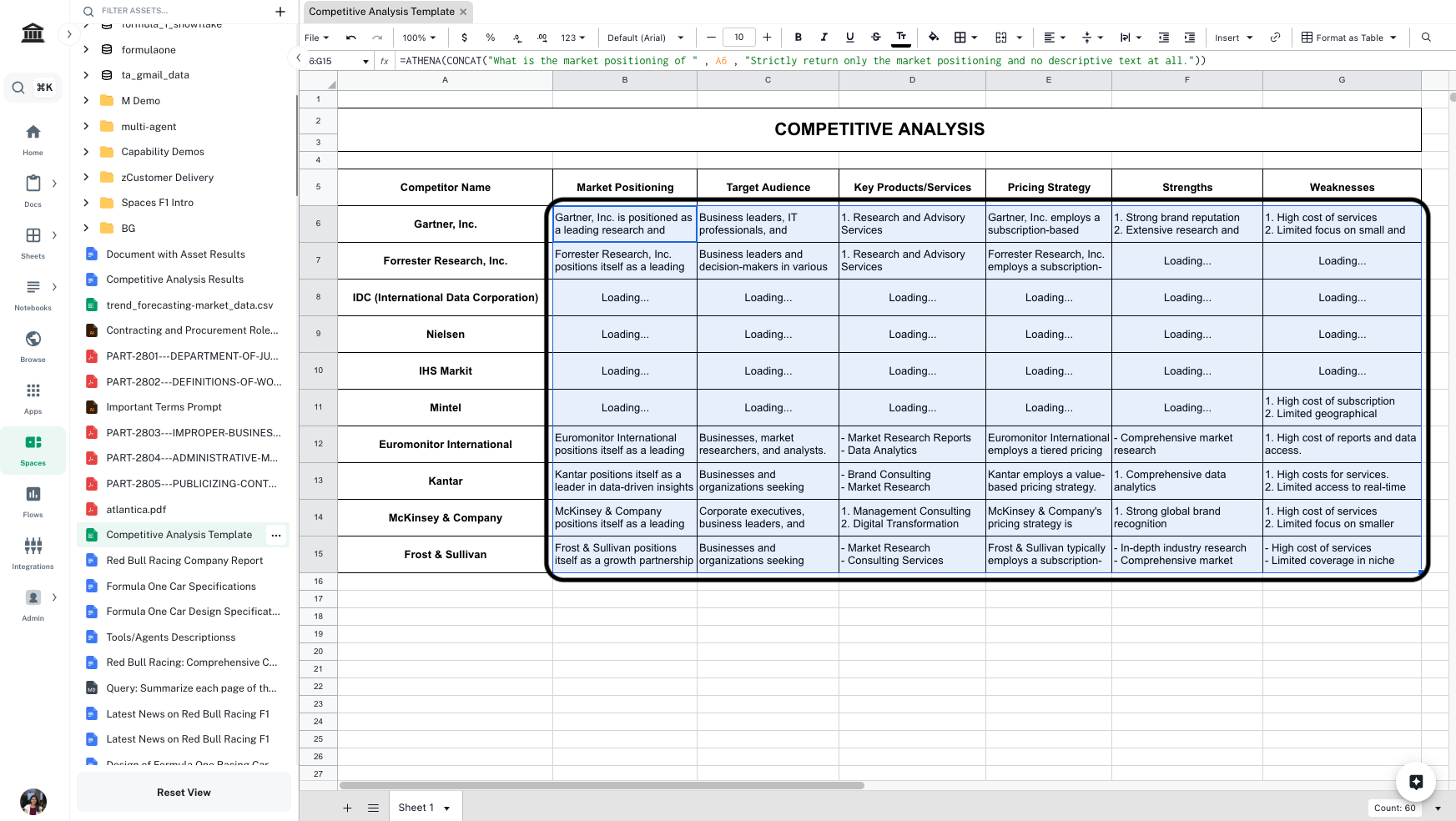
    Select all the cells you just entered formulae in. Drag and extend them till all the competitors are covered.
    <Frame>
      <img src="https://mintcdn.com/athenaintelligence-e46bc9d3/JOia5pER8hEU2s7U/images/competitive-step5.png?fit=max&auto=format&n=JOia5pER8hEU2s7U&q=85&s=a89b762f6ca76f8df01b3c373ed0bf4d" width="1745" height="984" data-path="images/competitive-step5.png" />
    </Frame>
  </Step>
</Steps>