> ## Documentation Index
> Fetch the complete documentation index at: https://resources.athenaintel.com/llms.txt
> Use this file to discover all available pages before exploring further.
# Home
Task Studio is a powerful automation platform that allows you to deploy and manage repeatable workflows within your organization.
This documentation is intended for technical builder users who are responsible for creating and managing automated workflows. Users should have experience with scripting, workflow automation, and system integration concepts.
## Tasks
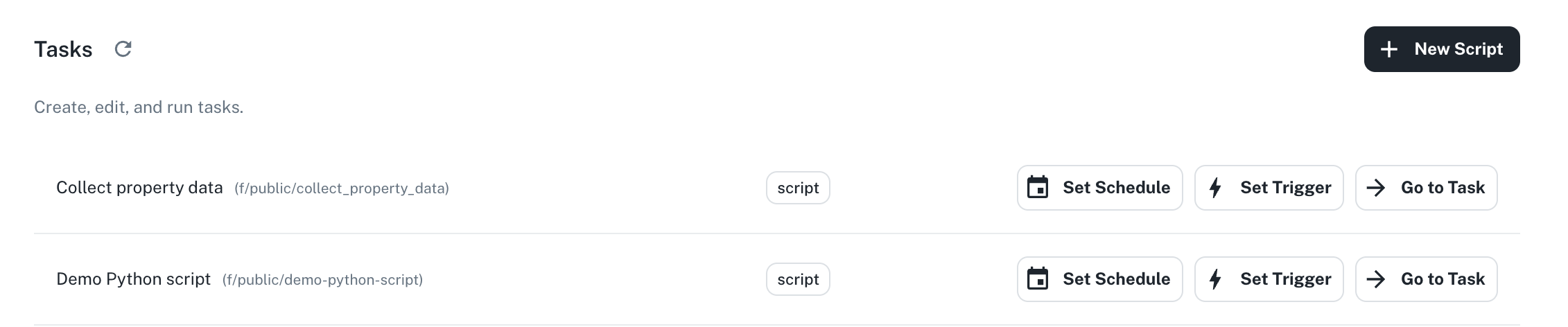
Tasks are automated scripts that can be configured to run based on specific triggers or schedules. Each task in the system can be configured through three actions:
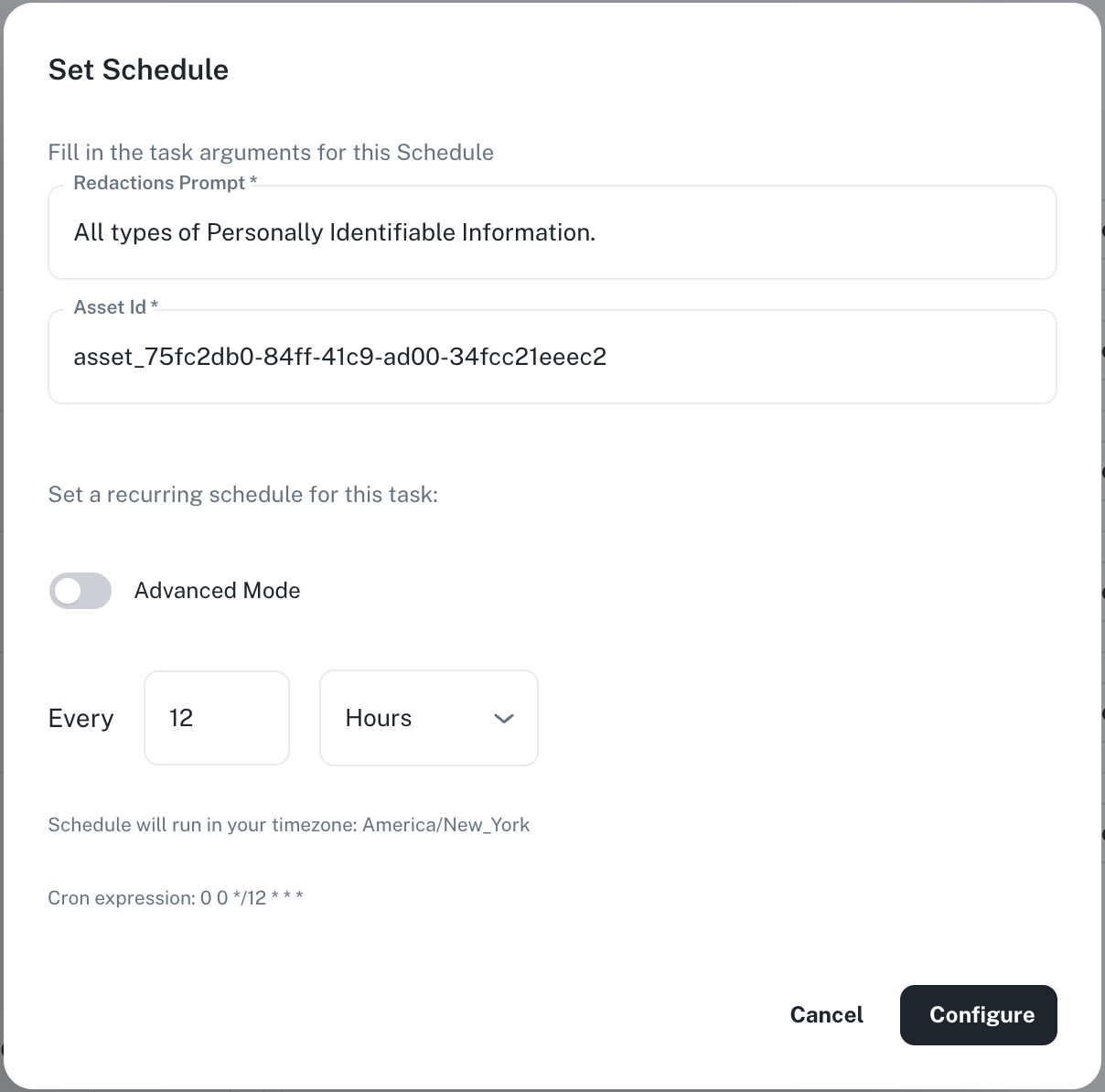
* **Set Schedule**: Define when and how often a task should automatically run using options like daily, weekly, or monthly intervals and specific times.
 * **Set Trigger**: Configure which events (like receiving an email, uploading files, or end of a meeting) will automatically start your task.
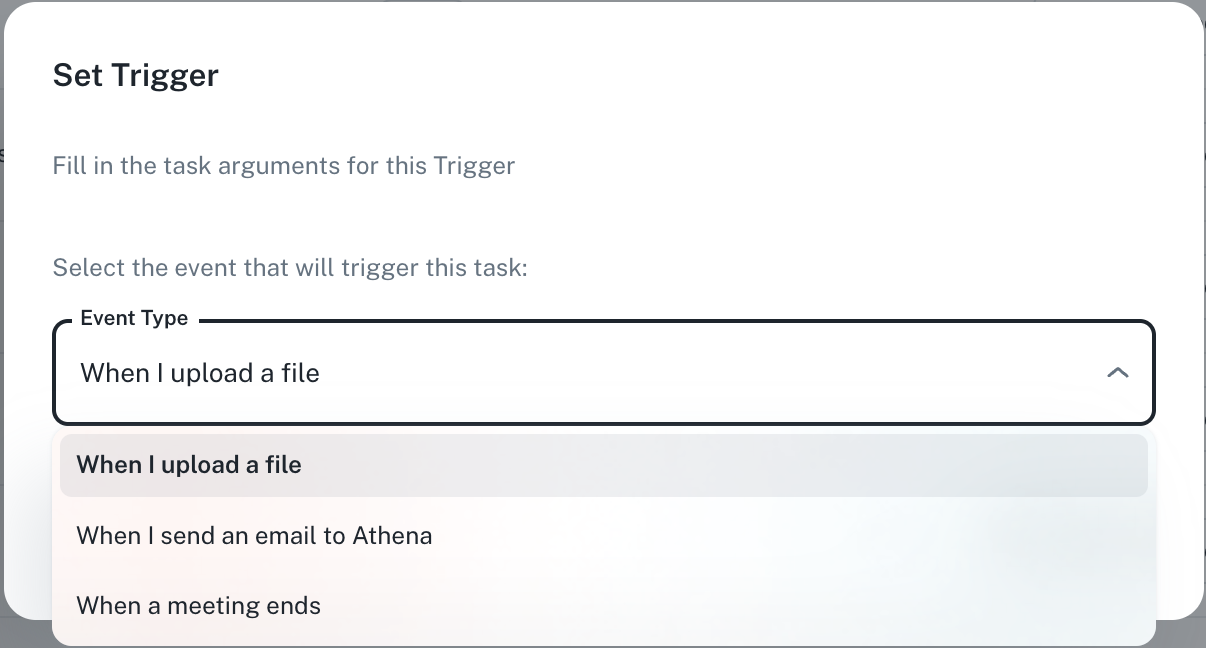
Athena runs tasks on receiving emails and once she completes running a task, she sends you an email with the task results. Follow the steps below to set this up:
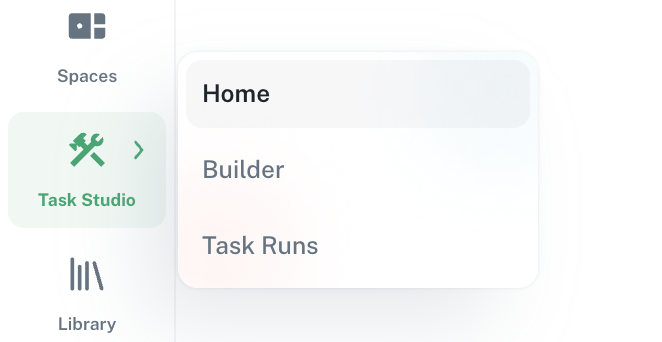
Navigate to **Task Studio -> [Home](https://app.athenaintel.com/dashboard/task-studio/home/)** from the applications sidebar on the left.
 Click on **Set Trigger** for the task you would like to run upon receival of an email.
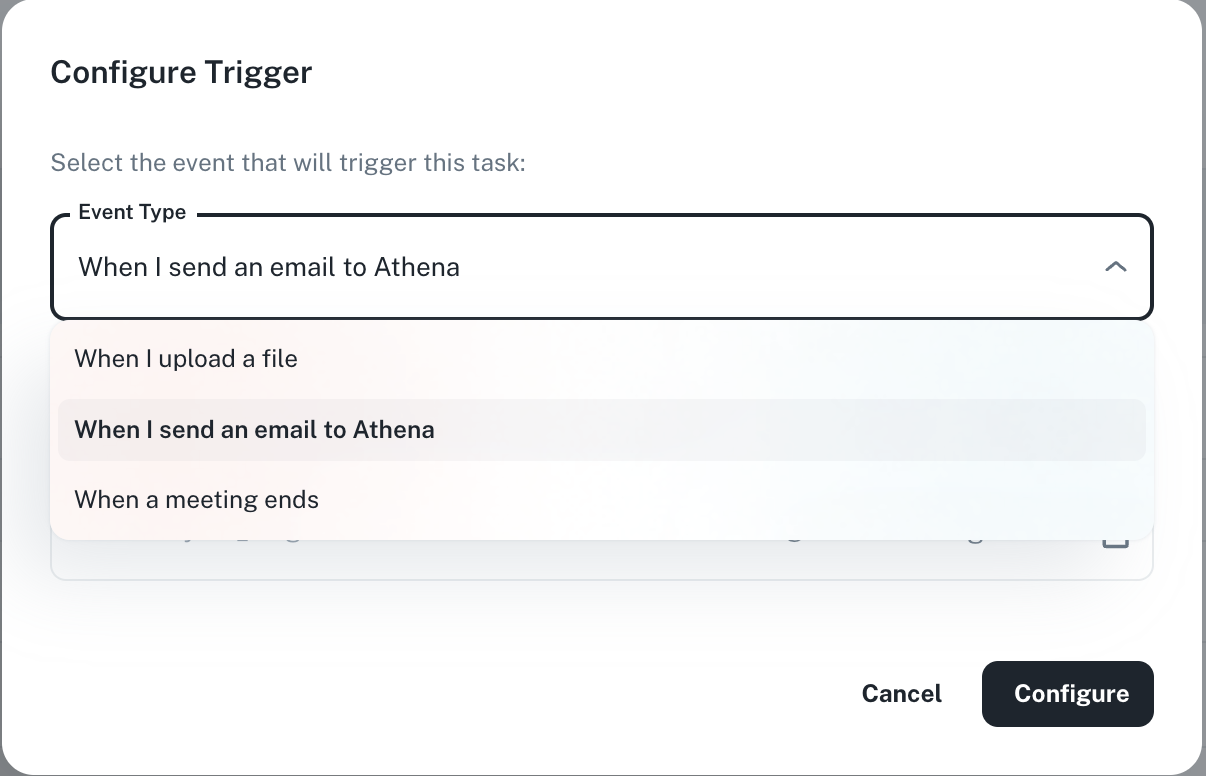
 Select **When I send an email to Athena**.
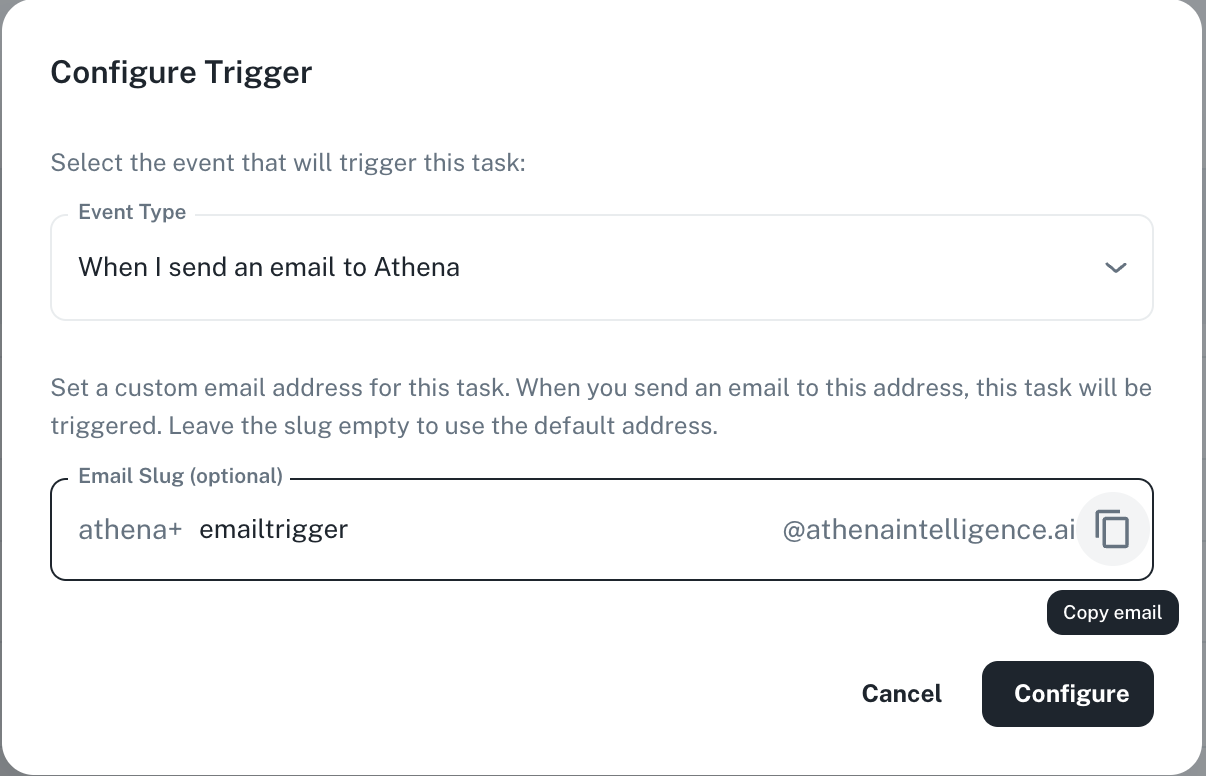
 Set a custom email address for your task. Leave the slug empty to use the default address. Enter the following in **your\_slug** and click on the **Copy** icon. Press **Configure**.
emailtrigger
Set a custom email address for your task. Leave the slug empty to use the default address. Enter the following in **your\_slug** and click on the **Copy** icon. Press **Configure**.
emailtrigger
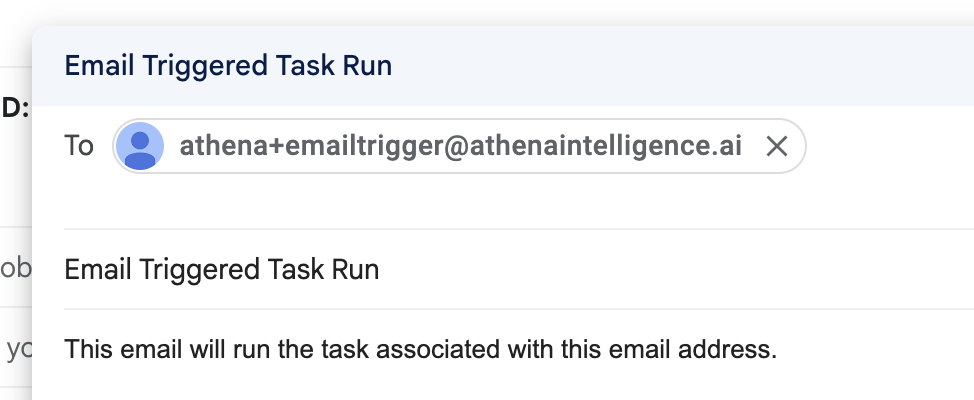
 Go to your email inbox and send an email to the address copied from the previous step.
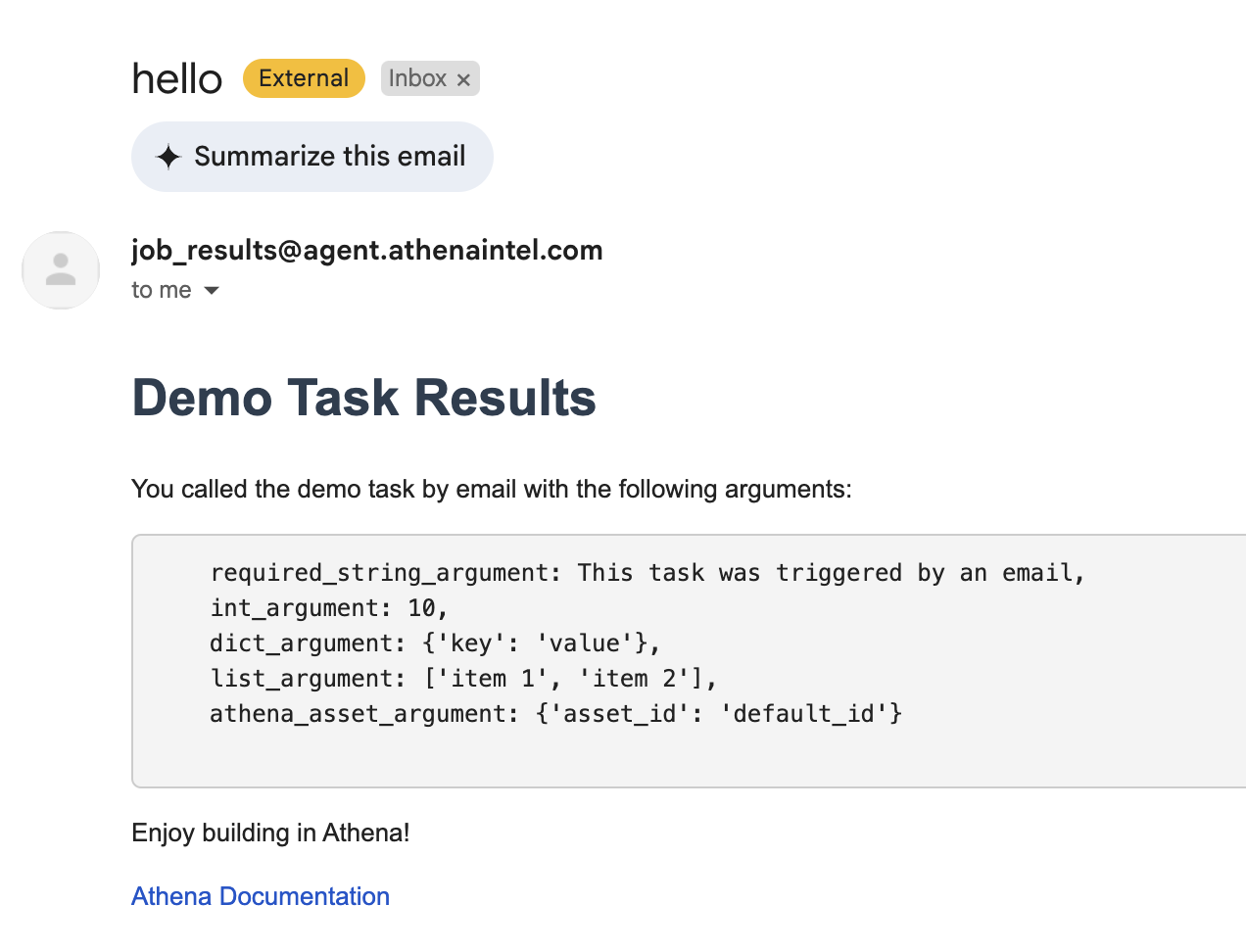
 Once completed, you will get an email with the results of the task. You can also see the status of the task completion in [Task Runs](https://resources.athenaintel.com/docs/task-studio/task-runs).
 * **Go to Task**: View the task's details and run it immediately, with additional options to set up schedules and triggers directly
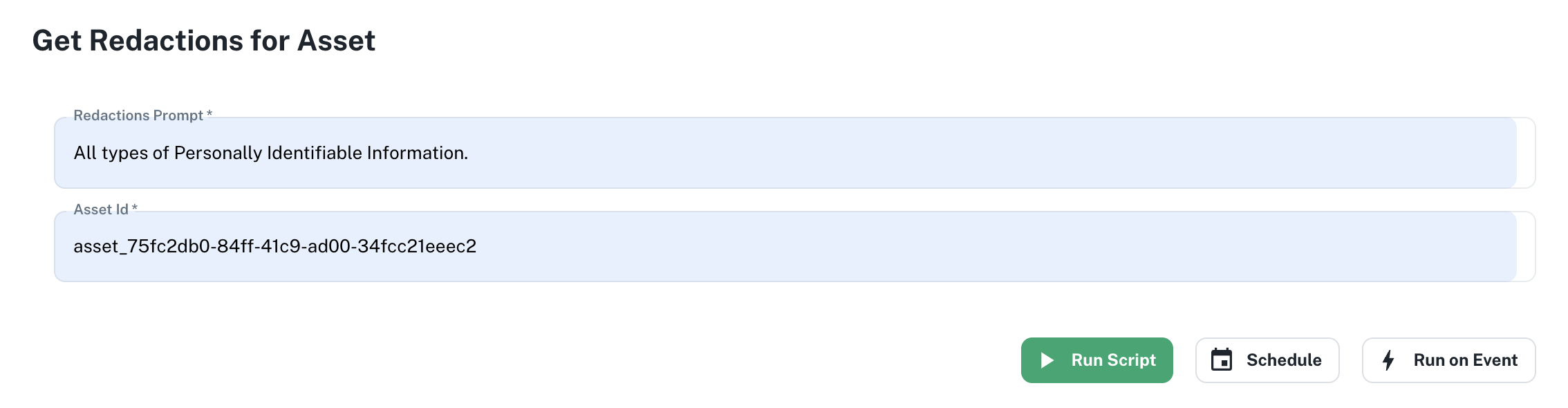 ## Active Triggers & Schedules
This section provides visibility into how tasks are initiated:
1. **Event Triggers** - Shows tasks configured to run in response to specific events. For example, the interface shows a task **Get Redactions for Asset** that runs when Athena receives an email.
2. **Recurring Schedules** - Displays any tasks set to run on a regular schedule. For example, the interface shows a task **Get Redactions for Asset** that runs every 12 hours.
## Active Triggers & Schedules
This section provides visibility into how tasks are initiated:
1. **Event Triggers** - Shows tasks configured to run in response to specific events. For example, the interface shows a task **Get Redactions for Asset** that runs when Athena receives an email.
2. **Recurring Schedules** - Displays any tasks set to run on a regular schedule. For example, the interface shows a task **Get Redactions for Asset** that runs every 12 hours.
 ## Example Tasks
### Integrate Athena Agents
You can integrate Athena agents with your custom Python scripts to function as a research assistant, enabling the system to search for publicly available data about the associated company, visit the company's website for additional details, and compile a comprehensive summary.
[Watch](https://youtu.be/ZA_Z-rHdFlU) these in action!
### Connect Salesforce
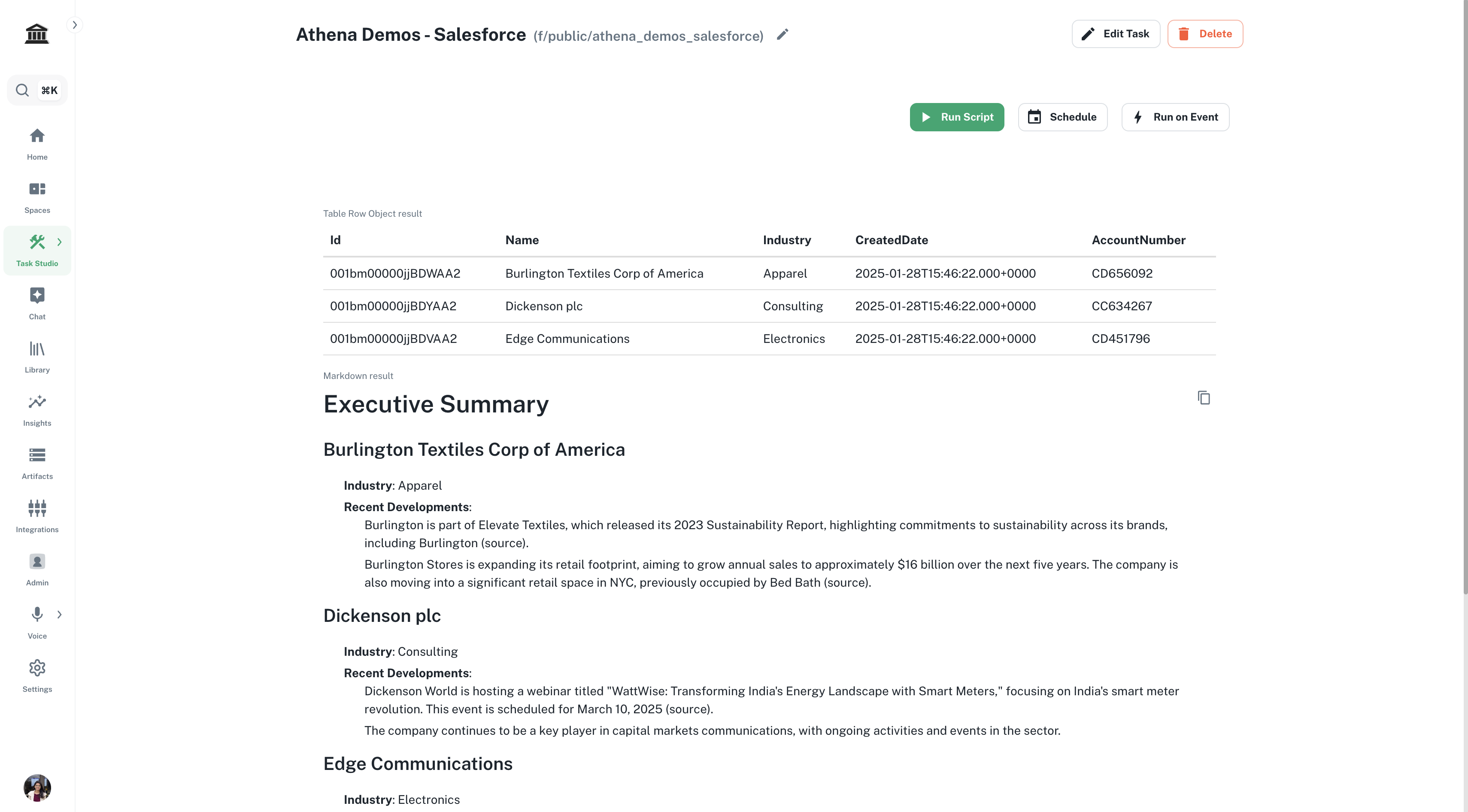
You can integrate Athena agents with your custom Python scripts to streamline Salesforce data management by automatically connecting to Salesforce, extracting information about the top 20 customer accounts, and utilizing Athena agents to gather recent news about these customers.
## Example Tasks
### Integrate Athena Agents
You can integrate Athena agents with your custom Python scripts to function as a research assistant, enabling the system to search for publicly available data about the associated company, visit the company's website for additional details, and compile a comprehensive summary.
[Watch](https://youtu.be/ZA_Z-rHdFlU) these in action!
### Connect Salesforce
You can integrate Athena agents with your custom Python scripts to streamline Salesforce data management by automatically connecting to Salesforce, extracting information about the top 20 customer accounts, and utilizing Athena agents to gather recent news about these customers.
 ### Data Extraction Pipelines
Athena enables enterprises to build customized data extraction pipelines tailored to their specific needs using its robust [SDK](https://docs.athenaintel.com/api-reference/tools/structured-data-extractor/invoke). By defining precise data extraction prompts, users can extract structured data from various document types, such as lease ledgers and manuals, with high accuracy.
[Watch](https://youtu.be/mjia-GWqZh4) this in action!
### Data Extraction Pipelines
Athena enables enterprises to build customized data extraction pipelines tailored to their specific needs using its robust [SDK](https://docs.athenaintel.com/api-reference/tools/structured-data-extractor/invoke). By defining precise data extraction prompts, users can extract structured data from various document types, such as lease ledgers and manuals, with high accuracy.
[Watch](https://youtu.be/mjia-GWqZh4) this in action!