> ## Documentation Index
> Fetch the complete documentation index at: https://resources.athenaintel.com/llms.txt
> Use this file to discover all available pages before exploring further.
# Projects
Projects in Athena serve as collaborative workspaces that help you organize, manage, and execute complex initiatives with AI assistance. Think of Projects as intelligent containers that bring together all the assets, team members, and AI capabilities needed to accomplish your goals efficiently.
### How to Use Projects
#### Creating a New Project
1. **Navigate to Projects**: Access the Projects section from your workspace sidebar
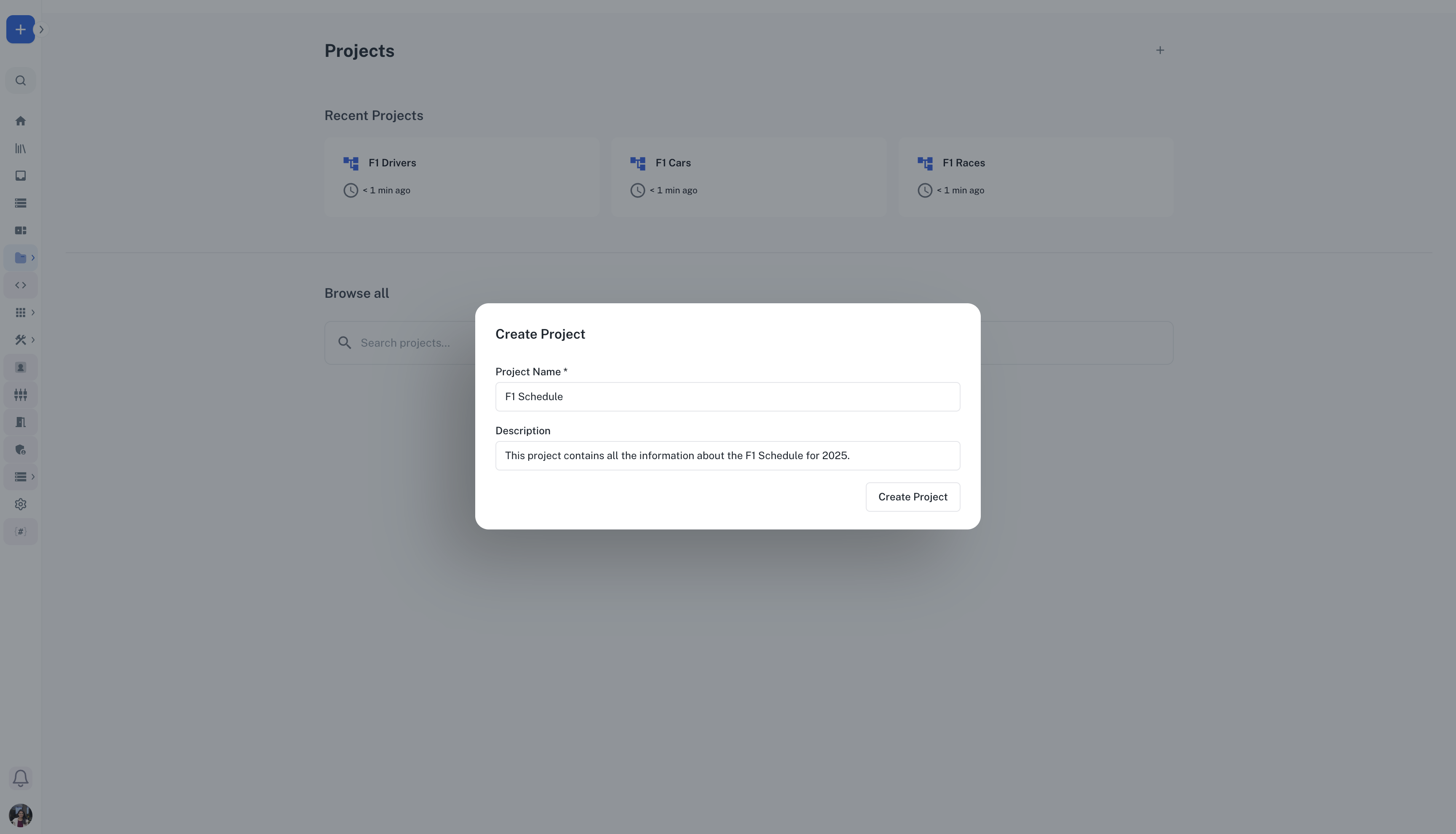
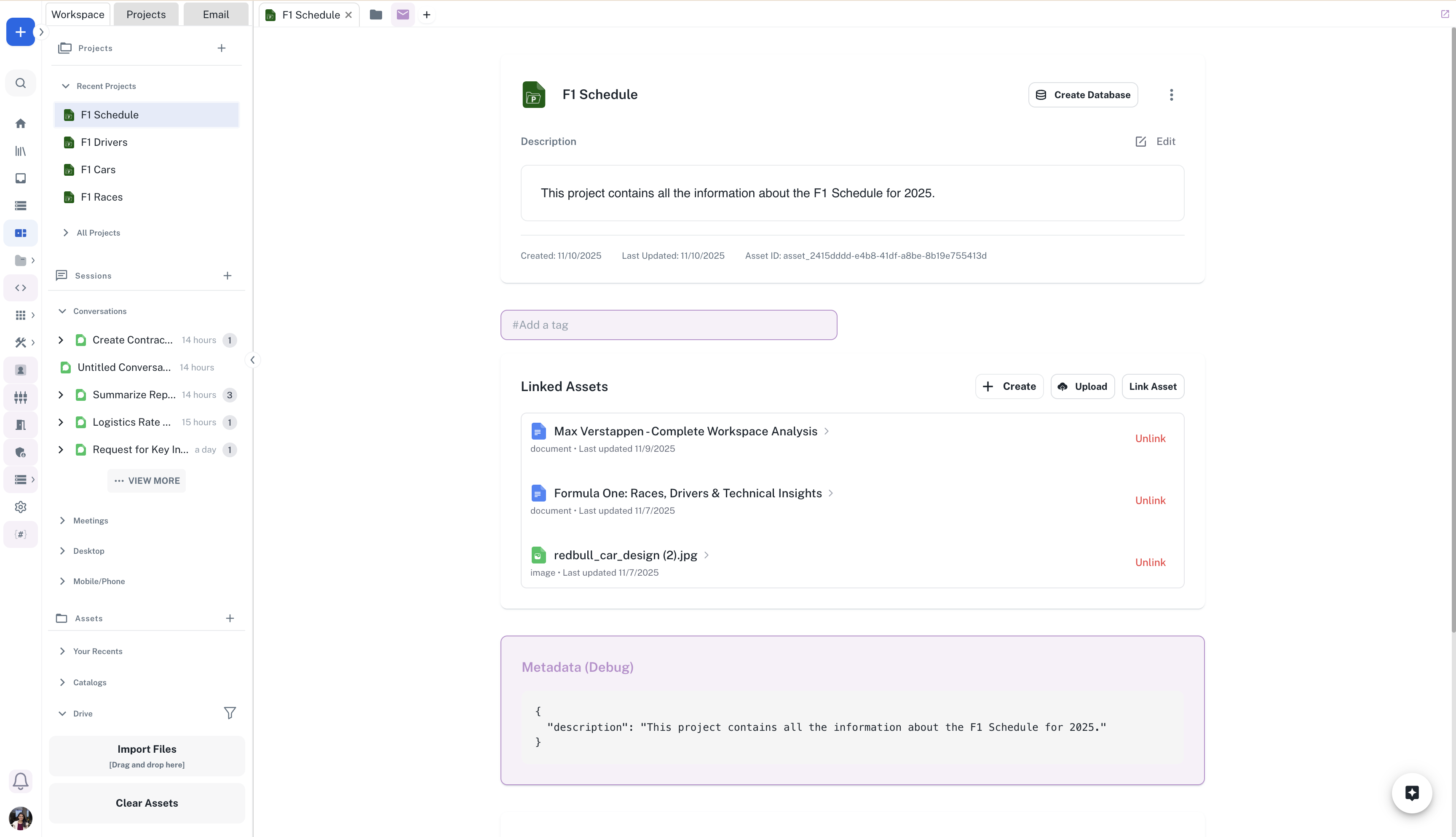
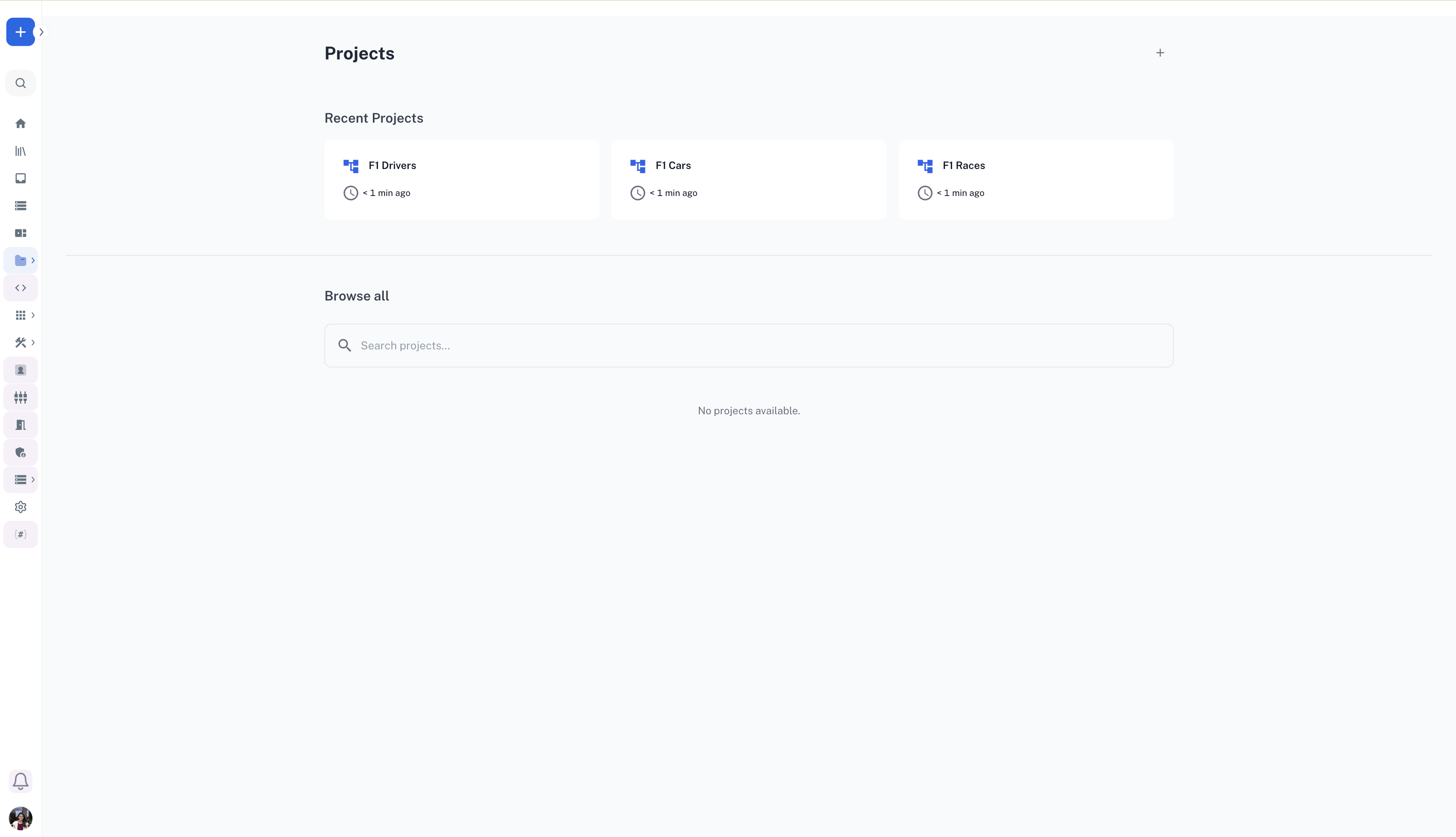 2. **Click "Create Project"**: Use the create button to start a new project and provide a descriptive name and optional description
 #### Managing Project Assets
1. **Link Existing Assets**: Use the "Link Asset" button to connect relevant documents, data, and resources
#### Managing Project Assets
1. **Link Existing Assets**: Use the "Link Asset" button to connect relevant documents, data, and resources
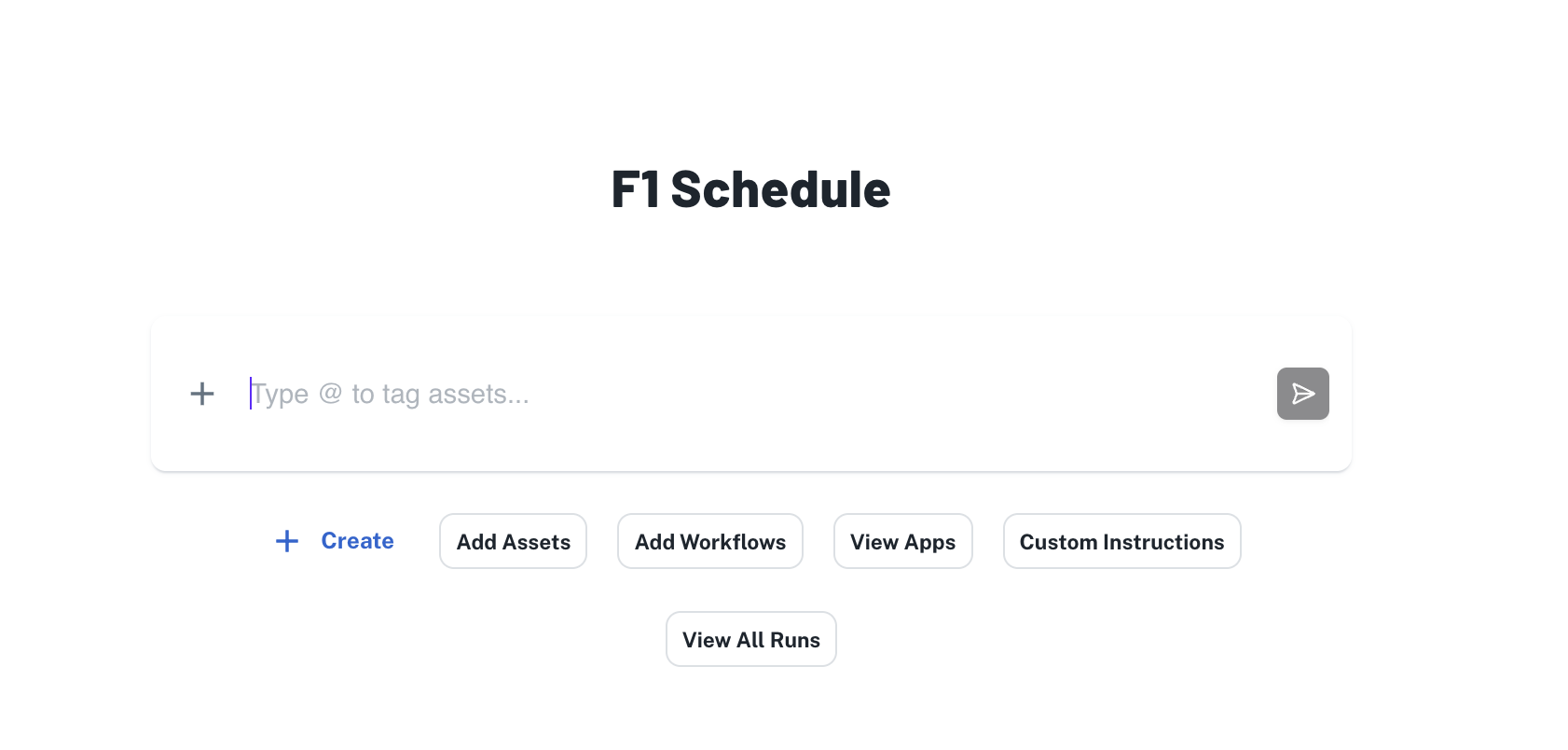 2. **Upload New Files**: Drag and drop files directly into your project
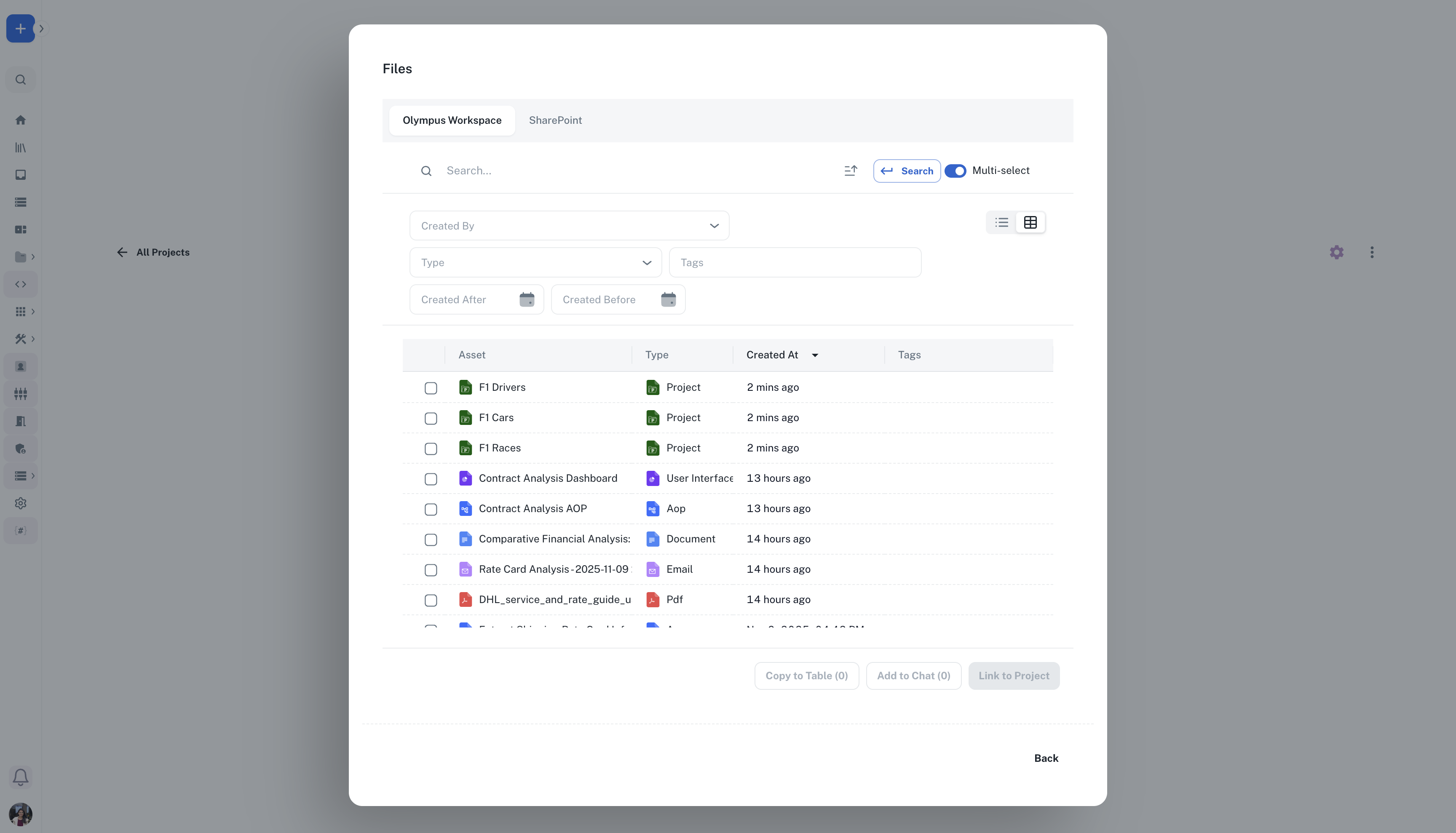
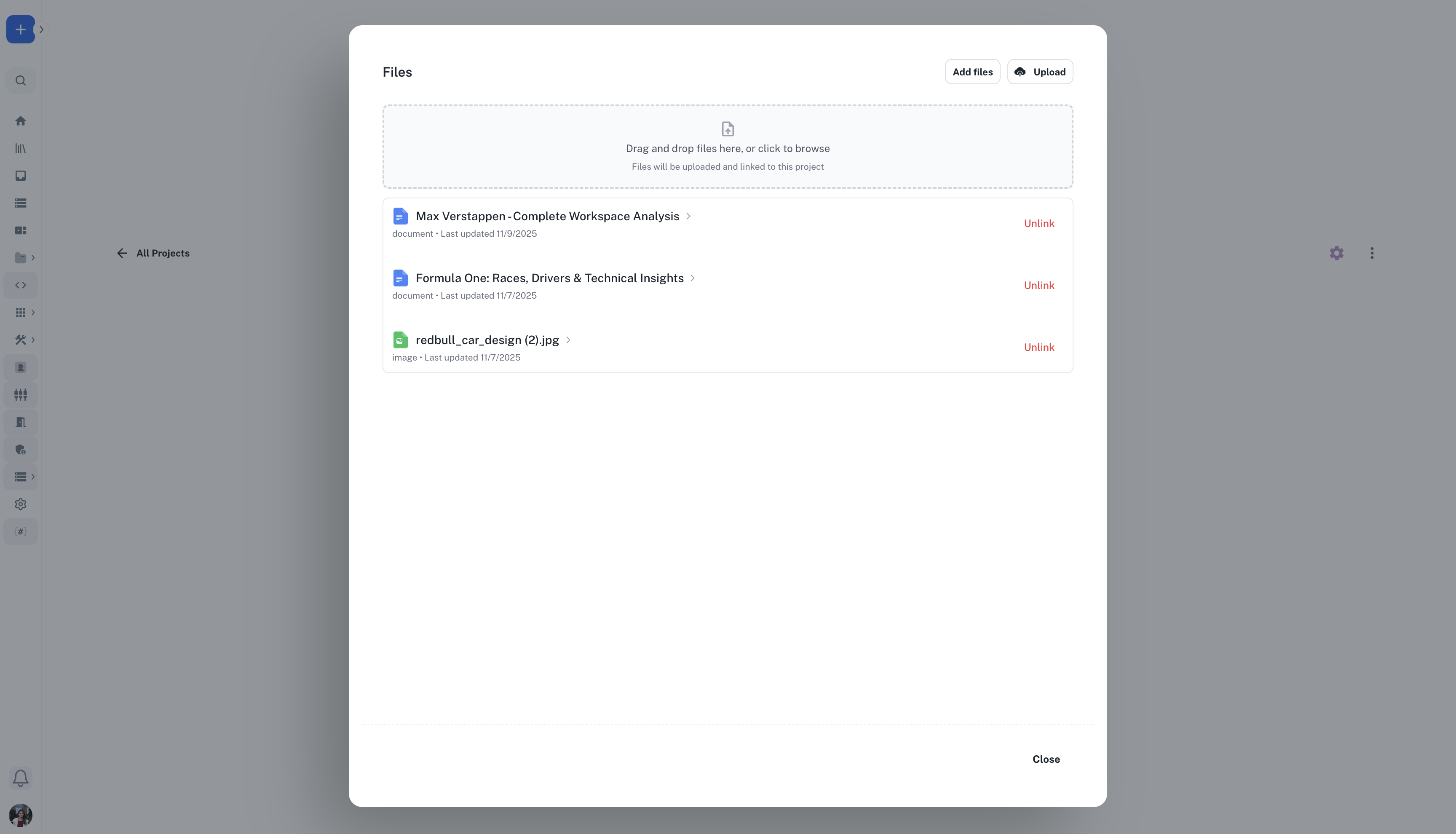 3. **Add Assets from Workspace**: Add existing documents, spreadsheets, or other assets within the project context from your workspace.
Note that you can add files directly from your SharePoint by toggline to the SharePoint asset selector.
3. **Add Assets from Workspace**: Add existing documents, spreadsheets, or other assets within the project context from your workspace.
Note that you can add files directly from your SharePoint by toggline to the SharePoint asset selector.
 ### Integration with Other Athena Features
#### Spaces Integration
Projects work seamlessly with Athena Spaces, allowing you to:
* Open project assets in flexible workspace layouts
* Maintain context across different work environments
### Integration with Other Athena Features
#### Spaces Integration
Projects work seamlessly with Athena Spaces, allowing you to:
* Open project assets in flexible workspace layouts
* Maintain context across different work environments
 Projects in Athena transform how you approach complex work by combining intelligent organization, AI assistance, and seamless collaboration into a unified experience that adapts to your unique workflow needs.