> ## Documentation Index
> Fetch the complete documentation index at: https://resources.athenaintel.com/llms.txt
> Use this file to discover all available pages before exploring further.
# Notebooks
Athena Notebooks bring the power of Jupyter notebooks directly into the Athena platform, enhancing your data analysis and coding experience. These notebooks allow you to conduct in-depth, AI-powered analyses that contain interactive code, equations, visualizations, and models.
## Key Features
### Chat with Athena in the sidebar
You can collaborate with Athena while you work. She can "see" your notebook and your currently selected cell. So if you are stuck on something, just pop open the sidebar and ask for help or to write the code for you!
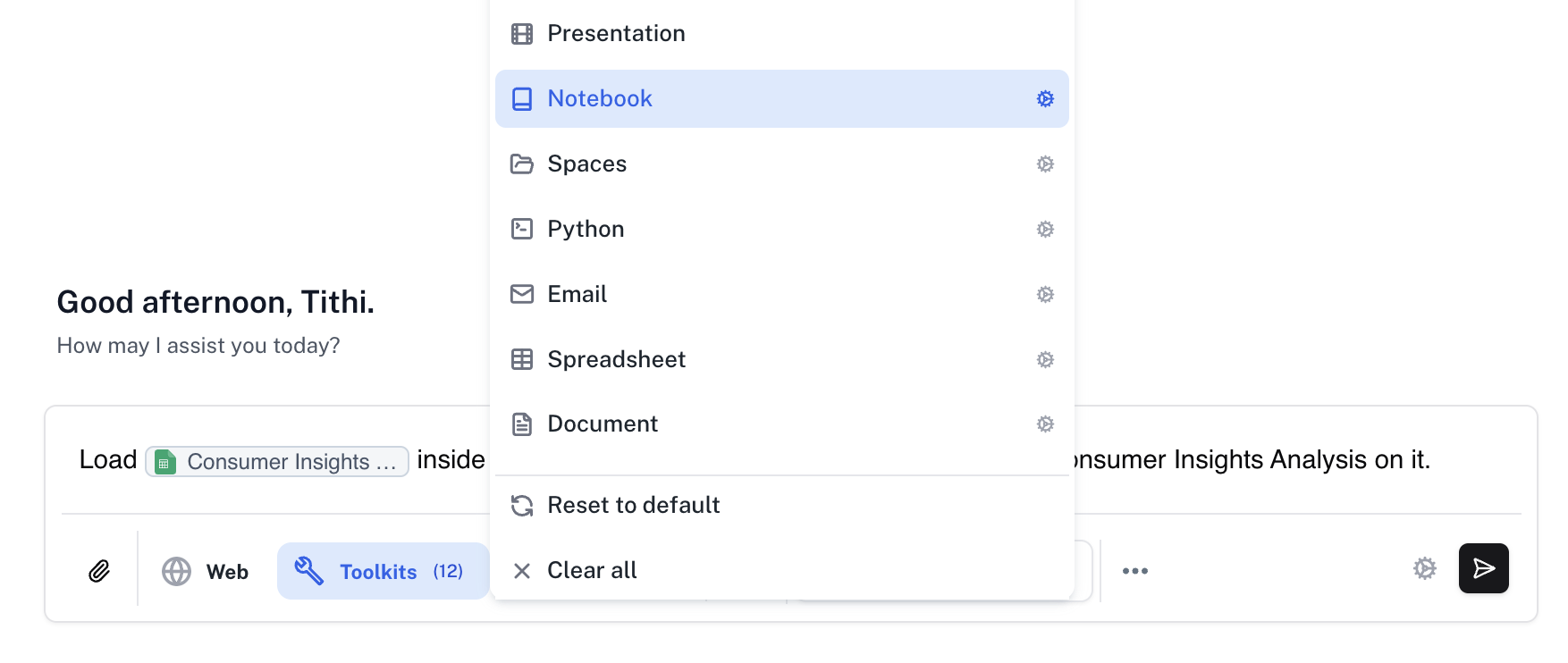
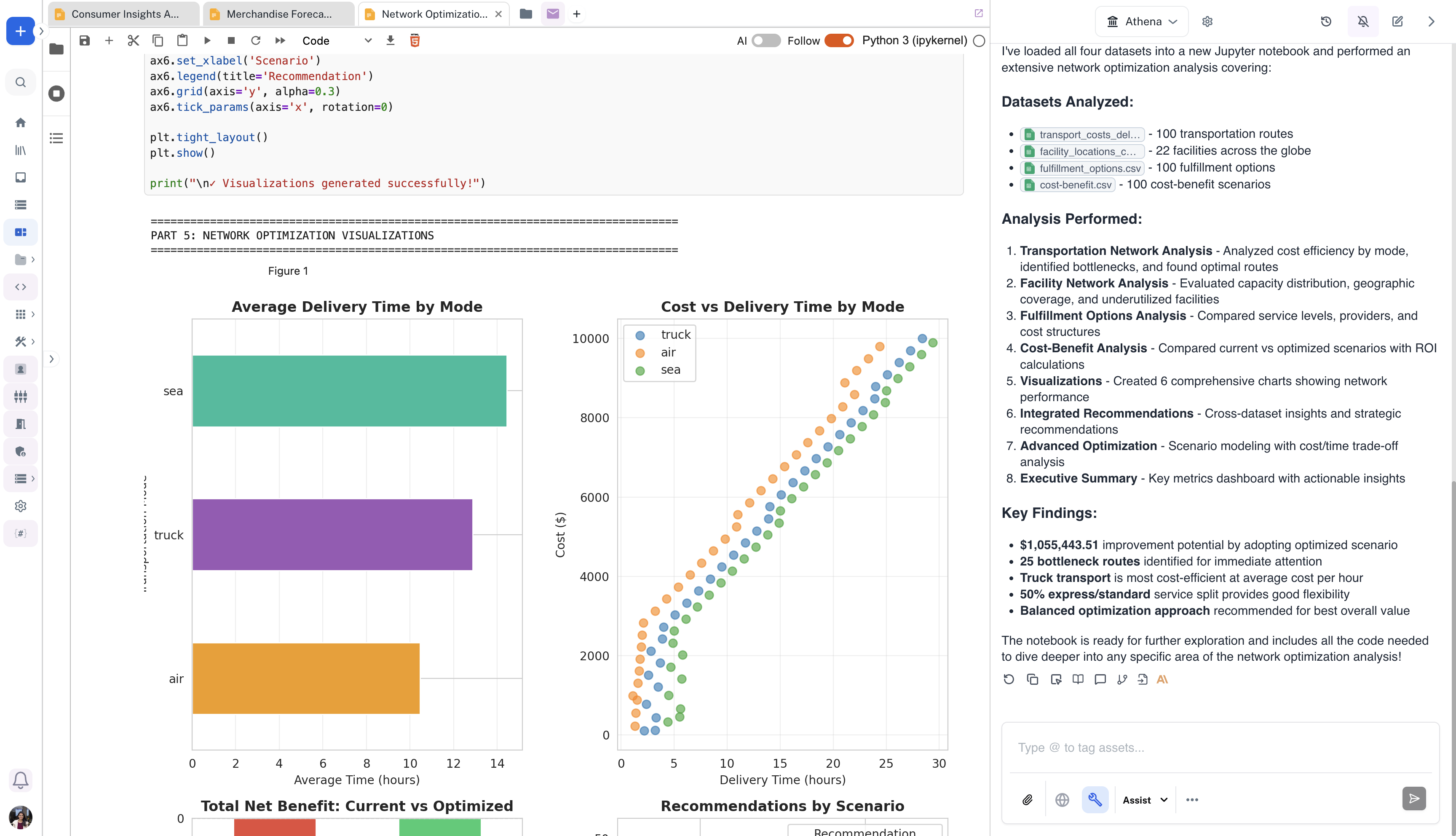 ### Directly load uploaded Excel/CSV datasets within Notebooks
Effortlessly manage your datasets by uploading Excel or CSV files as Athena assets and loading them into Athena Notebooks with a single command via the chat sidebar.
### Directly load uploaded Excel/CSV datasets within Notebooks
Effortlessly manage your datasets by uploading Excel or CSV files as Athena assets and loading them into Athena Notebooks with a single command via the chat sidebar.
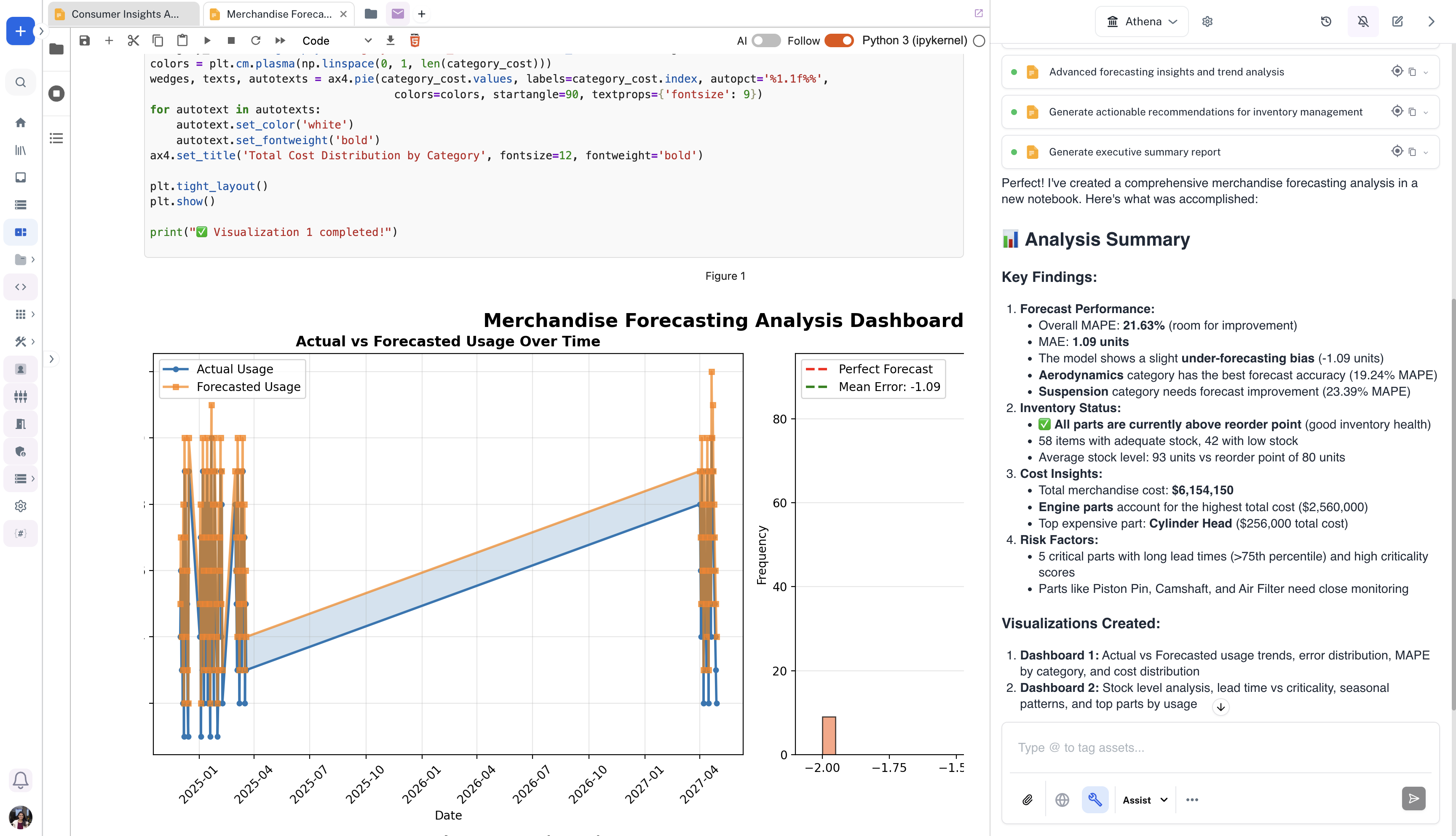
 ### Create Interactive Visualizations
Generate interactive charts, graphs, and visualizations using Athena's visualization toolkit. Create figure assets that can be shared across your organization, embedded in documents, or displayed in dashboards for data-driven insights.
### Create Interactive Visualizations
Generate interactive charts, graphs, and visualizations using Athena's visualization toolkit. Create figure assets that can be shared across your organization, embedded in documents, or displayed in dashboards for data-driven insights.
 ### Use the Athena SDK
We provide an SDK that exposes some of Athena's capabilities. The SDK allows you to generate conversation messages, perform web searches, use tools and workflows, and more. You can use that SDK directly within Athena Notebooks, eliminating the need to enter or setup your API Key.
Visit the full SDK documentation: [Athena SDK Quickstart](https://docs.athenaintel.com/).
### Use the Athena SDK
We provide an SDK that exposes some of Athena's capabilities. The SDK allows you to generate conversation messages, perform web searches, use tools and workflows, and more. You can use that SDK directly within Athena Notebooks, eliminating the need to enter or setup your API Key.
Visit the full SDK documentation: [Athena SDK Quickstart](https://docs.athenaintel.com/).