> ## Documentation Index
> Fetch the complete documentation index at: https://resources.athenaintel.com/llms.txt
> Use this file to discover all available pages before exploring further.
# Inbox
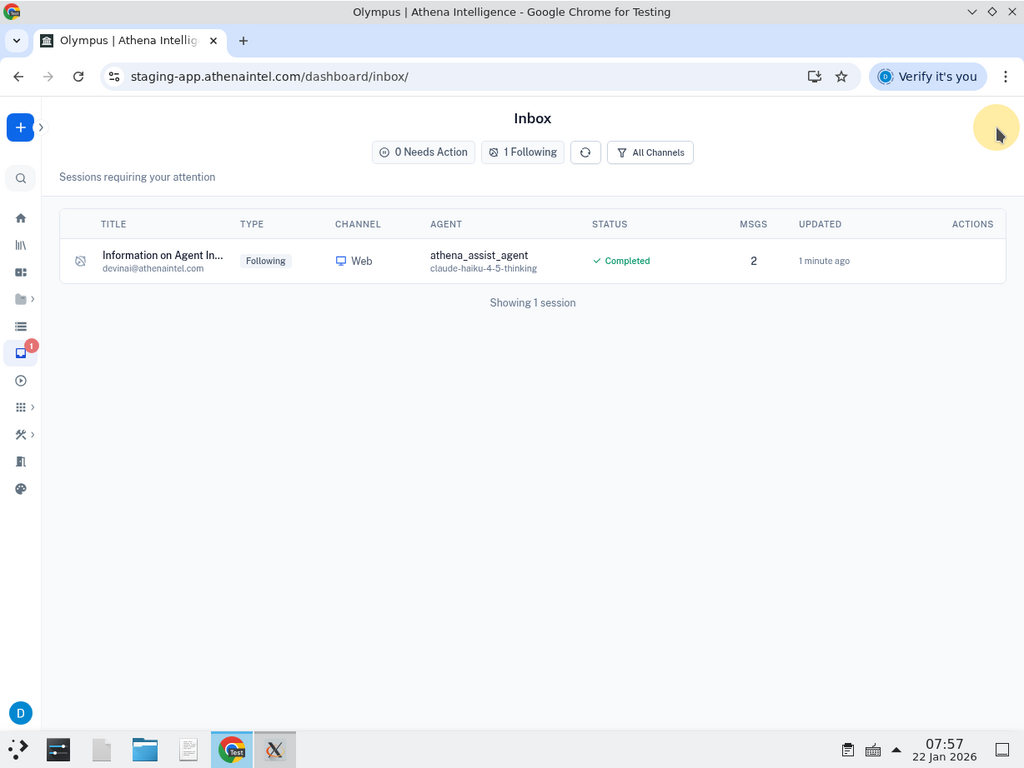
The Inbox is your central hub for managing AI agent sessions that need your attention. It shows sessions where Athena is waiting for your input and sessions you're following.
 ## Session Types
* **Needs Action** - Sessions where Athena has paused and is waiting for your approval, such as sending an email or executing a sensitive action.
* **Following** - Sessions you've subscribed to for completion notifications.
## Using the Inbox
**View details** - Click any session row to preview the full conversation history.
## Session Types
* **Needs Action** - Sessions where Athena has paused and is waiting for your approval, such as sending an email or executing a sensitive action.
* **Following** - Sessions you've subscribed to for completion notifications.
## Using the Inbox
**View details** - Click any session row to preview the full conversation history.
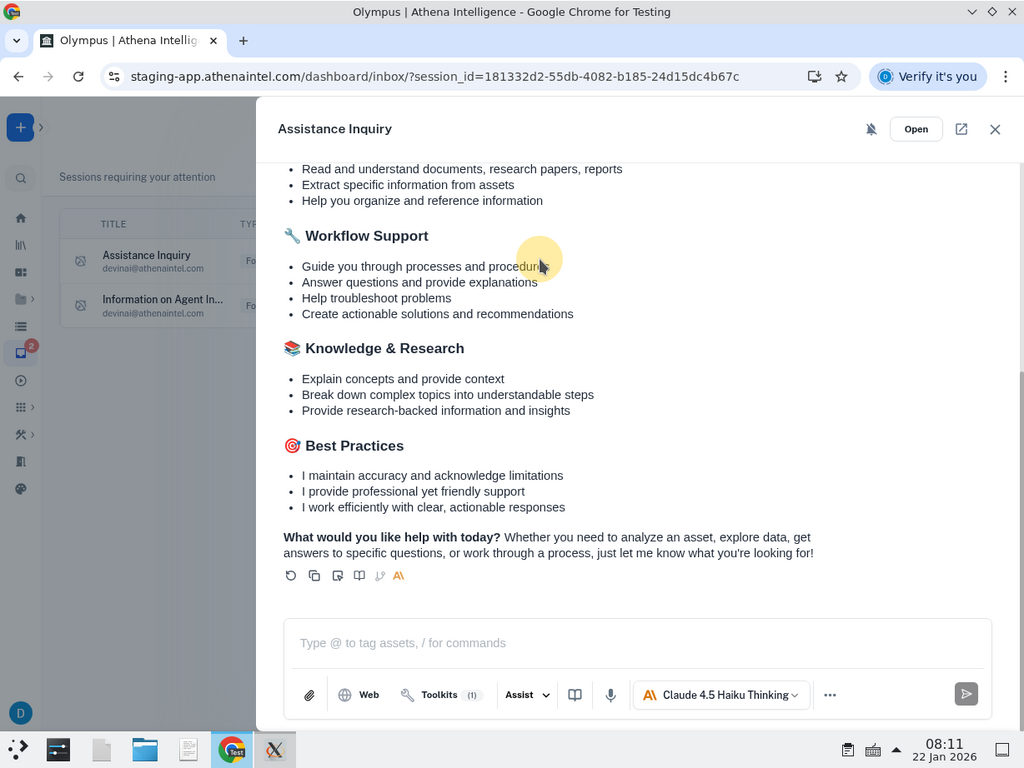 **Open session** - Click the external link icon to open the session in a new tab and interact with Athena directly.
**Filter by channel** - Use the filter dropdown in the top-right corner to show only sessions from specific channels (SMS, Slack, Email, or Web).
**Unsubscribe** - For sessions you're following, hover over the row and click the X icon to stop receiving notifications.
## Following Sessions
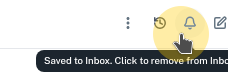
To follow a session and receive notifications when it completes, click the bell icon in the top-right corner of the chat interface. The session will be added to your Inbox under "Following."
**Open session** - Click the external link icon to open the session in a new tab and interact with Athena directly.
**Filter by channel** - Use the filter dropdown in the top-right corner to show only sessions from specific channels (SMS, Slack, Email, or Web).
**Unsubscribe** - For sessions you're following, hover over the row and click the X icon to stop receiving notifications.
## Following Sessions
To follow a session and receive notifications when it completes, click the bell icon in the top-right corner of the chat interface. The session will be added to your Inbox under "Following."
 The Inbox auto-refreshes every 5 seconds. Sessions that are automatically resumed (like deep research tasks) are filtered out to reduce noise.