> ## Documentation Index
> Fetch the complete documentation index at: https://resources.athenaintel.com/llms.txt
> Use this file to discover all available pages before exploring further.

# Brand Kits

<Tip>Maintain consistent brand identity across all your content generated by Athena!</Tip>

<Tabs>
  <Tab title="Overview">
    Brand Kits enable you to define and apply your organization's brand guidelines across all AI-generated content in Athena. By configuring your brand identity once, you ensure that presentations, user interfaces, documents, sheets, and other assets consistently reflect your company's visual style and voice.

    <Frame>
      <iframe title="vimeo-player" src="https://player.vimeo.com/video/1143999026?h=c588a4fd5f" width="640" height="360" frameborder="0" referrerpolicy="strict-origin-when-cross-origin" allow="autoplay; fullscreen; picture-in-picture; clipboard-write; encrypted-media; web-share" allowfullscreen />
    </Frame>

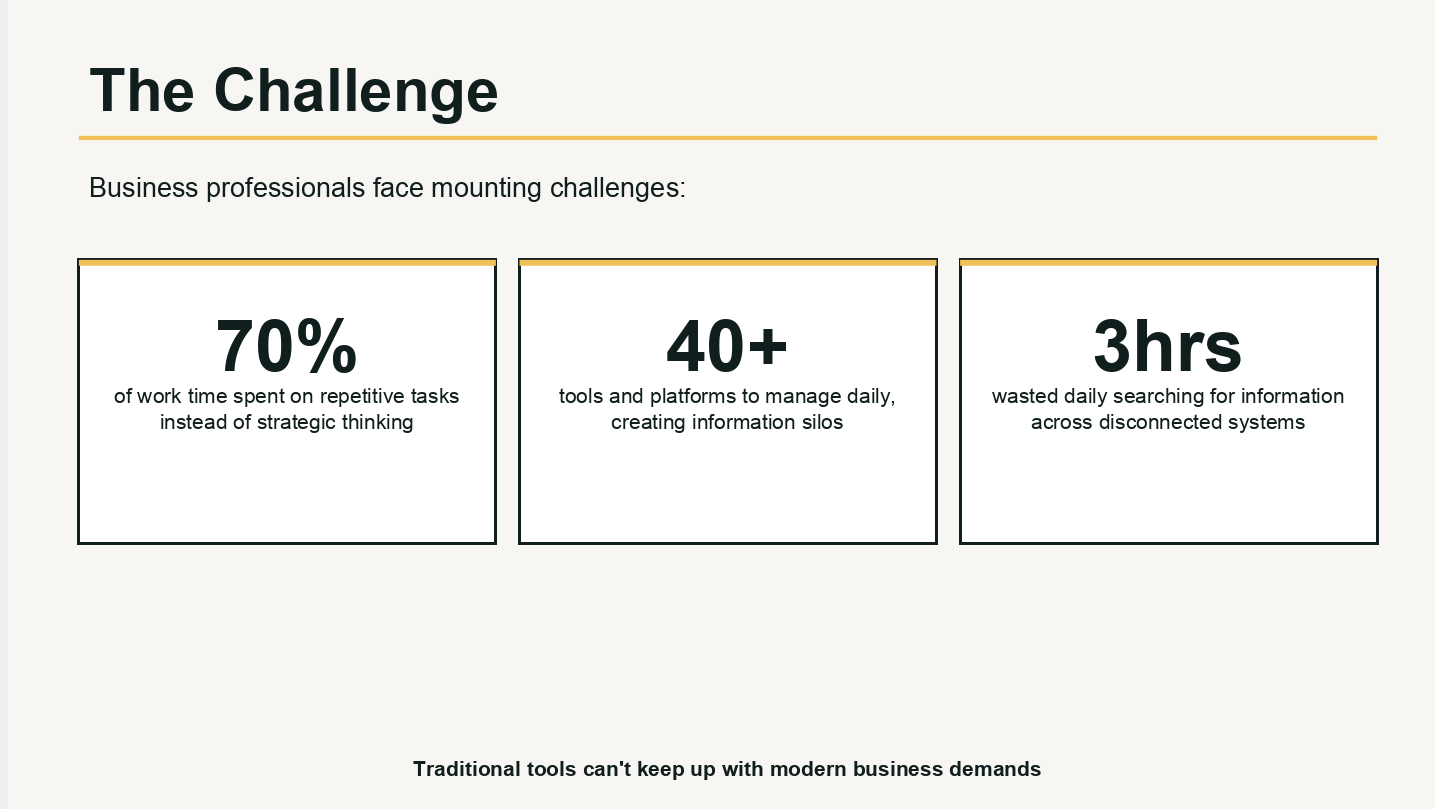
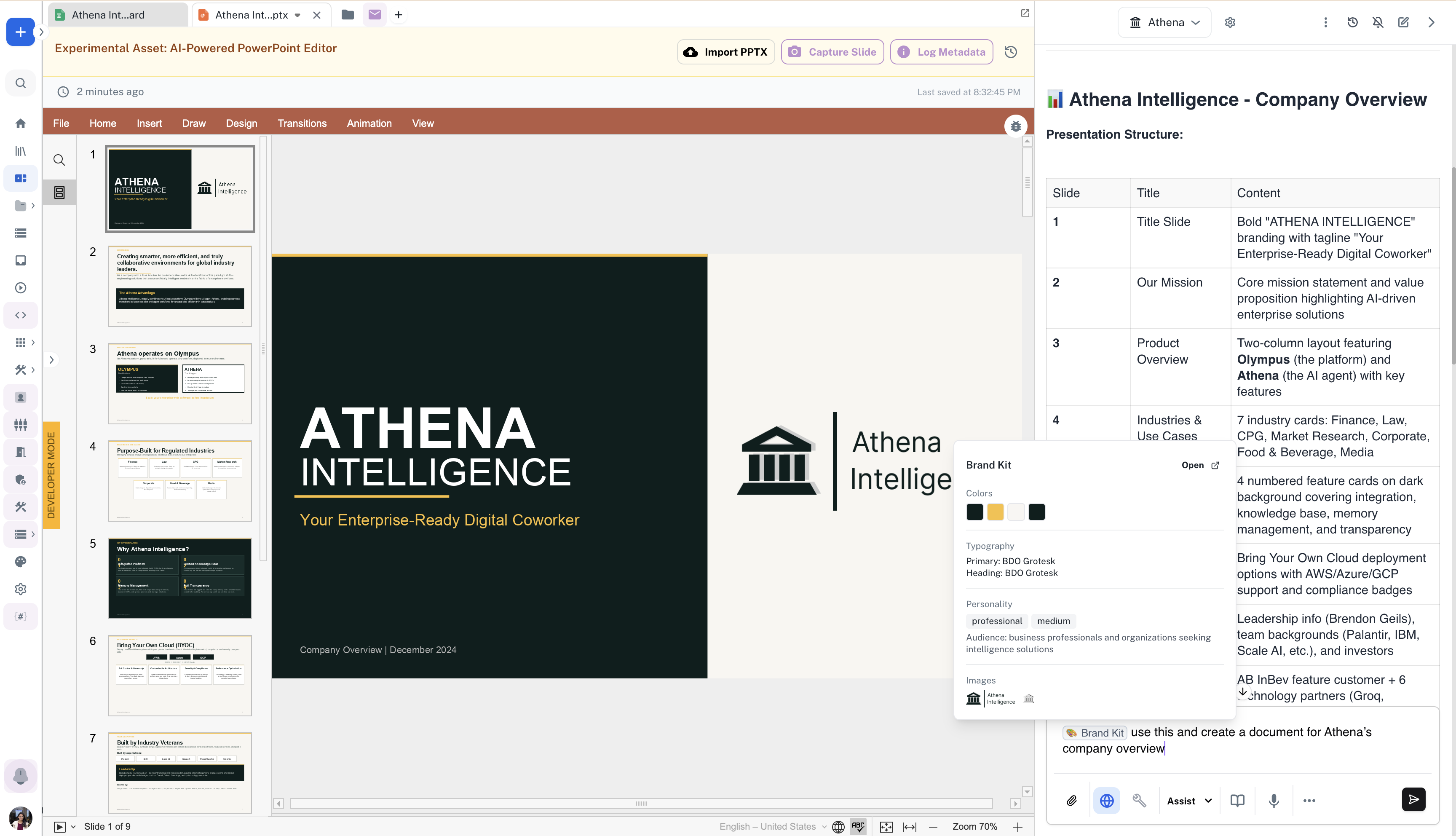
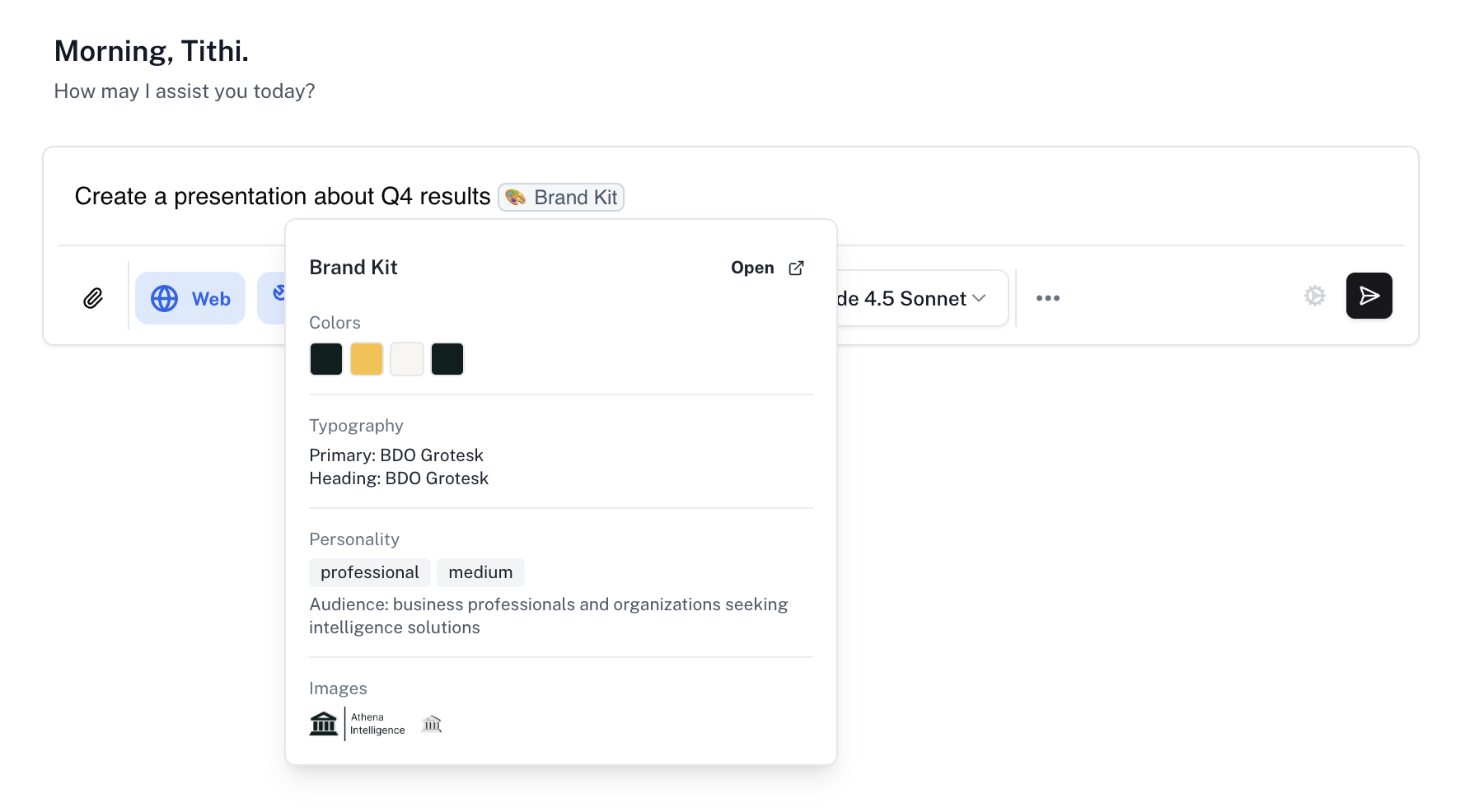
    When you mention @Brand Kit in any chat conversation, Athena automatically applies your configured brand guidelines to the generated content, ensuring colors, typography, and tone align with your organization's identity.

    ## Key Features

    ### Comprehensive Brand Configuration

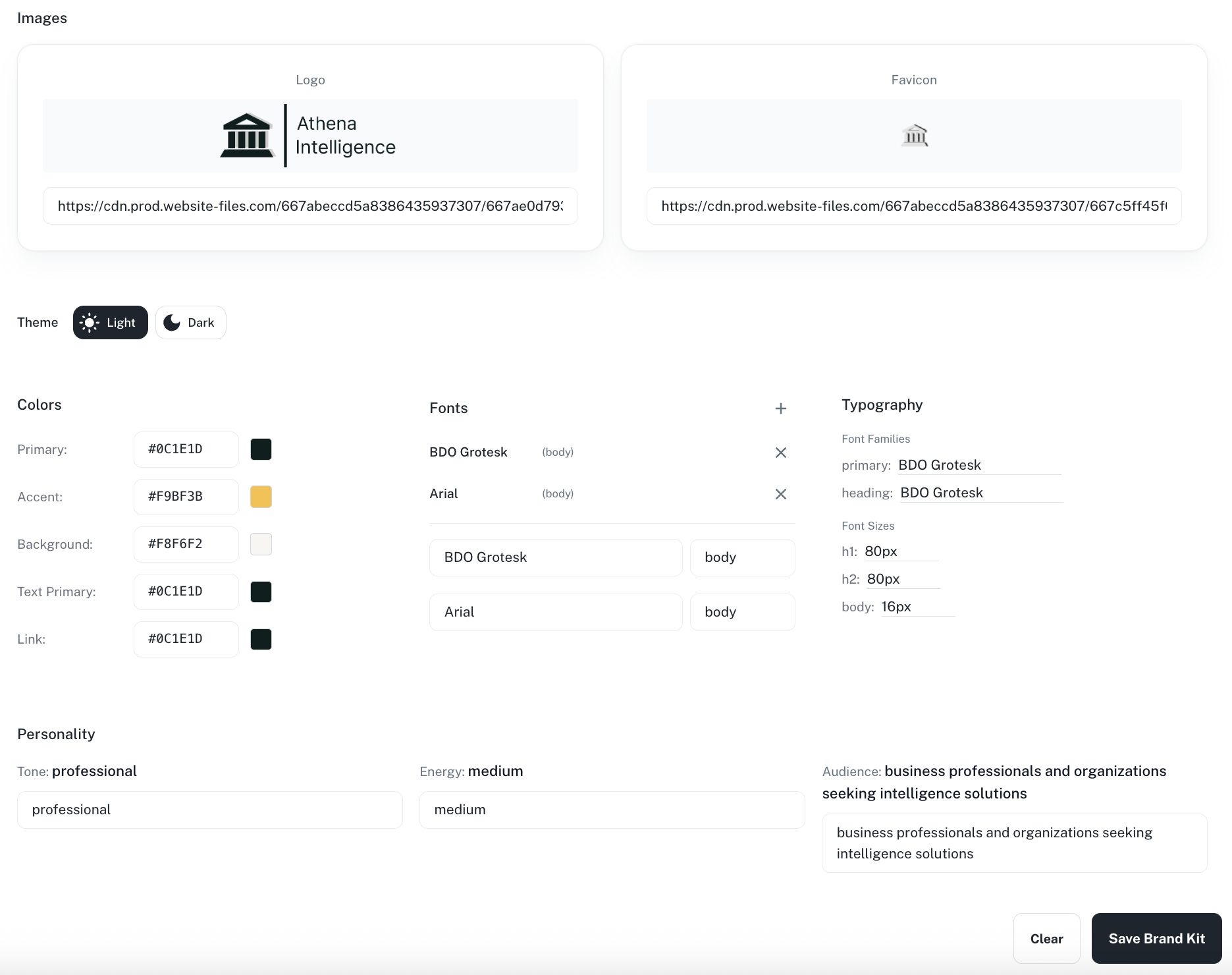
    Define your complete brand identity including colors, typography, images, and personality. Brand Kits support primary and accent colors, background colors, text colors, link colors, and custom color schemes for both light and dark themes.

    <Accordion title="Available Customizations">
      #### Brand Personality and Voice

      Beyond visual elements, Brand Kits capture your brand's personality including tone (professional, casual, friendly), energy level (high, medium, low), and target audience. This ensures AI-generated content matches not just your visual identity but also your communication style.

      #### Theme Support

      Configure separate settings for light and dark color schemes, allowing your brand to adapt appropriately to different viewing contexts while maintaining consistency.

      #### Typography Control

      Define font families for headings and body text, specify font sizes for different heading levels (H1, H2) and body text, and add custom fonts with specific roles to ensure typographic consistency across all generated content.

      #### Brand Images

      Upload your logo and favicon URLs to ensure brand imagery is readily available when generating content that requires visual brand elements.
    </Accordion>

    <Frame>
      <img src="https://mintcdn.com/athenaintelligence-e46bc9d3/1K9JaBoqyAQssL9u/images/brand-kit-config.png?fit=max&auto=format&n=1K9JaBoqyAQssL9u&q=85&s=a628617526da110bc66db42eb5c88c2a" width="1871" height="1480" data-path="images/brand-kit-config.png" />
    </Frame>

    ### Auto-Capture from Website

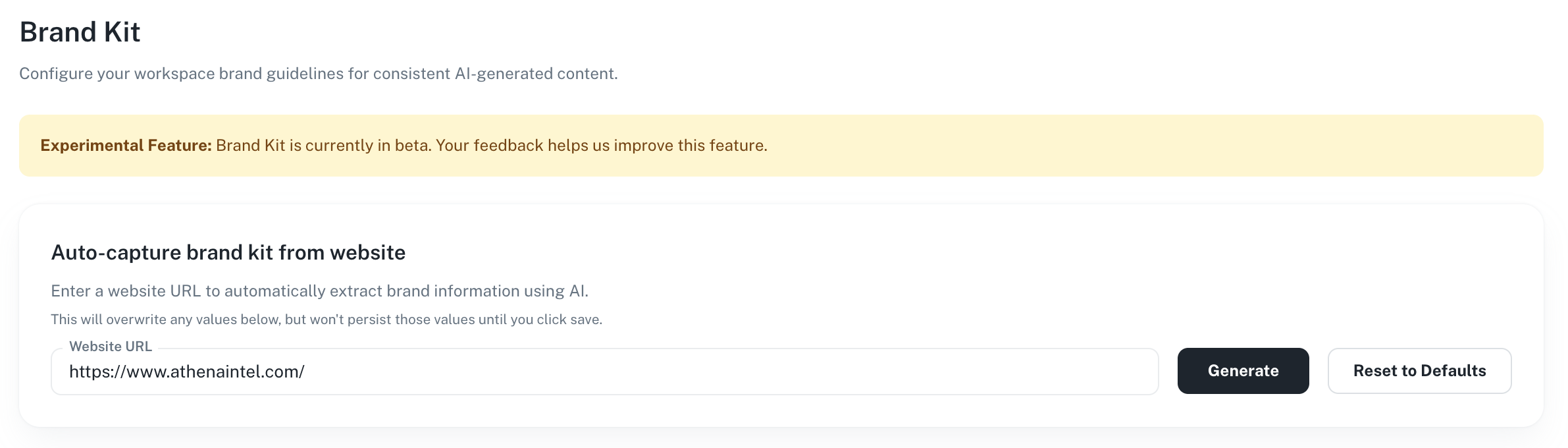
    Automatically extract brand information from any website URL using AI. Simply enter your company's website URL, and Athena will analyze the page to extract colors, fonts, and other brand elements, saving you time on manual configuration.
    <Frame>
      <img src="https://mintcdn.com/athenaintelligence-e46bc9d3/1K9JaBoqyAQssL9u/images/brand-kit3.png?fit=max&auto=format&n=1K9JaBoqyAQssL9u&q=85&s=35b2cb75c78bcd8e963518fb5ef2ff23" width="2382" height="680" data-path="images/brand-kit3.png" />
    </Frame>

    ### Cross-Application Styling

    Brand Kits work seamlessly across all Athena applications. Whether you're creating presentations, building user interfaces, generating documents, or working with sheets, your brand guidelines are consistently applied to maintain a unified look and feel.
    <Frame>
      <img src="https://mintcdn.com/athenaintelligence-e46bc9d3/1K9JaBoqyAQssL9u/images/brand-kit2.png?fit=max&auto=format&n=1K9JaBoqyAQssL9u&q=85&s=496102dd0902860b3c9be306344757a8" width="3456" height="1984" data-path="images/brand-kit2.png" />
    </Frame>
  </Tab>

  <Tab title="Step-by-Step Guide">
    Learn how to configure your Brand Kit and apply it to AI-generated content across Athena.

    <Tabs>
      <Tab title="Configure Brand Kit">
        <p>
          Set up your organization's brand guidelines in the Brand Kit configuration panel.
        </p>

        <Steps>
          <Step title="Access Brand Kit Settings">
            Navigate to the [Brand Kit](https://app.athenaintel.com/dashboard/brand-kit/) section in your workspace settings. You'll see the configuration panel where you can define all aspects of your brand identity.
          </Step>

          <Step title="Auto-Capture from Website">
            To quickly populate your brand settings, enter your company's website URL in the "Auto-capture brand kit from website" section and click **Generate**. Athena will analyze the page and extract brand colors, fonts, and other elements automatically.

            <Frame>
              <img src="https://mintcdn.com/athenaintelligence-e46bc9d3/1K9JaBoqyAQssL9u/images/brand-kit3.png?fit=max&auto=format&n=1K9JaBoqyAQssL9u&q=85&s=35b2cb75c78bcd8e963518fb5ef2ff23" width="2382" height="680" data-path="images/brand-kit3.png" />
            </Frame>
          </Step>

          <Step title="Configure your Brand Kit">
            If you wish to make some changes to the auto-capture done by Athena from your website, you can manually edit any of the settings across images, themes, colors, fonts, typography, personality, etc.

            <Frame>
              <img src="https://mintcdn.com/athenaintelligence-e46bc9d3/1K9JaBoqyAQssL9u/images/brand-kit-config.png?fit=max&auto=format&n=1K9JaBoqyAQssL9u&q=85&s=a628617526da110bc66db42eb5c88c2a" width="1871" height="1480" data-path="images/brand-kit-config.png" />
            </Frame>
          </Step>

          <Step title="Save Brand Kit">
            Click **Save Brand Kit** to persist your configuration. Your brand guidelines are now ready to use across all Athena applications.
          </Step>
        </Steps>
      </Tab>

      <Tab title="Apply Brand Kit">
        <p>
          Use your configured Brand Kit when generating content with Athena.
        </p>

        <Steps>
          <Step title="Mention @Brand Kit in Chat">
            When chatting with Athena, mention **@Brand Kit** in your message to apply your brand guidelines to the generated content. For example: "Create a presentation about Q4 results @Brand Kit"

            <Frame>
              <img src="https://mintcdn.com/athenaintelligence-e46bc9d3/1K9JaBoqyAQssL9u/images/brand-kit5.png?fit=max&auto=format&n=1K9JaBoqyAQssL9u&q=85&s=208b156854efbd98e728d59730068b33" width="1778" height="986" data-path="images/brand-kit5.png" />
            </Frame>
          </Step>

          <Step title="Review Branded Content">
            The generated content will reflect your brand identity. Review the output to ensure it meets your expectations.

            <Frame>
              <img src="https://mintcdn.com/athenaintelligence-e46bc9d3/1K9JaBoqyAQssL9u/images/brand-kit-presentation-1.png?fit=max&auto=format&n=1K9JaBoqyAQssL9u&q=85&s=e855a7bef9d6dd50de4f2fff512f55b4" width="1435" height="809" data-path="images/brand-kit-presentation-1.png" />
            </Frame>

            <Frame>
              <img src="https://mintcdn.com/athenaintelligence-e46bc9d3/1K9JaBoqyAQssL9u/images/brand-kit2.png?fit=max&auto=format&n=1K9JaBoqyAQssL9u&q=85&s=496102dd0902860b3c9be306344757a8" width="3456" height="1984" data-path="images/brand-kit2.png" />
            </Frame>
          </Step>
        </Steps>
      </Tab>
    </Tabs>
  </Tab>

  <Tab title="Brand Kit Elements">
    Athena offers a suite of brand kit elements that define your brand identity.

    <Frame>
      <img src="https://mintcdn.com/athenaintelligence-e46bc9d3/1K9JaBoqyAQssL9u/images/brand-kit-config.png?fit=max&auto=format&n=1K9JaBoqyAQssL9u&q=85&s=a628617526da110bc66db42eb5c88c2a" width="1871" height="1480" data-path="images/brand-kit-config.png" />
    </Frame>

    ## Color Palette

    Your brand's color palette defines the visual foundation for all generated content.

    | Color            | Purpose                                           |
    | ---------------- | ------------------------------------------------- |
    | **Primary**      | Main brand elements, headers, and primary actions |
    | **Accent**       | Highlights, calls-to-action, and emphasis         |
    | **Background**   | Backgrounds and supporting elements               |
    | **Text Primary** | Primary text content                              |
    | **Link**         | Hyperlinks and interactive elements               |

    ## Typography

    Typography settings ensure consistent text styling across all content.

    **Font Families**

    * **Primary**: Used for body text and general content
    * **Heading**: Used for headings and titles

    **Font Sizes**

    * **H1**: Main heading size (e.g., 80px)
    * **H2**: Secondary heading size (e.g., 80px)
    * **Body**: Standard body text size (e.g., 16px)

    ## Brand Personality

    Personality settings guide the tone and voice of AI-generated content.

    | Setting             | Description                 | Examples                                           |
    | ------------------- | --------------------------- | -------------------------------------------------- |
    | **Tone**            | Overall communication style | Professional, Casual, Friendly, Formal             |
    | **Energy**          | Content energy level        | High, Medium, Low                                  |
    | **Target Audience** | Who the content is for      | Business professionals, Consumers, Technical users |

    ## Supported Applications

    Brand Kits can be applied when generating content in:

    * **Presentations**: Slide decks with branded colors, fonts, and styling
    * **User Interfaces**: Dashboards and applications with consistent brand theming
    * **Documents**: Reports and documents that reflect your brand voice
    * **Sheets**: Spreadsheets with branded formatting and styling
  </Tab>
</Tabs>