> ## Documentation Index
> Fetch the complete documentation index at: https://resources.athenaintel.com/llms.txt
> Use this file to discover all available pages before exploring further.

# Getting Started in Athena

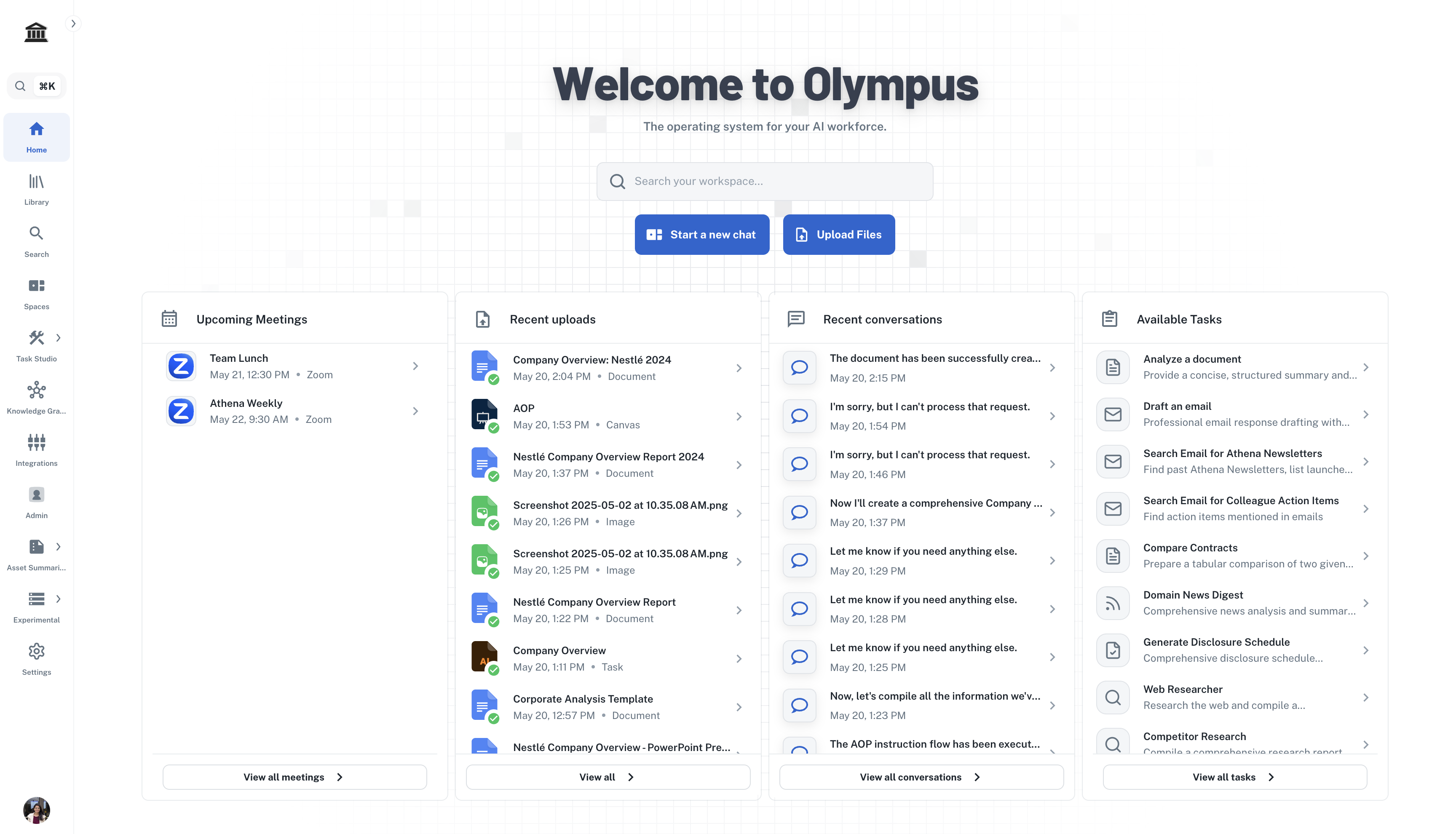
This guide will walk you through Athena—covering everything from basic functionalities to unlocking its full potential. With step-by-step instructions and practical tips, learn how to leverage Athena to simplify tasks and enhance productivity.

<Tip>Browse [Athena's capabilities](https://resources.athenaintel.com/docs/capabilities/athena-for-enterprise) to learn sample use cases.</Tip>

<Frame>
  <img src="https://mintcdn.com/athenaintelligence-e46bc9d3/1K9JaBoqyAQssL9u/images/athena-dashboard.png?fit=max&auto=format&n=1K9JaBoqyAQssL9u&q=85&s=3e2e844227c88e4868baf71fa3cda76f" width="3420" height="1892" data-path="images/athena-dashboard.png" />
</Frame>

<Tip>Explore our curated [video collection](https://www.youtube.com/@athenaintelligence) for detailed tutorials and implementation guides.</Tip>

### Login Instructions

<Info>Reach out to us at [team@athenaintel.com](mailto:team@athenaintel.com) to get access to Athena. Once you have the access, follow the steps below to login and use Athena.</Info>

<Steps>
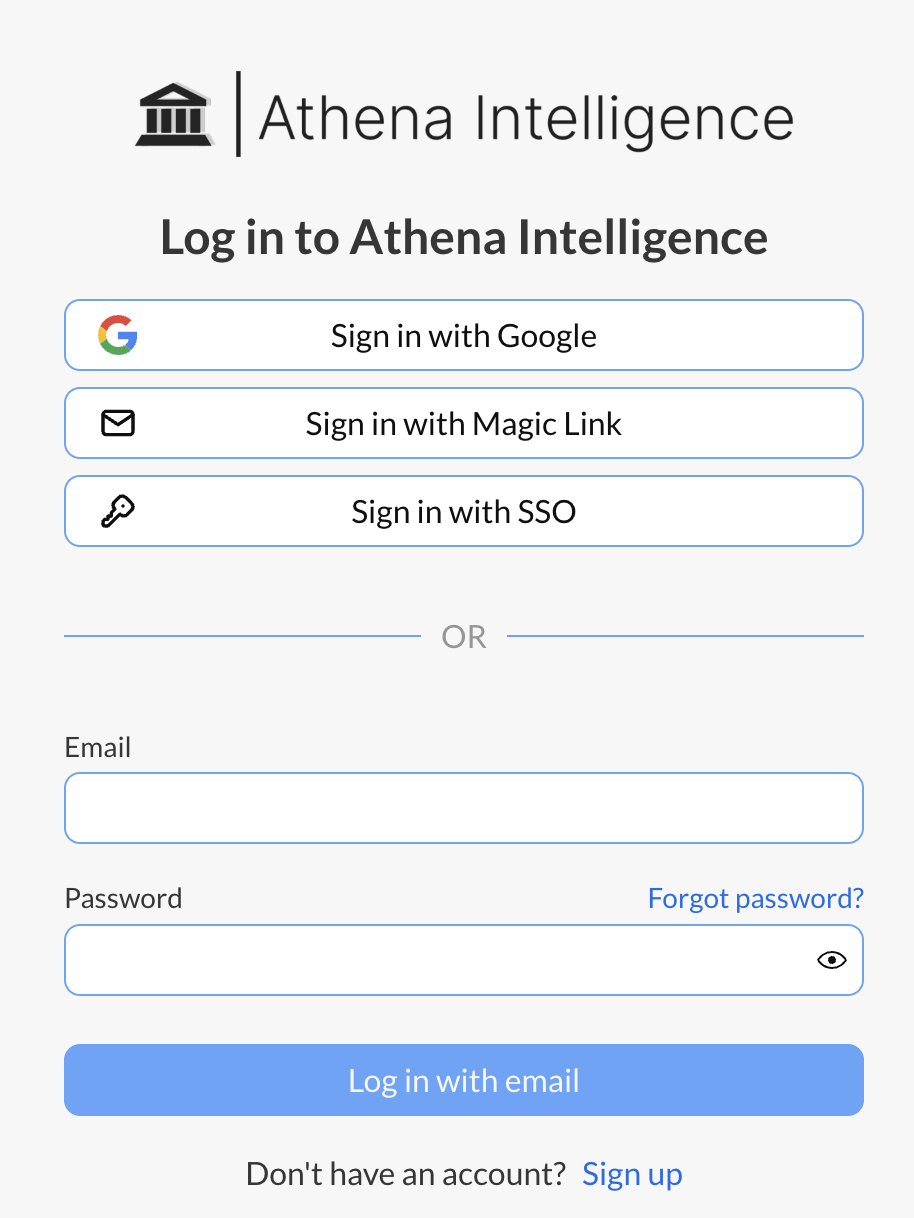
  <Step title="Login">
    Navigate to [Olympus](https://app.athenaintel.com/). Login using your credentials.

    <Frame>
      <img height="300" width="300" src="https://mintcdn.com/athenaintelligence-e46bc9d3/90btWVz9KlRtRqc4/images/login-step1.png?fit=max&auto=format&n=90btWVz9KlRtRqc4&q=85&s=457f961ae7acbbc54ff924c9dbc98e71" data-path="images/login-step1.png" />
    </Frame>
  </Step>

  <Step title="Get Started">
    Click on **Start a new chat**.

    <Frame>
      <img src="https://mintcdn.com/athenaintelligence-e46bc9d3/90btWVz9KlRtRqc4/images/login-step2.png?fit=max&auto=format&n=90btWVz9KlRtRqc4&q=85&s=16346fcebc83d6144217fa02ee4ca6f7" width="3456" height="1980" data-path="images/login-step2.png" />
    </Frame>
  </Step>

  <Step title="Use Athena">
    Follow the guides below to understand how to use Athena.
  </Step>
</Steps>

<Tip>Learn more about Athena's powerful [suite of applications](/docs/getting-started/feature-overviews).</Tip>

### Using Chat

Explore the capabilities of Athena Chat [here](/docs/pillars/applications/chat)!

<Steps>
  <Step title="Web Research">
    In the **Chat** window, type the following prompt and press **Enter**.

    <CodeBlock filename="Prompt">
      Search the web for latest news in the AI industry.
    </CodeBlock>

    <Frame>
      <img src="https://mintcdn.com/athenaintelligence-e46bc9d3/uHIRzQcn8b73jJ6H/images/web-step1.png?fit=max&auto=format&n=uHIRzQcn8b73jJ6H&q=85&s=5b1661b031089b64b85ab5f3c35f9ece" width="1818" height="318" data-path="images/web-step1.png" />
    </Frame>
  </Step>

  <Step title="Draft a report">
    Type the following prompt and press **Enter**.

    <CodeBlock filename="Prompt">
      Create a new document with a summary of your results.
    </CodeBlock>

    <Frame>
      <img src="https://mintcdn.com/athenaintelligence-e46bc9d3/uHIRzQcn8b73jJ6H/images/web-step2.png?fit=max&auto=format&n=uHIRzQcn8b73jJ6H&q=85&s=693163e520af47e807e49fdff25f1ba9" width="1796" height="306" data-path="images/web-step2.png" />
    </Frame>
  </Step>
</Steps>

### Analyzing Documents

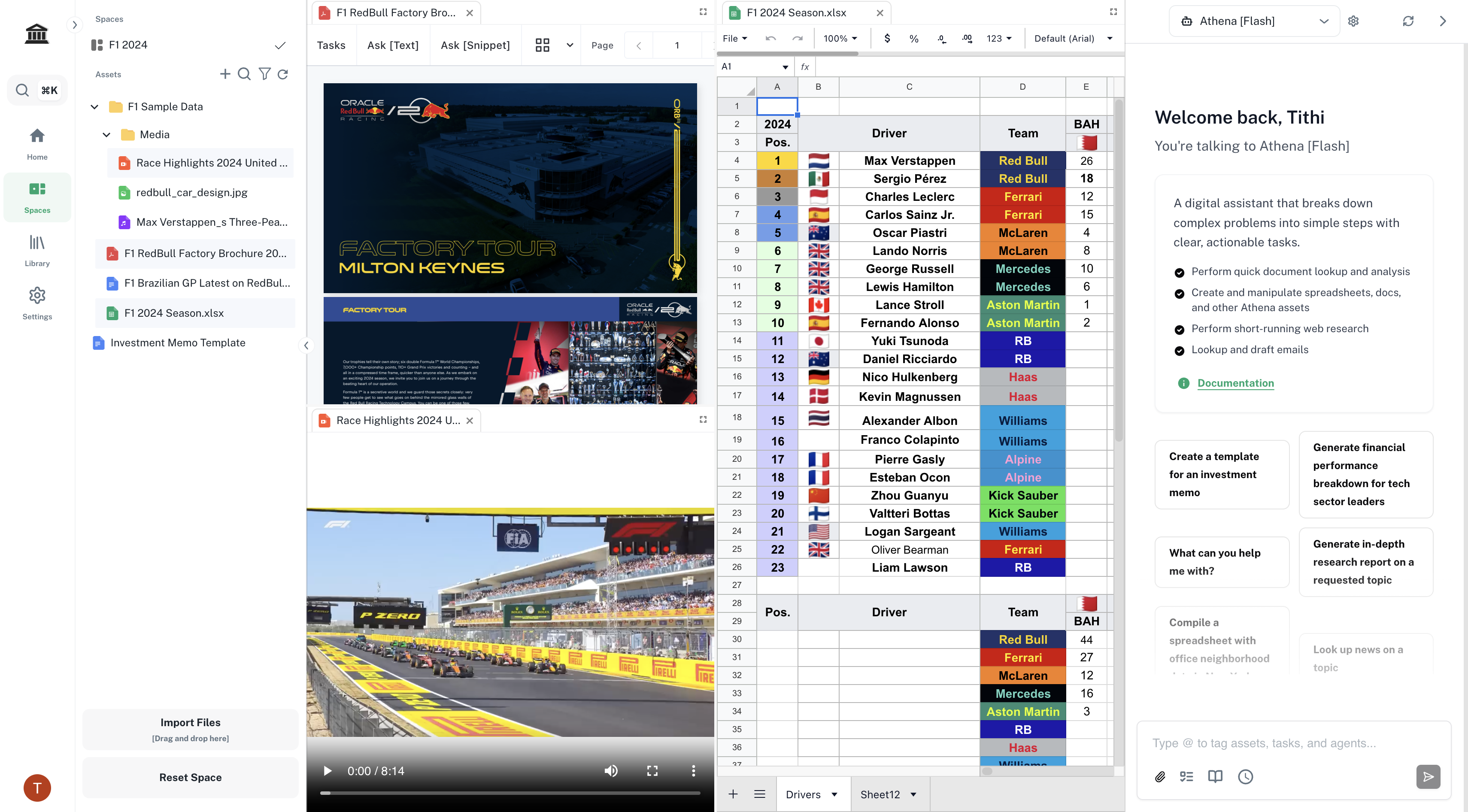
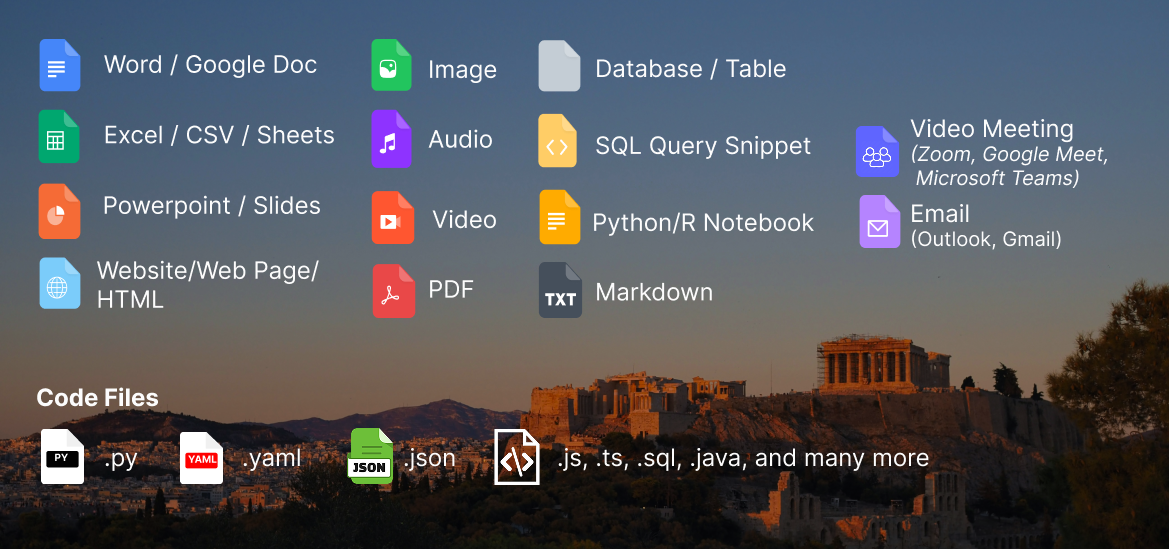
Files in Athena are called **Assets**. You can easily upload the supported file types and interact with them using **Athena Chat**. Athena supports the following asset types:

<Frame>
  <img src="https://mintcdn.com/athenaintelligence-e46bc9d3/Uv9JdE4EbB3zmCPu/images/filetypes.png?fit=max&auto=format&n=Uv9JdE4EbB3zmCPu&q=85&s=6ca215b7da72ae2df8f6c15adf64e958" width="1169" height="549" data-path="images/filetypes.png" />
</Frame>

<br />

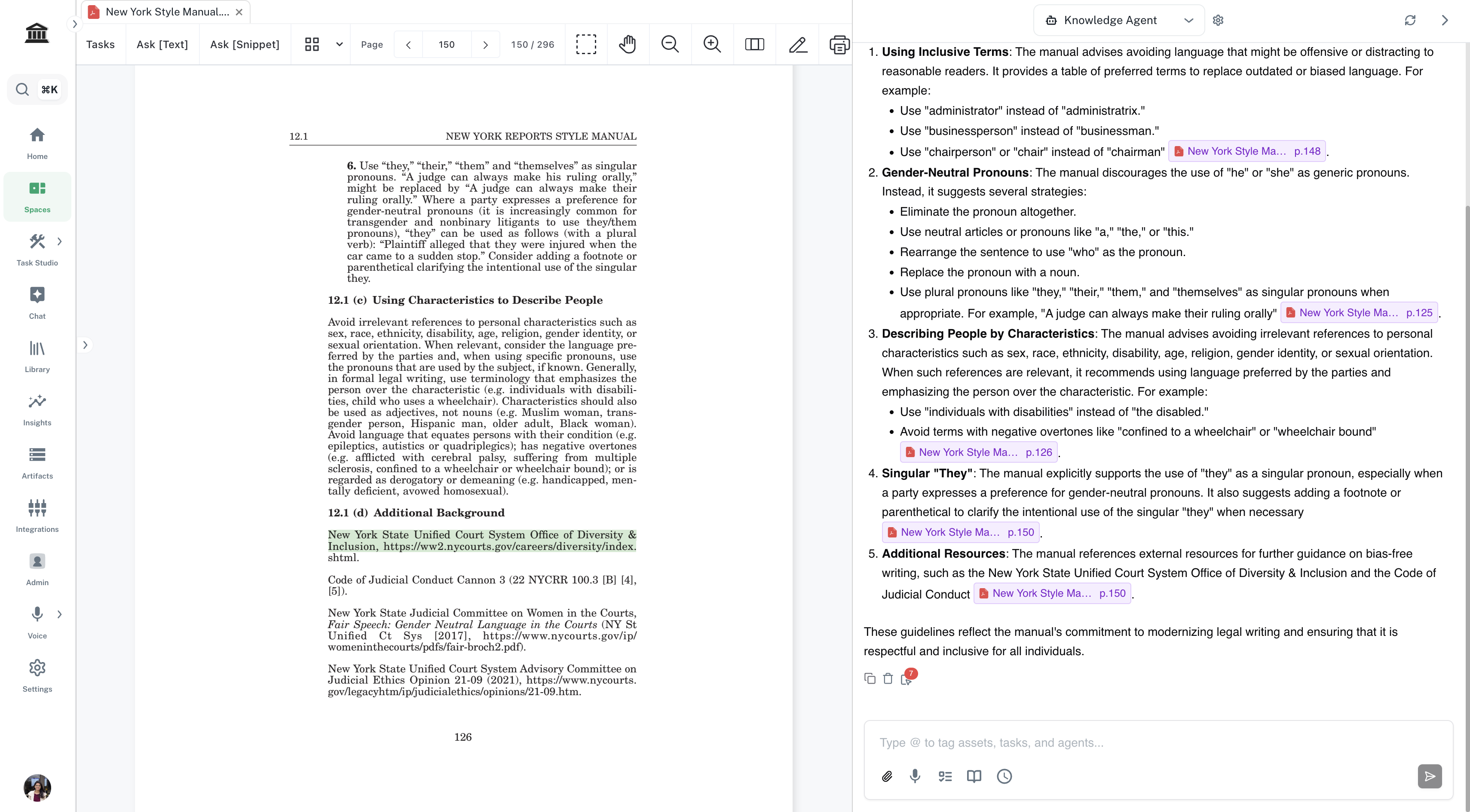
<Accordion title="Athena supports page-level citations in PDFs!">
  Athena enhances document analysis with its capability to support page-level citations in PDFs. This allows you to pinpoint specific pages within a document that are referenced during analysis, ensuring transparency and accuracy in the information retrieval process.

  Whether you're summarizing, extracting data, or generating reports, Athena's page-level citations provide granular details that make your outputs more reliable and trustworthy. You can click on the citation to scroll to the highlighted source behind Athena's response.

  <Frame>
    <img src="https://mintcdn.com/athenaintelligence-e46bc9d3/1K9JaBoqyAQssL9u/images/citations.png?fit=max&auto=format&n=1K9JaBoqyAQssL9u&q=85&s=2a51710393c47bc68676ec83c2f9da28" width="3420" height="1890" data-path="images/citations.png" />
  </Frame>
</Accordion>

<Steps>
  <Step title="Upload assets">
    There are multiple ways to [upload assets in Athena](https://resources.athenaintel.com/docs/connect-your-data/import). The simplest way is to drag and drop assets from your computer onto the file tree view on the left.

    <Frame>
      <video autoPlay muted loop playsInline className="w-full aspect-video" src="https://mintcdn.com/athenaintelligence-e46bc9d3/tccVZbz4-WY4xy6A/images/analyze-step1.mp4?fit=max&auto=format&n=tccVZbz4-WY4xy6A&q=85&s=5b37d52ec447f053c131257ff2843db0" data-path="images/analyze-step1.mp4" />
    </Frame>
  </Step>

  <Step title="Interact">
    Enter the following prompt in the **Chat** window on the right. Press **Enter**.

    <CodeBlock filename="Prompt">
      What role does the Operations Room play in supporting Red Bull Racing's trackside performance during races?
    </CodeBlock>

    <Frame>
      <video autoPlay muted loop playsInline className="w-full aspect-video" src="https://mintcdn.com/athenaintelligence-e46bc9d3/tccVZbz4-WY4xy6A/images/analyze-step2.mp4?fit=max&auto=format&n=tccVZbz4-WY4xy6A&q=85&s=87e1f9f63d63fabf26299faf262f204f" data-path="images/analyze-step2.mp4" />
    </Frame>
  </Step>
</Steps>

### Library and Settings

[Library](https://resources.athenaintel.com/docs/task-studio/library) is a collection of Tasks and Apps in Athena. Settings help you integrate your [email](https://resources.athenaintel.com/docs/pillars/applications/email-athena) and calendar accounts with Athena. Watch this video to learn how to use these in Athena.

<Frame caption="Library and Settings">
  <iframe width="560" height="315" src="https://www.youtube.com/embed/kHRLeiMlpGc" title="YouTube video player" frameborder="0" allow="accelerometer; autoplay; clipboard-write; encrypted-media; gyroscope; picture-in-picture" allowfullscreen />
</Frame>

<br />

<CardGroup cols={2}>
  <Card title="Athena Library" icon="lightbulb" href="https://resources.athenaintel.com/docs/task-studio/library">
    Explore Athena's collection of one-click tasks and apps.
  </Card>

  <Card title="Data Integration" icon="database" href="https://resources.athenaintel.com/docs/connect-your-data/all-integrations">
    Explore how to connect your data sources to Athena.
  </Card>

  <Card title="Agents in Athena" icon="users" href="https://resources.athenaintel.com/docs/agents/athena-agents">
    Learn more about Athena Agents and how to use them.
  </Card>

  <Card title="Email Integration" icon="envelope" href="https://resources.athenaintel.com/docs/pillars/applications/email-athena">
    Explore how to connect your Gmail/Outlook account to Athena.
  </Card>
</CardGroup>