> ## Documentation Index
> Fetch the complete documentation index at: https://resources.athenaintel.com/llms.txt
> Use this file to discover all available pages before exploring further.
# Postgres
Connect Postgres to Athena to interact with your Postgres databases. Anything that speaks the Postgres wire protocol works too — Redshift, Supabase, Neon, PlanetScale, or CockroachDB.
Postgres is a per-user connection: each member adds their own connection details, and nothing is shared with other members. No workspace-admin setup is required. Please reach out to us at [team@athenaintel.com](mailto:team@athenaintel.com) for SSL configuration and IP allowlisting (including specific IP ranges and hosts).
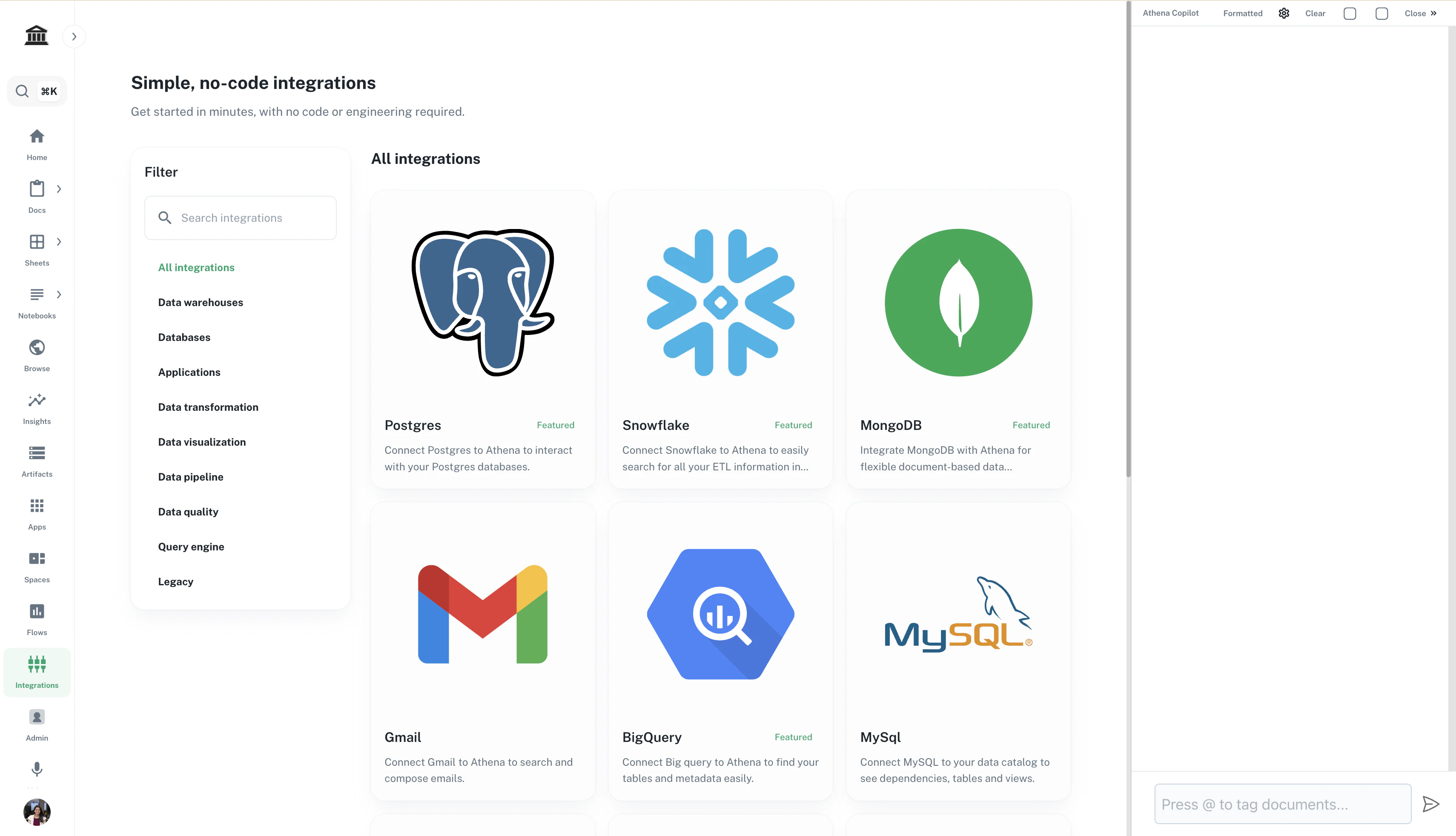
Navigate to ***[Integrations](https://app.athenaintel.com/dashboard/integrations/)***. Click on **Postgres**.
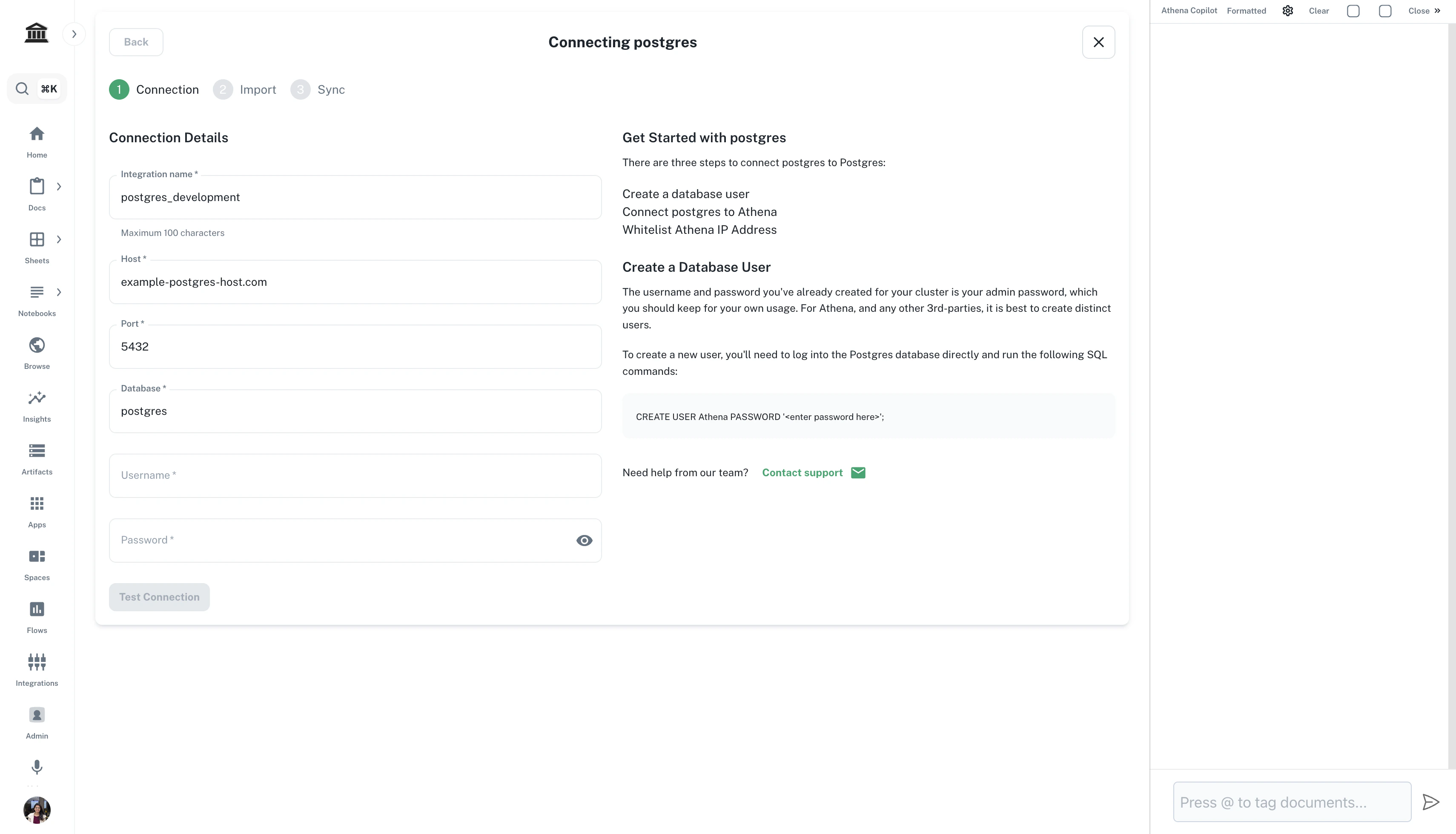
 Fill in the connection details and click on **Test Connection**.
| Field | Value |
| --------------------------- | --------------------------------------------------------------------------------------------------------------------------------------------------------------------------------------------------------------------------------------- |
| **Connection URI** | Optional shortcut — paste `postgresql://user:password@host:5432/database?sslmode=verify-full` and the fields below are filled in for you |
| **Host** / **Port** | The database host and port (default `5432`) |
| **Database** | The database to query |
| **Username** / **Password** | A database role for Athena to use — a dedicated read-only role is recommended |
| **TLS mode** | `verify-full` — verifies the CA *and* that the certificate matches the host, so it is the only mode that protects against man-in-the-middle. If it fails, fix the certificate or connect on the hostname the certificate was issued for |
| **Display name** | Optional label for the connection |
Fill in the connection details and click on **Test Connection**.
| Field | Value |
| --------------------------- | --------------------------------------------------------------------------------------------------------------------------------------------------------------------------------------------------------------------------------------- |
| **Connection URI** | Optional shortcut — paste `postgresql://user:password@host:5432/database?sslmode=verify-full` and the fields below are filled in for you |
| **Host** / **Port** | The database host and port (default `5432`) |
| **Database** | The database to query |
| **Username** / **Password** | A database role for Athena to use — a dedicated read-only role is recommended |
| **TLS mode** | `verify-full` — verifies the CA *and* that the certificate matches the host, so it is the only mode that protects against man-in-the-middle. If it fails, fix the certificate or connect on the hostname the certificate was issued for |
| **Display name** | Optional label for the connection |
 The database must be reachable from the public internet, and the connection is always encrypted — unencrypted connections are not offered. If your database sits behind an allowlist, ask your DBA to permit Athena's egress IP; contact [team@athenaintel.com](mailto:team@athenaintel.com) for the current value.
Credentials are encrypted at rest and never returned to the browser. Queries run with the privileges of the database role you supply, so grant only what Athena needs — a role with `SELECT` on the relevant schemas is usually enough.
Now that you have connected your data, [explore how to query the same](https://resources.athenaintel.com/docs/pillars/applications/query)!
The database must be reachable from the public internet, and the connection is always encrypted — unencrypted connections are not offered. If your database sits behind an allowlist, ask your DBA to permit Athena's egress IP; contact [team@athenaintel.com](mailto:team@athenaintel.com) for the current value.
Credentials are encrypted at rest and never returned to the browser. Queries run with the privileges of the database role you supply, so grant only what Athena needs — a role with `SELECT` on the relevant schemas is usually enough.
Now that you have connected your data, [explore how to query the same](https://resources.athenaintel.com/docs/pillars/applications/query)!