> ## Documentation Index
> Fetch the complete documentation index at: https://resources.athenaintel.com/llms.txt
> Use this file to discover all available pages before exploring further.
# BigQuery
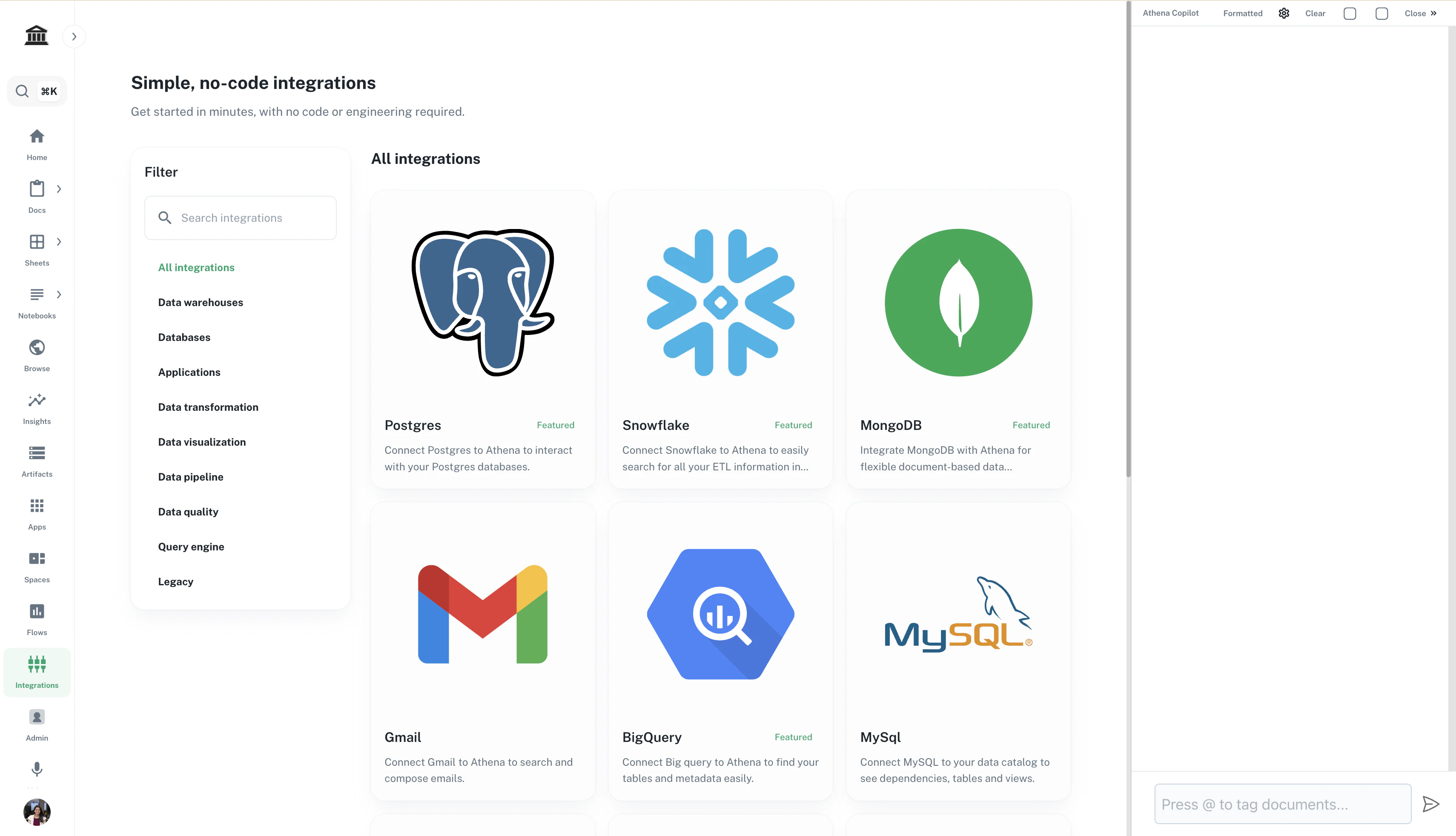
Connect Big query to Athena to find your tables and metadata easily.
BigQuery is a per-user connection: each member uploads their own credentials, and nothing is shared with other members. No workspace-admin setup is required.
Navigate to ***[Integrations](https://app.athenaintel.com/dashboard/integrations/)***. Click on **BigQuery**.
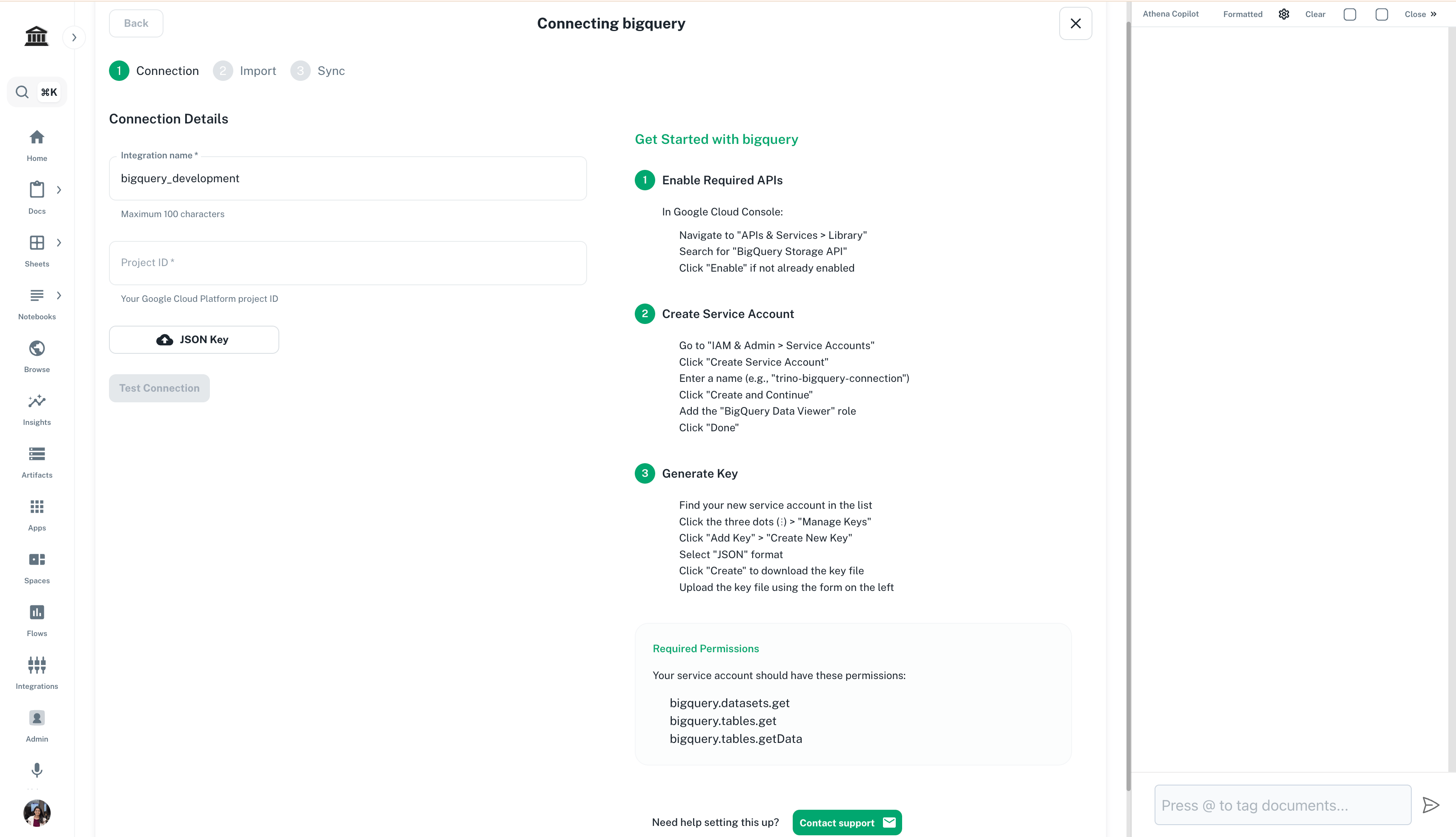
 Fill in the connection details and click on **Test Connection**.
 ## Connecting with a service account (BigQuery Direct)
The **BigQuery (Direct v2)** option takes a Google service-account key file
instead of individual credentials, and creates a semantic model wired one-to-one
to your project.
In the Google Cloud project that holds your datasets, create a service
account and grant it read access to BigQuery — typically **BigQuery Data
Viewer** on the datasets you want to expose, plus **BigQuery Job User** on
the project so it can run queries. Then create a **JSON key** and download
the file.
On the **[Integrations](https://app.athenaintel.com/dashboard/integrations/)**
page, choose **BigQuery (Direct v2) → Connect** and drop in the `.json` key
file. Athena confirms the project ID and service-account email it read from
the file before you save.
Give the semantic model a title and save. The key is encrypted at rest and
never returned to the browser.
Athena queries BigQuery with exactly the permissions you gave that service
account — grant the minimum your team needs, and rotate the key by uploading a
new one at any time.
Now that you have connected your data, [explore how to query the same](https://resources.athenaintel.com/docs/pillars/applications/query)!
## Connecting with a service account (BigQuery Direct)
The **BigQuery (Direct v2)** option takes a Google service-account key file
instead of individual credentials, and creates a semantic model wired one-to-one
to your project.
In the Google Cloud project that holds your datasets, create a service
account and grant it read access to BigQuery — typically **BigQuery Data
Viewer** on the datasets you want to expose, plus **BigQuery Job User** on
the project so it can run queries. Then create a **JSON key** and download
the file.
On the **[Integrations](https://app.athenaintel.com/dashboard/integrations/)**
page, choose **BigQuery (Direct v2) → Connect** and drop in the `.json` key
file. Athena confirms the project ID and service-account email it read from
the file before you save.
Give the semantic model a title and save. The key is encrypted at rest and
never returned to the browser.
Athena queries BigQuery with exactly the permissions you gave that service
account — grant the minimum your team needs, and rotate the key by uploading a
new one at any time.
Now that you have connected your data, [explore how to query the same](https://resources.athenaintel.com/docs/pillars/applications/query)!